Access baseline/populated form record
In EDC, a populated form is a form of a simple or log type that uses some data of another form called a baseline form.
This functionality becomes handy when the baseline data—initial measurements or subjects' characteristics at the start of a study, such as their demographic or health condition details—need to be populated between visit forms during data entry in EDC.
Important
The populated forms are configured in the Study Designer (SD) application.
In this section, you can learn how to access the populated form from a baseline form or review all the populated forms for a baseline form.
-
In the EDC application header, select the DATA ENTRY tab.
-
On the site list page that opens, select the tile representing the site with which you want to work.
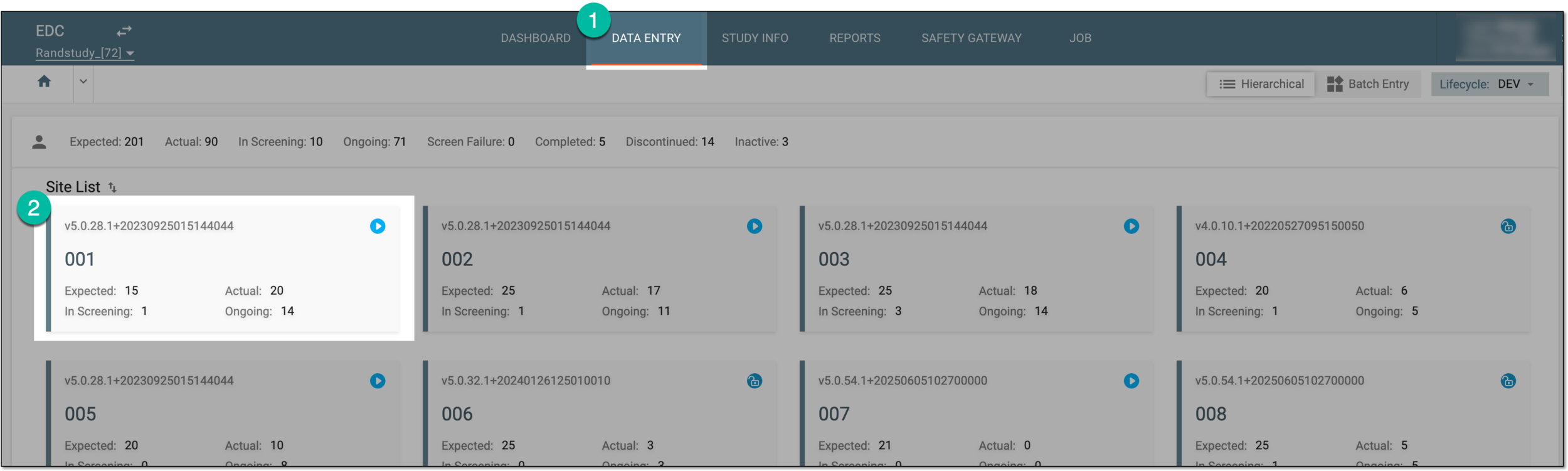 Figure 1. Accessing site tile
-
In the Subject ID column, select the ID of a subject to open their visit overview.
 Figure 2. Selecting subject
-
In the subject visit tree of the page that opens, expand the needed visit that contains the populated form you want to access.
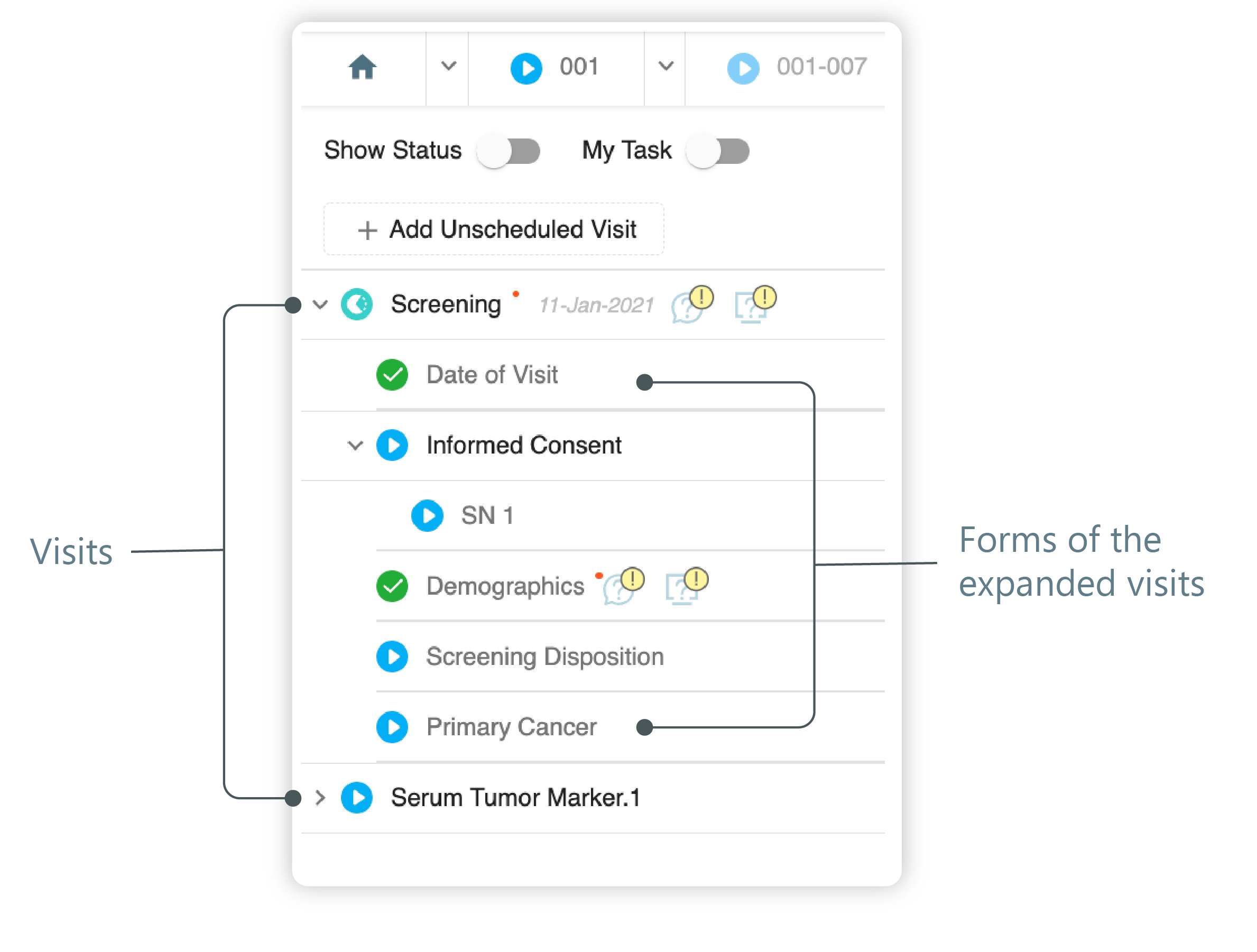 Figure 3. Left panel. Visits and their forms
Tip
The expanded list contains visits and forms in different statuses marked distinctly. You can access the visit and forms according to their status. The visits and forms are marked with:
-
 : the visit/form is in the initial state.
 -
 : the visit/form is incomplete.
 -
 : the visit/form is completed.
-
-
From the expanded list of forms, select the needed form as follows.

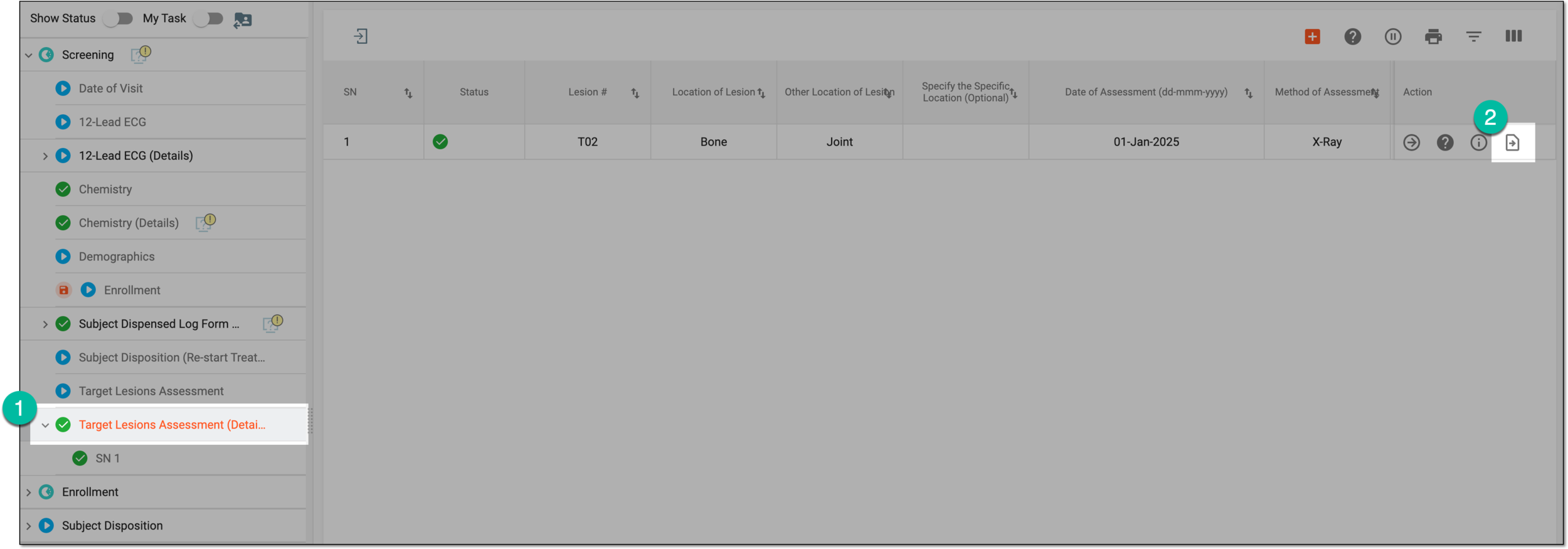

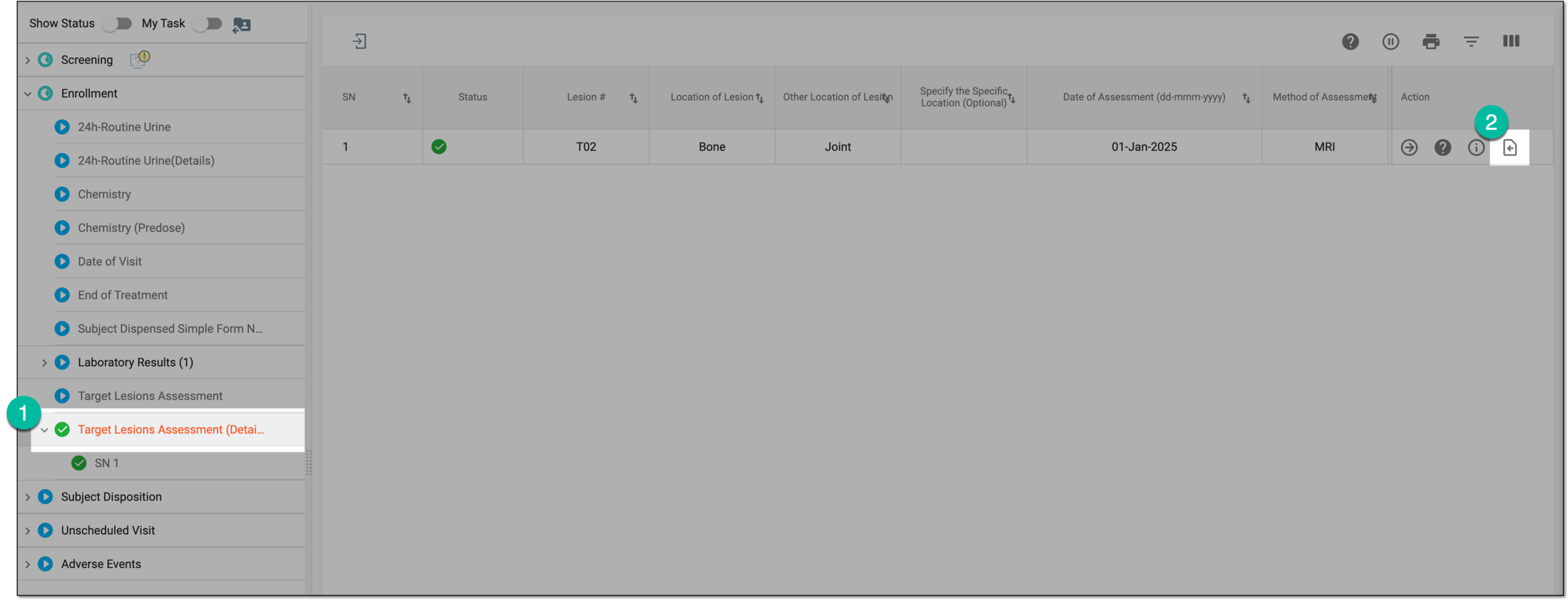
Upon selection, you are directed to the records of the populated or baseline form, respectively.