Site list
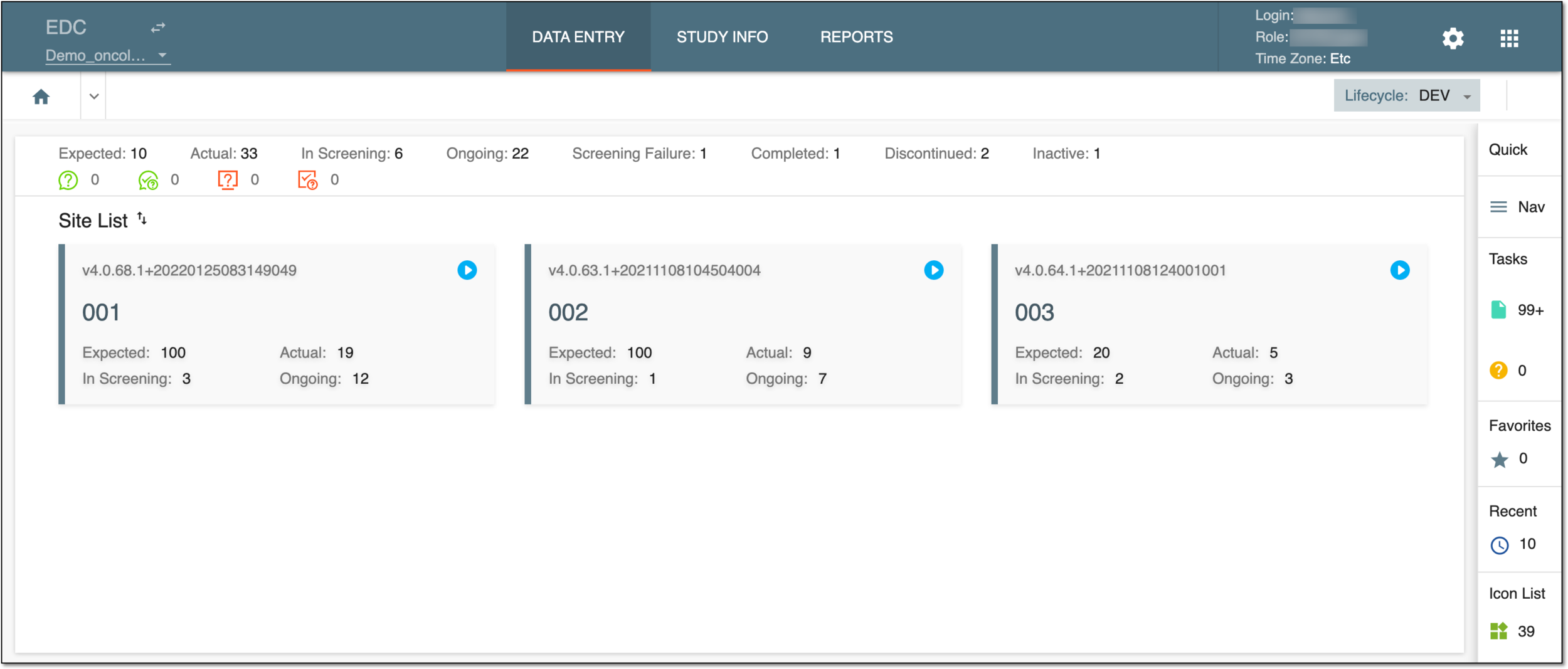
Site List is the page of EDC where you can view the list of sites from which subject data is collected.
Important
To view and access sites on this page, you need to have the respective access rights given by the system administrator via the ADMIN application. If you have access to only one site, you can only see that one. If you have access to three, you see only those three.
The process of granting permissions is the following: a site coordinator, sponsor, or other responsible person submits a request to grant the user access to a specific site. Once the user receives their username and password, they can access that particular site and start entering clinical data.
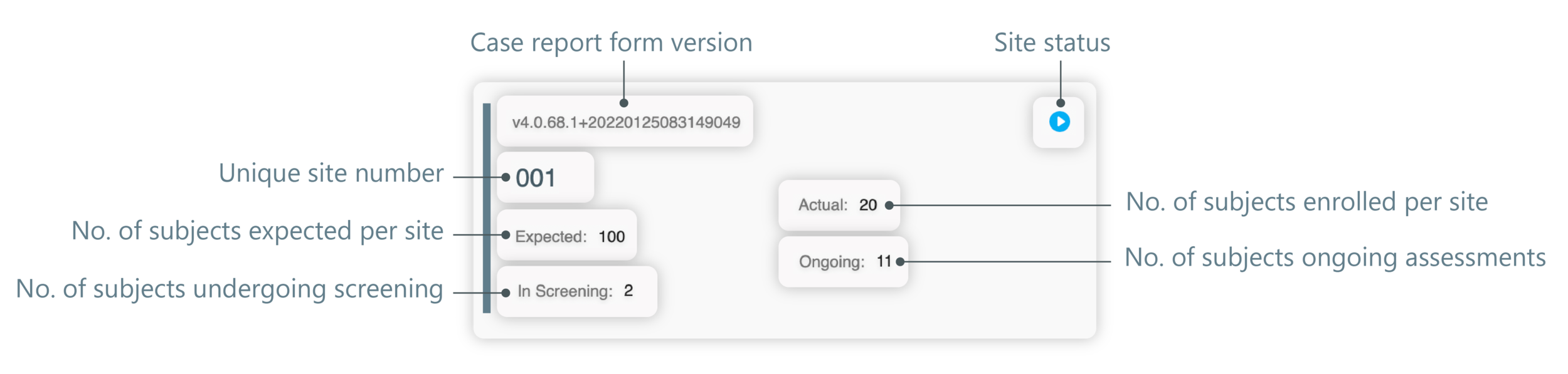
Each site you see on this page is initially created in CTMS (a unique site number is populated from there) and displayed as a separate tile.
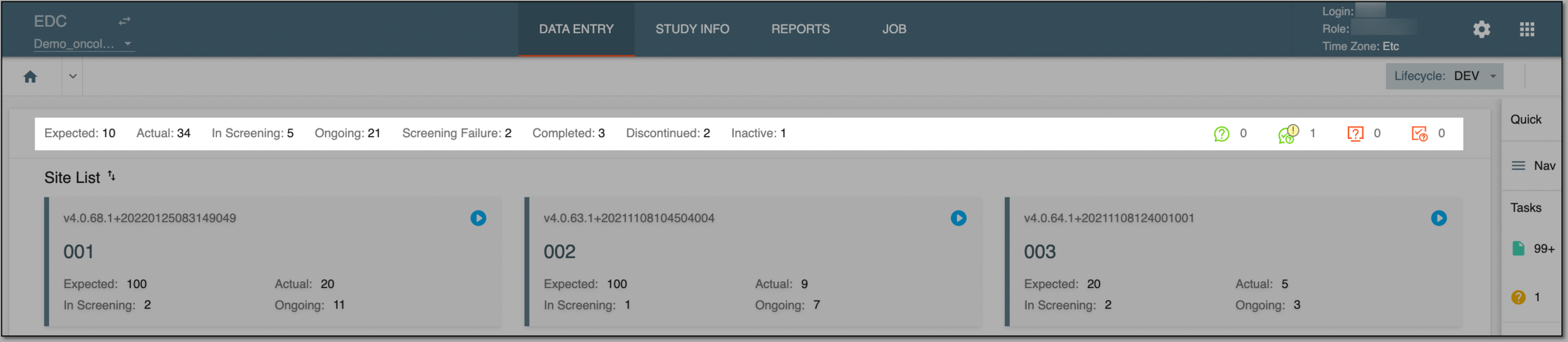
At the top of the Site List page, you can find a toolbar with statistical information about the study for which clinical data is expected to be entered. The statuses you see here—Expected, Actual, In Screening, and so on—are manageable. You can either edit any status to customize it to your study needs or activate and inactivate the statuses to show and hide them from this toolbar.
You can find more details on the default toolbar statuses and other data in the following table.
|
Element |
Details |
|---|---|
|
Expected |
Represents the number of subjects expected in a trial. |
|
Actual |
Represents the actual number of subjects currently enrolled in a trial. |
|
In Screening |
Represents the number of subjects currently undergoing screening. |
|
Ongoing |
Represents the number of subjects who have ongoing assessments of their health status. |
|
Screening Failure |
Represents the number of subjects who are not participating in the study for some reason. |
|
Completed |
Represents the number of subjects who have completed all the needed study activities and who can now be included in the pool of cases whereby the clinical efficacy and safety of the study drug can be evaluated. |
|
Discontinued |
Represents the number of subjects who are prematurely discontinued in the study for some reason. |
|
Inactive |
Represents the number of subjects who are deactivated in the study. For example, a subject can be deactivated if they do not meet the study inclusion criteria or refuse to participate in the clinical trial, or else. |
|
My Open Manual Queries |
A number next to My Open Manual Queries |
|
My Answered Manual Queries |
A number next to My Answered Manual Queries |
|
My Open System Queries |
A number next to My Open System Queries |
|
My Answered System Queries |
A number next to My Answered System Queries |


