View integration configuration operation history
In eTMF, you can configure an integration with a particular external server preconfigured for your study in the ADMIN app, thus, enabling the system to pull external files automatically on a regular schedule and land them in your desired directory of file management or essential documents. All such integrations may then undergo various amendments or inactivation, so it becomes necessary to track operation history to ensure user action integrity and change traceability.
-
In the eTMF application header, select the ADMIN tab.
-
From the left pane of the page that opens, select System Integration > Integration Configuration.
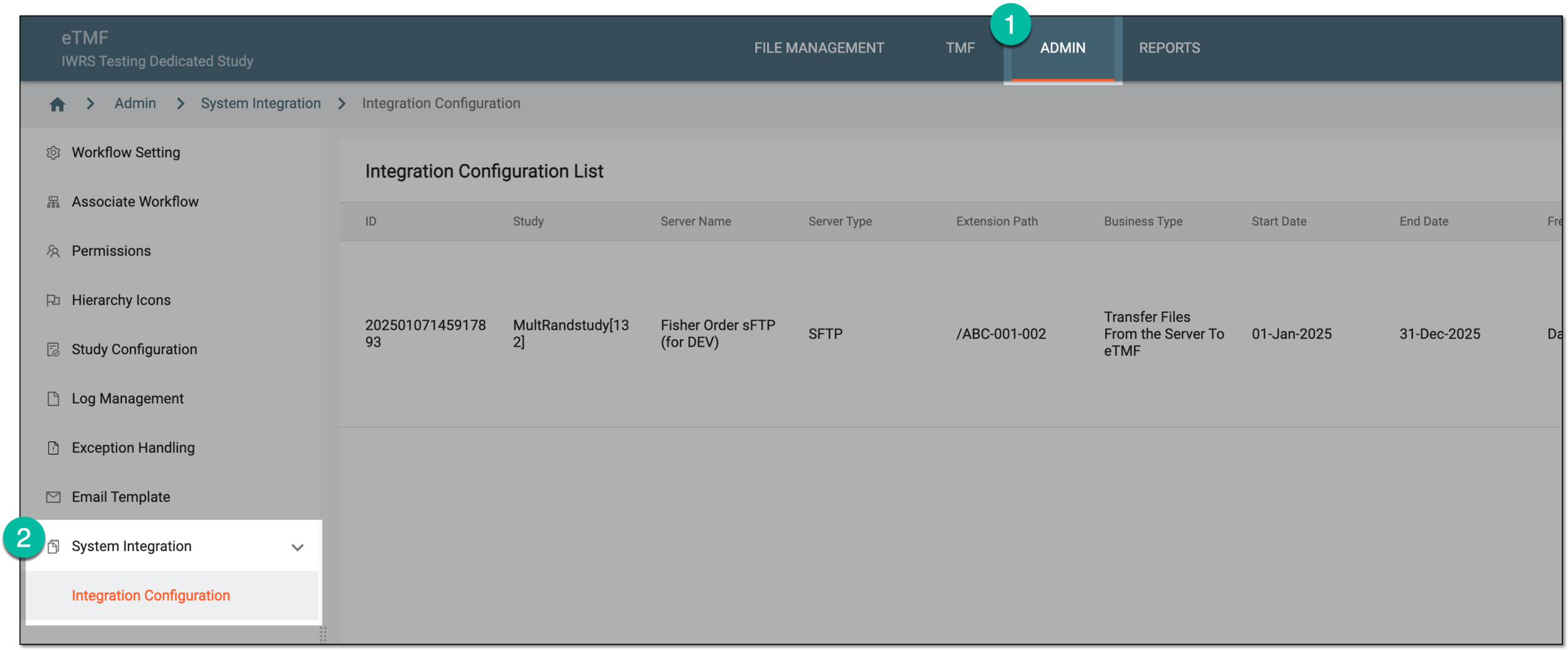 Figure 1. Accessing integration configuration
-
In the Integration Configuration List table that opens, locate the record for which you want to review the history of operations. Then next to it, select More
 > Operation History
  .
.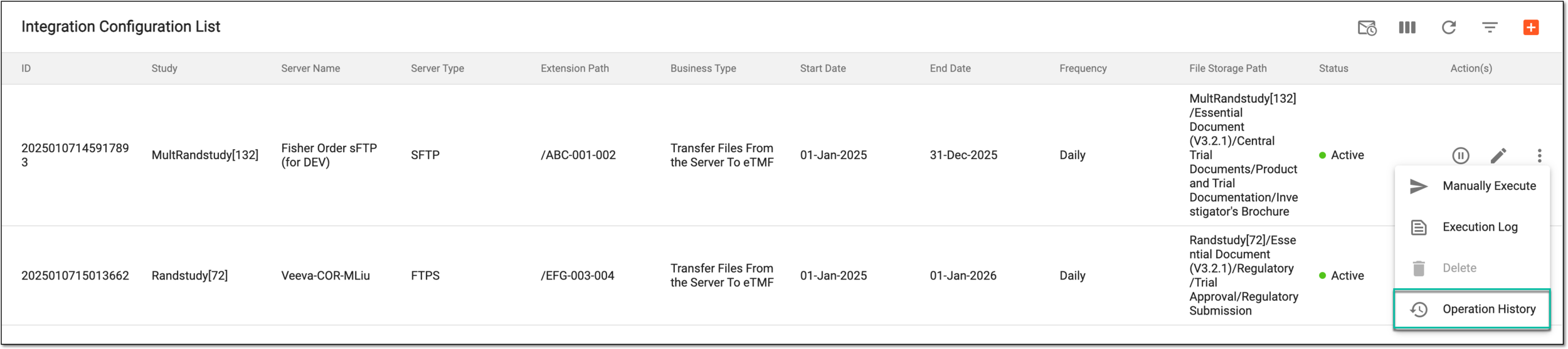 Figure 2. Accessing integration operation history
-
In the Operation History dialog that appears, review the complete log of actions performed with the integration from its creation and up to date.
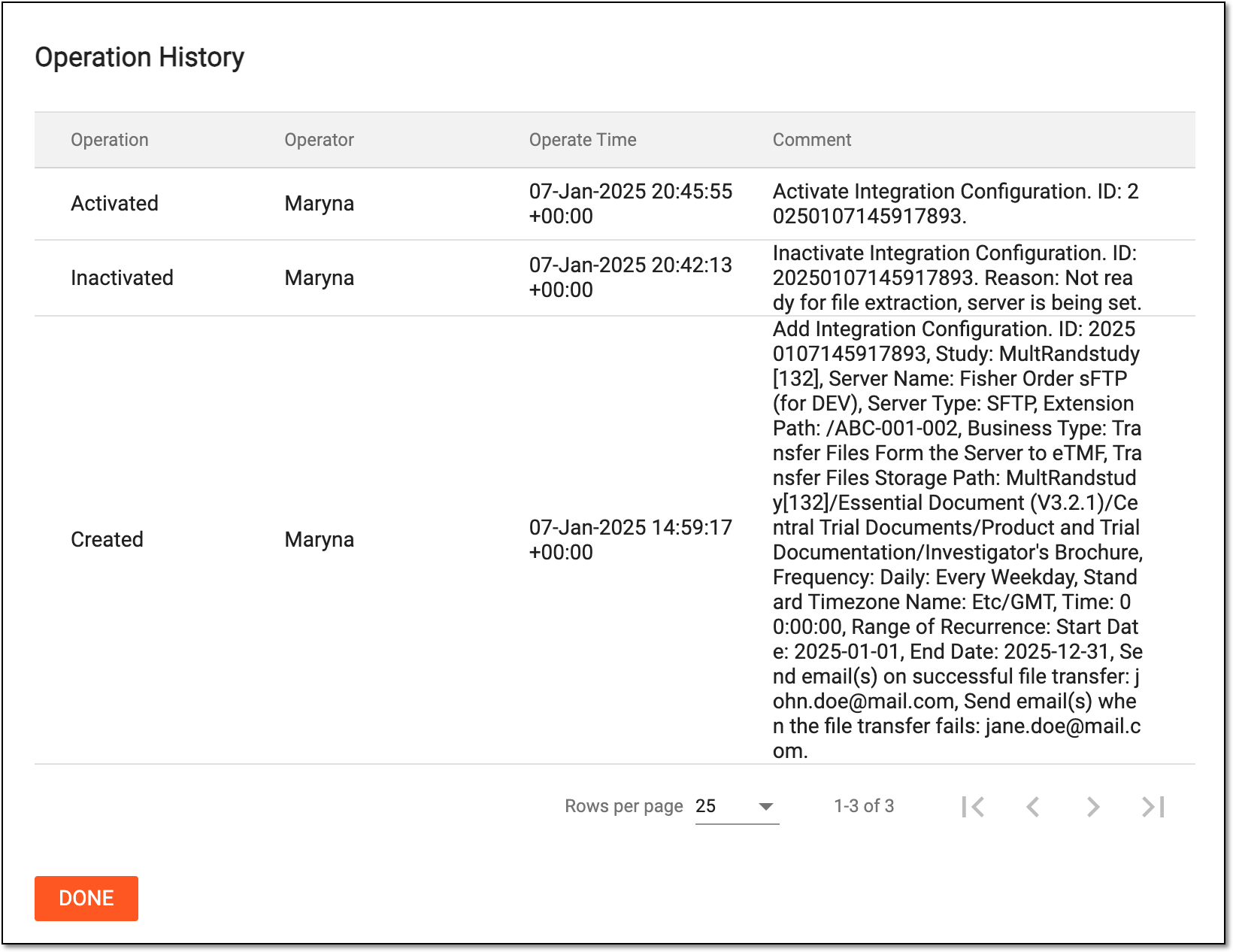 Figure 3. Reviewing integration operation history
You have now reviewed the complete history of operations with the integration configuration. Select  to close the dialog and return to Integration Configuration List.