Delete dispensing window
A dispensing window is a specific time frame during which the dispensing package can be administered to the subject during their treatment visit to the site. If the dispensing prescription has changed or is no longer valid, you can delete your dispensing windows.
-
In the IWRS application header, select the TREATMENT DESIGN tab.
-
From the left pane, select Visit Dispensing and Window.
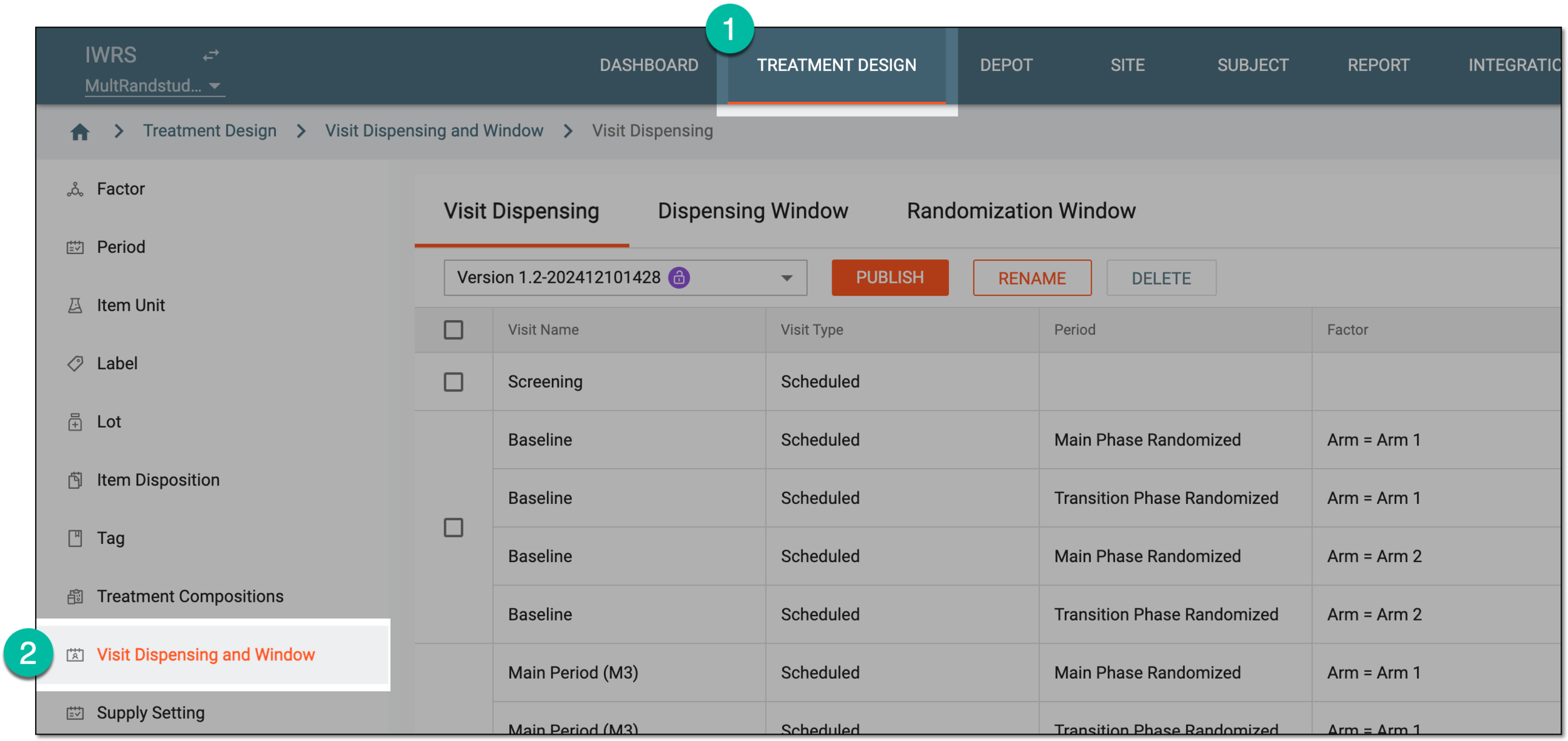 Figure 1. Accessing visit dispensing and window configuration
-
On the page that opens, from the version menu, ensure the unlocked version
 is selected, otherwise, you cannot amend any dispensing visit or window
configurations.
is selected, otherwise, you cannot amend any dispensing visit or window
configurations.If the current version is locked
 , consider adding a new dispensing visit setting version.
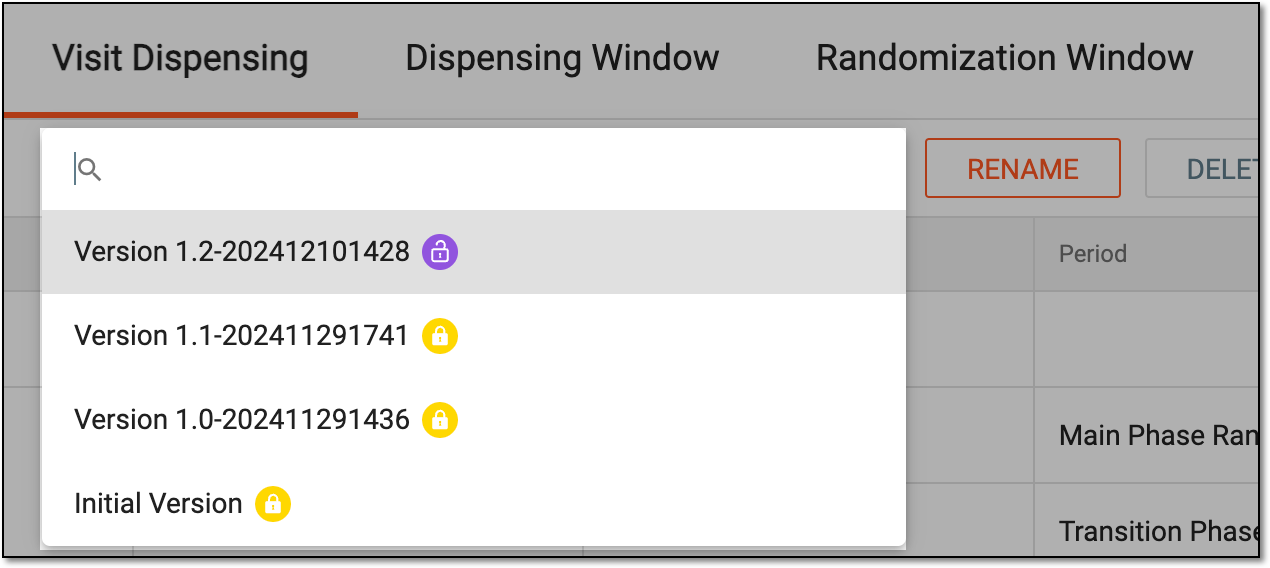 Figure 2. Selecting dispensing visit setting version
-
From the contents panel, select the Dispensing Window tab.
-
In the Dispensing Window table that appears, select the checkboxes next to the dispensing window configurations that you want to delete and from the workspace toolbar, select Delete
 .
. Figure 3. Deleting dispensing windows
-
From the confirmation dialog that appears, select
 to proceed with the deletion.
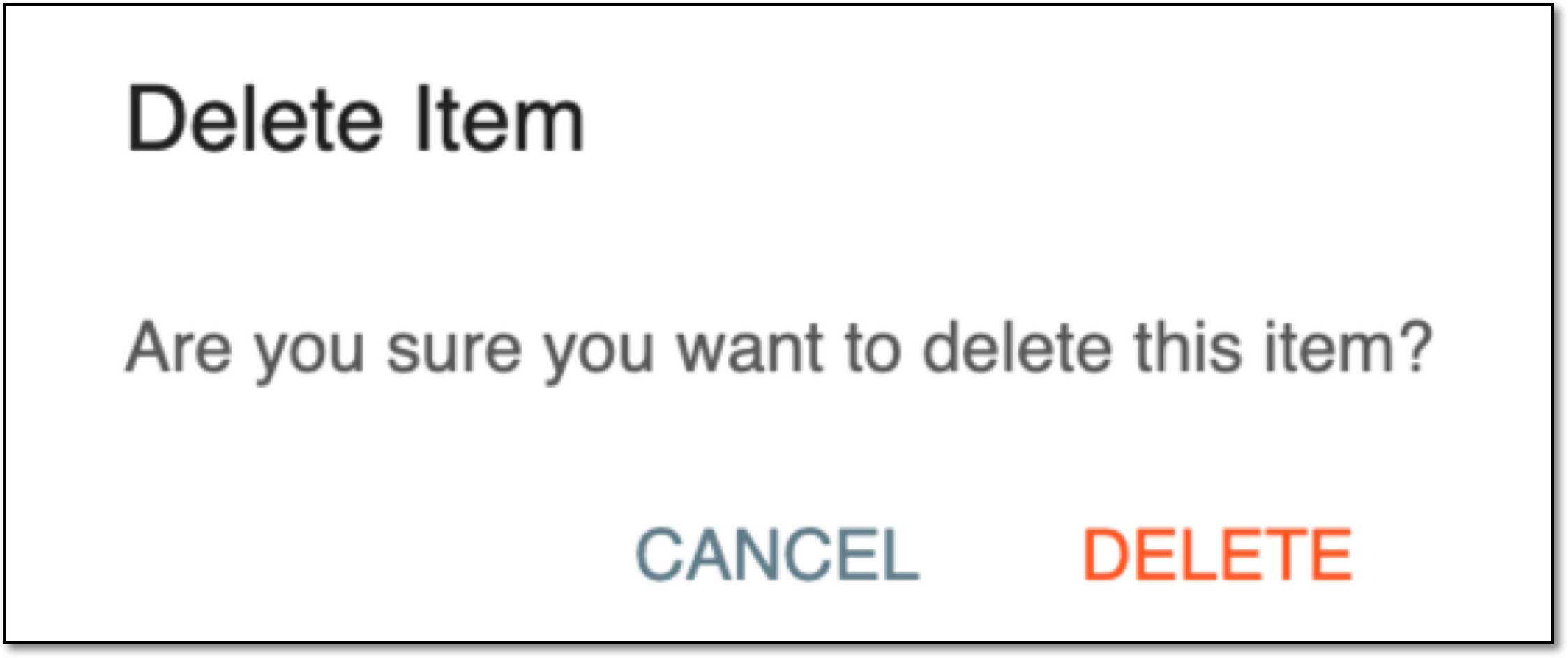 Figure 4. Confirming dispensing window deletion
Upon confirmation, the dispensing window configuration is deleted from the current setting version. Once the current visit dispensing version is published, the sites and subjects can be upgraded to this version, and the respective parameters and dates removed from the respective subjects' dispensing plans.