View coding query report
The Coding Query Report provides a comprehensive overview of outstanding coding queries, helping you effectively monitor and manage coding-related issues. This report includes details of unresolved, manually assigned, and system-generated queries, along with key information such as the assigned user, query status, and due dates.
By viewing this report, you can:
-
Track unresolved queries to identify pending issues that require attention.
-
Monitor query assignments to see who is responsible for addressing each query.
-
Identify overdue queries to prioritize timely resolution.
-
Review the current coding status to ensure accurate progress tracking.
-
Assess query resolution progress to confirm that all issues are being addressed efficiently.
Overall, the coding query report is a valuable tool for maintaining the accuracy and consistency of coding results while ensuring that all queries are resolved promptly.
-
In the Medical Coding application header, select the REPORTS tab.
 Figure 1. Accessing reporting functionality
-
On the page that opens, in the left pane, select Coding Query Report.
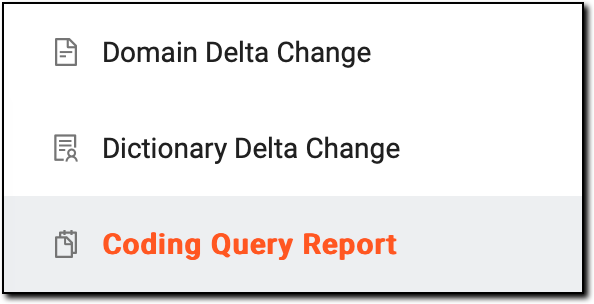 Figure 2. Accessing coding query reporting functionality
-
On the Coding Query Report page that appears, in the table, review the summary of all outstanding coding queries as explained in the following table.
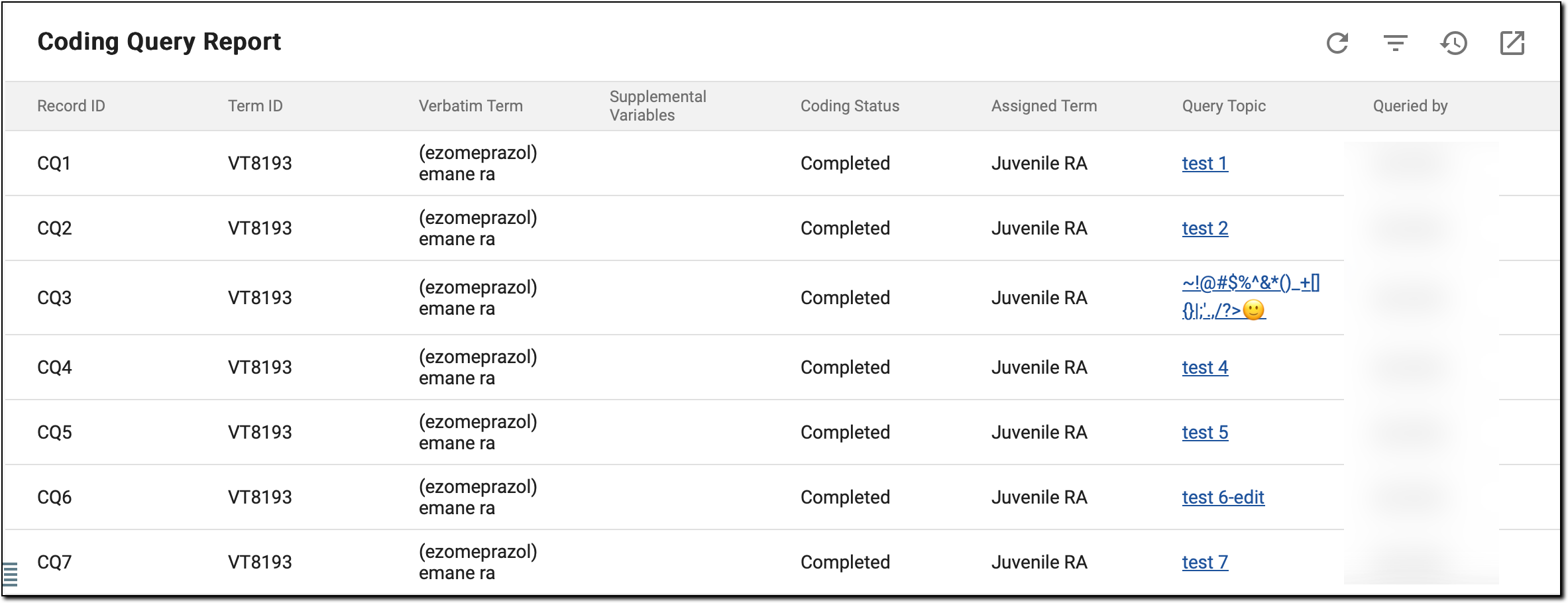 Figure 3. Reviewing coding queries
Column
Details
Record ID
A unique identifier for the specific record where the coding query was raised.
Term ID
The system-generated identifier for the term associated with the coding query.
Verbatim Term
The exact term or phrase as entered in the source data that triggered the coding query.
Supplemental Variables
Additional contextual information related to the verbatim term. These variables may include specific details from the source data, such as indication or route, which help provide context when coding the term.
Coding Status
Indicates the current progress of the coding for the VT. Possible statuses include:
-
Await Manual Code: the standardized dictionary term has not yet been assigned to a verbatim term and requires manual coding.
-
Completed: the standardized dictionary term has been successfully assigned to a verbatim term and coding is complete.
Assigned Term
The standardized term from either MedDRA or WHODrug dictionaries that has been assigned to the verbatim term.
Query Topic
A brief description or categorization of the query’s subject matter, highlighting the reason for the query.
The topic is presented as a hyperlink, allowing you to click it and get redirected to the VT List page, where you can manually code the
                                  verbatim term on your own.
Queried by
The name of the user who raised the query.
Creation Role
The role of the user responsible for creating the query.
Creation Time
The date and time when the query was initially created.
Query Age (Days)
The total number of days since the query was created, helping track its duration.
Assigned to
The role currently responsible for resolving or addressing the query.
Pending Action from
Indicates which role is expected to take action on the query.
Status
The current progress of the query, such as Open, Answered, or Closed.
Overdue
A flag that shows whether the query resolution deadline has passed, marked as Yes or No.
Latest Reply Text
The most recent response or comment provided as part of the query resolution process.
Latest Reply Time
The date and time when the latest reply or response was submitted.
Latest Reply by
The name of the user who provided the latest reply or response to the query.
Closed by
The name of the user responsible for closing the query once it has been resolved.
Closed Time
The date and time when the query was officially closed.
-
Now, upon reviewing the outstanding queries, you can efficiently monitor query resolution progress, identify critical issues, and take appropriate actions to ensure all coding queries are addressed in a timely manner.