Export coding query report
The Export Coding Query Report feature helps you download detailed information about coding queries into a structured file format for offline review and analysis. This functionality is particularly useful for tracking query resolution progress, sharing query details with stakeholders, or performing in-depth evaluations of outstanding or resolved queries.
By exporting the report, you can gain insights into query details, such as the associated records, query status, assigned roles, and actions taken. The exported file provides a convenient way to examine query data comprehensively and ensures efficient communication and collaboration among team members involved in coding workflows.
-
In the Medical Coding application header, select the REPORTS tab.
 Figure 1. Accessing reporting functionality
-
On the page that opens, in the left pane, select Coding Query Report.
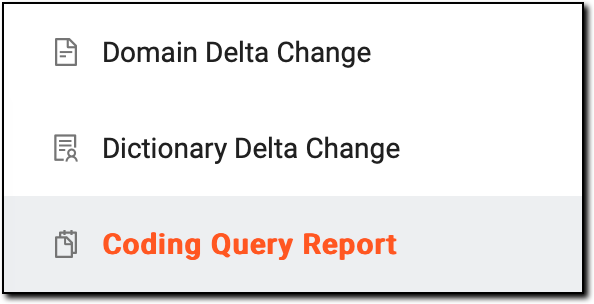 Figure 2. Accessing coding query reporting functionality
-
On the Coding Query Report page that appears, in the upper-right corner, select Export
 .
.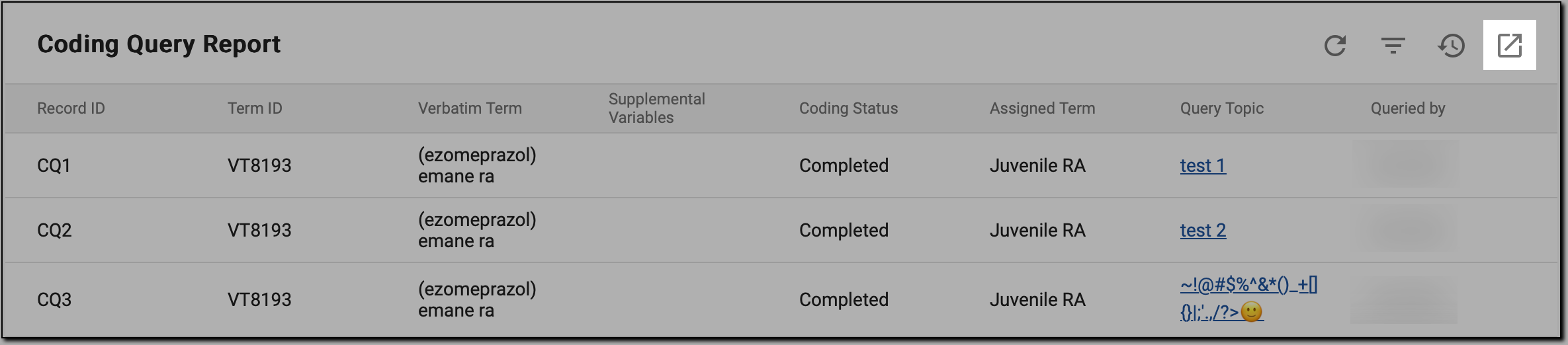 Figure 3. Exporting coding query report
-
In the pop-up window that appears, select the Download icon
 .
.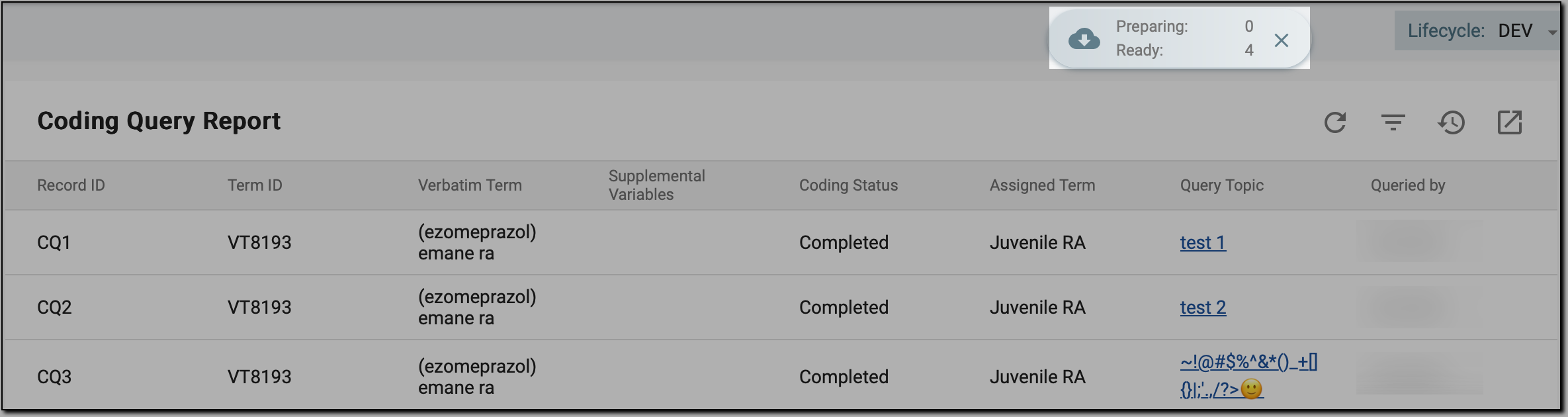 Figure 4. Initiating coding query report downloading
-
In the My Downloads dialog that opens, switch to the Download is Ready tab, and next to the report of your interest, select the Download icon
 .
.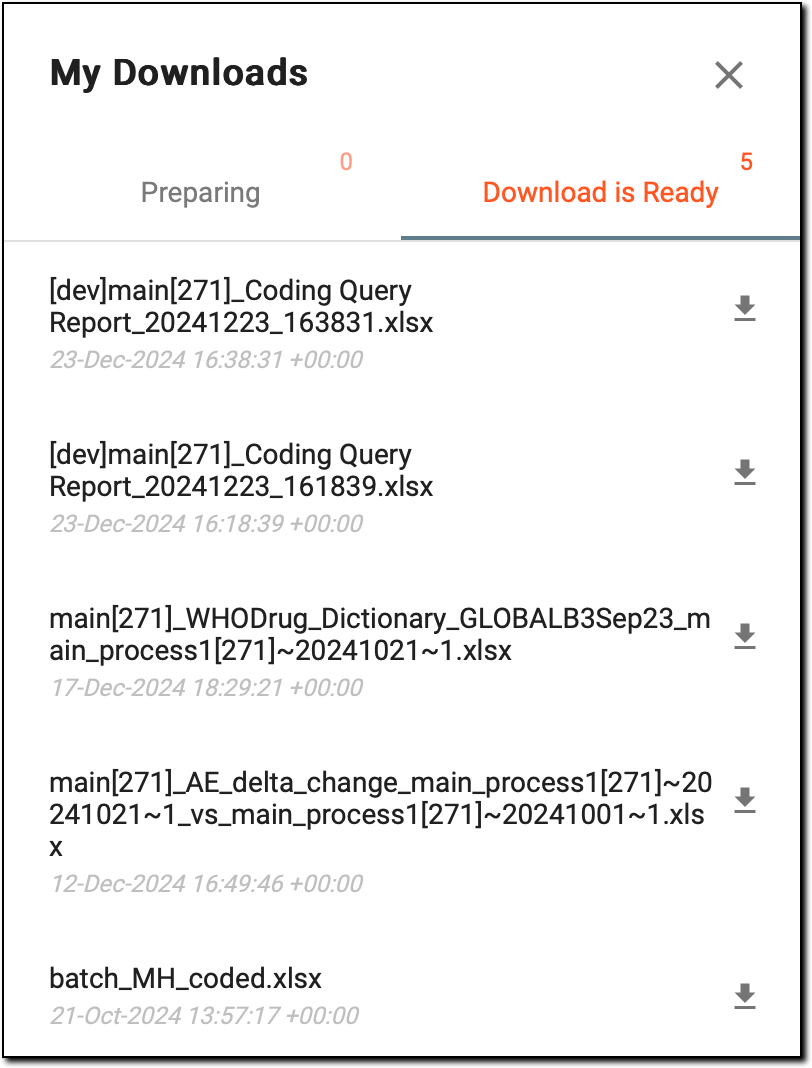 Figure 5. Downloading coding query report
Once done, the coding query report is saved to your computer in an XLSX format. You can open the file to review the detailed information about coding queries, including their status, assignments, and pending actions. This helps you analyze the query data, track resolution progress, and share insights with relevant stakeholders for further action or decision-making.