Set question as matrix object
The Study Designer application enables study teams to configure CRFs for clinical trial visits with a variety of tools. There are various form field options such as text fields, checkboxes, dropdown menus, date pickers, and more. You can place these fields on the form canvas, arrange them as needed, and make sure they are associated with the corresponding variables.
When associating forms with visits, the system automatically shares all questions between a parent unique form and its child visit forms. However, it may occur that some questions available on the unique form may not be required on forms of some visits. In order to have the possibility to hide such questions, you can set them as matrix objects and then maintain the SOA matrix to specify what questions need to be available or hidden in different visit forms.
Important
By updating a unique form, you introduce changes to all visit forms linked to it and vice versa.
-
In the Study Designer application header, select the CRF DESIGN tab.
-
In the toolbar, select the latest draft CRF version marked with the respective unlock symbol
 , otherwise, you cannot perform any actions.
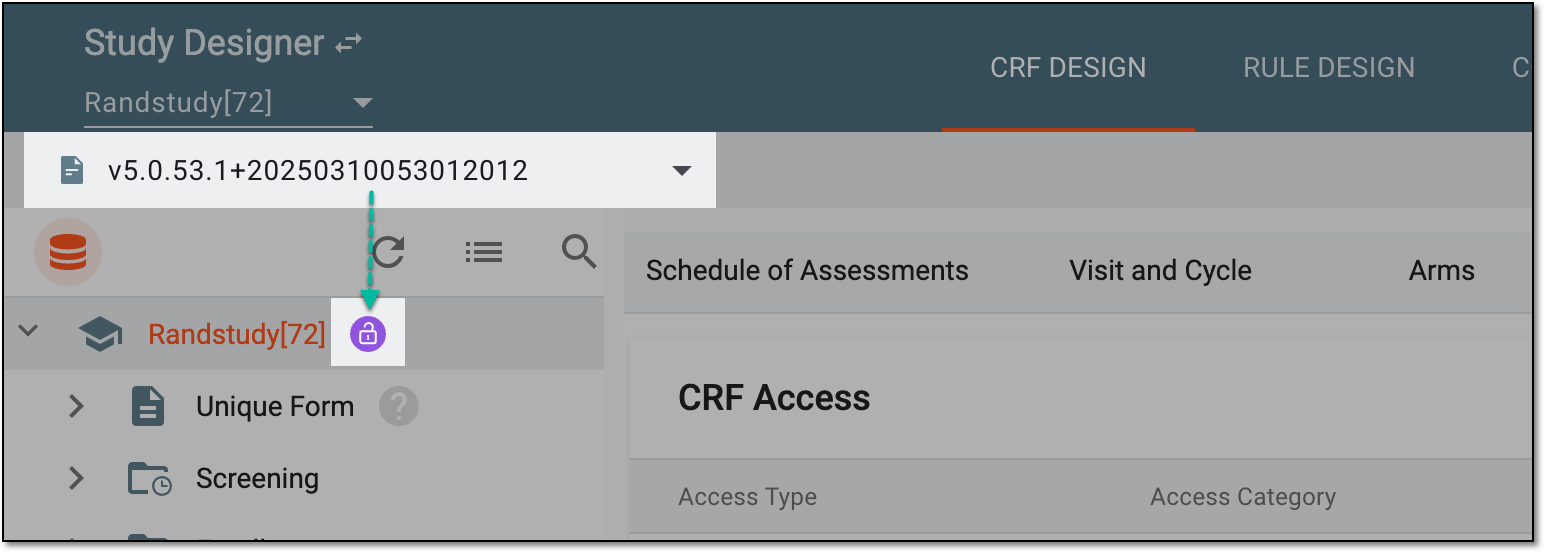 Figure 1. Selecting latest draft CRF version
-
In the left pane that appears, select the needed form.
Tip
To locate the needed forms faster, use Search
 on the workspace toolbar of the
left pane.
on the workspace toolbar of the
left pane.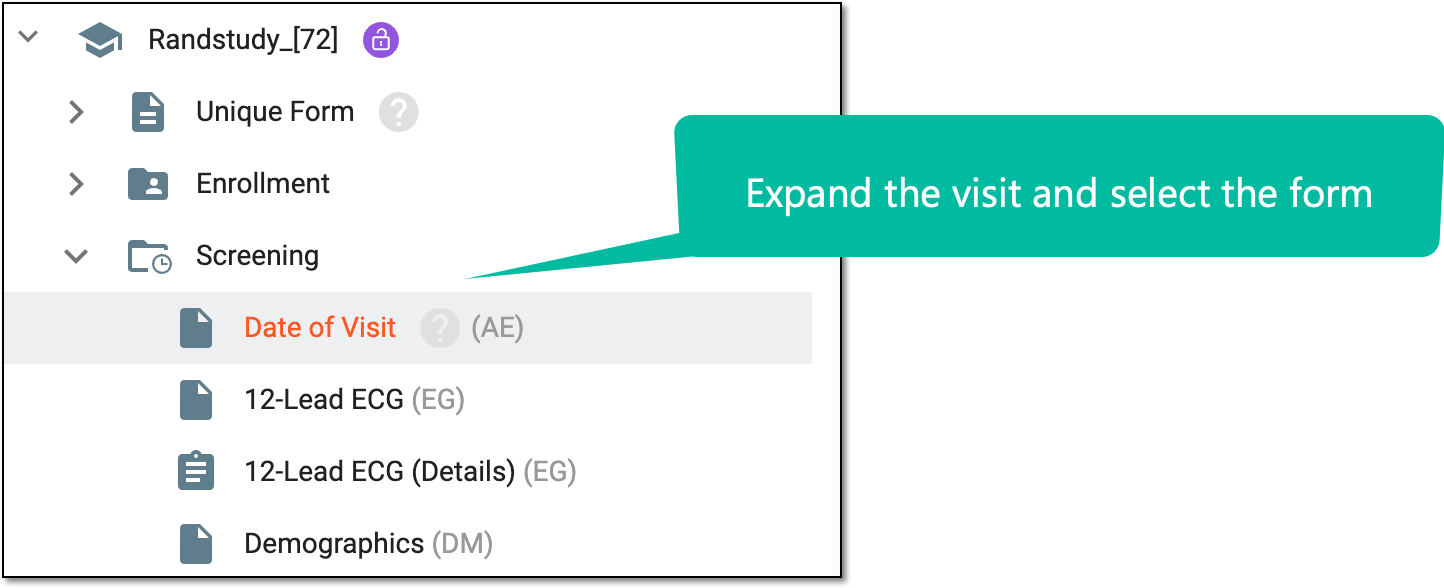 Figure 2. Accessing form to configure
-
On the form content page that appears, next to the needed question, select More
 > Set
as Matrix Object
> Set
as Matrix Object  .
.Tip
Note that this option is not available for question columns in grid forms.
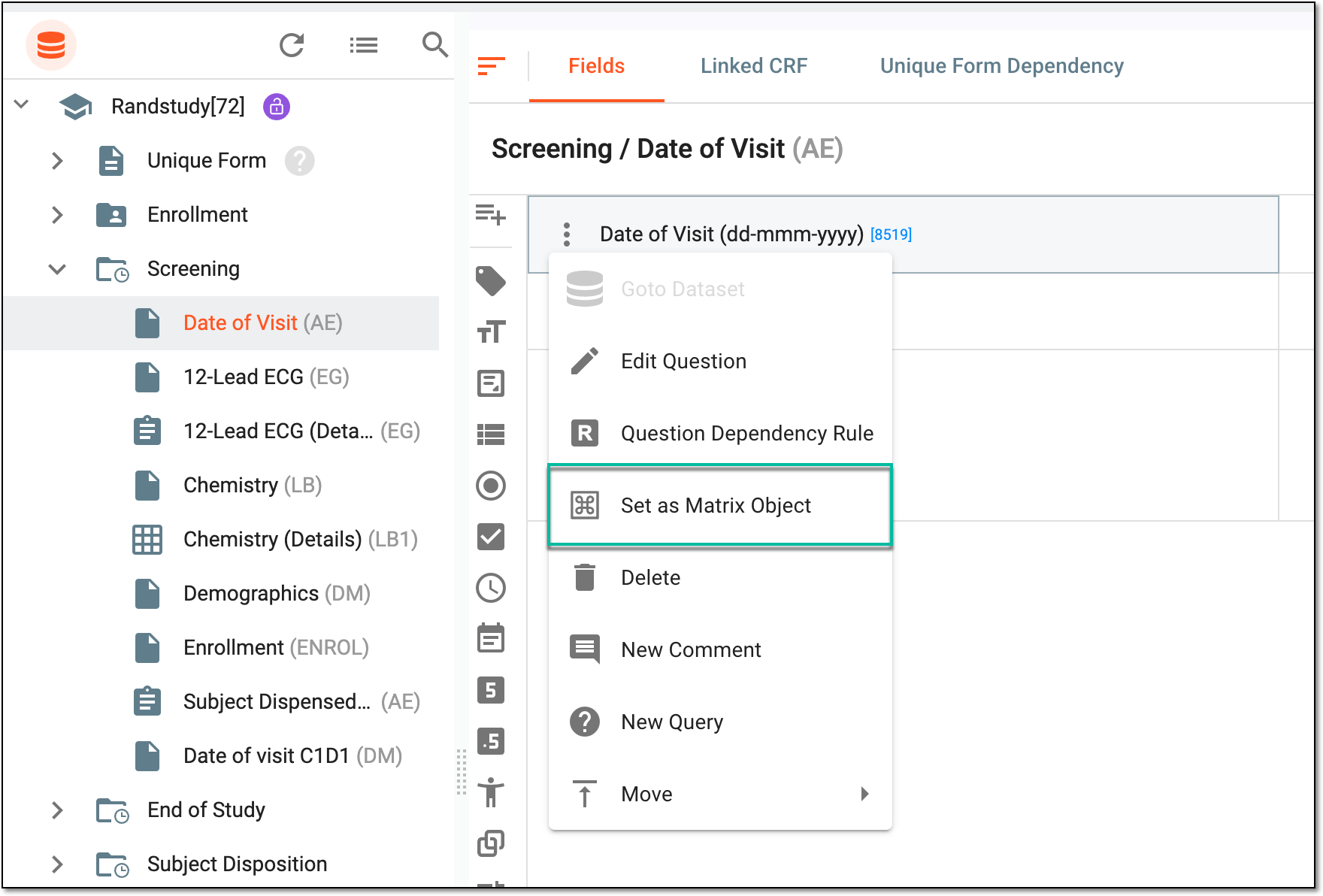 Figure 3. Selecting option to set question as matrix object
-
If any of the items assigned to the question has already been set as a matrix object, then in the confirmation dialog that appears, select
 to remove the item from the SOA matrix since the question and its items cannot be associated with the SOA matrix simultaneously.
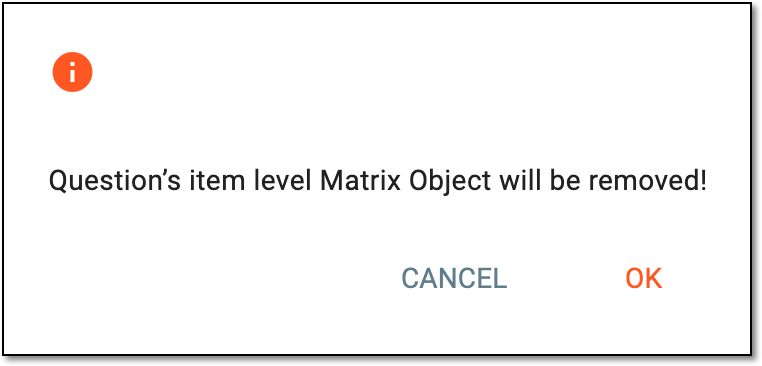 Figure 4. Confirming to remove item-level matrix object for question
Once confirmed, the question is marked as the matrix object. You can now maintain the SOA matrix to specify where this question needs to be available or hidden in different visit forms.