Start coding process
The Start Coding feature is essential for initiating the medical coding workflow after the verbatim terms (VTs) have been uploaded. This feature processes the uploaded VTs, linking them to standardized terms using predefined medical dictionaries like MedDRA and WHODrug.
By starting the coding process, you can efficiently transform raw clinical data into structured and uniform information, ensuring consistent reporting and analysis across various domains. The process helps streamline the interpretation of VTs by mapping them to relevant dictionary terms, which are then used for downstream data processing and regulatory submissions.
For example, after uploading a file containing VTs in the Adverse Events (AE) domain, such as “headache,” “nausea,” and “dizziness,” you can use the Start Coding feature to begin coding these terms. The system will match each verbatim term to standardized dictionary terms, like “Headache” or “Nausea” from the MedDRA dictionary. This ensures that all adverse events are classified consistently.
Important
The feature is available only for the domains in the Await Start status. For more details, refer to Review domains prepared for coding.
-
In the Medical Coding application header, select the BATCH tab.
 Figure 1. Accessing batch configurations
-
In the Batch List table that appears, go to the coding batch that contains the domain where the VTs have been previously uploaded and need to be coded. Then select
 next to it.
 Figure 2. Accessing coding batch domains
-
In the Domain List table, go to the domain containing the VTs that need to be coded. Then select Start Coding
 next to it.
 Figure 3. Initiating coding start
-
In the dialog that opens, select
 to confirm and initiate the coding process.
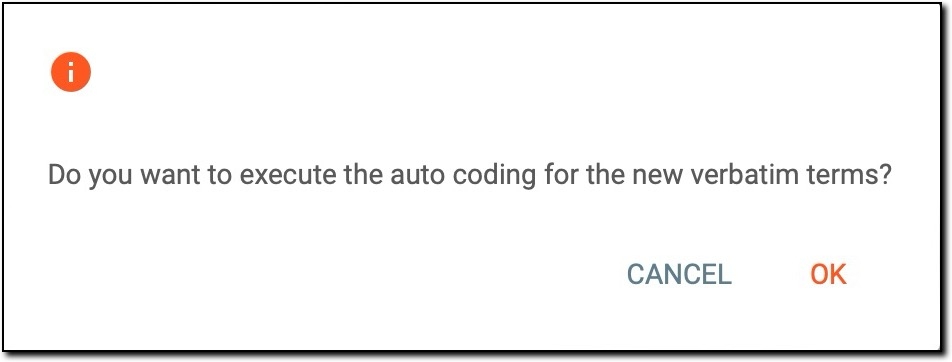 Figure 4. Confirming coding start
Once the coding process is initiated, the system begins processing the uploaded verbatim terms for the selected domain. The VTs are automatically matched against the appropriate medical dictionaries (MedDRA and WHODrug) to generate standardized coded terms.