Add items to packaging lot
In a clinical trial, the investigational product is released in lots that have their specific number and expiry term. In IWRS, you can add items—product units or container units—to previously created packaging lots.
-
In the IWRS application header, select the TREATMENT DESIGN tab.
-
In the left pane, select the Lot subtab.
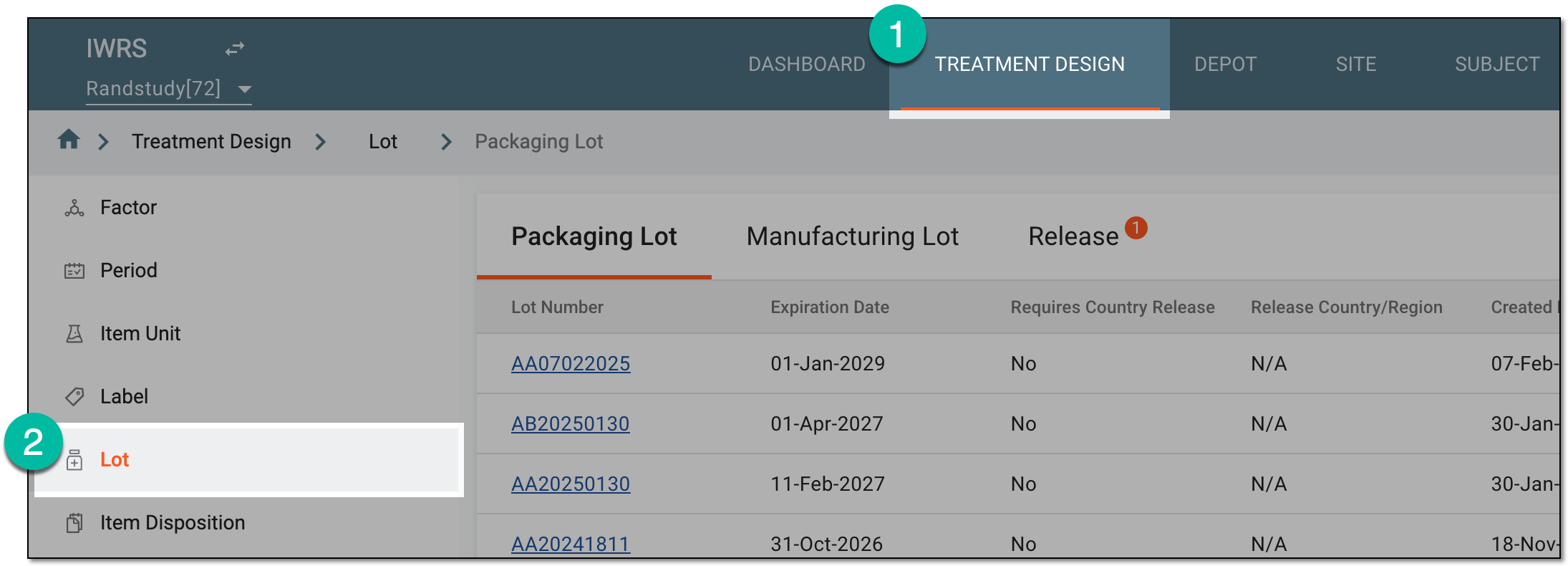 Figure 1. Accessing lot subtab
-
In the Packaging Lot table that appears, in the Lot Number column, select the lot to which you want to add your items.
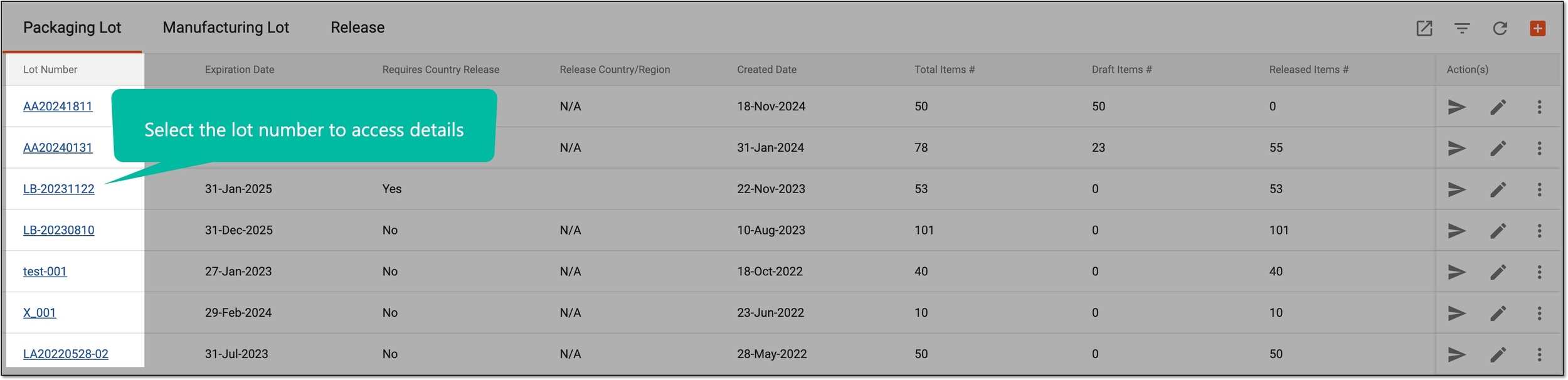 Figure 2. Accessing packaging lot details
-
On the page that appears, under the Item List tab, select New Item
 .
. Figure 3. Adding items to packaging lot
-
In the New Item form that appears, select the checkboxes next to the products or containers you want to add to the lot and complete the fields as explained in the following table.
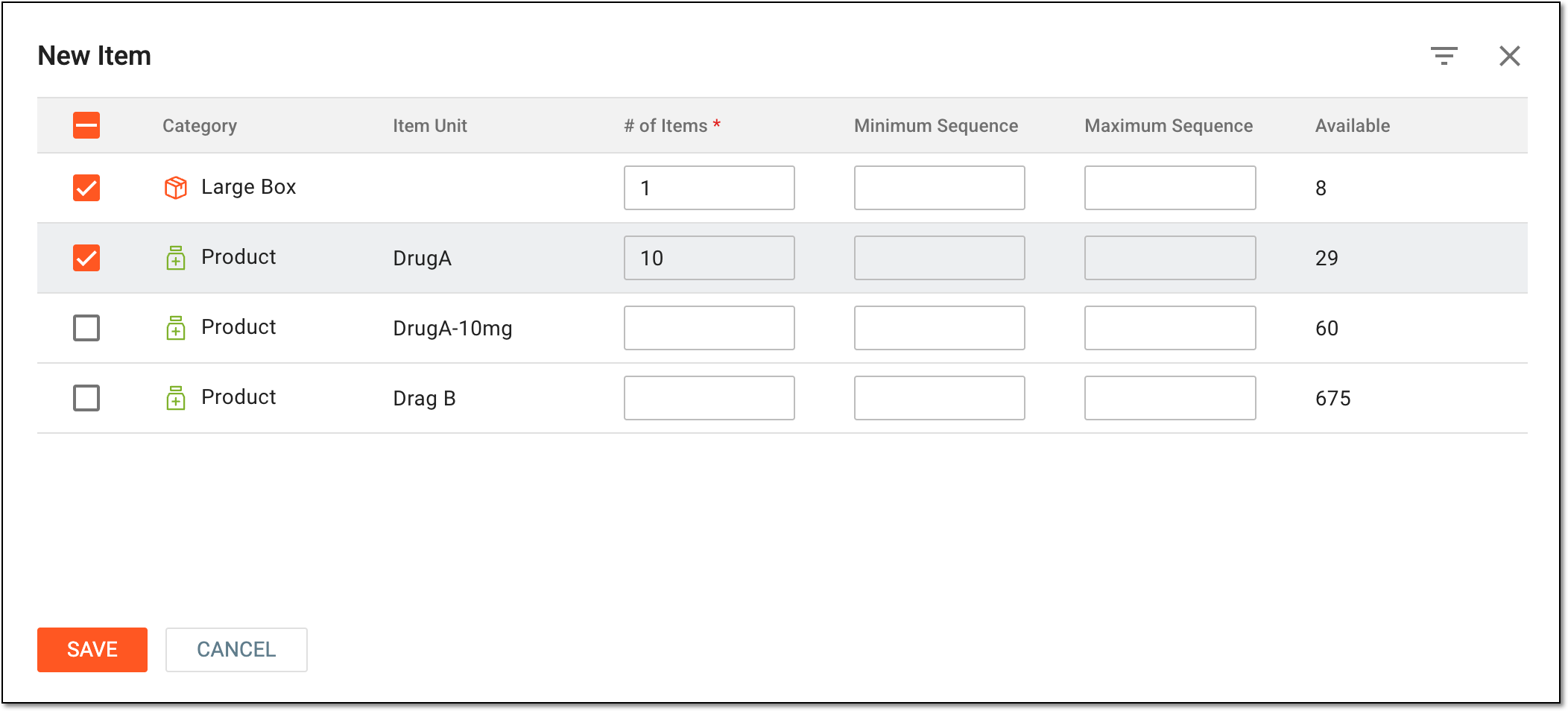 Figure 4. Selecting product and container units to add to lot
Element
Details
Category
Represents one of the following:
-
Product: the item available for selection is a preconfigured product unit, the name of which you can see in the Item Unit column.
-
[Container category]: the item available for selection is a container unit. The container category name is configured upon adding the container unit to the system.
Item Unit
Represents the name of the product unit to be added to the packaging lot.
The item units are not displayed for container units as they are enclosed within the container.# of Items
Enter the number of units (container or product) that you want to add to the packaging lot.
Minimum Sequence
Enter the lowest sequence number of an item within the label package if you need to specify which items to add to the lot. For instance, enter 1000, and only the items with the sequence number 1000 and higher will be added to the lot.
Use this setting with Maximum Sequence to create a range of sequence numbers.Maximum Sequence
Enter the highest sequence number within the label package if you need to specify which items to add to the lot. For instance, enter 5000, and only the items with the sequence number 5000 and lower will be added to the lot.
Use this setting with Minimum Sequence to create a range of sequence numbers.Available
Represents the number of available items within the label package, automatically calculated based on the set values of Item Unit, Minimum Sequence, and Maximum Sequence.
SAVE
Select
 to add the selected items to the lot.
CANCEL
Select
 to dismiss the implemented changes without saving and close the form.
 -
Once saved, the items have been added to the lot and obtained the default expiration date of this lot. If needed, you can manage a list of multiple expiration dates for the packaging lot and associate them with the items within. Once ready, proceed to release items from this lot.