Manage packaging lot expiration dates
In a clinical trial, the investigational product is released in lots that have their specific number and expiry term. In IWRS, once you have created a lot, you can also manage multiple expiration dates applicable to different items within the same lot. This gives you the flexibility of drug management and maintenance and ensures timeliness and safety of their consumption by subjects, return for proper destruction, and more.
For instance, you can release the items to one depot with an earlier expiration date than the rest of the depots considering the specific logistics for that destination. Or you can release items from one lot but with different expiration dates to ensure that they are properly handled.
-
In the IWRS application header, select the TREATMENT DESIGN tab.
-
In the left pane, select the Lot subtab.
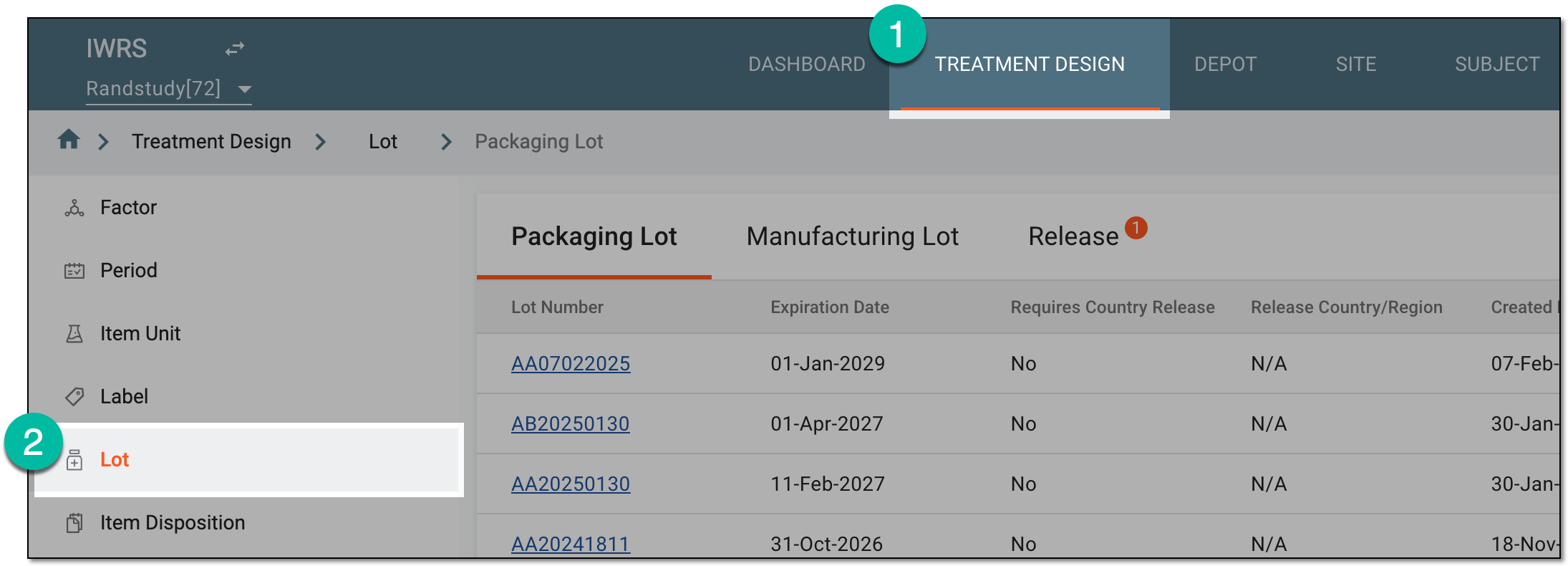 Figure 1. Accessing lot subtab
-
In the Packaging Lot table that appears, in the Lot Number column, select the lot for which you want to manage expiration dates.
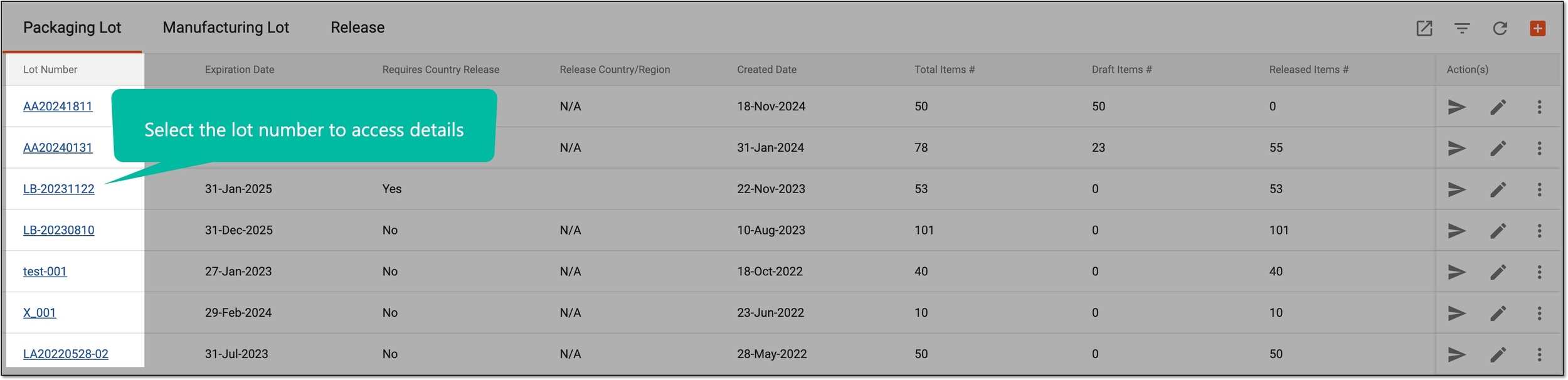 Figure 2. Accessing packaging lot details
-
On the page that appears, select the Expiration Date tab and manage your expiry terms as follows.
-
From the workspace toolbar of the Expiration Date tab, select New Item
 .
. Figure 3. Adding new expiration date
-
In the New dialog that opens, configure the details of the expiration date as explained in the following table.
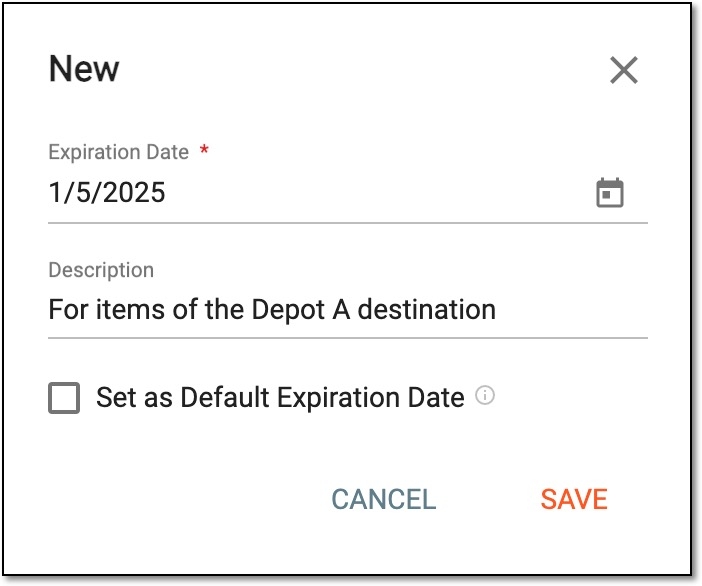 Figure 4. Configuring expiration date details
Tip
In the following table, mandatory elements are marked with an asterisk (*).
Element
Details
Expiration Date*
Select the date to add as one of the expiry terms for your packaging lot.
Description
Enter any needed auxiliary information to outline the purpose or specifics of the expiration date being added.
Set as Default Expiration Date
Select or clear the checkbox as follows:
-
Select the checkbox to set this expiration date as the default one for all newly added items in the packaging lot. The default expiration date can also be manually associated with existing items of the packaging lot if needed.
-
Clear the checkbox if this expiration date must be manually associated with the pertinent items of the packaging lot.
SAVE
Select
 to implement the changes.
CANCEL
Select
 to discard the changes without saving, close the dialog, and return to the Expiration
Date list.
to discard the changes without saving, close the dialog, and return to the Expiration
Date list. -
Once saved, the new expiration date is added and can now be associated with the items of the packaging lot.
-
In the Expiration Date list, locate the date you want to update. Then from the Action(s) column, select Edit
 .
. Figure 5. Selecting to edit expiration date
-
In the Edit dialog that opens, configure the details of the expiration date as explained in the following table.
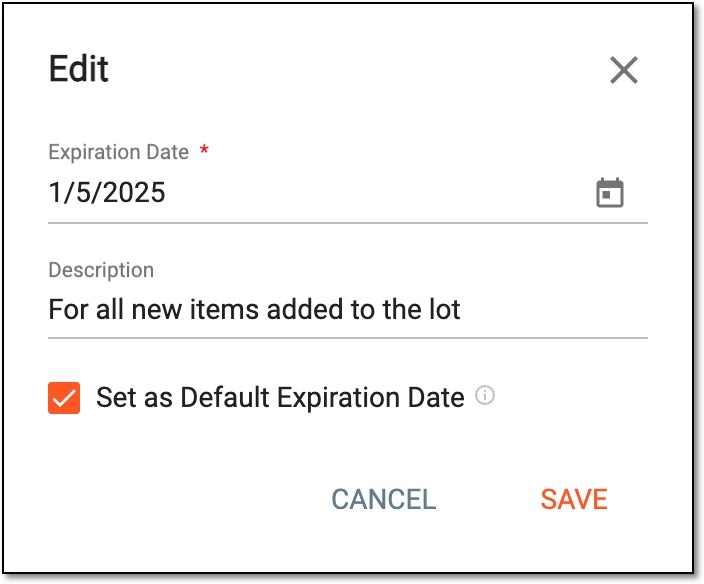 Figure 6. Configuring expiration date details
Tip
In the following table, mandatory elements are marked with an asterisk (*).
Element
Details
Expiration Date*
Select the date to add as one of the expiry terms for your packaging lot.
Changing the date here updates the expiration date for all the associated items.Description
Enter any needed auxiliary information to outline the purpose or specifics of the expiration date being added.
Set as Default Expiration Date
Select or clear the checkbox as follows:
-
Select the checkbox to set this expiration date as the default one for all newly added items in the packaging lot. The default expiration date can also be manually associated with existing items of the packaging lot if needed.
-
Clear the checkbox if this expiration date must be manually associated with the pertinent items of the packaging lot.
SAVE
Select
to implement the changes.CANCEL
Select
to discard the changes without saving, close the dialog, and return to the Expiration
Date list. -
Once saved, the expiration date is updated. If the date itself is changed, all items associated with it obtain the new expiration date.
-
In the Expiration Date list, locate the date you want to remove. Then from the Action(s) column, select Delete

 Figure 7. Deleting expiration date
Important
You can only delete the expiration date that is not assigned to any item. Attempting to delete the associated date results in an error message.
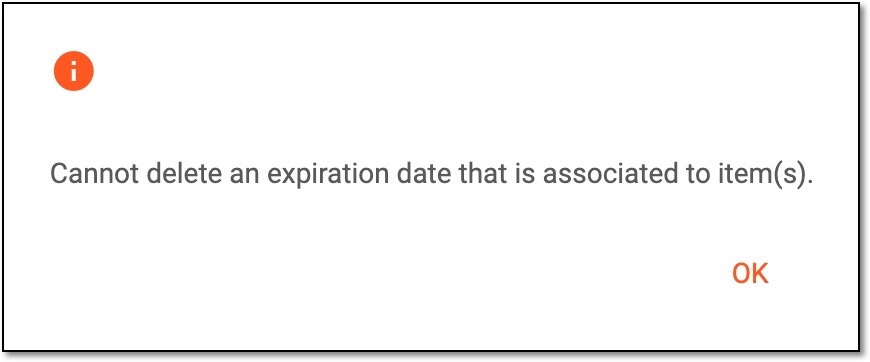 Figure 8. Receiving error upon expiration date deletion
-
In the confirmation dialog that opens, select
 to proceed with the expiration date deletion.
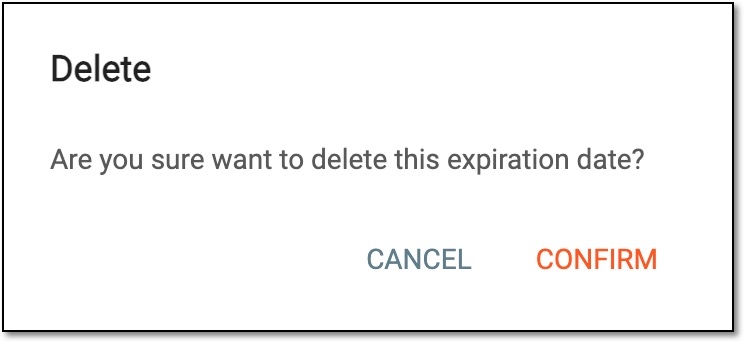 Figure 9. Confirming expiration date deletion
Once confirmed, the expiration date is removed from the list.
-
You have managed the list of due dates applicable to the packaging lot. Now, only the valid due dates are available for item association.