View quarantine summary report
The Quarantine Summary report in the IWRS application provides the current status of quarantine items. It helps you analyze the progress of quarantine handling.
Important
To view this report, you must have the Quarantine Summary permission granted to your user role via the ADMIN application.
-
In the IWRS application header, select the REPORT tab.
-
On the page that opens, in the left pane, select Inventory Report > Quarantine Summary.
-
In the Quarantine Summary table that opens, view the quarantine items details as explained in the following table.
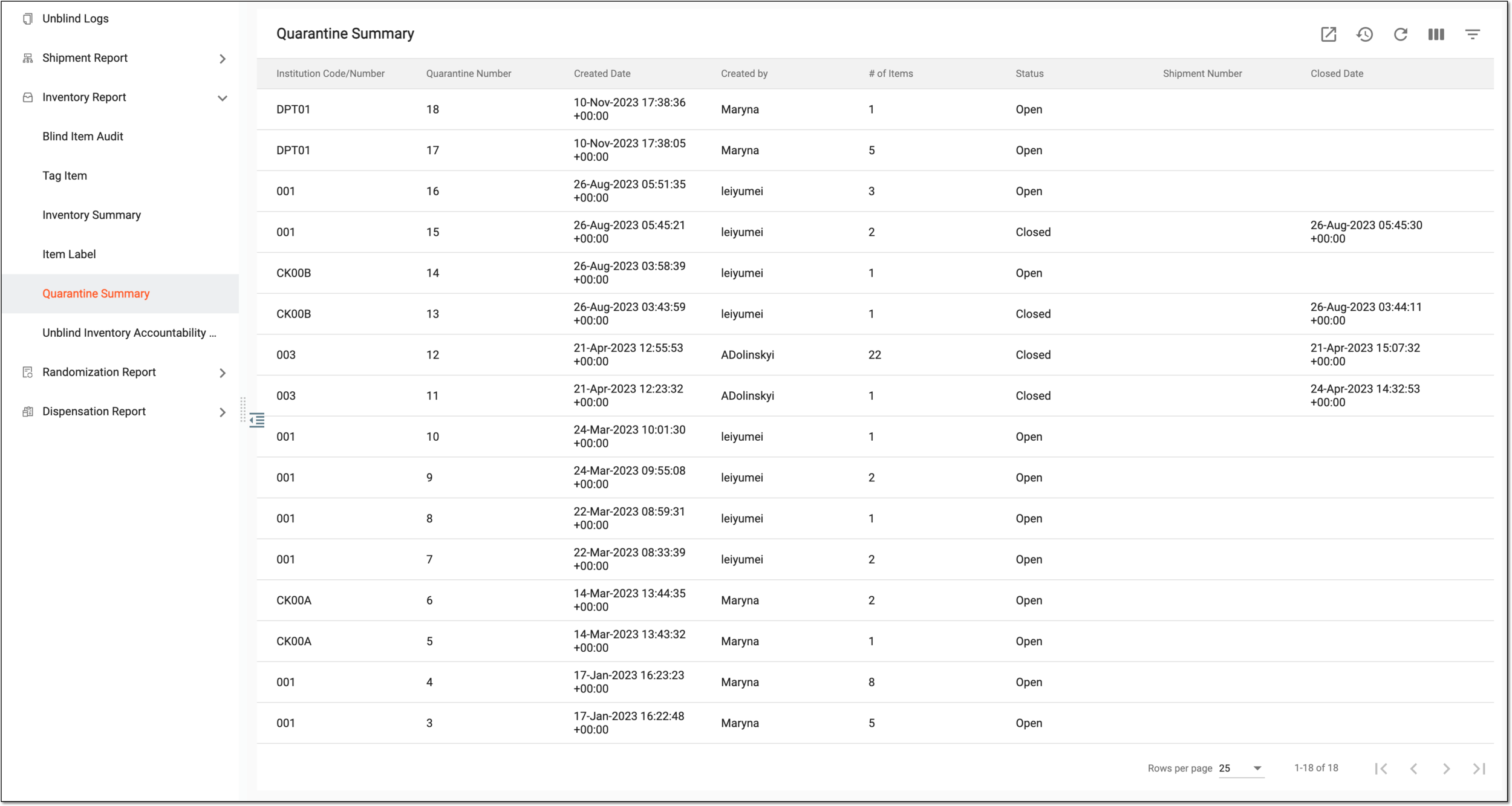 Figure 1. Viewing quarantine summary report
Tip
From the workspace toolbar, select Visible Columns
 to choose the columns you want to show or hide
from the report before viewing it.
to choose the columns you want to show or hide
from the report before viewing it.Element
Details
Institution Code/Number
Represents the unique identifier assigned to each institution.
Quarantine Number
Represents the unique number of the quarantine.
Created Date
Represents the date when the quarantine is created.
Created By
Represents the username who created the quarantine.
# of Items
Represents the total number of items sent to quarantine.
Status
Represents the status of the quarantine, such as open and close.
Shipment Number
Represents the shipment number against which the quarantine details are displayed. The field remains blank if quarantine is not against any shipment.
Closed Date
Represents the date when the quarantine is closed. The field remains blank if the quarantine is not closed.
You have viewed the quarantine summary report. You can also export the report data to work with it offline.