View inventory summary report
The Inventory Summary report in the IWRS application contains all items released to the depot. If the item is currently located at the depot, the depot information is displayed, whereas if the item is located at the site, the site information is displayed.
Important
To view this report, you must have the Inventory Summary permission granted to your user role via the ADMIN application.
-
In the IWRS application header, select the REPORT tab.
-
On the page that opens, in the left pane, select Inventory Report > Inventory Summary.
-
In the Inventory Summary report that opens, view the details of released items as explained in the following table.
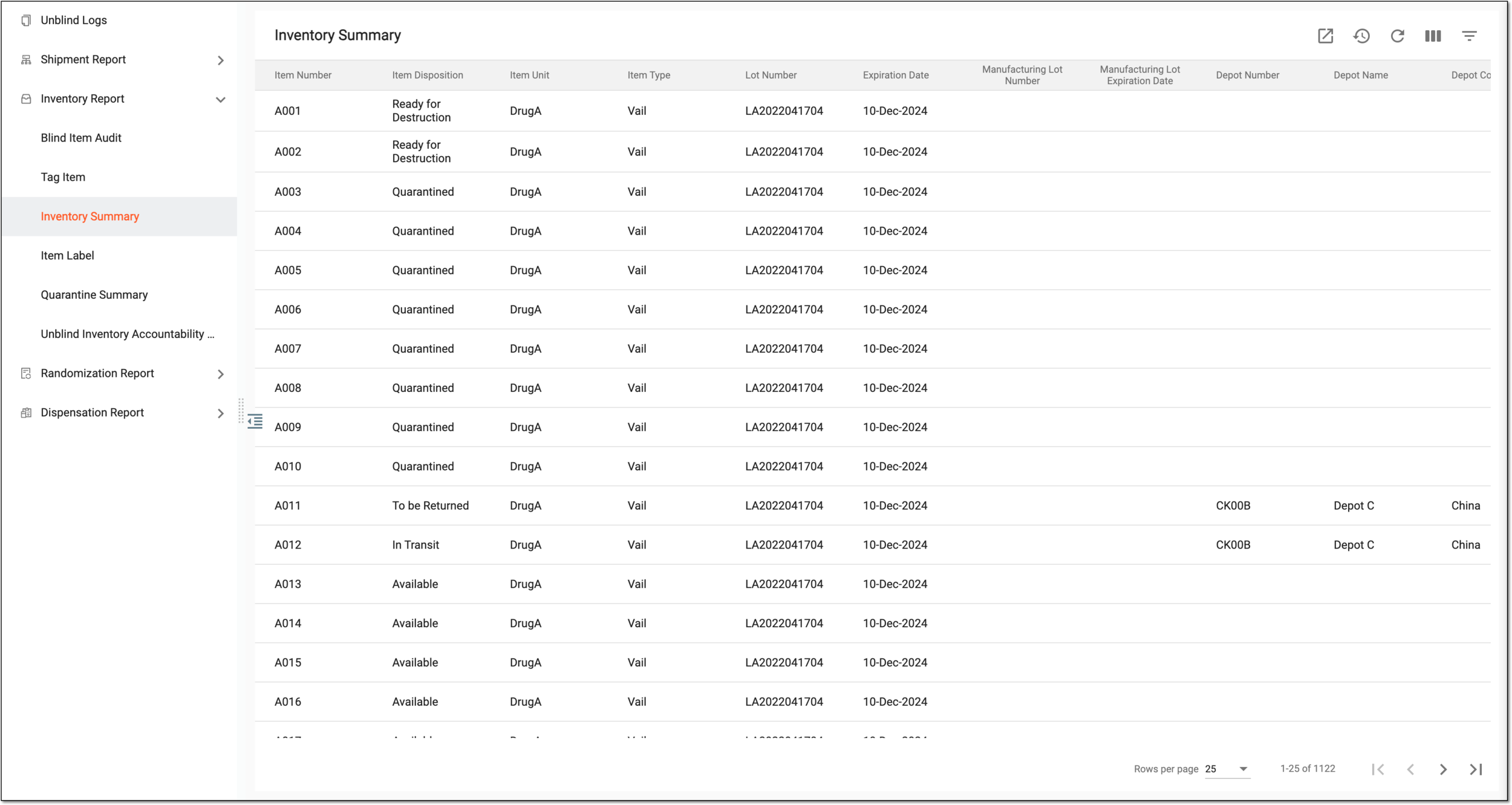 Figure 1. Viewing details of inventory summary
Tip
From the workspace toolbar, select Visible Columns
 to choose the columns you want to show or hide
from the report before viewing it.
to choose the columns you want to show or hide
from the report before viewing it.Column
Details
Item Number
Represents the unique identification number of the item.
Item Disposition
Represents the disposition status of the item.
Item Unit
Represents the name of the item unit (for instance, Aspirin 5mg, Aspirin 10mg, and so on).
Item type
Represents the type of the item:
-
Vail: the item is a liquid medication.
-
Dose: the item is a solid medication.
Lot Number
Represents the identifier of the lot to which the particular item belongs.
Expiration Date
Represents the expiry date of the lot to which the particular item belongs.
Depot Number
Represents the depot number if the item is currently located at the depot, else it remains blank.
Depot Name
Represents the unique name of the depot if the item is currently located at the depot, else it remains blank.
Depot Country
Represents the country of the depot location if the item is currently located at the depot, else if remains blank.
Site Code
Represents the site's unique code to which the item is released.
Site Name
Represents the unique name of the site to which the item is released.
Site Country
Represents the country of the site location.
# of Unnumbered Items
Represents the number of subitems in an item.
For example, if there are 12 tablets of Aspirin in one box, "12" will be displayed in this field.
# of Subject Returned
Represents the number of items returned by subjects after dispensation.
# of Lost
Represents the number of lost items that are not eligible for dispensations or returns.
-
You have viewed the inventory summary report. You can also export the report data to work with it offline.