View tag item report
The Tag Item report of the IWRS application helps you analyze all the details of an item that has a certain tag assigned to it.
For example, some drugs can be tagged "Keep cool". So, you can filter this report by the "Keep cool" tag and then track the details of all the drugs tagged "Keep cool". The details of the tagged item include, for instance, the status of the item (whether it is in transit or ready for destruction), the location where the drug must be delivered, the expiration date of the item, and so on.
If you access the Tag Item report from an unblinded role, the report reveals the name of the item unit whose shipment details are stored in the report, whereas if you access the report from a blinded role this data is hidden.
Important
To view this report, you must have the Tag Item permission granted to your user role via the ADMIN application.
-
In the IWRS application header, select the REPORT tab.
-
On the page that opens, in the left pane, select Inventory Report > Tag Item.
-
In the Tag Item table that opens, view the details of all the drugs registered in the IWRS system that have certain tags assigned to them as explained in the following table.
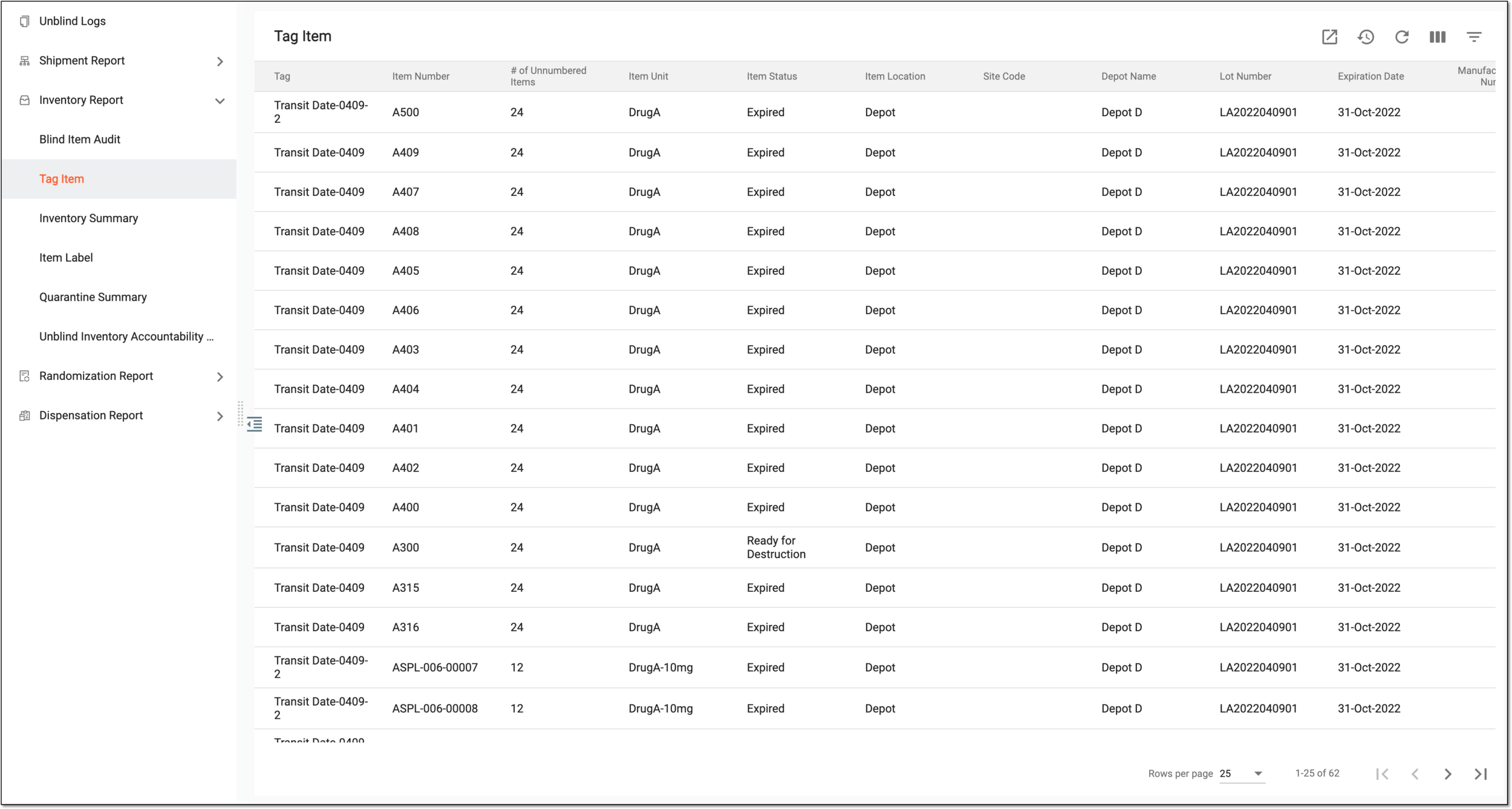 Figure 1. Viewing details of item tags
Tip
From the workspace toolbar, select Visible Columns
 to choose the columns you want to show or hide
from the report before viewing it.
to choose the columns you want to show or hide
from the report before viewing it.Column
Details
Tag
Represents the name of the tag assigned to the item (drug).
Item Number
Represents the unique number (identifier) assigned to the item.
# of Unnumbered item
Represents the number of subitems contained in a single item.
For example, if there are 12 tablets of Aspirin in one box, "12" is displayed in this field.
Item Unit
Represents the name of the item unit (for instance, Aspirin 5mg, Aspirin 10mg, and so on).
Item Status
Represents the status of the item, such as Dispensed (Wasted), Dispensed (in Subjects), and others.
Item location
Represents whether the item is stored in the depot or stored/dispensed at the site.
Site Code
Represents the specific code of the site where the item is located.
Depot Name
Represents the specific name of the depot where the item is located.
Lot number
Represents the identifier of the lot to which the particular item belongs.
Expiration date
Represents the expiry date of the lot to which the particular item belongs.
Subject ID
Represents the identifier of the subject to whom the item is dispensed.
You have viewed the tag item report. You can also export the report data to work with it offline.