View site normal range categories
In general, normal ranges are defined as a set of acceptable values acquired from the conducted laboratory tests. In the EDC application, when subject lab results are entered in the respective forms of the DATA ENTRY tab, the system automatically compares the data against the normal ranges preset for those exact lab results, where the lab results are acquired from the conducted lab tests.
Lab tests conducted at different sites have different lab result ranges. This might happen due to different lab test units, lab standards, and so on. The normal range configuration in EDC facilitates the study team to add different lab normal ranges for different sites, likewise, when the user enters lab data in EDC, the system can map the corresponding site normal range to the entered data.
In this section, you can learn how to access and view all the lab normal range categories configured for your study.
-
In the EDC application header, select the STUDY INFO tab.
-
In the left pane, select Lab > Site Normal Range.
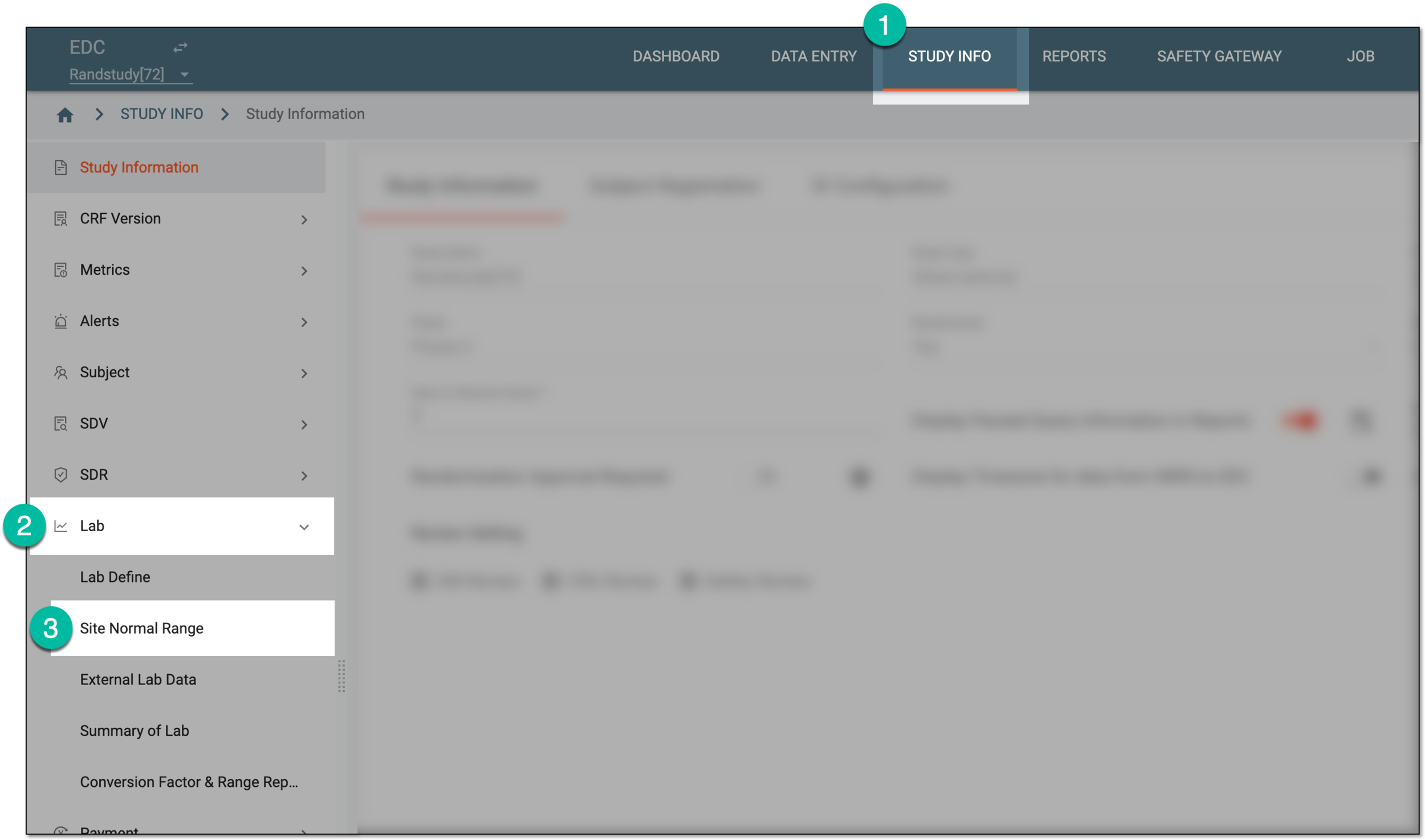 Figure 1. Accessing normal range list
-
On the Normal Range List table that appears, view the details as explained in the following table.
 Figure 2. Viewing site normal range list
Tip
To locate the needed records faster, apply the filtering by selecting
 . For your convenience, the applied filters are retained when leaving the
page to access normal range details and then returning to proceed working with the table; select
. For your convenience, the applied filters are retained when leaving the
page to access normal range details and then returning to proceed working with the table; select  to discard all applied filters.
Element
Details
ID
Represents the unique identifier of the normal range record used for tracking purposes in the EDC system, for instance, in the lab operation history.
Site Code
Represents the unique identifier of the site for which the normal range is configured.
Select
 next to the site code to open the Associated site(s) dialog and change the sites for which the normal range is
effective. You can either apply the setting to all sites or choose specific ones from the list and select
next to the site code to open the Associated site(s) dialog and change the sites for which the normal range is
effective. You can either apply the setting to all sites or choose specific ones from the list and select  .
.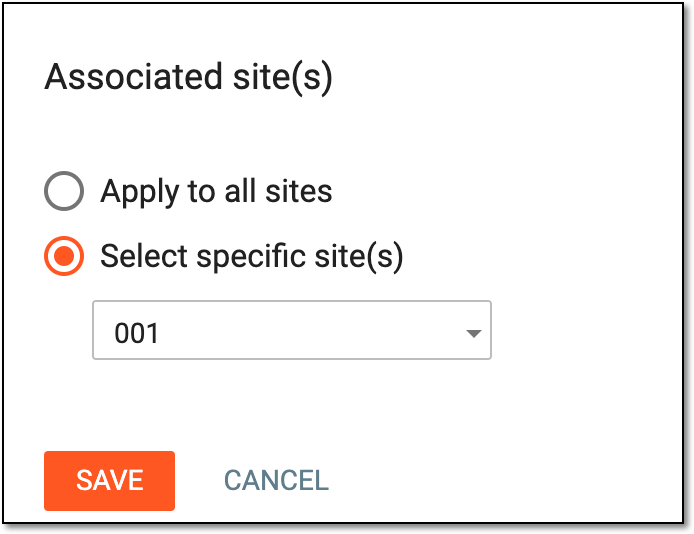 Figure 3. Associating sites with normal range
Lab Name
Represents the name of the laboratory where the normal range test took place.
Category
Represents the category of lab test data, for instance, Hematology or Urinalysis.
Sub-Category
Represents the subcategory of the lab test data, for instance, the subcategory of LB is Hematology.
Currently, in the EDC application, the sub-category value is not used. This value is preset for studies that use the domain name (LB, DM, and so on) as a category, then the subcategory is Hematology, Urinalysis, and so on.Lab ID
Represents the ID number of the laboratory that is providing the normal range data.
Effective Date
Represents the normal range effective date that covers the lab data collection date.
Expiration Date
Represents the date when the normal range expires.
Once the expiration date has passed you can add a new lab with the same ID and site code as the expired lab.Status
Represents whether the normal range category is active or inactive.
Sync Status
Represents the status of syncing the latest version of the normal range data with the related subject forms as follows:
-
Synchronized: the latest normal range version is successfully synced with all relevant subject forms. Select this status to open the dialog and review the complete list of forms currently synced with the normal range version.
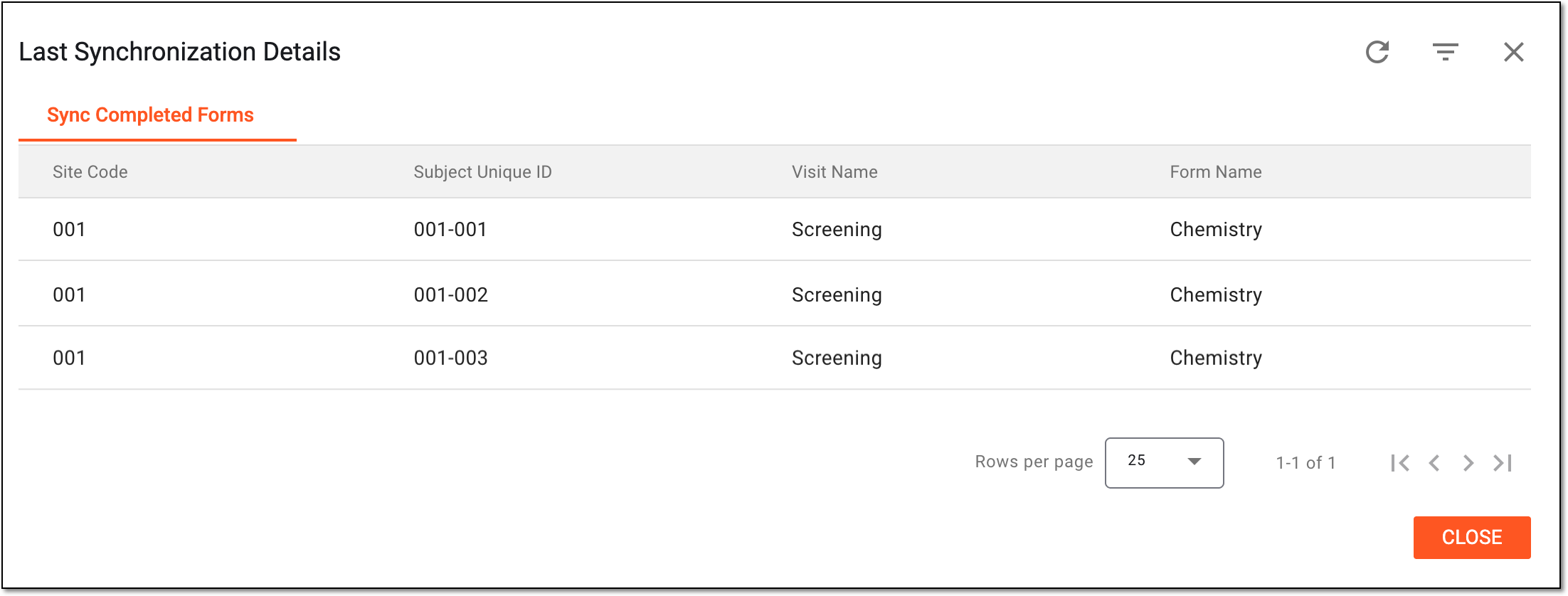 Figure 4. Reviewing forms synced with normal range version
-
Require Synchronization: there are changes in the normal range version that need to be synced with the relevant subject forms. Select this status to open the dialog and review the list of forms that are blocked due to not being synced or already completed forms that need to be synced with the latest normal range version.
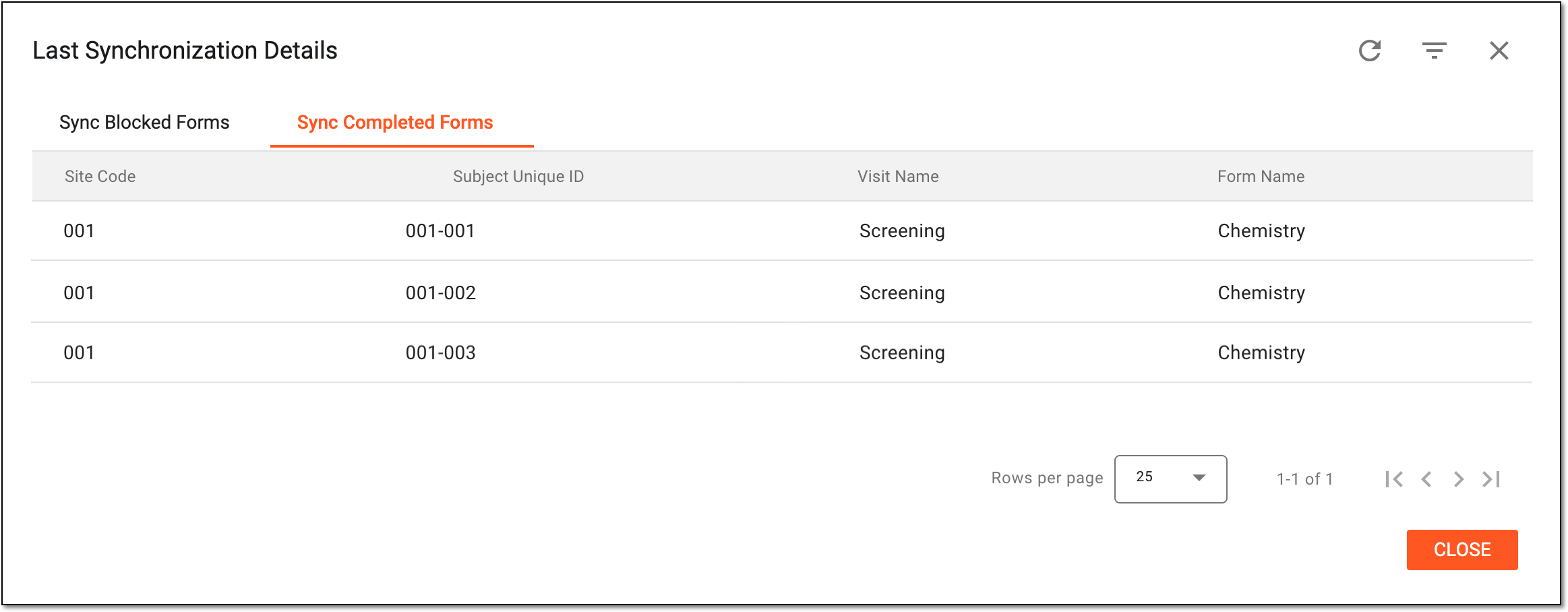 Figure 5. Reviewing forms requiring syncing with normal range version
-
No Association: the latest normal range version is not yet associated with any subject forms.
The system automatically checks and updates the status every two hours. -
You have viewed the normal range categories per site. You can also view the details of normal ranges set per category.