Activate normal range category
In the EDC application, when subject lab results are entered in the respective forms of the DATA ENTRY tab, the system automatically compares the data against the normal ranges preset for those exact lab results.
Once the normal range for the respective laboratory is added to EDC, it needs to be activated to become effective for the associated sites. Otherwise, it remains in a draft state and is not applied to data assessment.
-
In the EDC application header, select the STUDY INFO tab.
-
In the left pane, select Lab > Site Normal Range.
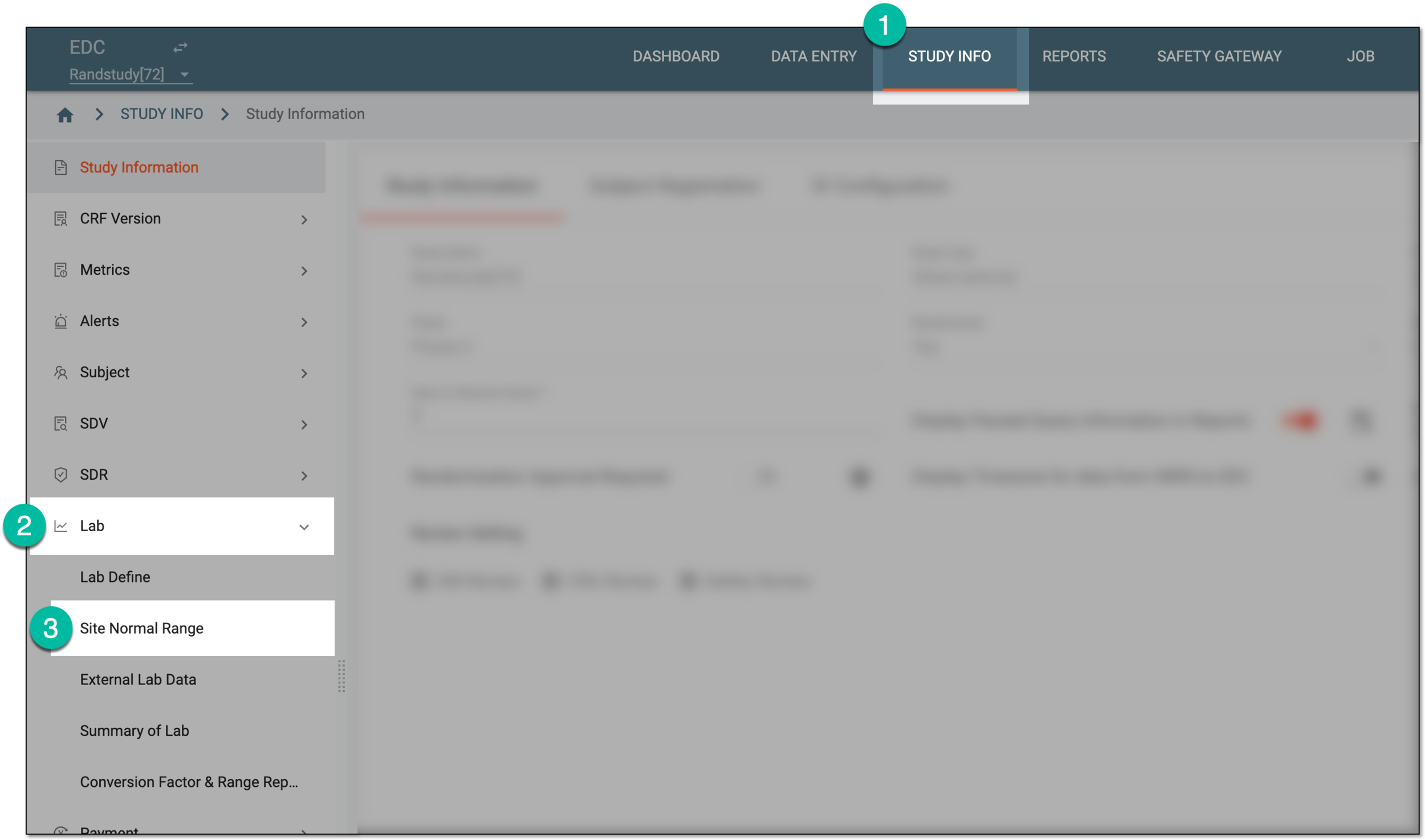 Figure 1. Accessing normal range list
-
On the Normal Range List page that opens, locate the needed normal range category in the Inactive status. Then from the Action column, select More
 > Activate
  .
.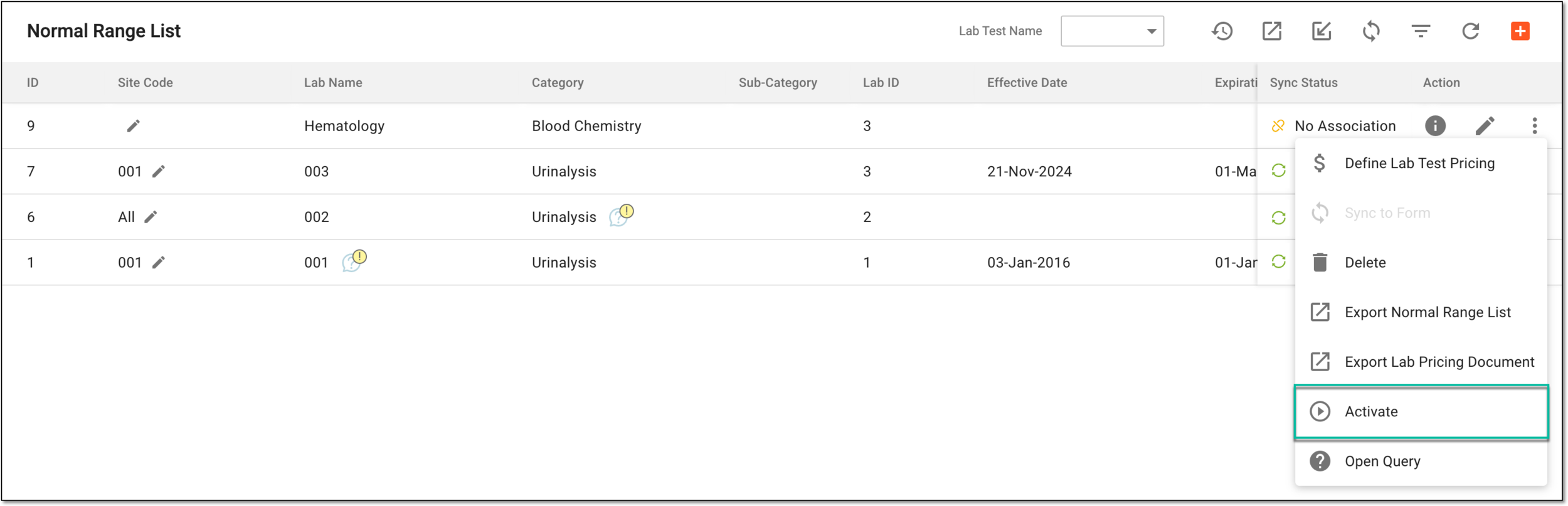 Figure 2. Activating normal range
Once activated, the normal range becomes effective for the associated sites.