Analyze lab management operation history
Under the Lab functionality of EDC, you can define the categories and normal ranges for laboratory tests performed for study participants.
The configurations made in the Lab module can significantly influence data collection and analysis, impacting the results and conclusions of the clinical trial. Thus, keeping track of all changes and user interactions for this functionality provides the vital traceability of all activities.
-
In the EDC application header, select the STUDY INFO tab.
-
In the left pane, select the Lab > Operation History subtab.
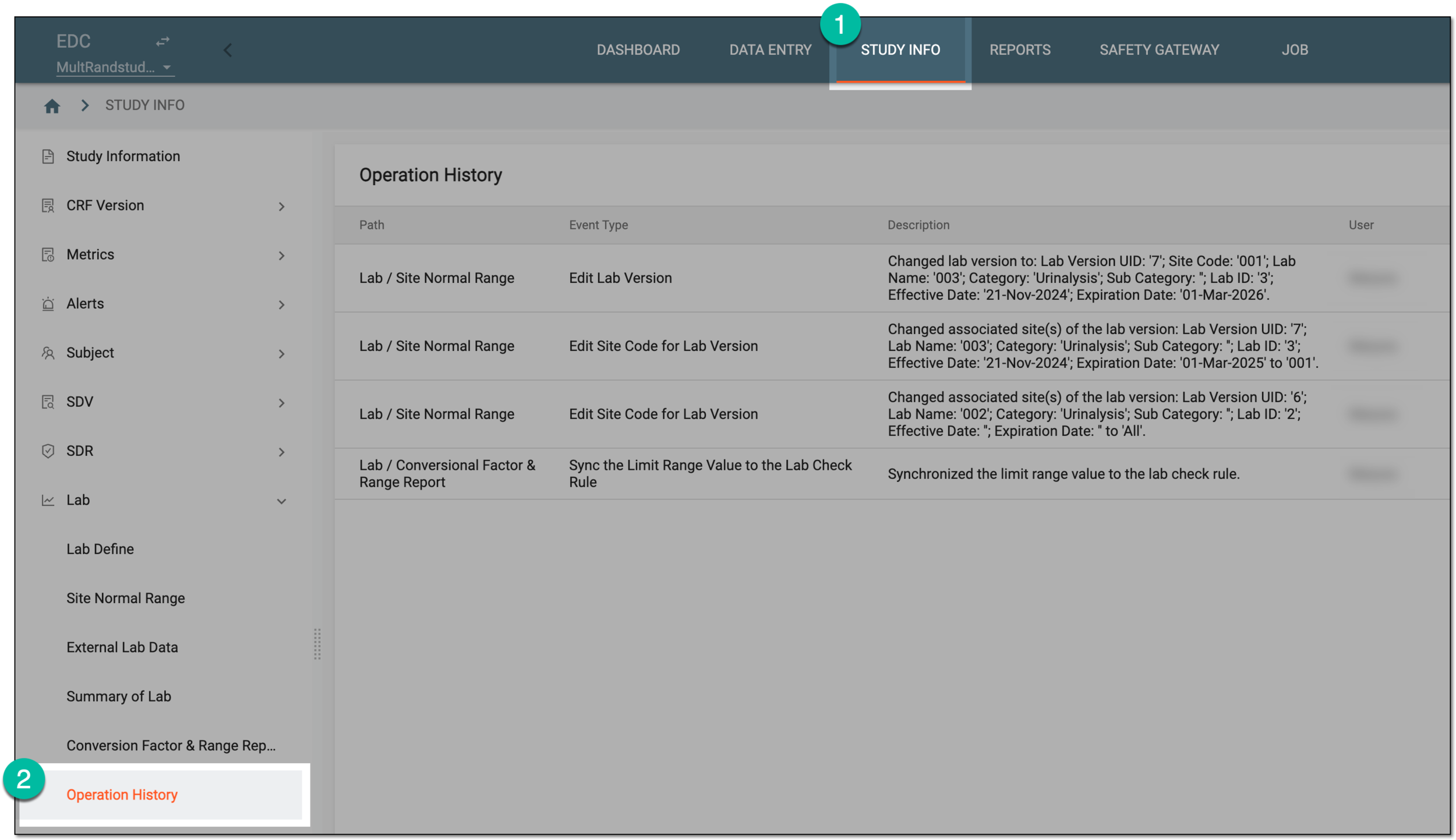 Figure 1. Accessing lab operation history
-
On the Operation History page that opens, track the history of all activities as explained in the following table.
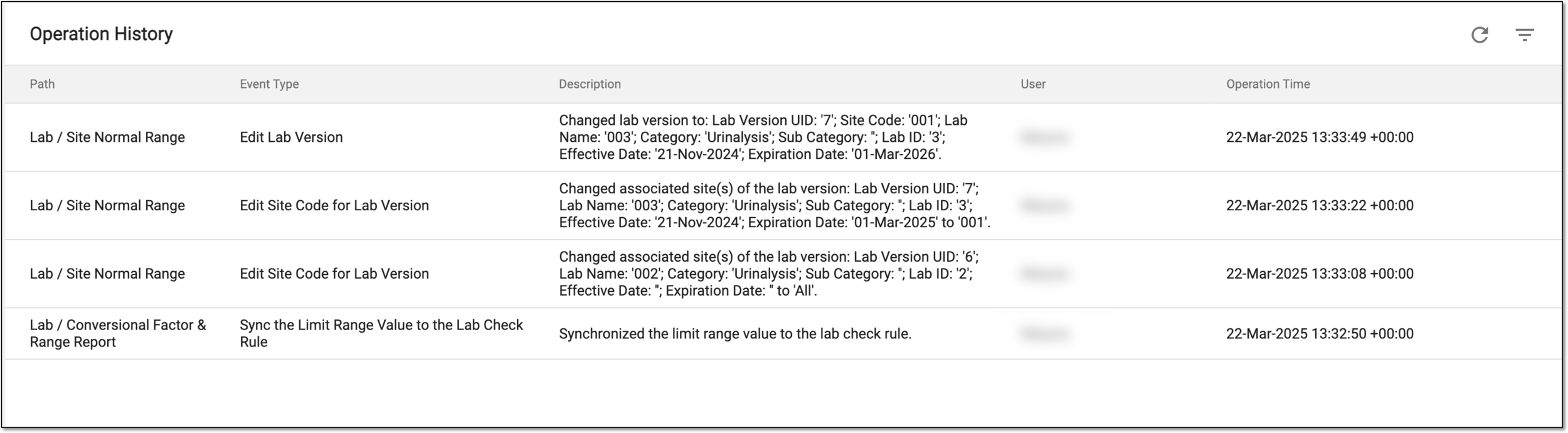 Figure 2. Tracking operation history of lab module
Tip
Select Refresh
 from the workspace toolbar to see the most recent history of
operations.
from the workspace toolbar to see the most recent history of
operations.Column
Details
Path
Represents the path to the subtab of the Lab module under which the activity was performed.
Event Type
Represents the type of action that was performed, such as Edit Lab Version, Edit Site Code for Lab Version, and so on.
Description
Represents the details of the performed operation. For instance, for lab version change, you can see the previous and new versions and their details, and for the change of site for the lab version, you can see for which site this version was made available.
User
Represents the name of the system user who performed the operation.
Operation Time
Represents the exact date, time, and time zone indicator of when the operation was performed.
By studying the operation history, you have analyzed the complete and most recent log of actions in the Lab functionality of EDC.