View record completion status report
Since data capture is the key feature and purpose of the EDC application, it is very convenient to keep track of all the CRF data completion status. The Record Completion Status report is similar to the CRF Completion Status one, but that one keeps track of data on the form level, and this one—on the record level. The record-level report is convenient when you want to check the completion status of specific records within the same CRF, such as various records on the same adverse event or multiple entries of the lab results for one particular form.
-
In the EDC application header, select the REPORTS tab.
-
On the page that opens, in the left pane, select the CRF Status subtab to expand the list of available reports and select Record Completion Status.
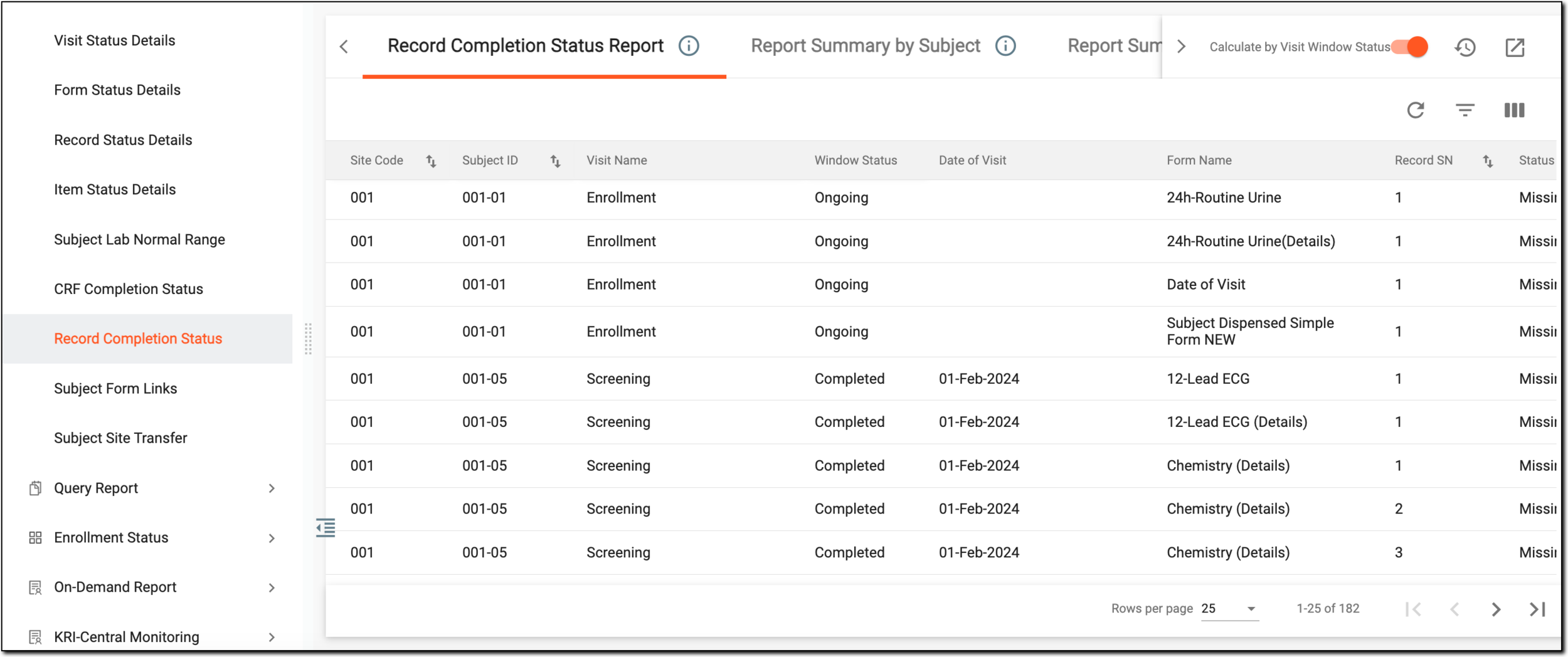 Figure 1. Accessing record completion status report
-
In the Record Completion Status report table that opens, review the log on record completion is given under three tabs as explained in the following table.
Tip
Turn on the Calculate by Visit Windows Status toggle if you want to display the results of visit window statuses along with their corresponding visit dates when the window status is Completed. By default, this toggle is turned off.
Tab
Details
Record Completion Status Report
Displays all the records within the CRFs configured for the study organized by sites, subjects, visits, and statuses. The report also shows if there are any open or closed queries along with their corresponding reviews and approvals (if any).
There can be three statuses of data completion:
-
Complete: the data is captured and the record is submitted.
-
Incomplete: the data is partially captured and the record is saved but not yet submitted.
-
Missing: the data is not yet captured and the record is empty.
Report Summary by Subject
Displays the number of total expected records for each subject in the study, the percentage and count of complete, incomplete, missing, reviewed, and validated records; the count and percentage of open and closed queries; the count and percentage of SDV completion for subjects records.
Report Summary by Site
Displays the number of total expected records for each site in the study, the percentage and count of complete, incomplete, missing, reviewed, and validated records; the number and percentage of open and closed queries; the count and percentage of SDV completion per site.
-
Once the report details are studied, you can leave the page or perform other suggested manipulations.
You can also export the Record Completion Status report as an XLSX file comprising three sheets corresponding to the report tabs—Record Completion Status Report, Report Summary by Subject, and Report Summary by Site.