Soft-lock/Unlock form or form record
In EDC, CRFs or individual records of the log forms that are already reviewed by the data manager (DM) and are ready for further review—clinical research associate (CRA), principal investigator (PI), or else—can be soft-locked. The soft lock is required to prevent any actions or amendments to the data already validated by DM. Locking the form is important to avoid intended or accidental data distortion.
However, if there is a need to perform some eligible changes to the CRF data, the form can be temporarily unlocked.
Furthermore, when you configure the study-level settings, you can set the conditions for the Softlock feature. These conditions ensure that you can only soft-lock forms and records when such conditions are met, providing an additional tier of scrutiny. This prevents users from accidentally soft-locking forms without meeting the predefined conditions, such as required reviews and resolved queries.
Important
For the subjects whose site was changed, the PI of the current site cannot soft-lock the forms and records already locked at the previous site.
-
In the EDC application header, select the DATA ENTRY tab.
-
On the Site List page that opens, select the tile representing the site with which you want to work.
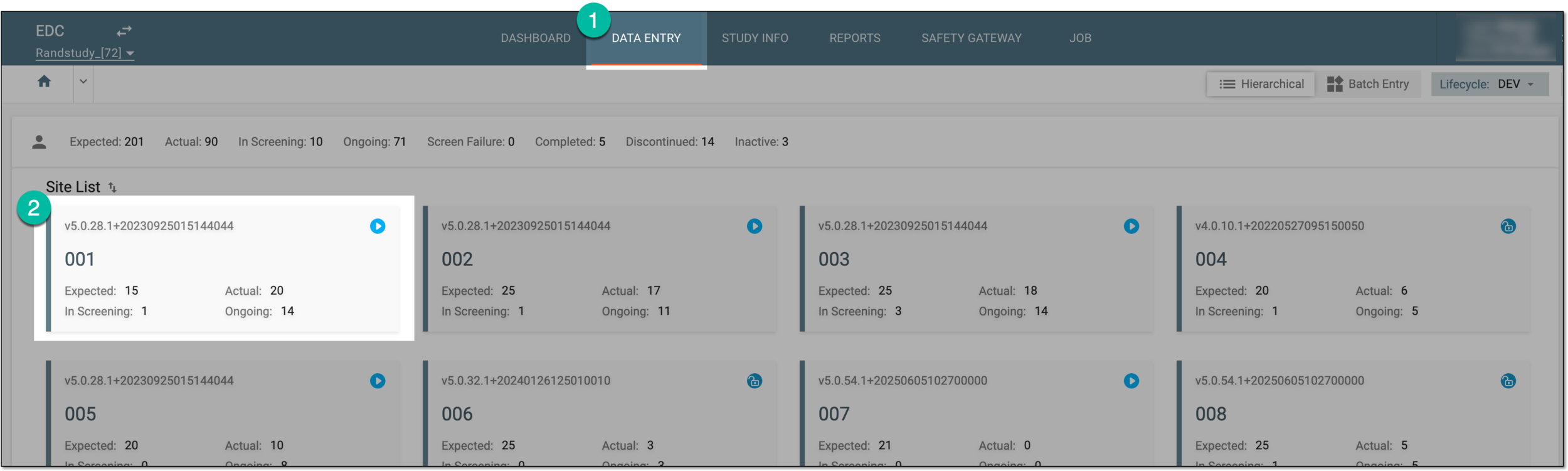 Figure 1. Selecting site tile
-
In the Subject List table that appears, select the ID of the subject to open their Visit Overview page.
 Figure 2. Selecting database ID
-
On the Visit Overview page that opens, on the left, a panel with all subject visits is displayed. Expand the visit and select the form that you want to soft-lock or unlock.
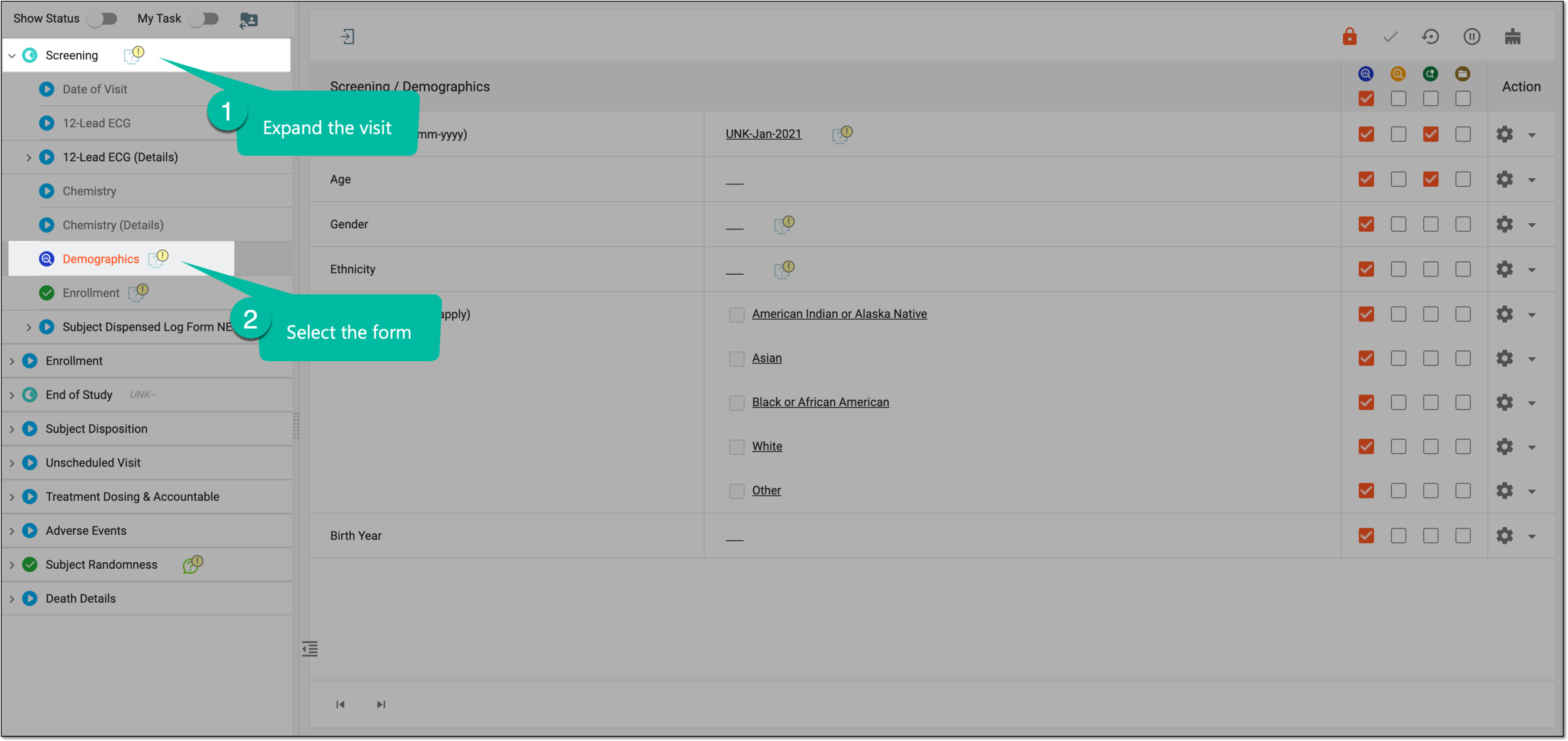 Figure 3. Accessing form to soft-lock
Tip
Note that forms available for soft-lock have the DM Review
 status and those available for
unlock have the Softlocked
status and those available for
unlock have the Softlocked  status.
 -
Now access the form soft-lock functionality in your preferred way as follows.
-
Select the form or an individual record of the log form that you want to soft-lock or unlock.
-
In the contents panel that appears, from the workspace toolbar, select one of the following:
-
To soft-lock the form, select Softlock
 .
.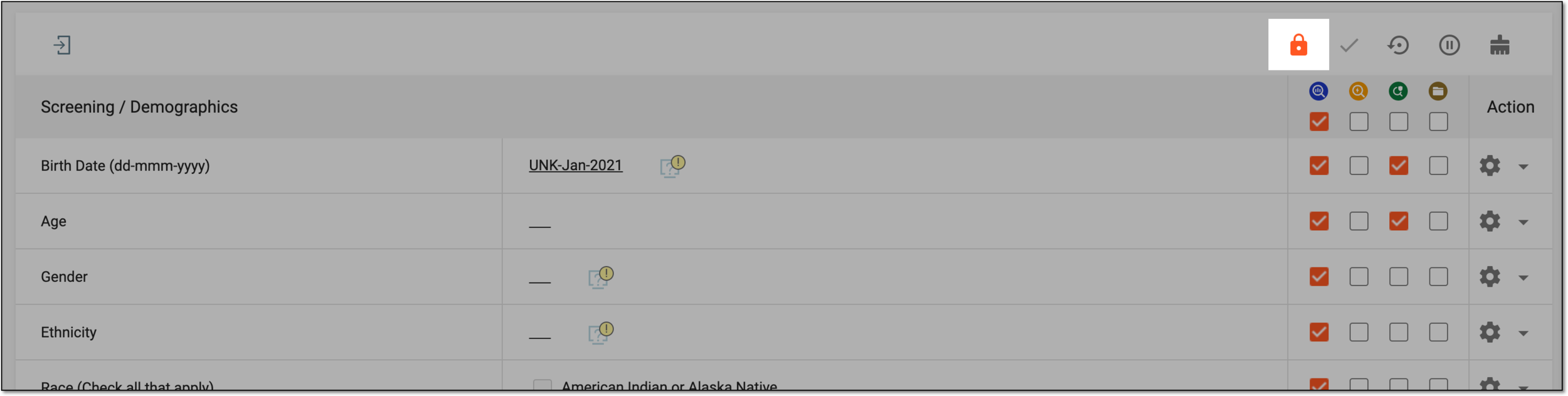 Figure 4. Soft-locking form
-
To unlock the locked form, select Unsoftlock
 .
.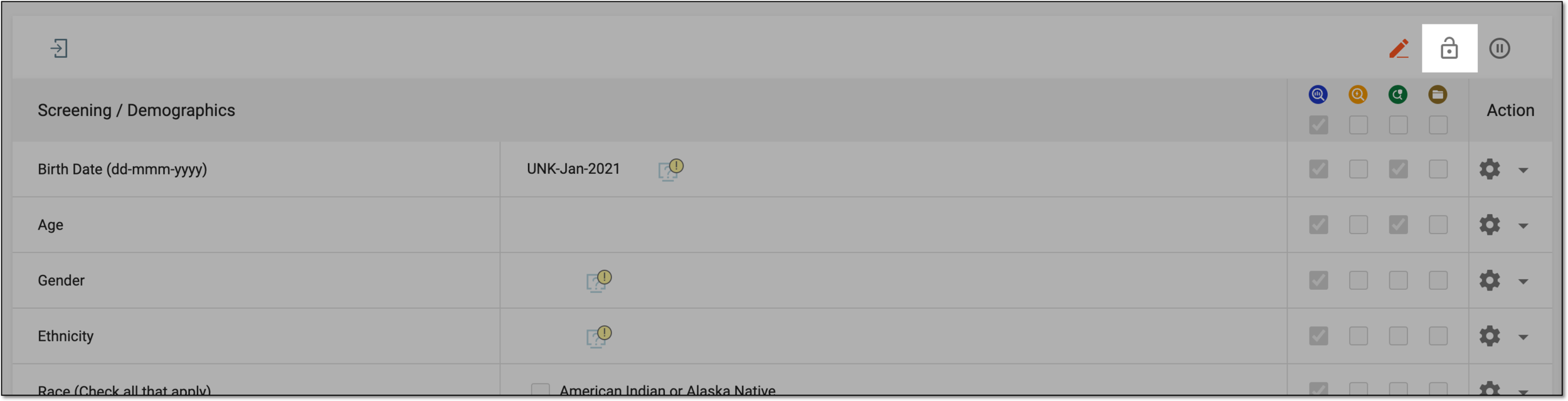 Figure 5. Soft-locking form
-
-
From the toolbar of the visit and form panel, turn on the My Tasks toggle to see the actions you can perform with the visits, forms, and log form records.
-
Next to the form or form record of your interest, in the Softlock
column, select the checkbox to soft-lock
or clear the checkbox to unlock.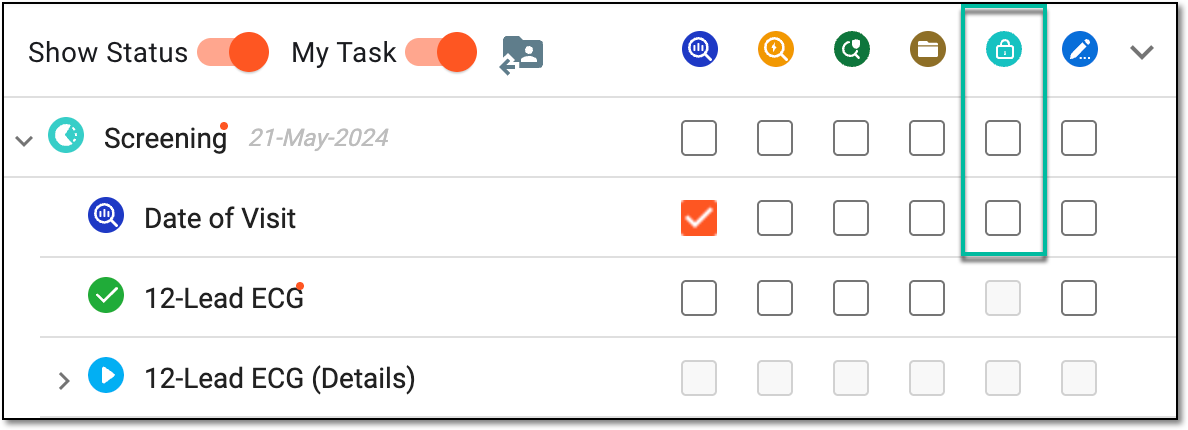 Figure 6. Soft-locking form via task panel
-
Once done, the form is soft-locked or unlocked based on your performed action. Once all the records of the log form are soft-locked, the log form itself becomes soft-locked automatically.
Tip
In EDC, you can enable the functionality for the clinical research coordinator (CRC) to add new records to the soft-locked log forms. This is needed, for instance, to avoid delays in recording adverse event details for the subject whose form is already soft-locked, however, the follow-up data becomes available.