Hard-lock/Unlock form
In EDC, CRFs that are already reviewed by the data manager (DM) and signed by the principal investigator (PI) can be hard-locked to prevent any actions or amendments to the data already validated by various reviewers along with the PI. Locking the form is important to avoid intended or accidental data distortion.
However, if there is a need to perform some eligible changes to the CRF data, the form can be temporarily unlocked.
Important
In EDC, you can enable the functionality of CRF hard lock from the Status Configuration module per study site. If for the site the functionality is disabled, the hard-lock option is not available for CRFs of that site.
The hard-lock option becomes available once the established preconditions are met, such as DM review passed, PI signed, or else.
-
In the EDC application header, select the DATA ENTRY tab.
-
On the Site List page that opens, select the tile representing the site with which you want to work.
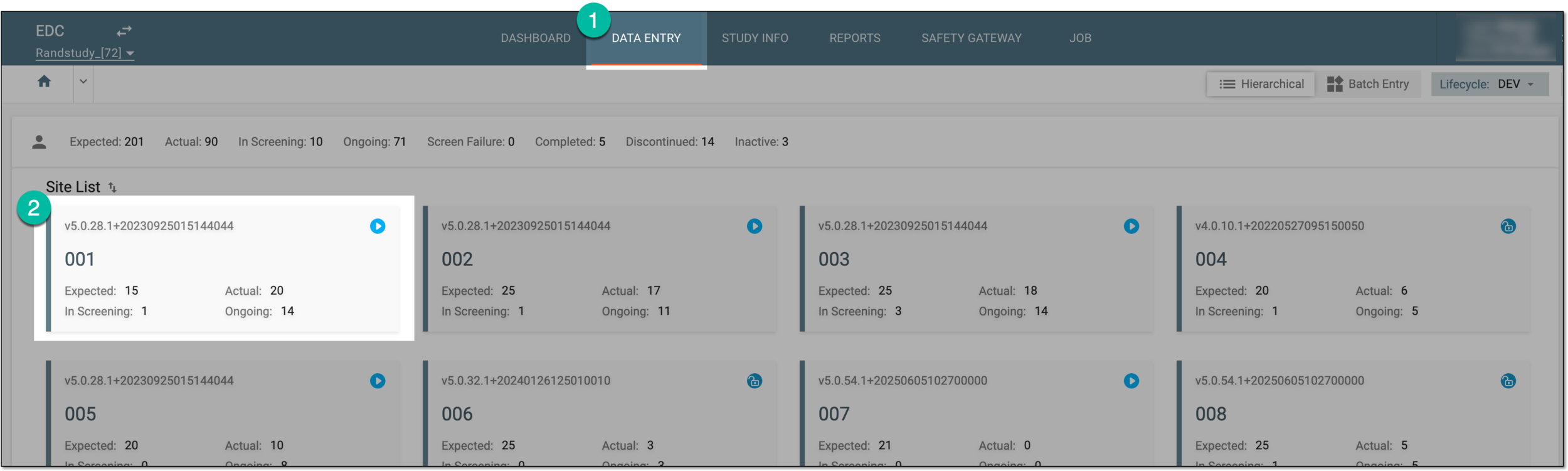 Figure 1. Selecting site tile
-
In the Subject List table that appears, select the ID of the subject to open their Visit Overview page.
 Figure 2. Selecting subject ID to access visits and forms
-
On the Visit Overview page that opens, on the left, a panel with all subject visits is displayed. Expand the visit and select the form that you want to hard-lock or unlock.
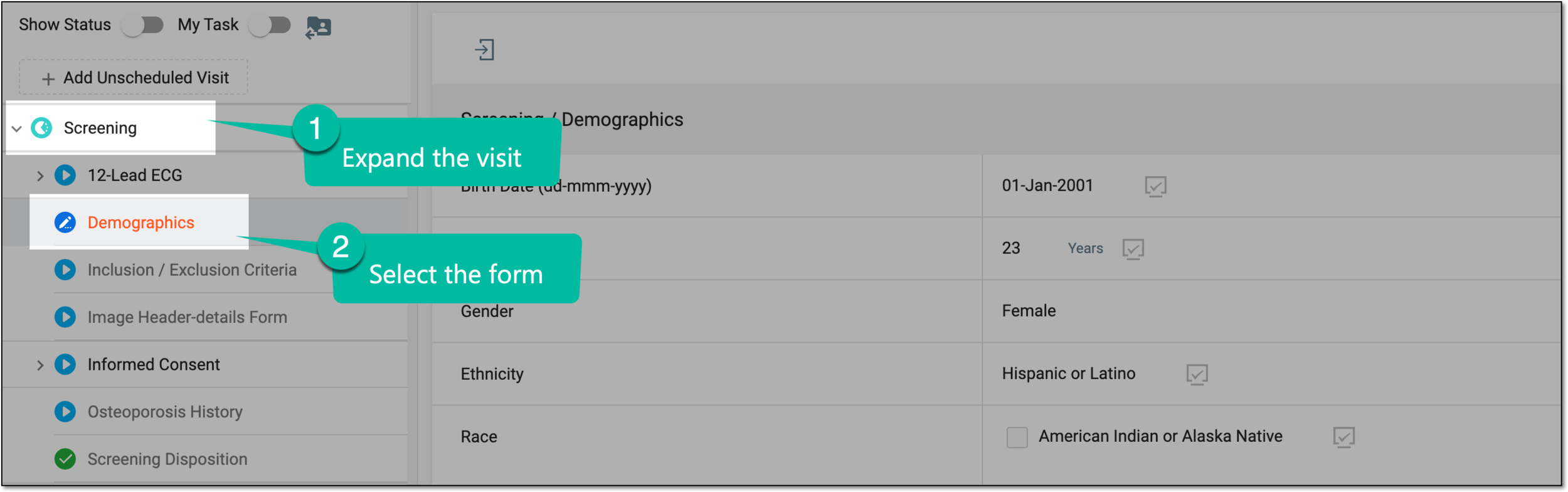 Figure 3. Accessing form to hard-lock
Tip
Note that forms available for hard lock have the Sign
 status and those available for
unlock have the Hardlock
status and those available for
unlock have the Hardlock  status.
 -
On the form page that opens, perform one of the following actions:
-
To hard-lock the form, from the workspace toolbar, select Hardlock
 .
.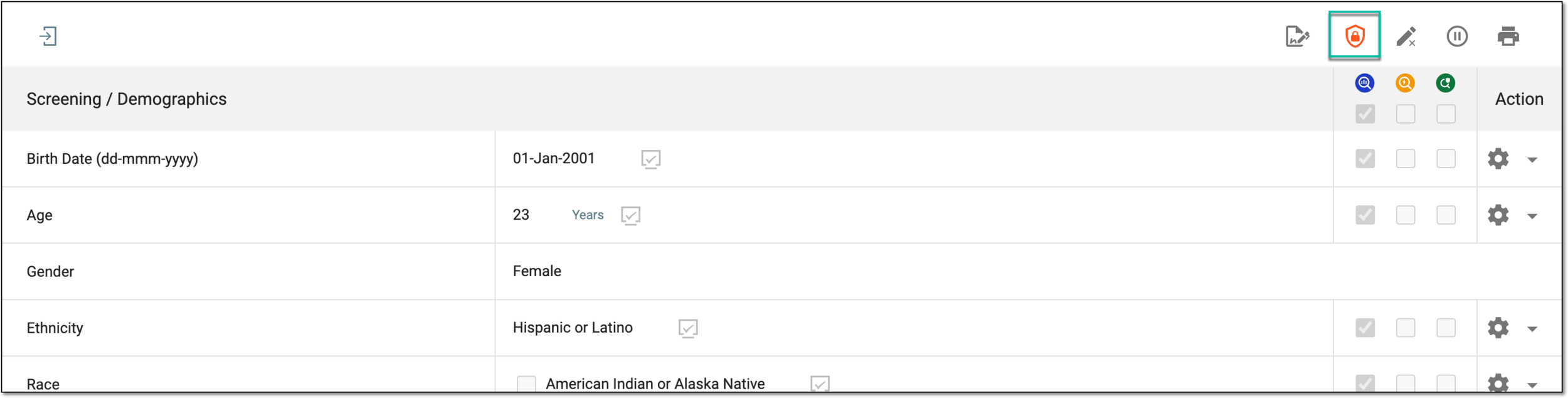 Figure 4. Hard-locking CRF
-
To unlock the hard-locked form, select Unhardlock
 .
.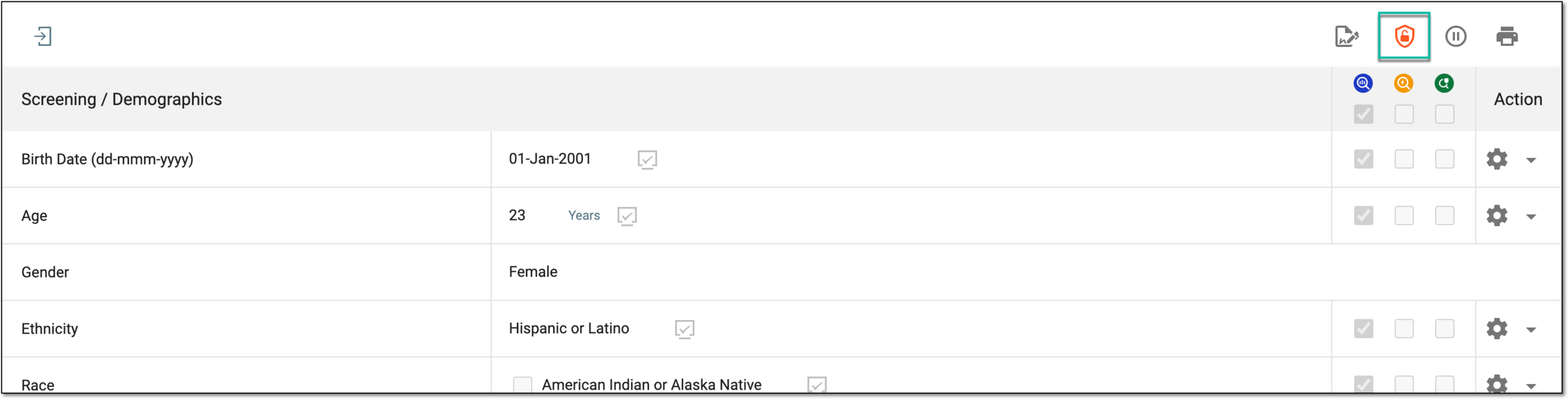 Figure 5. Unlocking CRF
-
Once done, the form is hard-locked or unlocked based on your performed action.