Associate PD template to study, site, or subject
A protocol deviation (PD) is any change, divergence, or departure from the study design and procedures originally approved and defined in the protocol, consent document, or other study materials.
The potential or actual deviations that have occurred in a clinical trial are recorded by a clinical research associate or data manager using a predefined template. This ensures compliance with the study protocol and avoids such divergence from the protocol in the future.
To seamlessly record potential or occurred protocol deviations, the required templates are associated with a study, site, or subject to document the corresponding divergence from the protocol.
For example, a study-related divergence occurs when there is non-compliance with the study protocol, a safety monitoring plan is not followed, and so on. Examples of site-related divergence can be the shortage of staff at the site, a large number of subjects enrolled at a site, and others. Lastly, subject-related divergence may occur if a subject misses their visit window, subjects are ineligible for the study, and so forth.
-
Access the study management page in one of the following ways:
-
In the CTMS application header, select the DASHBOARD tab and then select the study dashboard of your interest.
 Figure 1. Accessing study management from dashboard
-
In the CTMS application header, select the STUDY MANAGEMENT tab. Then from the Study Data List table, select the study name of your interest.
 Figure 2. Accessing study management from study data list
-
-
On the study page, in the left pane, select Protocol Deviation > Setting.
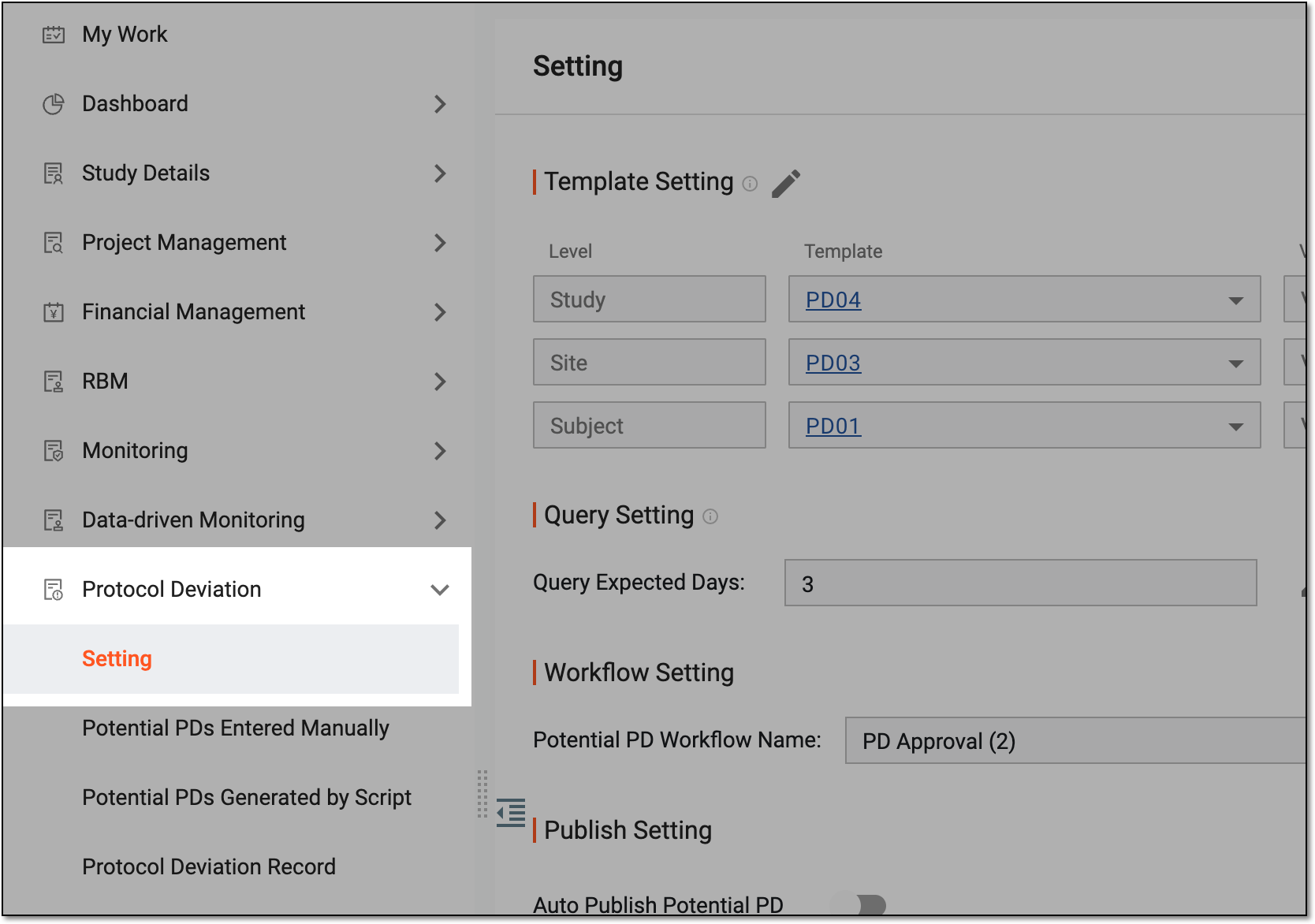 Figure 3. Accessing protocol deviation setting
-
On the Setting page, next to Template Setting, select Edit
 .
.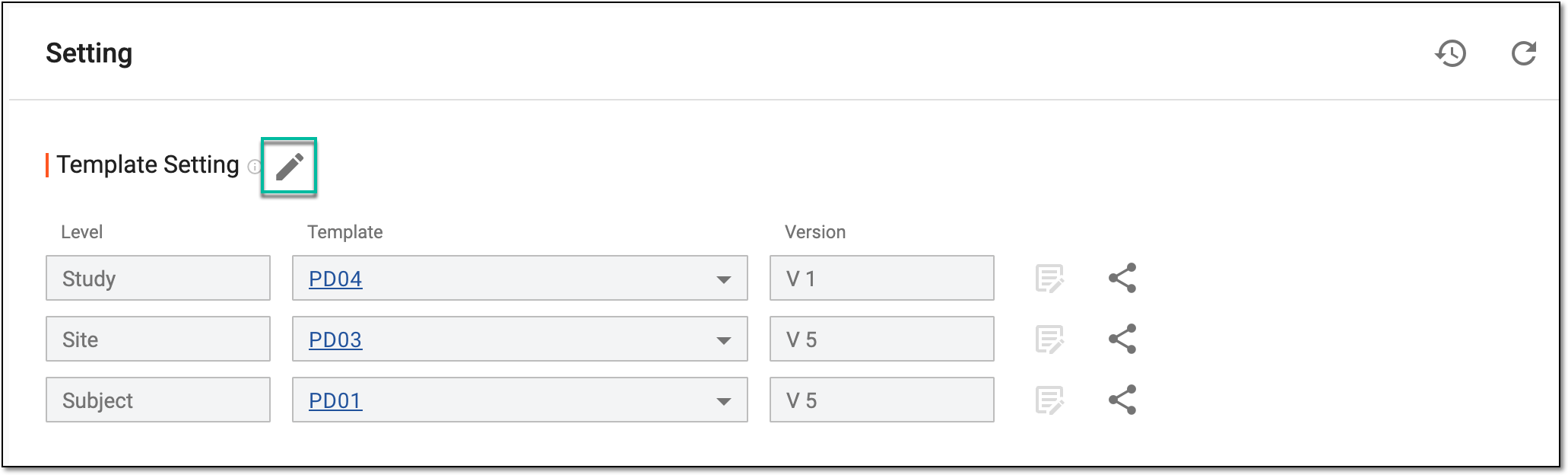 Figure 4. Selecting option to set up template
-
The Template Setting block is editable for you to select the required template as explained in the following table.
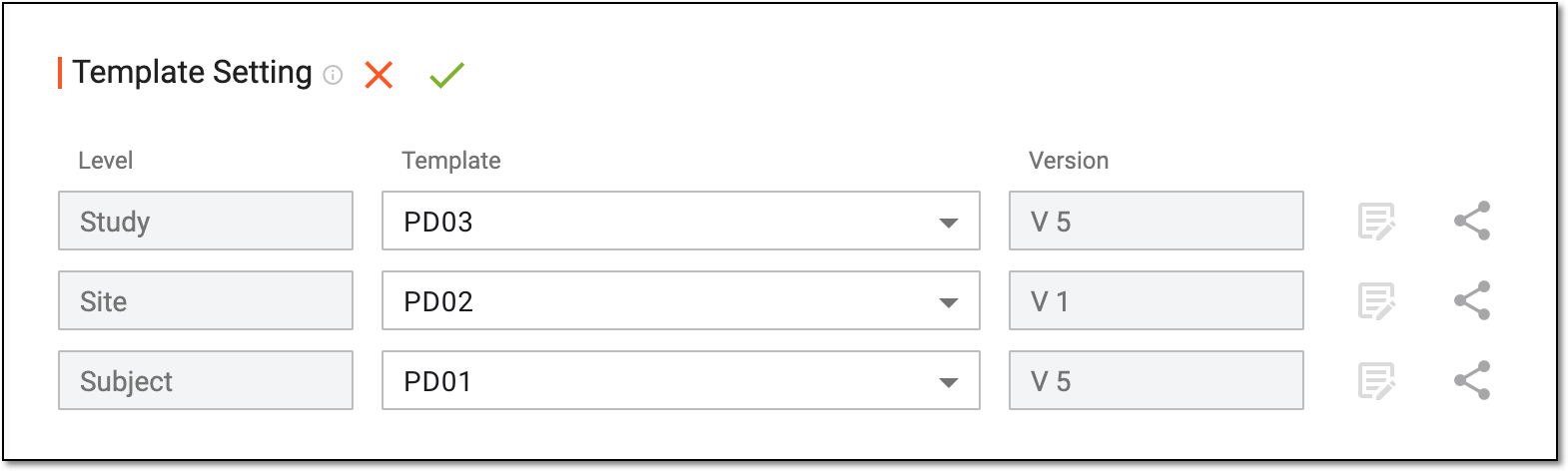 Figure 5. Setting up template
Element
Details
Level
Represents the level—study, site, or subject—for which you can choose and associate the needed template.
Template
Select the template that you want to associate with the study, site, or subject.
Make sure that your required protocol deviation template is created and activated in the CTMS library.Version
Represents the most recent version of the selected template available in the CTMS library.
SAVE
Select
 to implement your changes.
Close
Select
 to dismiss your changes without saving.
 -
Once the template is set up, proceed with the following settings as needed.
-
Next to the Query Expected Days field, select Edit
. -
In the field that becomes editable, enter the number of days by which the query regarding a protocol deviation record must be resolved for efficient deviation management.
-
Then select SAVE
. Figure 6. Setting query expected days value
-
Next to the Potential PD Workflow Name field, select Associate Workfow
 .
.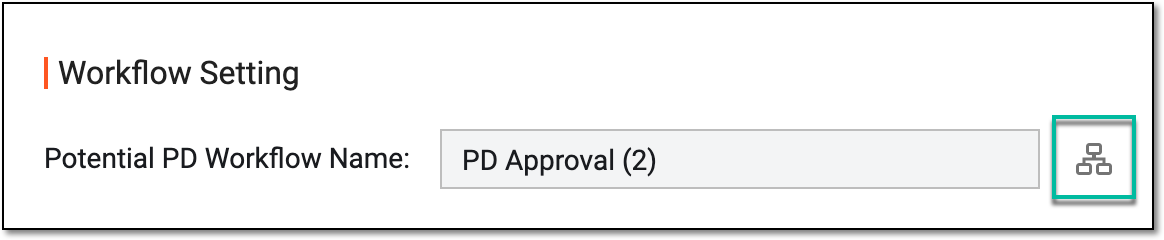 Figure 7. Accessing workflow selection
-
From the left pane of the page that opens, choose a workflow for potential protocol deviation approval. Then from the workspace toolbar, select Save
 .
.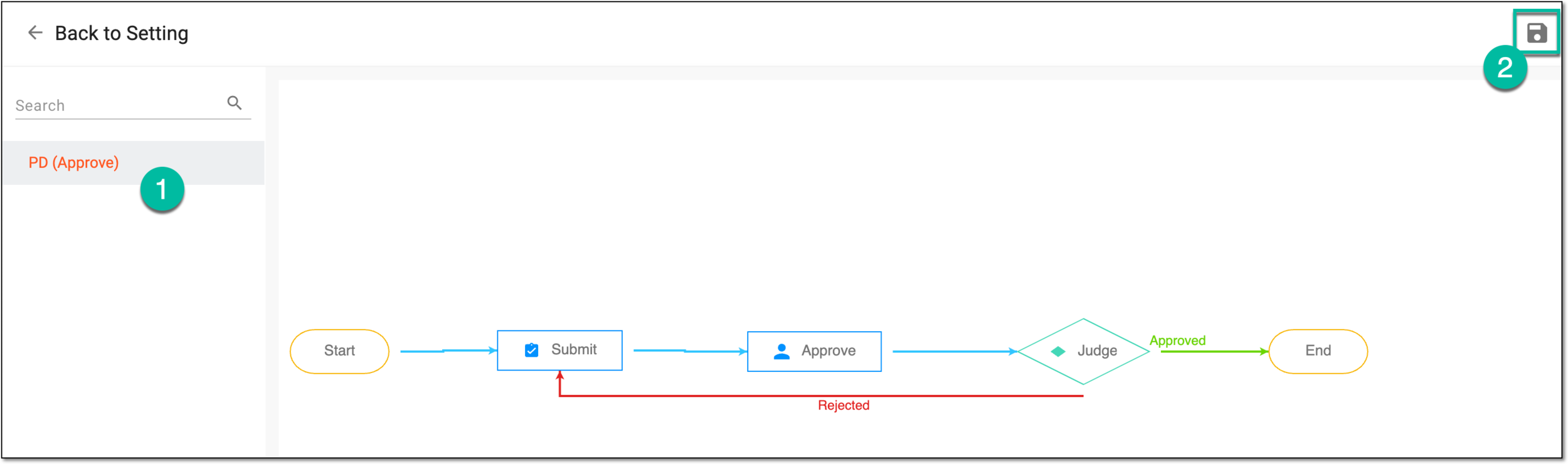 Figure 8. Selecting workflow for protocol deviation
Turn the Auto Publish Potential PD toggle on to automatically publish or add the potential protocol deviations that are either manually entered or generated by script to the PD record. If the toggle is turned off, then the protocol deviation must be manually pushed to the PD record.
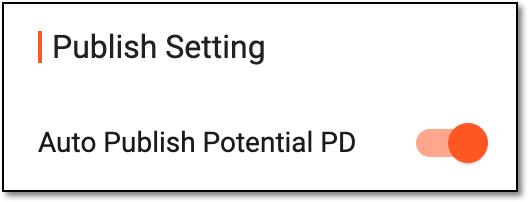 Figure 9. Enabling to automatically publish PD
-
Next to Potential PD Edit Permission, select Edit
. -
In the Additional Roles field that becomes editable, select the user roles whose representatives can edit the manually entered potential PDs recorded by other users for the study.
Important
Here, you can only select the roles that have the Potential PDs Entered Manually > Write access permission granted via ADMIN.
-
Then select SAVE
. Figure 10. Selecting roles to grant permission to edit potential PDs
-
Once your changes and other settings are saved, the study, site, or subject is successfully associated with the protocol deviation template. You can now proceed to add the potential or occurred deviation records.