Revoke depot return shipment
A depot is a warehouse where the drug manufacturer supplies items for further distribution between sites. In the course of a clinical trial, the need may arise to return dispensing items from one depot to another. In IWRS, you can return available items to any depot so they can be reused there, or you can send items for destruction to the return depot if they have been, for example, damaged or else.
After the return request has been created or the return shipment has been confirmed, indicating that the items have been sent to another depot, it may occur that some shipments need to be revoked. This can happen due to different reasons, for example, the available items again need to be allocated to the depot.
-
In the IWRS application header, select the DEPOT tab.
-
In the Depot List table that opens, select the needed depot.
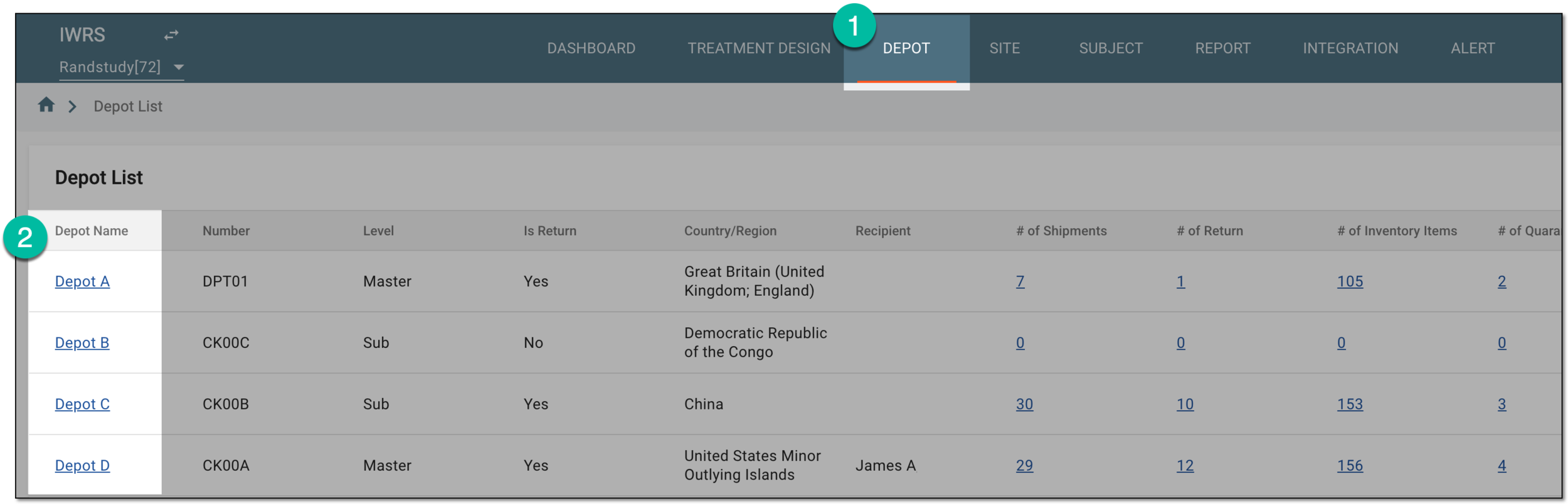 Figure 1. Selecting depot to open its details
-
In the left pane of the page that opens, select Return.
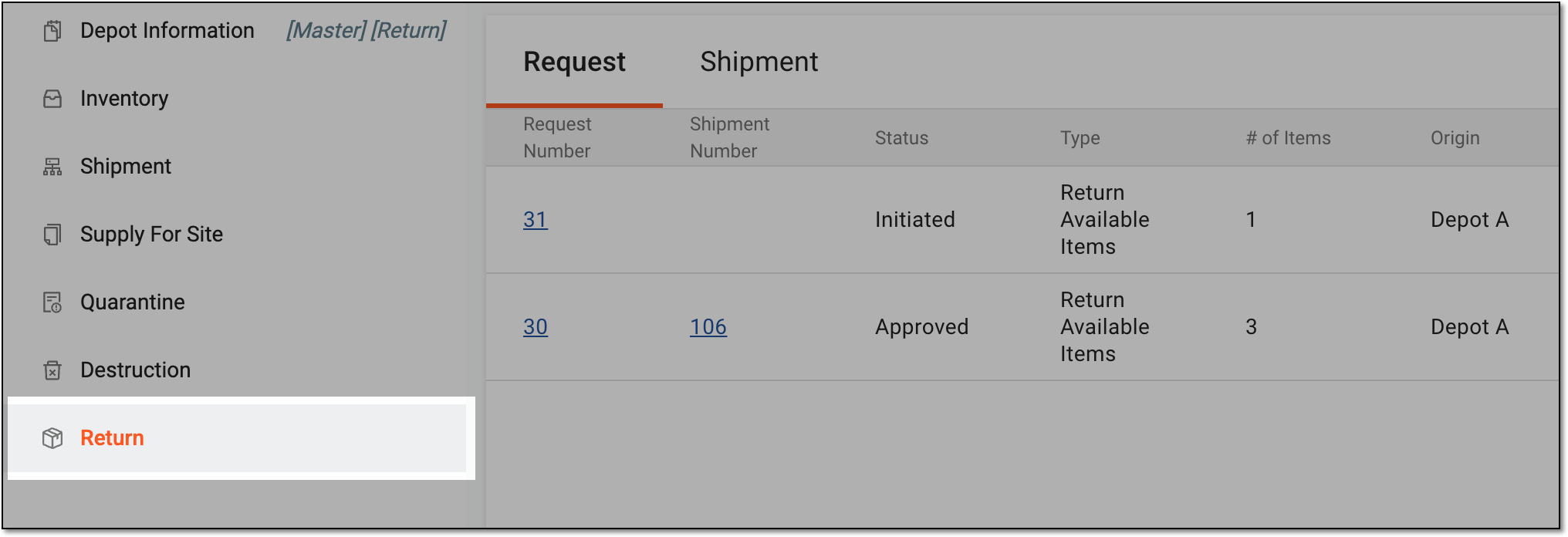 Figure 2. Accessing depot item return
-
In the contents panel that appears, select the Shipment tab to open the list of all return shipments sent to or from the depot.
-
In the Shipment table, select the needed shipment with the Requested or In Transit status.
 Figure 3. Selecting shipment in transit
-
On the shipment details page that opens, select
 .
.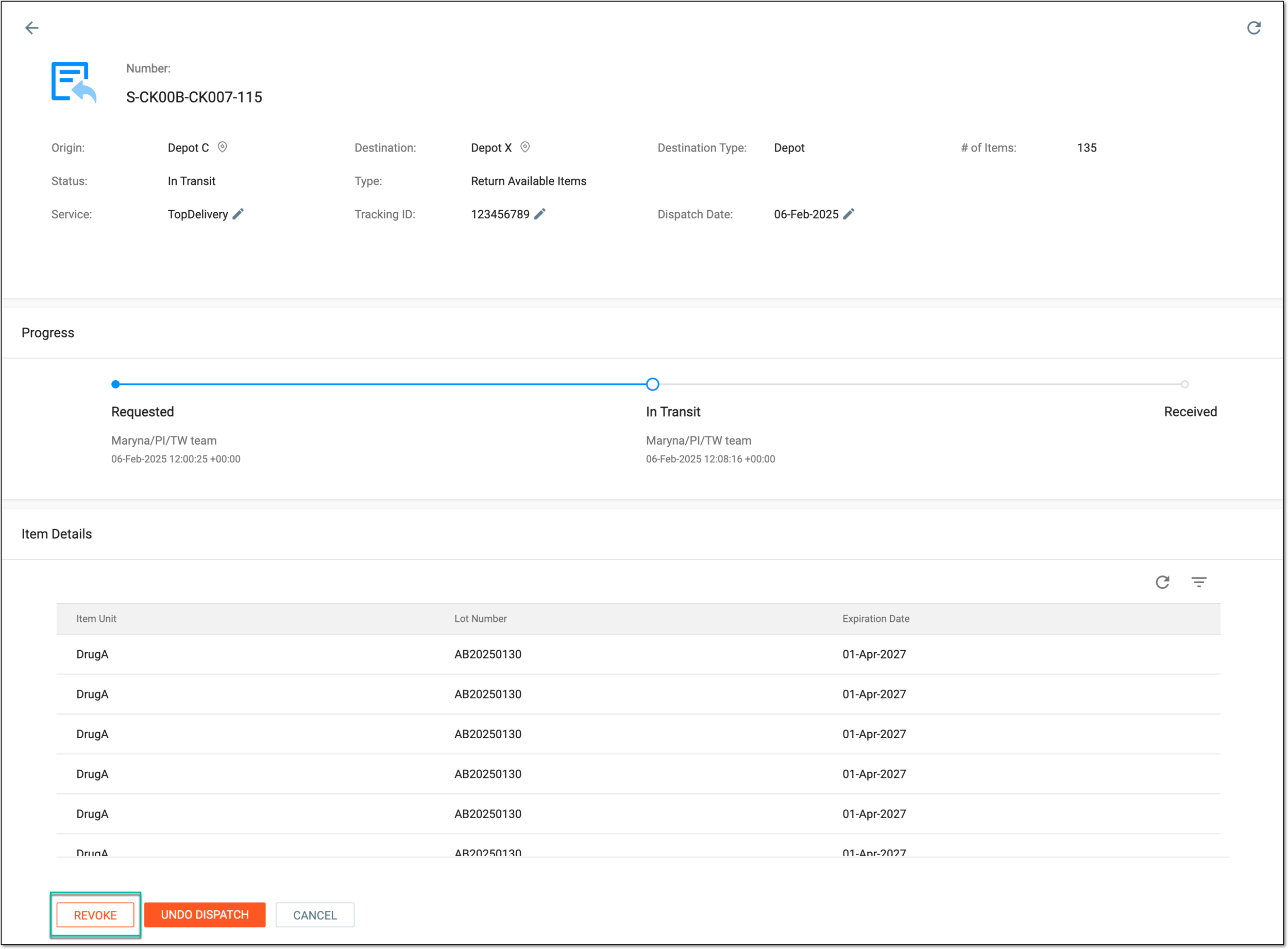 Figure 4. Revoking return shipment
-
In the Revoke Reason dialog that appears, enter a reason for revoking the return shipment.
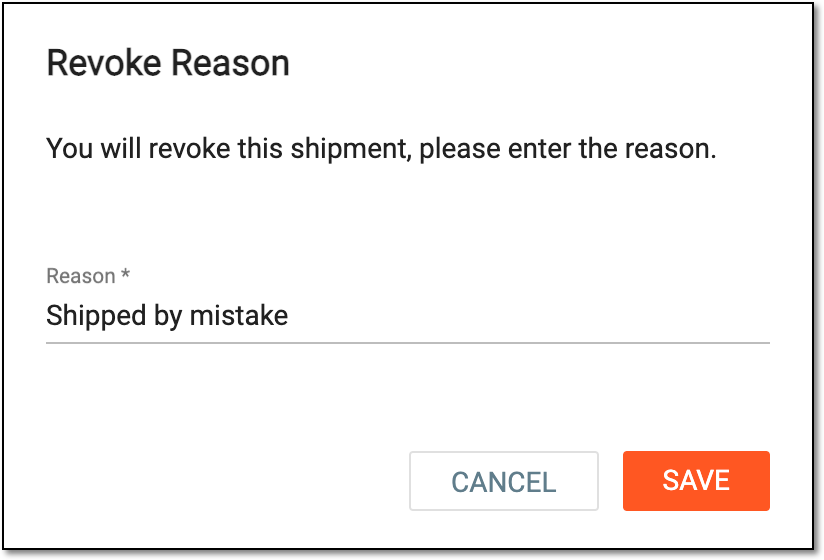 Figure 5. Providing reason for revoking shipment
-
Select
 .
.
Once saved, the return shipment is revoked. The items that are supposed to be shipped return to the depot inventory.