Sync subject dispensing data to EDC
The IWRS application automatically synchronizes the subject dispensing data with the CRFs available in EDC. However, if there are any new forms published after the drugs have been dispensed or you do not wish to wait for the automatic synchronization with EDC, then you can sync the subject dispensing data with the latest forms manually.
Tip
If only some new variables were added to the CRFs in EDC, upon manual synchronization, the system updates only the new data that is missing from IWRS.
-
In the IWRS application header, select the SUBJECT tab.
-
From Subject List that opens, select the needed site and subject.
 Figure 1. Selecting site and subject
-
In the left pane of the page that opens, select the Subject Dispensing tab.
-
In the Subject Dispensing table that appears, from the workspace toolbar, select Sync to EDC
 .
.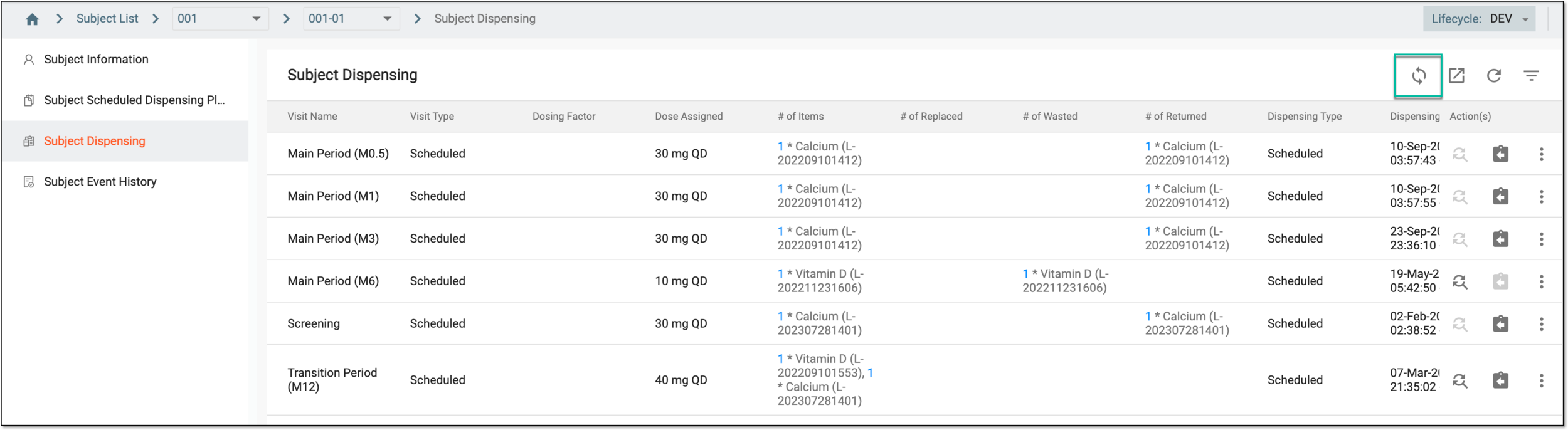 Figure 2. Syncing subject dispensing data to EDC
-
In the confirmation dialog that appears, select
 .
.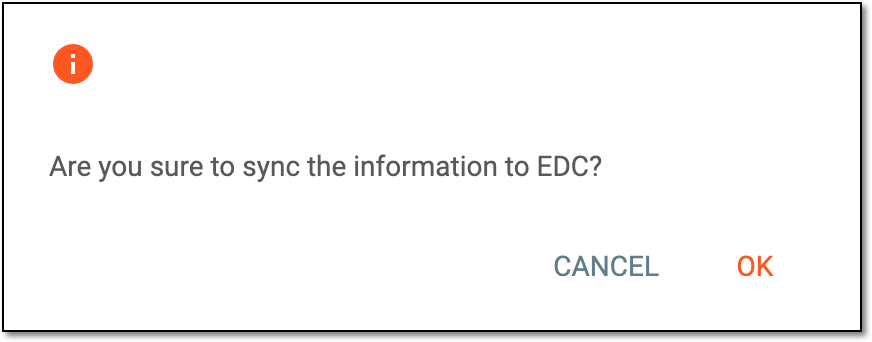 Figure 3. Confirming data sync
Once confirmed, the subject dispensing data is synchronized with EDC.