Import/Export monitor template
In CTMS, you can import a monitor template to the application or export a template from the application to your machine. You may need to import a template if you have a monitor template that either perfectly or to some extent matches the study protocol requirements or the business needs so you simply want to import your template to the CTMS application and then modify it as required.
Similarly, for another study, you may be required to use a monitor template that you have already created for your existing study in the CTMS application. In such a scenario, you can export an existing monitor template to your machine and then import it into the required study.
-
In the CTMS application header, select the LIBRARY tab.
-
From the left pane of the page that opens, select Monitor Template.
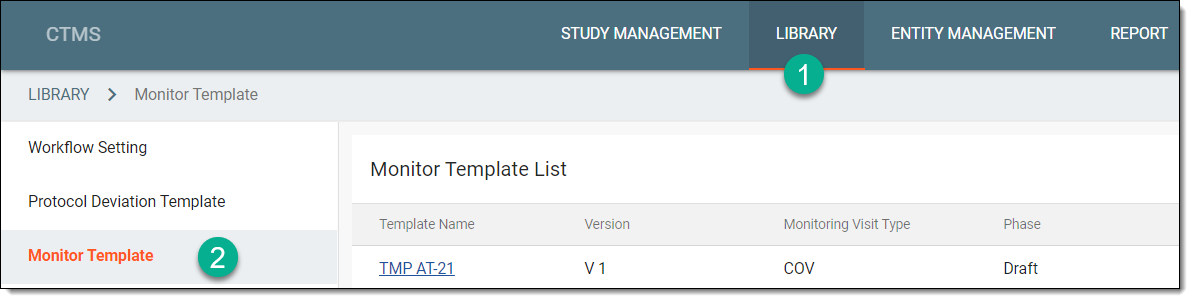 Figure 1. Accessing monitor template subtab
-
On the page that opens, perform any of the following actions, as required.
-
Select the required monitor template, and from the workspace toolbar of the Monitor Template List table, select Export
 .
.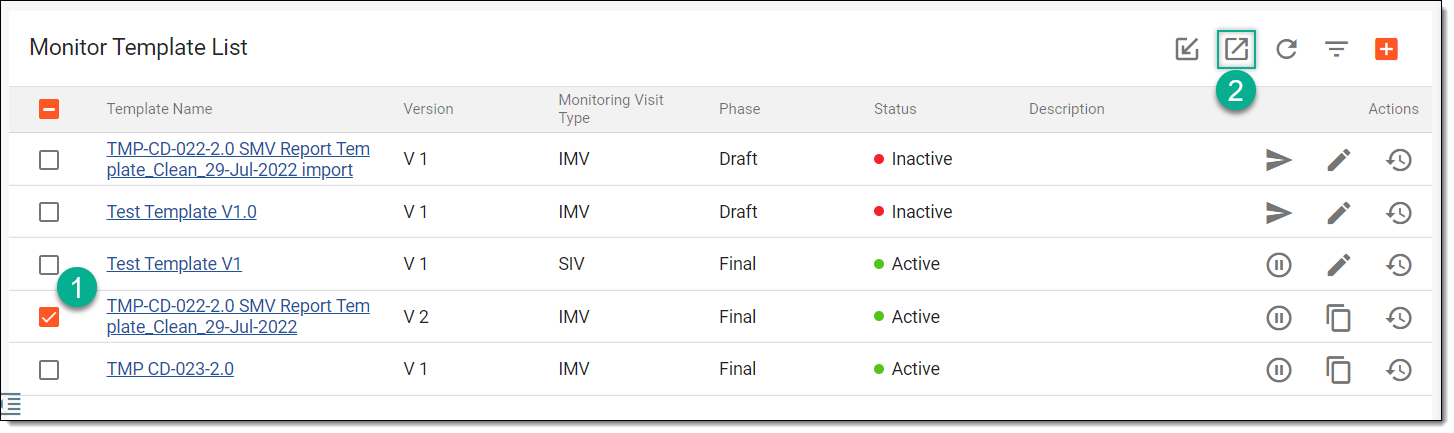 Figure 3. Exporting monitor template
-
In the dialog that appears, select the data export option as needed:
-
Export current version as Config: to extract a CONFIG file with configurations of the currently effective template version and use this file to import and set up a template in another study.
-
Export current version as PDF: to extract a PDF file with the currently effective template version details.
-
Export all version as PDF: to extract a ZIP folder with the current and all the historical versions of the template, each as a separate PDF file.
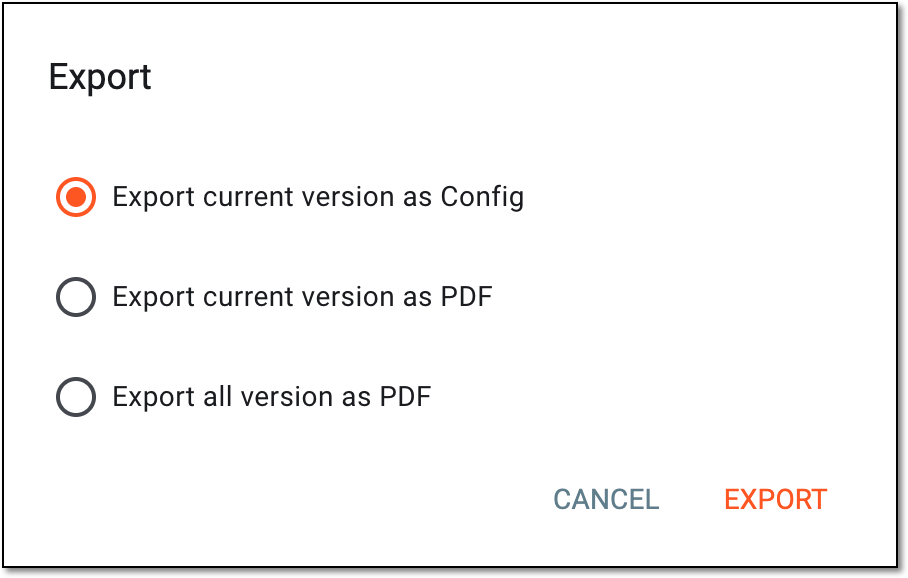 Figure 4. Selecting export option
-
-
Select
 and in the downloads widget that appears, view your download progress. Select the widget to open the My Downloads dialog.
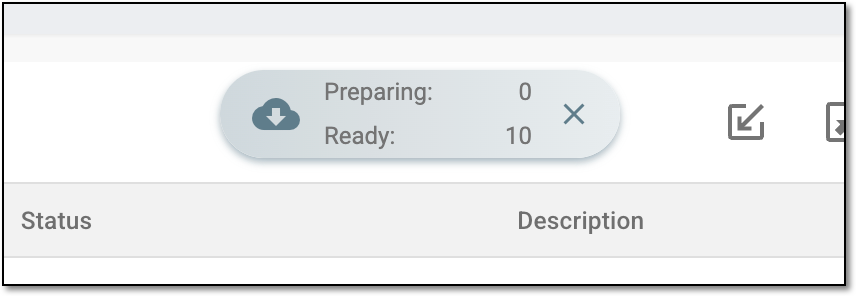 Figure 5. Downloads widget for monitor template
-
In the My Downloads dialog that opens, you can find the following tabs:
-
Preparing: lists all the files whose export is in progress, and they are not yet ready for download. Wait until the needed file moves to the Download is Ready tab.
-
Download is Ready: lists the files whose export is complete, and they can be downloaded to your computer by selecting
 .
.
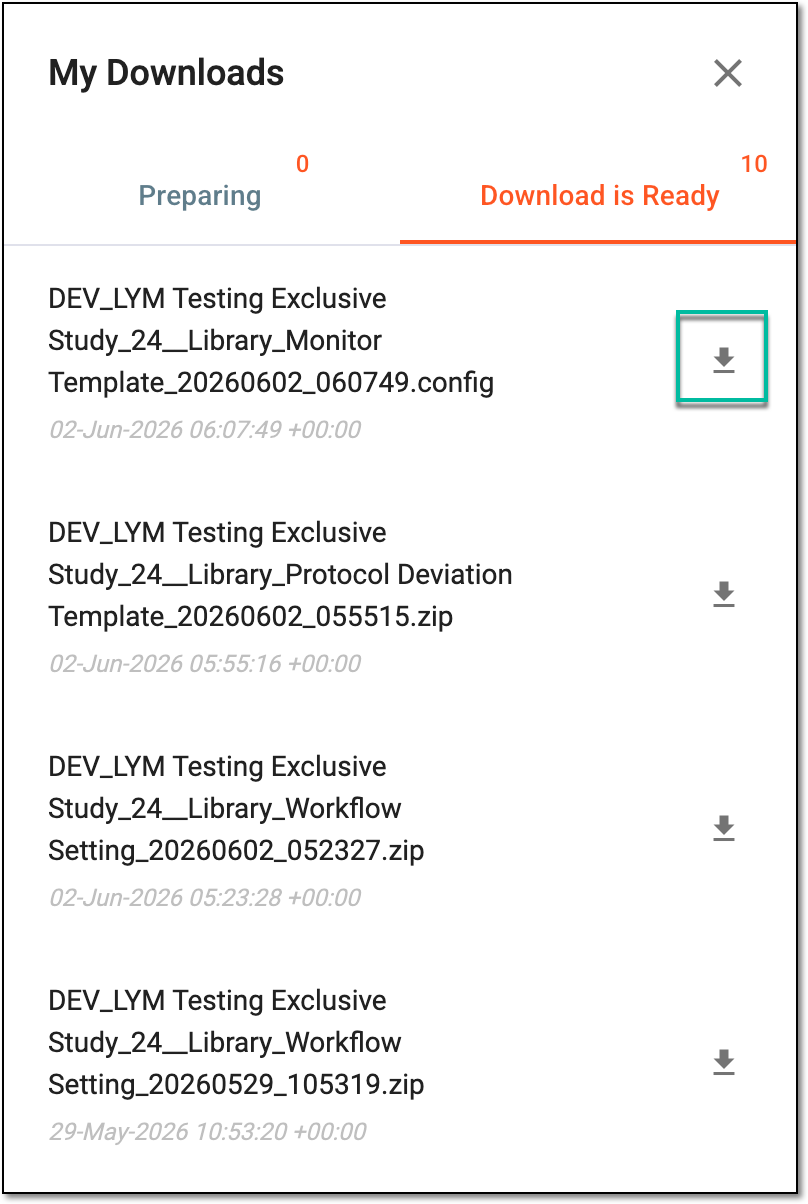 Figure 6. Downloading extracted monitor template data
-
-


Based on your action, the result may vary:
-
The monitor template is imported to the CTMS application and appears in the Monitor Template List table with the Draft phase until you submit the monitor template, and an Inactive status until you submit it, and then change the status if required.
-
The monitor template data is exported from the CTMS application to your computer in the needed format.