Submit monitor template
After you have created a monitor template and have added data (questions) to it, your template is ready for submission. When you submit the monitor template then based on the specifications you have set, one of the following actions are performed by the system:
-
If you seek approval on your monitor template then the system sends a notification to the reviewer and awaits their approval. Once approved, then the monitor template is submitted.
-
If you do not seek approval on your monitor template, then upon completing the submission process, the monitor template is submitted.
Once a monitor template is submitted, you can then use it in the STUDY MANAGEMENT tab to assign the template to a monitoring visit.
-
In the CTMS application header, select the LIBRARY tab.
-
On the page that opens, from the left pane, select the Monitor Template subtab.
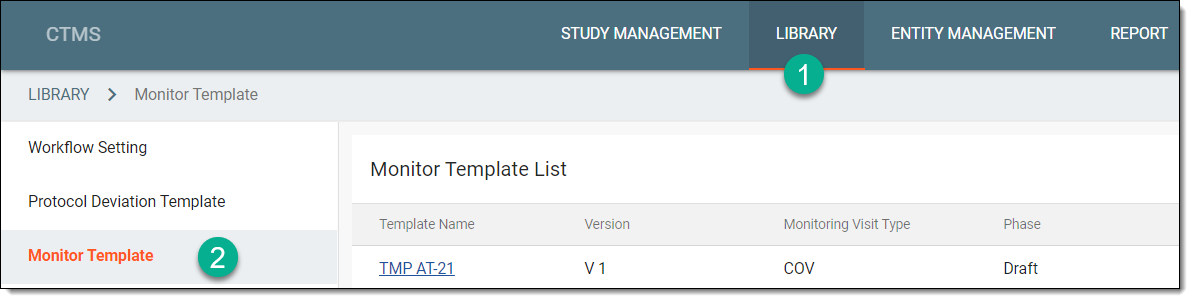 Figure 1. Accessing monitor template subtab
-
From the Monitor Template List table, locate the template that you want to submit, and next to it from the Actions column, select Submit
 .
.Important
This option is only available for the newly-created templates that require their first submission or modified templates that must be submitted again.
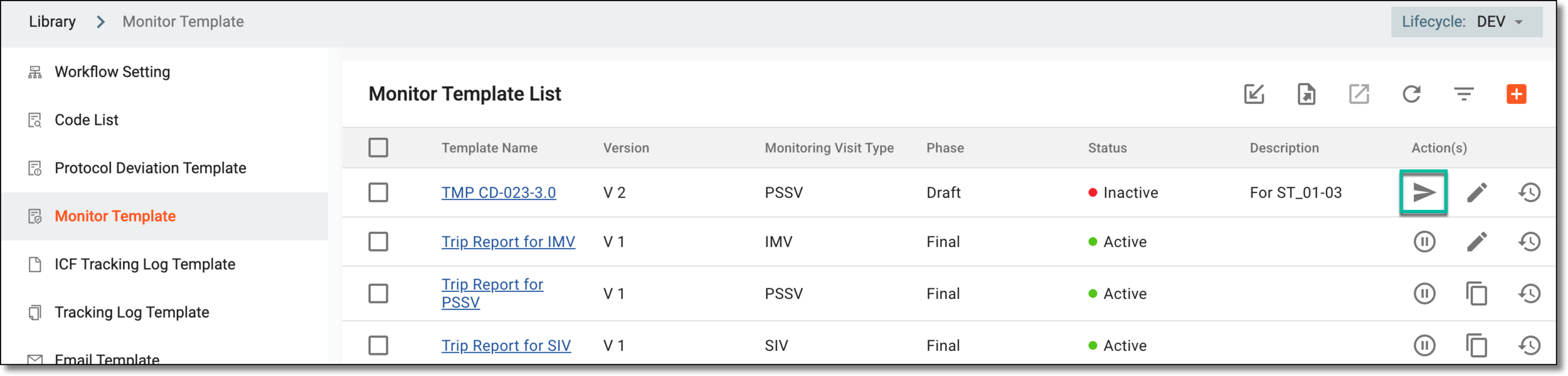 Figure 2. Selecting to submit monitor template
-
In the Submit dialog that appears, in the Comment field, enter any details related to the template that you want to specify.
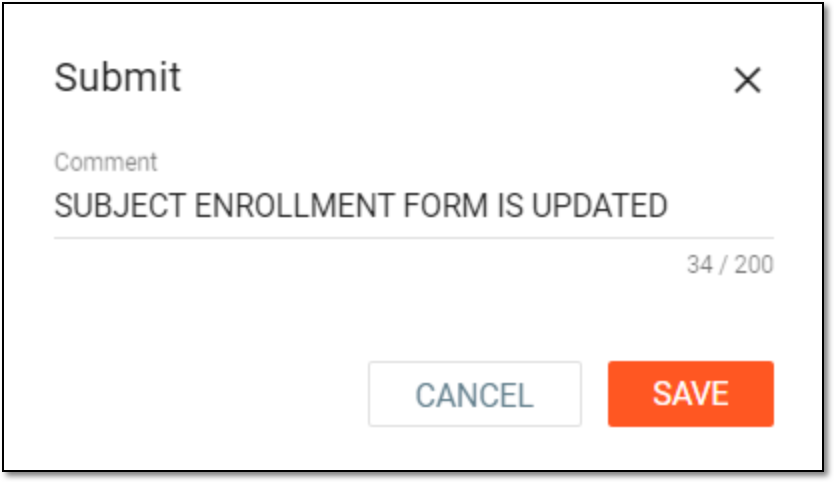 Figure 3. Submitting monitor template
Tip
The Comment feature may be especially useful if your template requires approval from designated personnel. In this field, you can add any details that you want the assigned reviewer to know before processing your template.
-
Select
 to save your changes.
The monitor template is submitted. Based on the monitor template configurations, the result may vary:
-
If you seek approval on your template, then the system sends the template for review and approval and sets the template phase as Auditing in the Monitor Template List table.
-
If you do not seek approval on your monitor template, then upon saving your changes, the template is submitted and the phase is set to Final in the Monitor Template List table; the monitor template is ready to be activate and then associated with the trip report for the monitoring visit.