Put depot inventory items in quarantine
From the Quarantine page, you can manage the product units and container units from your depot inventory or shipped to your depot that have been quarantined for some reason, for instance, if the packaging is damaged or the origin of the drug is questionable.
There are two ways to put product and container units in quarantine as explained in the following sections.
You can mark product units and container units as quarantined directly from the depot inventory.
For instance, some items in your inventory have damaged packaging, so you can quarantine them until you decide whether they are safe to use or must be destroyed.
-
In the IWRS application header, select the DEPOT tab.
-
In the Depot List table that appears, select the name of the depot for which you need to quarantine items.
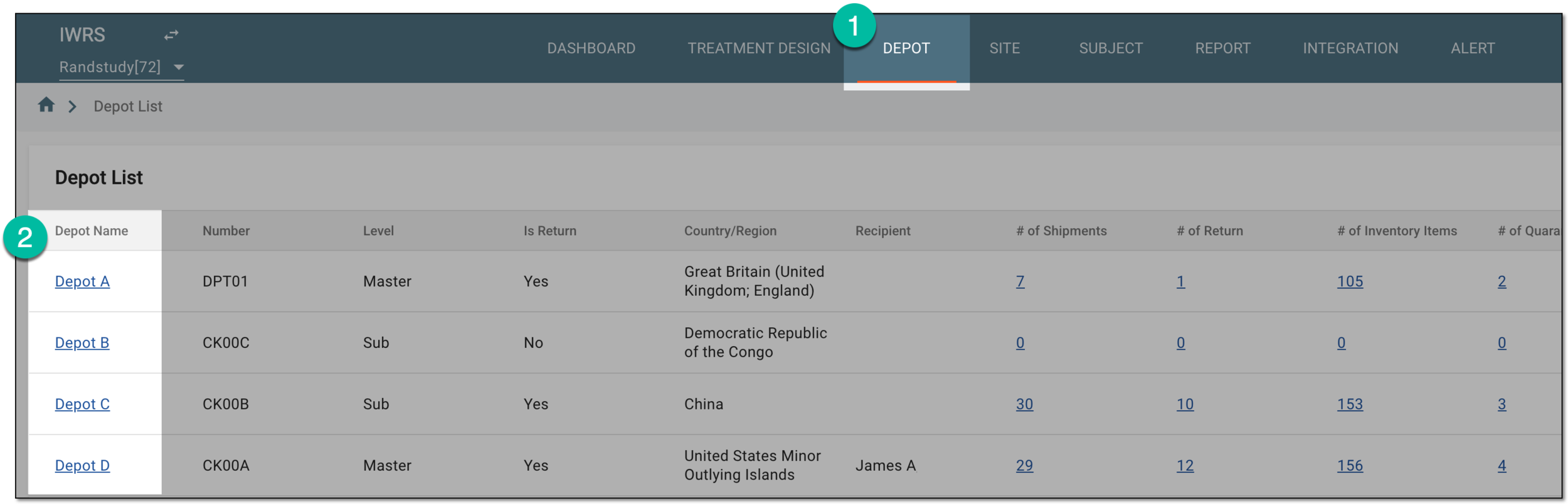 Figure 1. Selecting depot to open its details
-
On the page that opens, in the left pane, select the Inventory subtab and in the contents panel that appears, select the By Item tab.
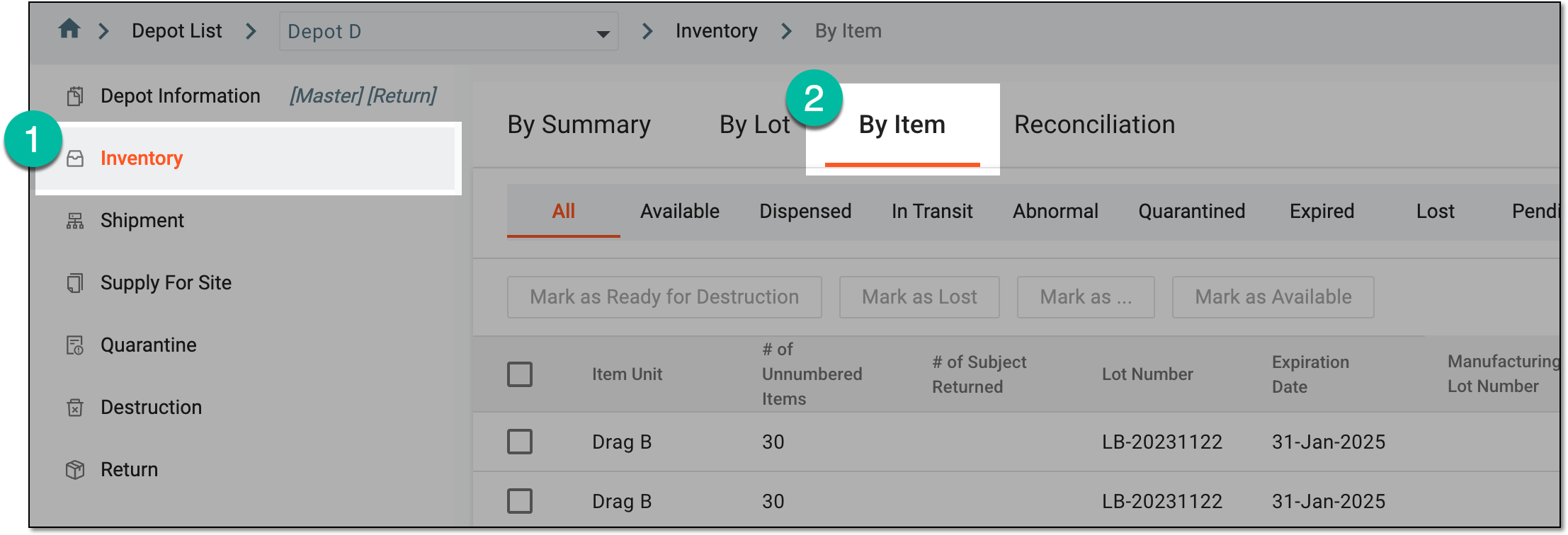 Figure 2. Accessing depot inventory by item
-
In the list that appears, find the product or container units you need to put in quarantine and select the checkboxes next to them. To facilitate your search, you can filter the items by disposition.
-
Above the table, select the Mark as button, then select the Quarantined option.
Important
You can only select the container units that are Complete to put them in quarantine. For Open containers, you can only quarantine the products within or consider packing the container unit manually.
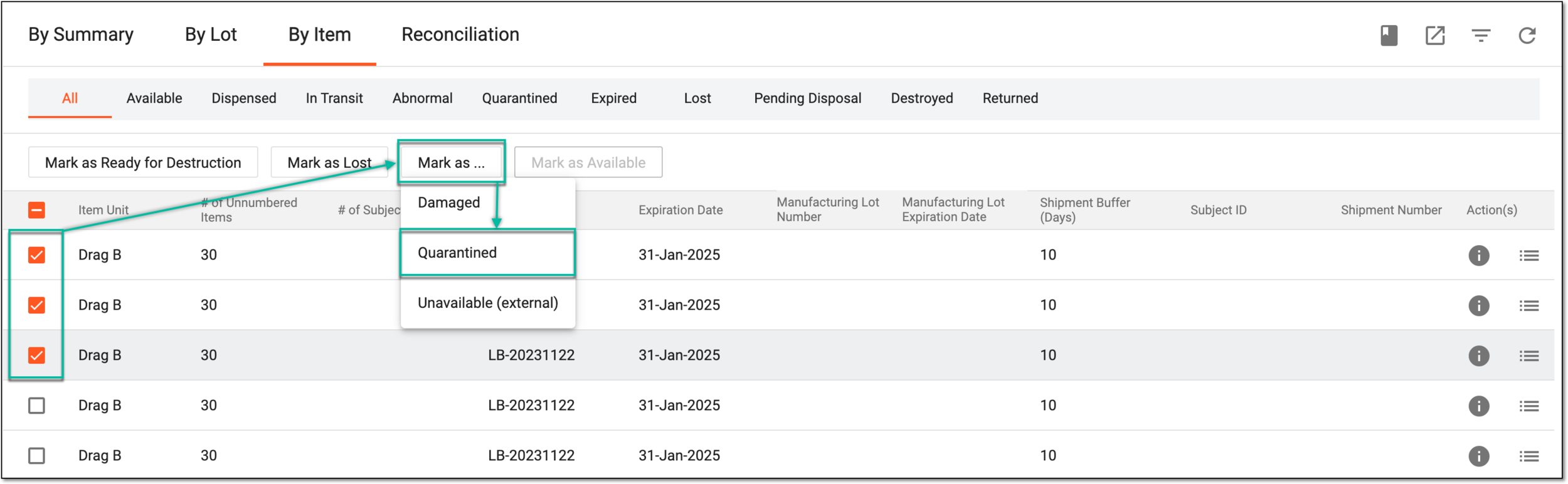 Figure 3. Marking inventory items as quarantined
-
In the Mark as Quarantined dialog that opens, select one of the following options as follows.
Select the Create a new quarantine option if you want to create a new quarantine batch as explained in the following table.
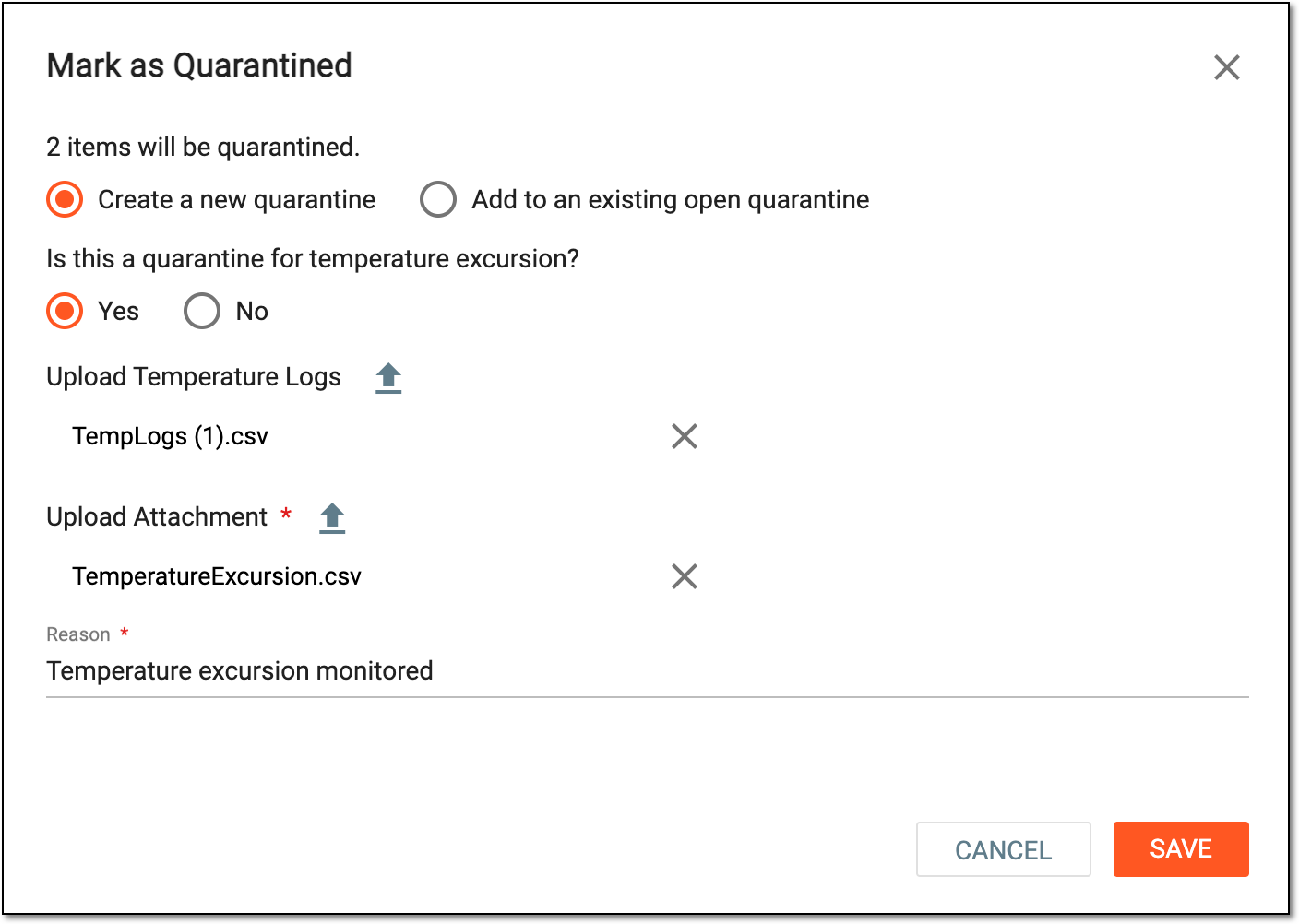 Figure 4. Creating new quarantine
Tip
In the following table, mandatory elements are marked with an asterisk (*).
Element
Details
Is this a quarantine for temperature excursion?
Select if the items are put into quarantine because their specific temperature regimen is breached (Yes) or not (No).
The temperature monitoring feature can be enabled or disabled for your study from the
                                              Study Information module.
Upload Temperature Logs
Select
 to upload the temperature log document in the CSV format to support the temperature regimen breach.
This option is only available if Is this a quarantine for temperature excursion? = Yes.Upload Attachment*
Select
to upload the attachment file to provide additional details on the quarantined items. The attachment file can be of any format
suitable for your business needs.The upload can be mandatory or optional depending on the setting under the Study Information module.Reason
Provide a meaningful reason for quarantining the items, for instance, that the temperature excursion is monitored and requires further checks.
SAVE
Select
 to save the implemented changes.
CANCEL
Select
 to discard the changes, close the dialog, and return to the Inventory
> By Item page.
to discard the changes, close the dialog, and return to the Inventory
> By Item page.Select the Add to an existing open quarantine option if you want to add the selected items to one of the previously created batches of quarantined items as explained in the following table.
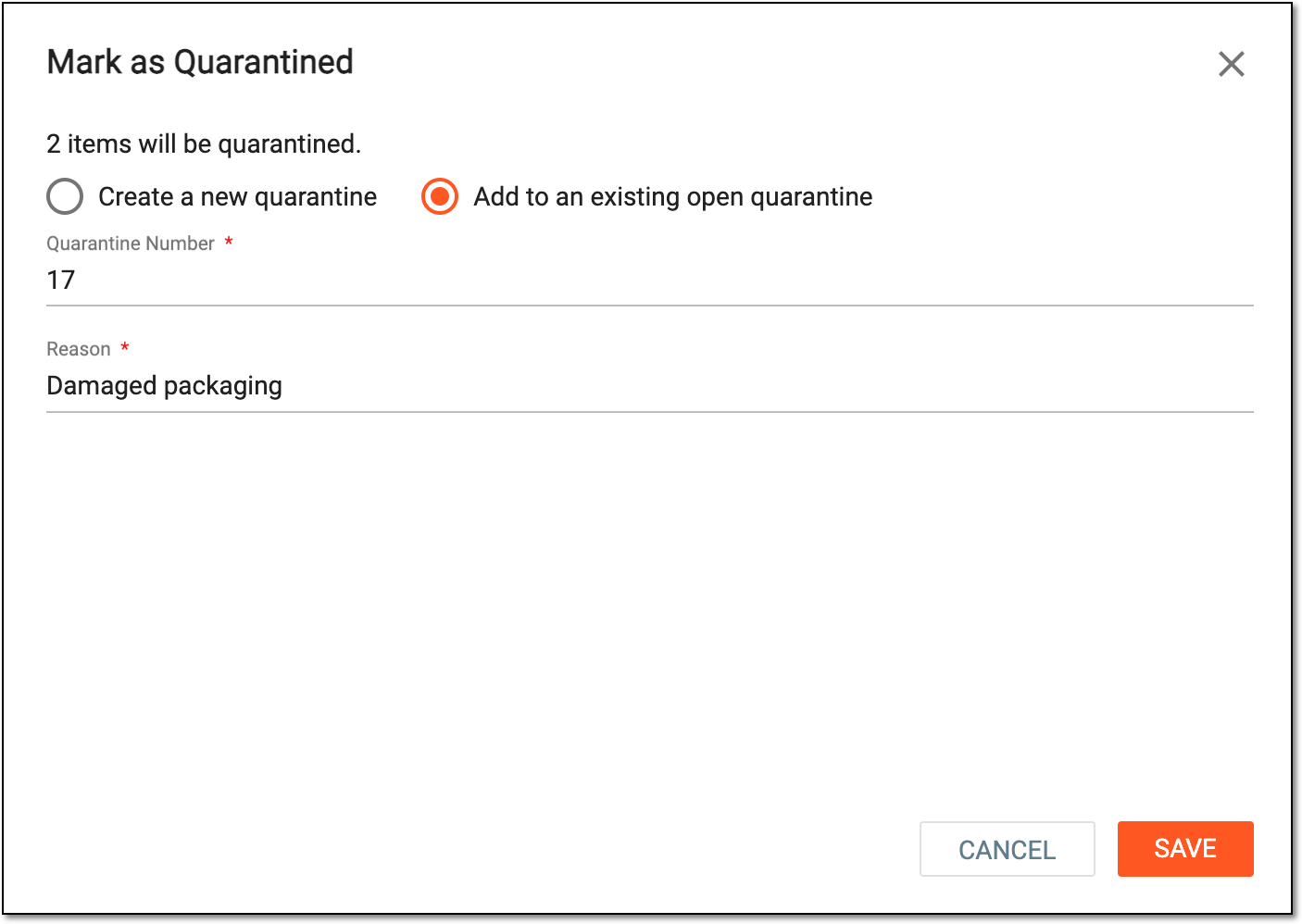 Figure 5. Adding items to existing quarantine
Tip
In the following table, mandatory elements are marked with an asterisk (*).
Element
Details
Quarantine Number*
Select the field and in the Select Quarantine dialog that opens, select one of the previously created batches of quarantined items for your depot and click
 to add the item(s) to it.
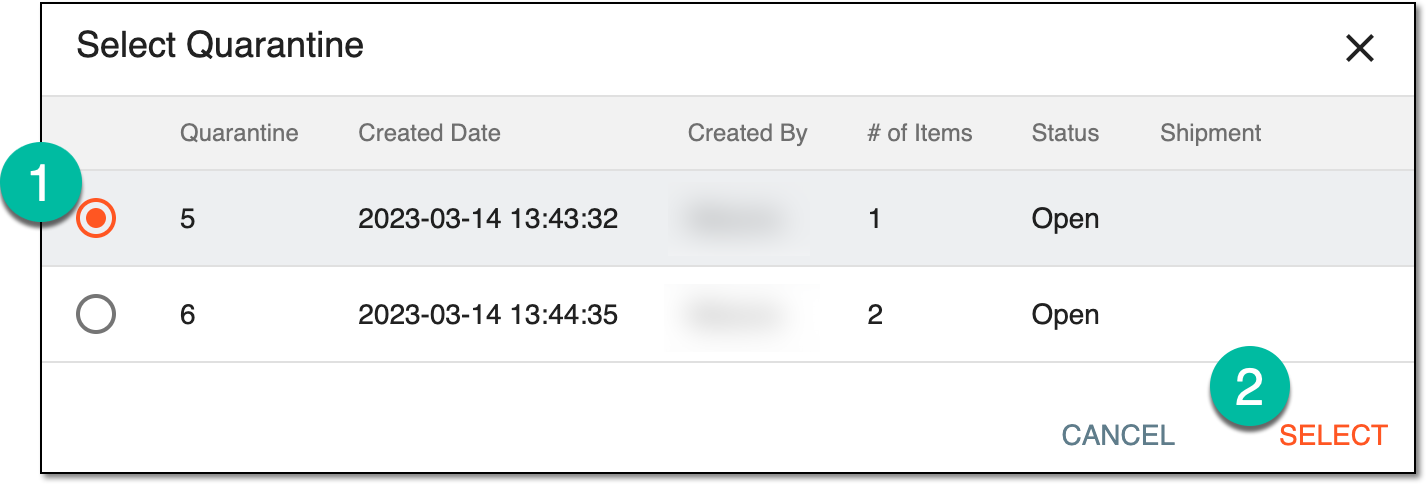 Figure 6. Selecting quarantine to add items
Select
to discard the selection and close the dialog.Reason*
Provide a meaningful reason for quarantining the items, for instance, damaged or questionable packaging.
SAVE
Select
to save the implemented changes.CANCEL
Select
to discard the changes, close the dialog, and return to the Inventory
> By Item page.
Upon saving, the items are put in quarantine and you can further confirm they are damaged or release the items from quarantine.
You can mark product units and container units as quarantined when receiving shipments partially or in full.
For instance, if you are signing for the shipment receipt and notice that some of the items (or all of them) have damaged packaging and need to be quarantined until it is decided whether they are safe to use or must be destroyed.
Important
The items are automatically quarantined if upon shipment receipt it is stated that the temperature regimen is breached.
-
In the IWRS application header, select the DEPOT tab.
-
In the Depot List table that appears, select the name of the depot for which you need to quarantine items.
Figure 1. Selecting depot to open its details
-
On the page that opens, in the left pane, select the Shipment subtab.
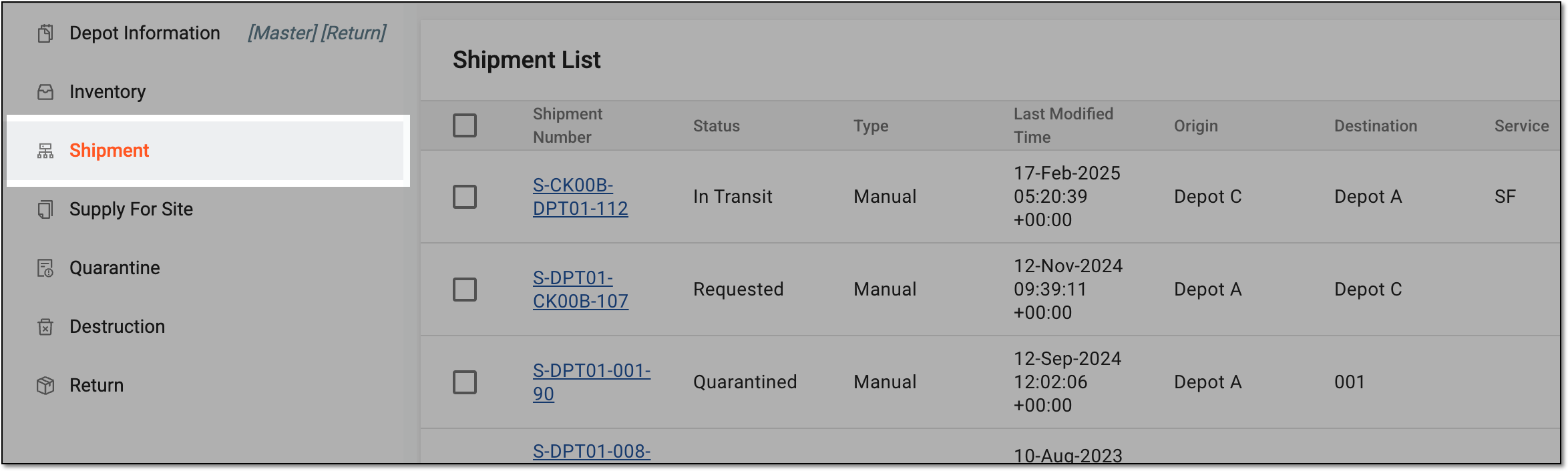 Figure 2. Accessing depot shipment list
-
In the Shipment List table that appears, locate the shipment ready for receipt and for which you want to quarantine the items. Then select the Shipment Number value.
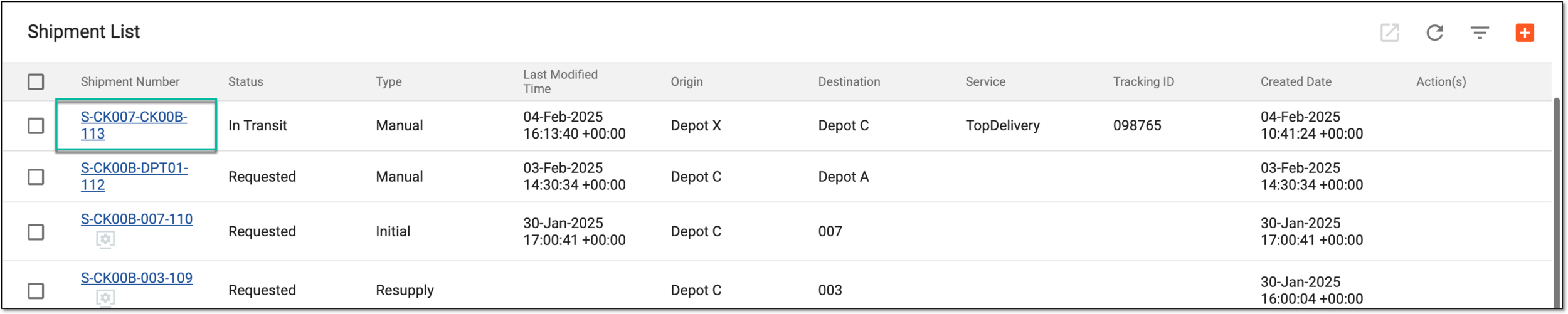 Figure 3. Accessing shipment for receipt
-
On the Details page that opens, go to the Item Details block which displays a list of all items in the shipment. Then perform one of the actions as follows.
To put some of the items from the shipment in quarantine, select the Partially Received option, then in the table, select the checkboxes next to the items you want to quarantine. Then select the Mark as Quarantined button and enter the date when the shipment is received.
Important
You can only select the entire container unit to put it in quarantine. If you need to partially receive specific products out of the container, consider fully receiving the shipment and then put individual items to quarantine from the inventory.
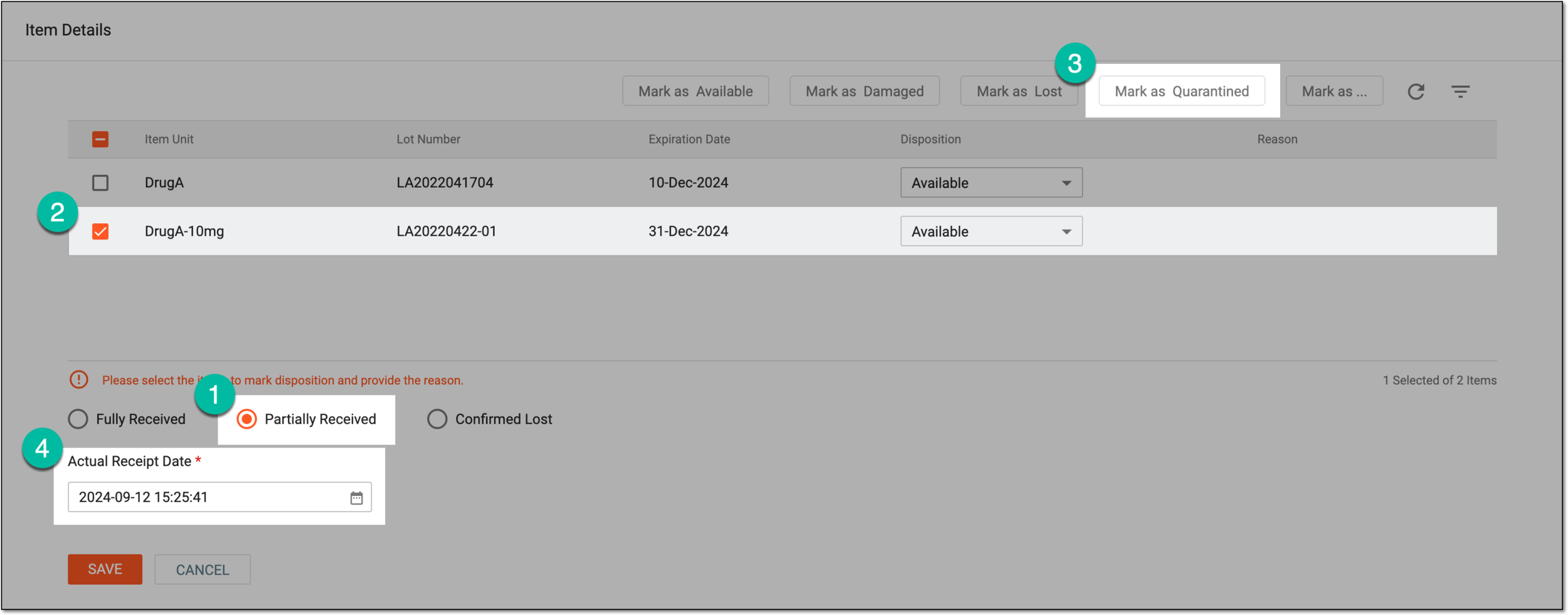 Figure 4. Marking items as quarantined upon partially receiving shipment
To put all the items from the shipment in quarantine, select the Fully Received option, then answer the questions on temperature regimen handling during shipment. If all are selected as Yes, upload the temperature log and needed attachments. Then provide a comment supporting your actions.
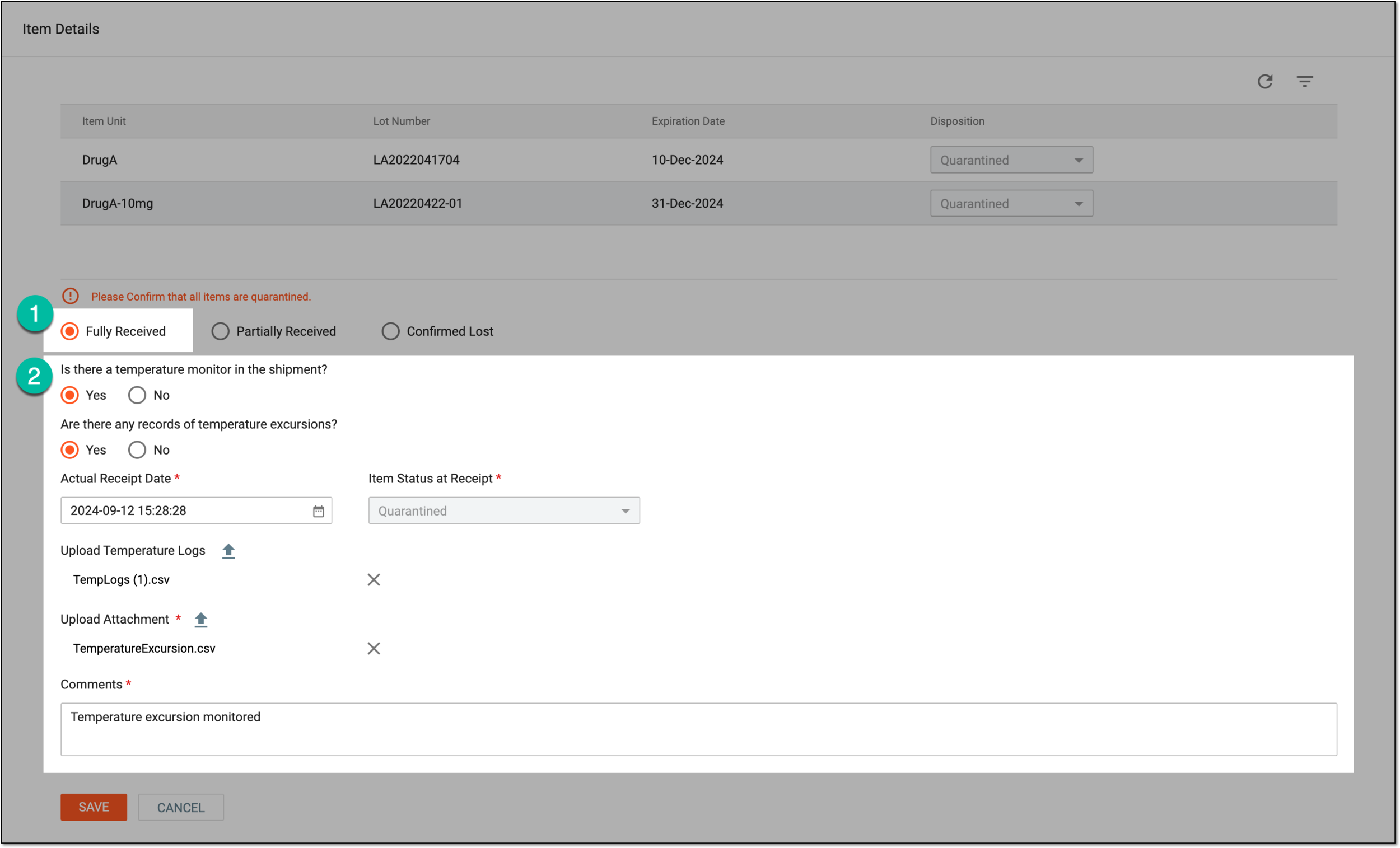 Figure 5. Marking items as quarantined upon fully receiving shipment
-
Select
to save the implemented changes.
Upon saving, you have put the items from the shipment in quarantine. When ready, you can confirm the quarantined items are damaged or release the items from quarantine.