Confirm quarantined depot items as damaged
In IWRS, from the Quarantine page, you can manage the product units and container units from your site inventory or shipped to your site that have been quarantined for some reason, for instance, if the packaging is damaged or the origin of the drug is questionable.
If the quarantined items are checked and proven to be damaged and unacceptable for further use and dispensation, you can confirm them as damaged. For example, if the questionable packaging is broken and the drug is spoiled because of it.
-
In the IWRS application header, select the DEPOT tab.
-
In the Depot List table that appears, select the depot for which you want to confirm the quarantined items as damaged.
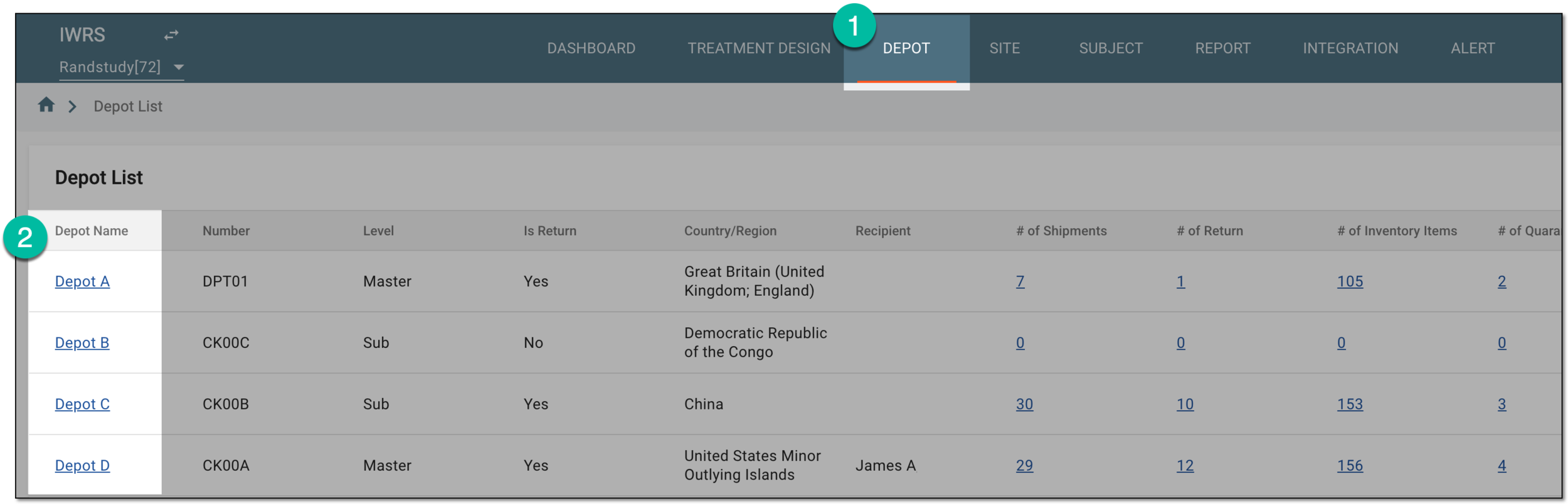 Figure 1. Selecting depot to open its details
-
On the page that opens, in the left pane, select the Quarantine subtab.
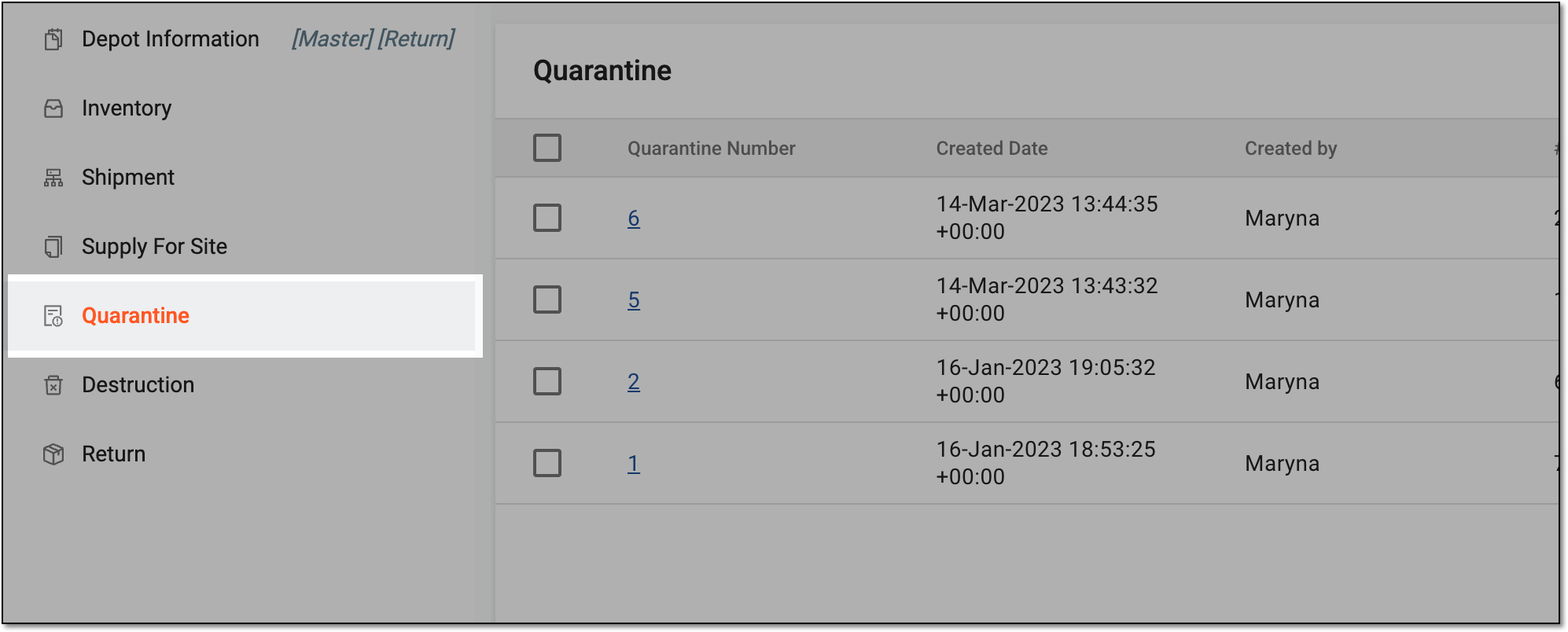 Figure 2. Accessing depot quarantine list
-
In the Quarantine table that appears, locate the quarantine from which you want to confirm the items as damaged and select its Quarantine Number value.
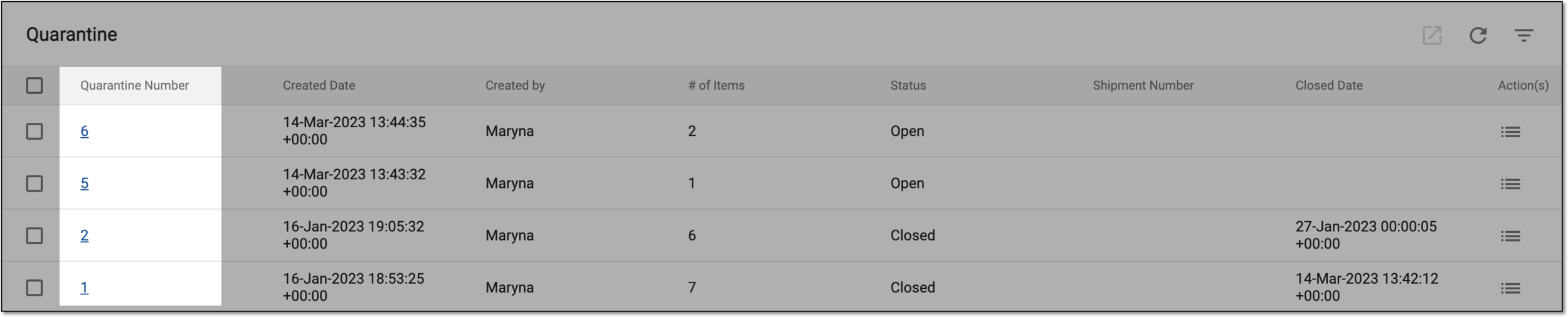 Figure 3. Accessing quarantined items at depot
-
On the Details page that opens, you can view the information on the product or container units in quarantine as explained in the table of the View depot quarantine details section.
-
In the Quarantine Item Details block, select the checkboxes next to the items that you want to confirm as damaged and select
 .
.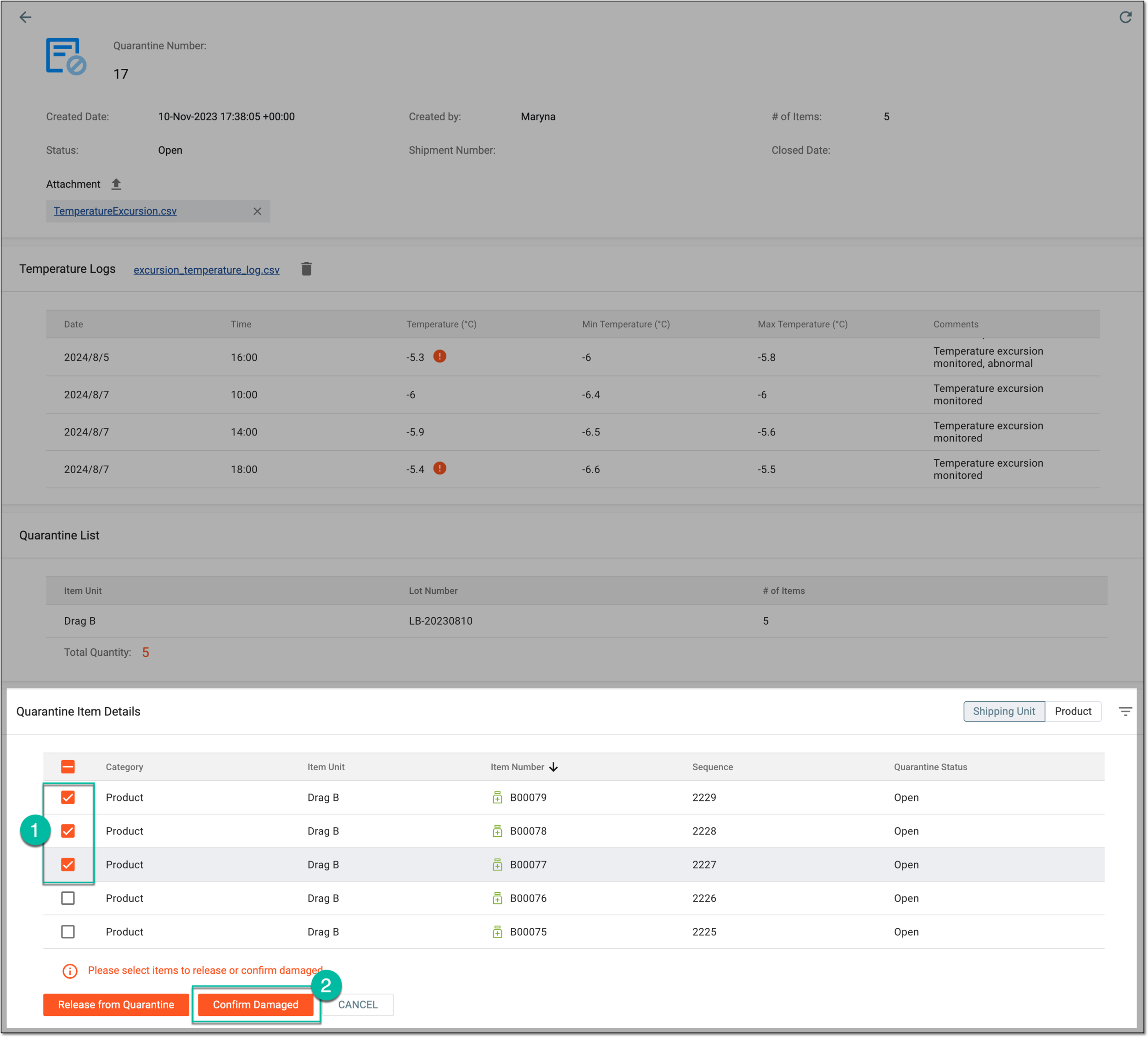 Figure 4. Selecting damaged items
-
In the Confirm Damaged dialog that appears, provide the reason for your action and then select
 to save the changes.
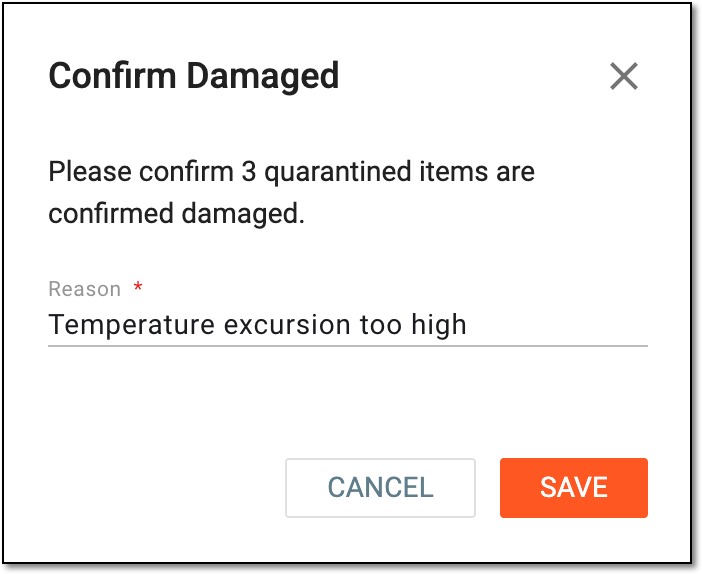 Figure 5. Confirming item damage
Upon saving, the selected product or container units are confirmed as damaged. The quarantine status for the items changes to Closed.
Alternatively, if the quarantined items have proven to be acceptable for further use, you can release such items from quarantine.