Depot shipment
Shipment is the action of transporting items (drugs) between depots and sites. In IWRS, you can decide how it is more convenient for you to handle the item logistics:
-
By product unit. Ship and request your products as individual instances, such as a vial of infusion liquid, stick of powder, blister of tablets, and so on.
For instance, if your product is Aspirin in tablets packed in blisters, then a single blister of Aspirin is a shipping unit that you can request, dispatch, receive, and otherwise manage.
-
By container unit. Ship and request your products in packages of product units, such as a box containing a specific number of product units.
For instance, if your product is Aspirin in blisters and you pack them into boxes of 10 blisters each, then a single box of Aspirin blisters is a shipping unit that you can request, dispatch, receive, and otherwise manage.
Important
If no container units are configured in IWRS, then all operations in Shipment occur in product units.
All the operations of shipment management for a specific depot—item dispatch and receipt—are handled from the dedicated Shipment subtab.
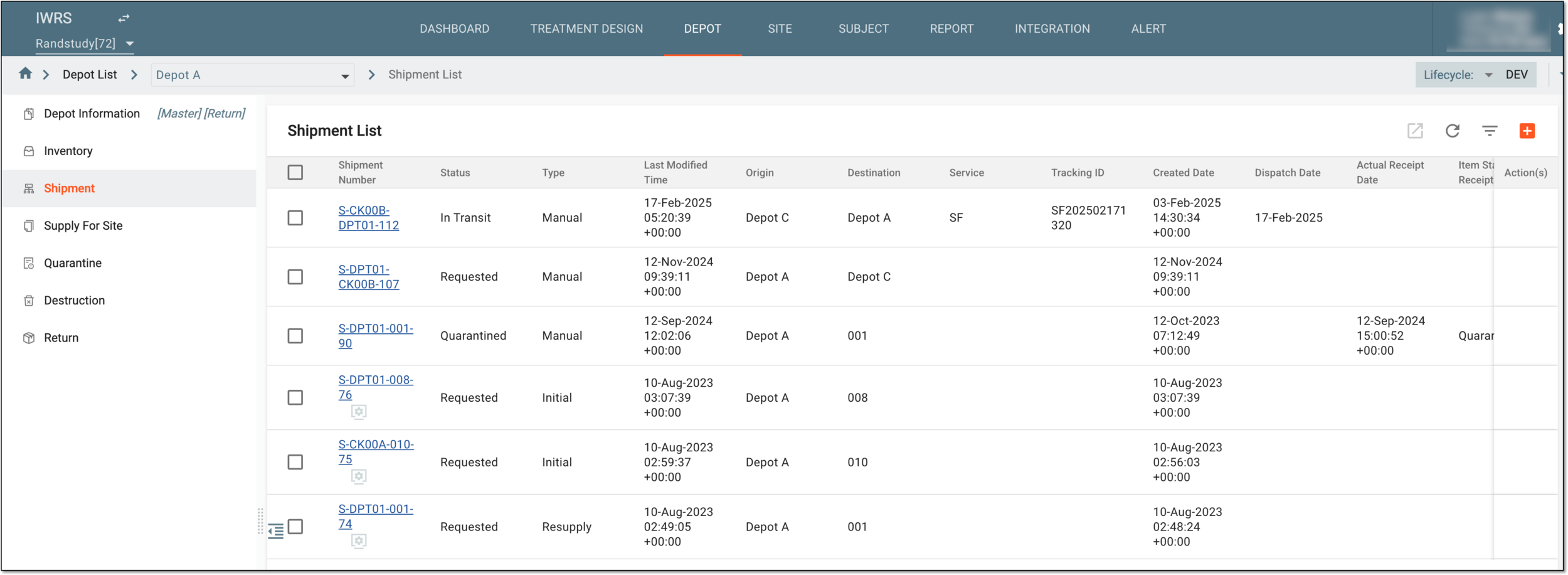
In the following table, you can find the description of all details available in Shipment List.
|
Column |
Details |
|---|---|
|
Shipment Number |
Represents the system-generated shipment number. |
|
Status |
Represents the system-determined shipment status:
|
|
Type |
Represents the system-determined shipment type:
|
|
Last Modified Time |
Represents when the shipment has been last modified. |
|
Origin |
Represents the name of the depot shipment supplier. |
|
Destination |
Represents the name of the shipment recipient—site or depot. |
|
Service |
Represents the shipment service that is entered by the user and used for logistics purposes. |
|
Tracking ID |
Represents the tracking ID of the shipment entered by user. |
|
Created Date |
Represents the date when the shipment request has been created. |
|
Dispatch Date |
Represents the date when the shipment request has been dispatched. |
|
Actual Receipt Date |
Represents the date when the shipment is actually received by the recipient. |
|
Item Status at Receipt |
Represents the status of the items within the shipment assigned to them upon receiving the shipment. |
|
# of Items |
Represents the number of items that the shipment contains. |
From the Shipment List page, you can perform the following actions with your shipments:
Important
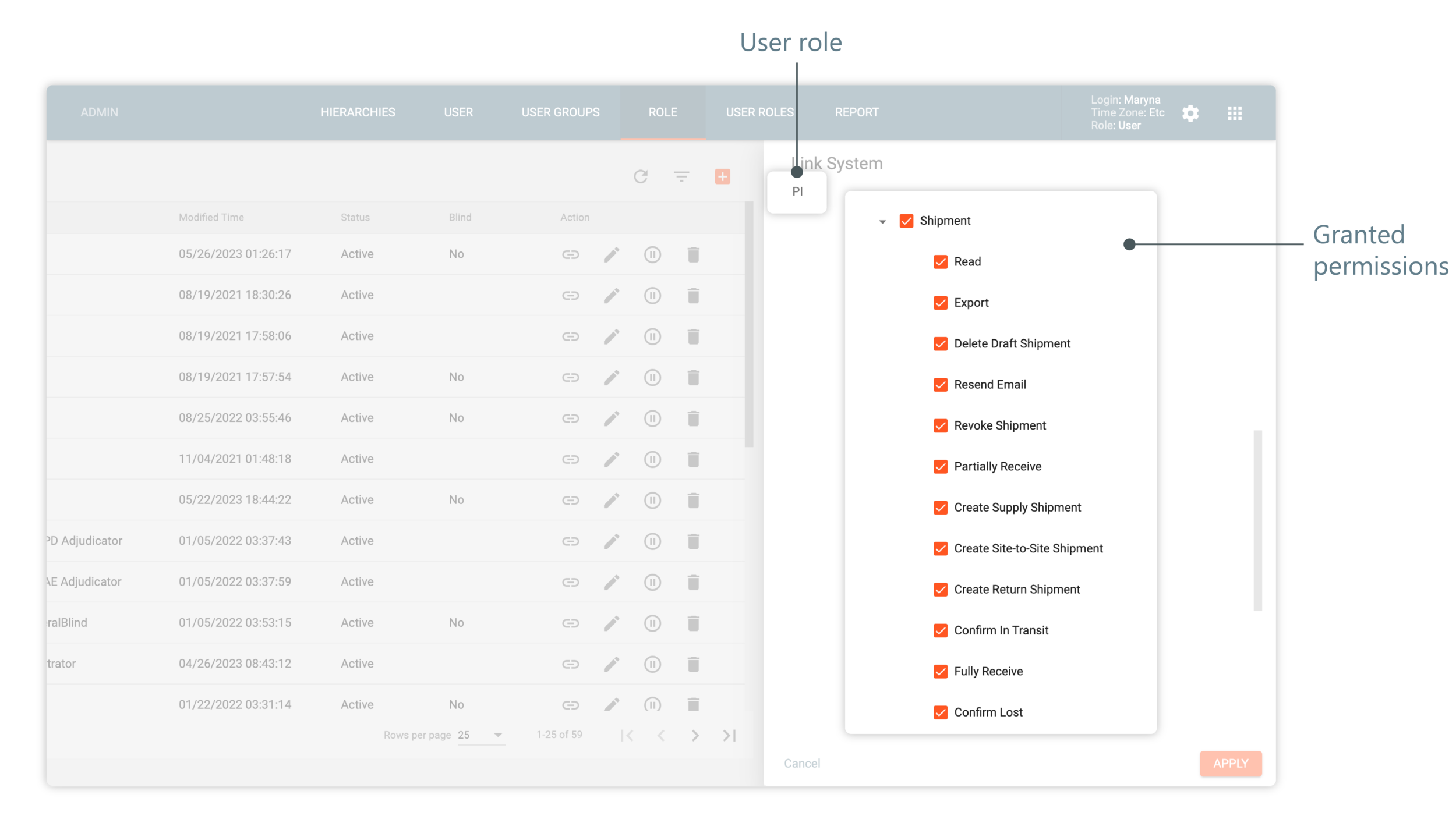
To perform certain actions with depot shipments, you must have the respective permissions granted to your user role via the ADMIN application.
 |