Create new version of monitor template
When a monitor template is assigned to a monitoring visit in CTMS, then you cannot edit it, modify data of simple, log, or grid forms, or inactivate the template. Therefore, if for some reason you wish to change the data in the template that is assigned to a monitoring visit, then you can create a new version of the template instead and modify it as required. However, note that the changes you perform to the new version do not affect the previous versions of the template that are already assigned to a monitoring visit in the STUDY MANAGEMENT tab of CTMS.
After you create a new version, then you can go to the STUDY MANAGEMENT tab, and assign the latest version of the monitor template to the needed monitoring visit. All the versions of a monitoring visit remain active and you can assign any of the versions of the same template to the required monitoring visit.
-
In the CTMS application header, select the LIBRARY tab.
-
From the left pane of the page that opens, select Monitor Template.
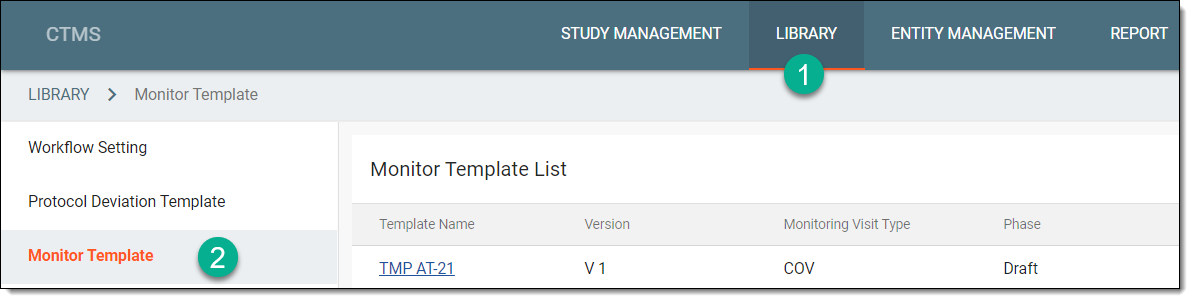 Figure 1. Accessing monitor template subtab
-
From the Monitor Template List table, locate the template for which you want to create a new version, and next to it, from the Actions column, select New Version
 .
.Important
This option is only available if the template is in use in the CTMS application.
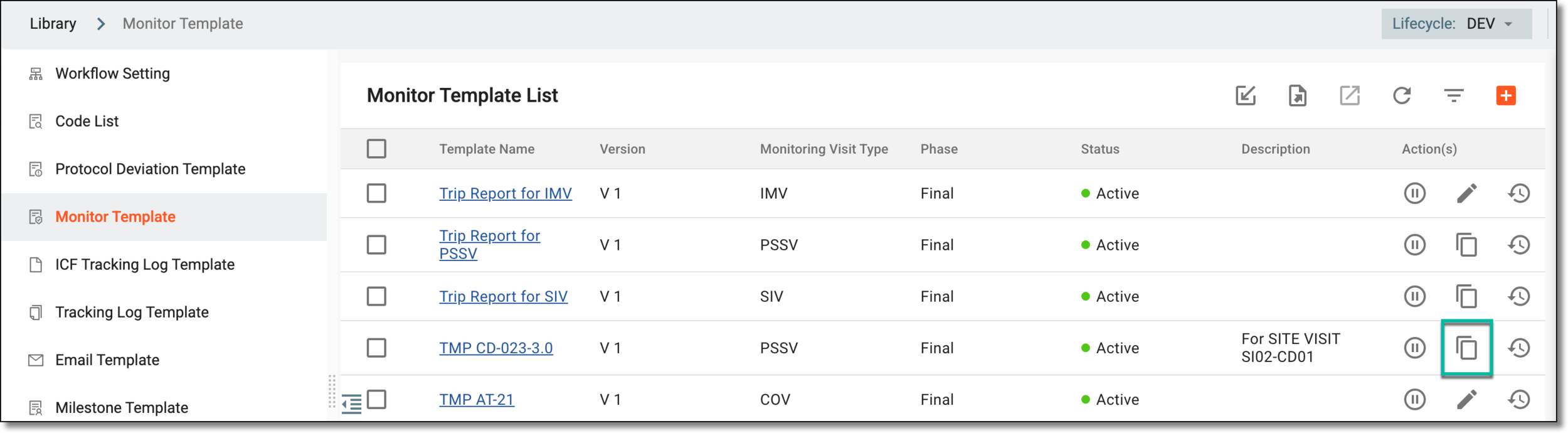 Figure 2. Selecting to create new version of monitor template
-
In the New Version dialog that appears, add the details as explained in the following table.
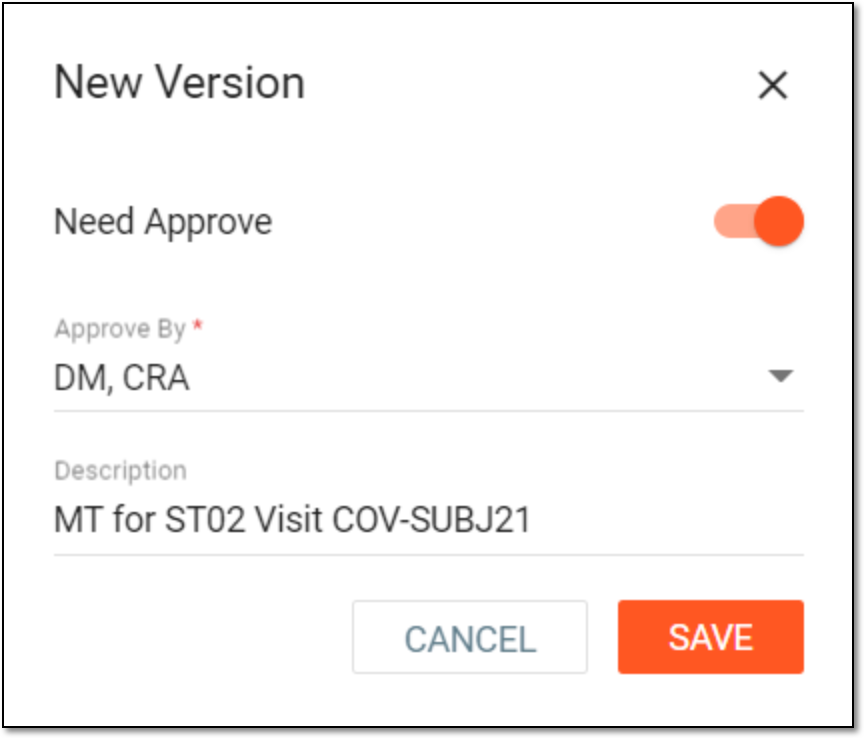 Figure 3. Creating new version of monitor template
Tip
In the following table, mandatory elements are marked with an asterisk (*).
Element
Details
Need Approve
Turn the toggle on if you want designated personnel to review and approve the new version of the monitor template before you can start using it for a monitoring visit in the STUDY MANAGEMENT tab of CTMS.
Approve By*
If you have turned the Need Approve toggle on, then in this dropdown, select the person(s) to whom you want to assign the new version of the monitor template for review and approval.
Description
Represents a brief description of the purpose of creating the new version of the monitor template.
SAVE
Select
 to save your changes.
CANCEL
Select
 to discard your changes and return to the Monitor Template page.
The latest version of the template is created and it appears in the Monitor Template List table. You can modify data of simple, log, or grid forms, as required, and submit it to start using it in the STUDY MANAGEMENT tab.