View file detail sheet report
In eTMF, the File Detail Sheet subtab shows all the master and appended files with their basic attributes.
The master file is the first file uploaded to the main repository that can be later appended with supplementary documents providing additional information or supporting the master file, which are respectively called appended files.
Important
To view this report, you must have the File Detail Sheet permission granted to your user role via the ADMIN application.
The report does not include replaced files.
-
In the eTMF application header, select the REPORT tab.
-
On the page that opens, in the left pane, expand TMF Report and select File Detail Sheet.
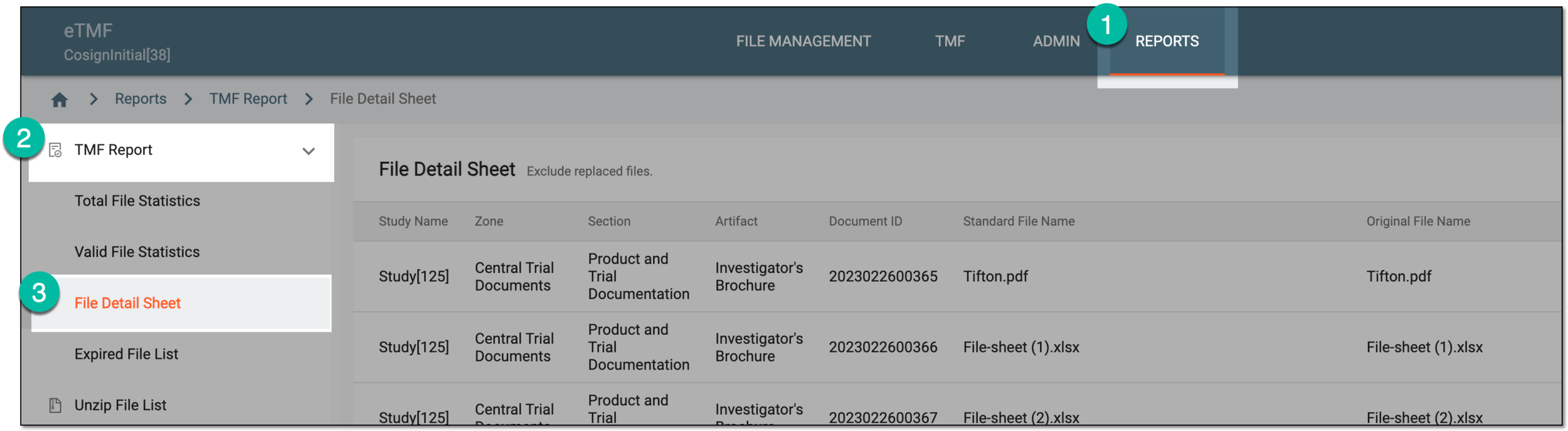 Figure 1. Accessing file detail sheet report
-
In the File Detail Sheet table that opens, the details master and appended files and their basic attributes are explained in the following table.
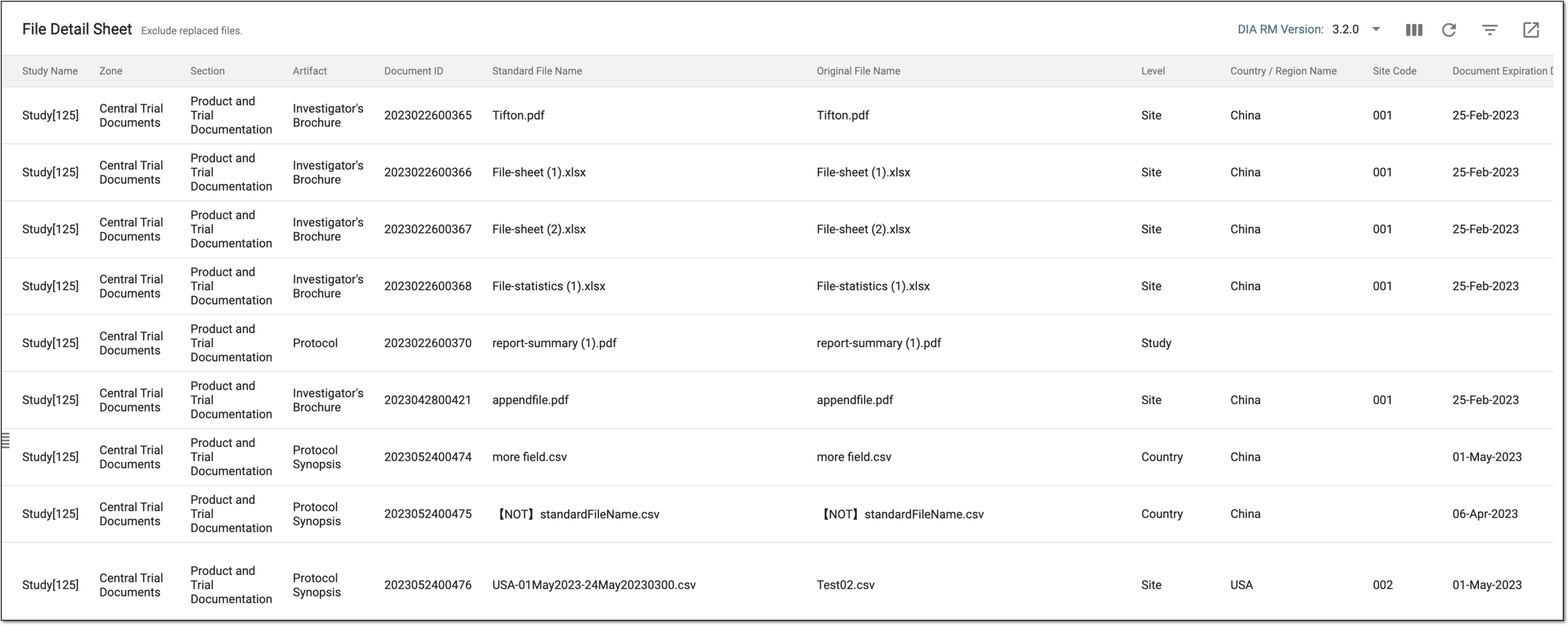 Figure 2. Viewing file details
Tip
From the DIA RM Version dropdown menu on the workspace toolbar, select the version of the Drug Information Association Reference Model for the File Detail Sheet report to only display the files that belong to that version.
Column
Details
Study Name
Represents the name of the study to which the file belongs.
Zone
Represents the zone to which the file belongs in the Essential Documents storage.
Section
Represents the section to which the file belongs in the Essential Documents storage.
Artifact
Represents the artifact to which the file belongs in the Essential Documents storage.
Document ID
Represents the unique identifier assigned by the system to the file upon upload to eTMF for tracking purposes.
Standard File Name
Represents the standard name of the file—the one assigned to the file upon upload to eTMF. The standard file name can differ from its original name for compliance reasons.
Original File Name
Represents the original name of the file—the name it had before being uploaded to eTMF and receiving the standard file name.
Level
Represents the level at which the files and their attributes are available—study, country, or site.
Country/Region
Represents the name of the country to which the file belongs. This value is only available for country- and site-level files, and for study-level ones remains blank.
Site Code
Represents the code of the site to which the file belongs. This value is only available for site-level files, and for study and country-level ones, it remains blank.
Document Expiration Date(UTC)
Represents the expiration date of the file.
Master File or Append File
Specifies whether the file is a master or an append one.
Master File Name
Represents the name of the master file to which the appended file belongs. This value is only available for appended files, and for the master ones remains blank.
File Type
Represents the custom type of the file, if any.
Status
Represents the status of the file—Dropped, Final, Auditing, and so on.
Author
Represents the name of the user who created the file.
Modify Time
Represents the time when the file was last modified.
You have viewed the file detail sheet report. You can also export the report data to work with it offline.