View transferred documents list
In eTMF, the Document Warehouse tab is mainly used for the temporary storage of some unorganized files so that, upon request, they can be organized by data managers (DM) and other responsible professionals per DIA RM.
The transferred document is a file that is originally uploaded in the temporary storage of Document Warehouse and later shifted to its desired location in Essential Documents. Once the desired location of the file is decided in the Essential Documents list, it can be uploaded from Document Warehouse. The files that are already uploaded to their designated location are removed from the warehouse storage. You can view the list of all these uploaded files in the Transferred Documents list. This assists you in keeping track of all files previously existing in the Document Warehouse storage, along with the details of their current location.
-
In the eTMF application header, select the TMF tab.
-
In the Study List that opens, from the table, select the name of the study for which you want to access the document warehouse.
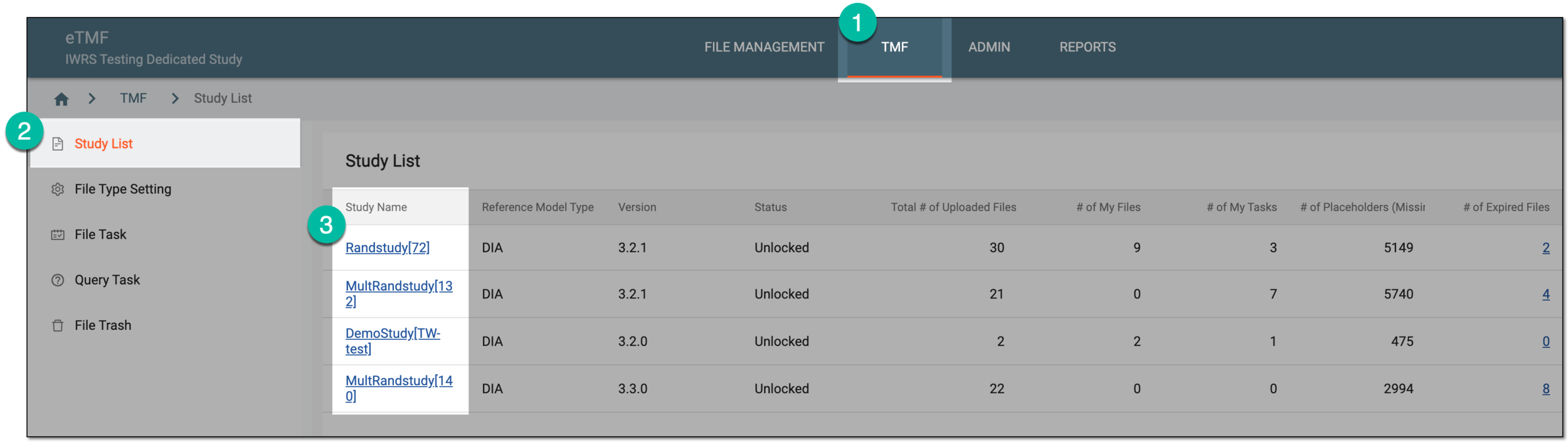 Figure 1. Selecting study
-
From the left pane, select the Document Warehouse subtab. If required, from the study selection field, you can change another study.
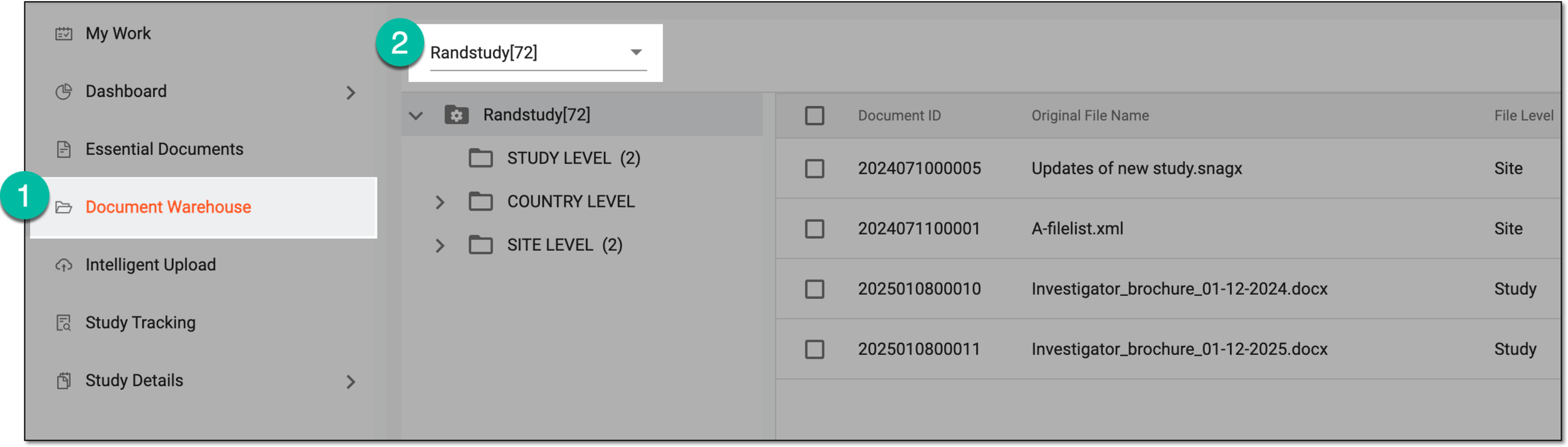 Figure 2. Accessing document warehouse and study
-
From the workspace toolbar, select Transferred Documents
 .
.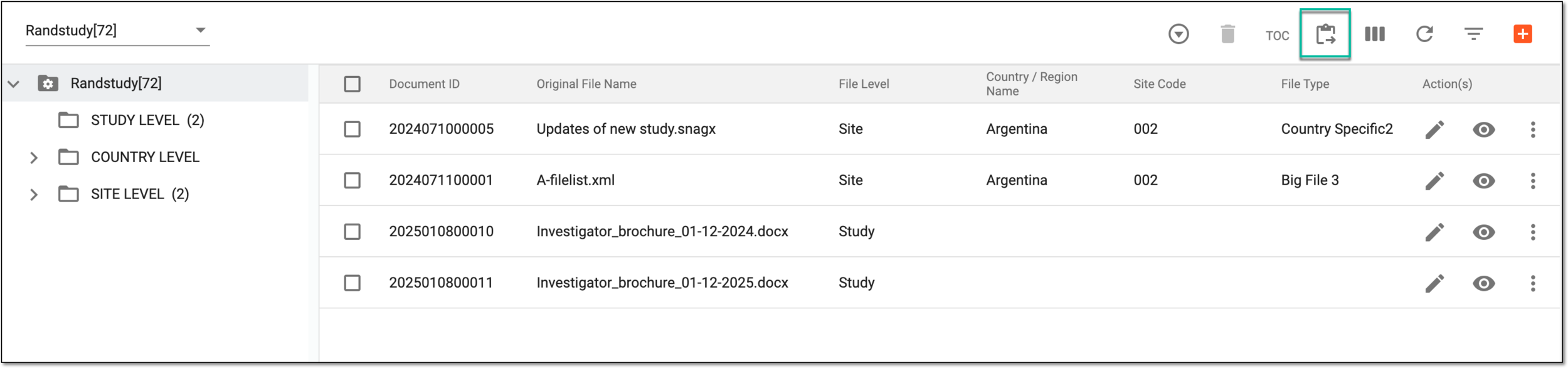 Figure 3. Accessing transferred documents
-
In the Transferred Documents table that appears, view the details as explained in the following table.
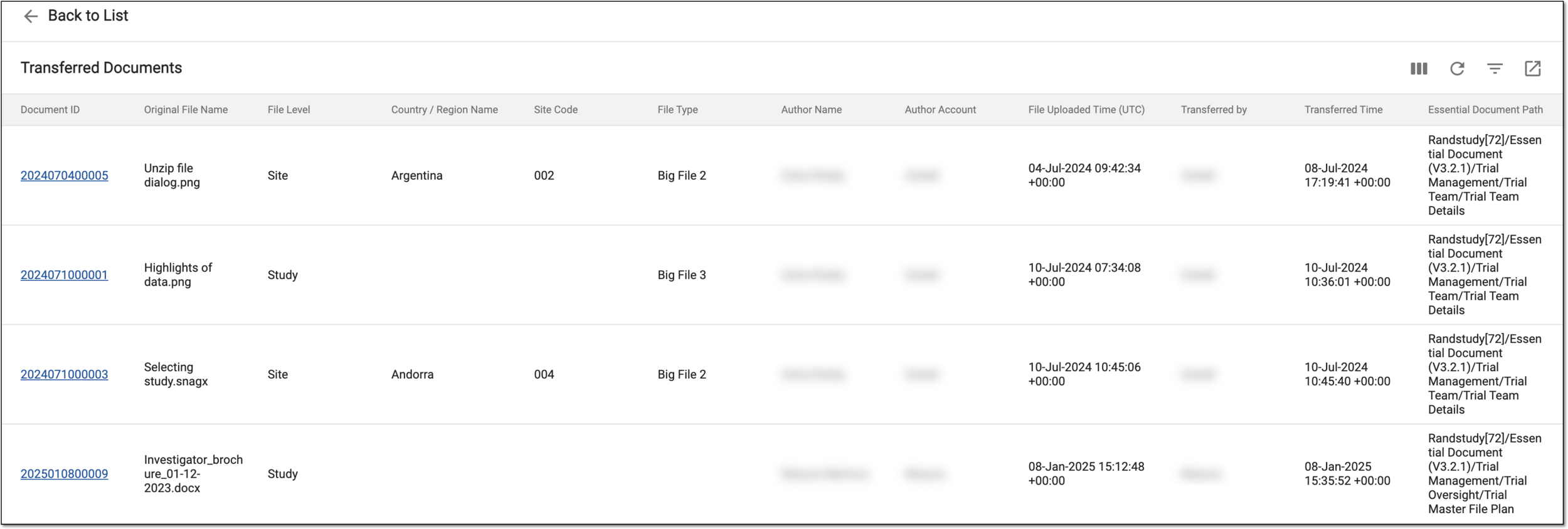 Figure 4. Viewing transferred documents list
Element
Details
Document ID
Represents the unique numerical identity of the file. This ID remains constant throughout the system.
For instance, if a file is uploaded to Document Warehouse, and the ID assigned to it is 2345324. When the document is transferred to another location, its ID remains the same.
Original File Name
Represents the name assigned to the file when it was uploaded to Document Warehouse.
File Level
Represents whether the file is available at either of the following system levels:
-
Study: the transferred file is available at all the sites and countries of the selected study.
-
Country: the transferred file is only available at the sites of the particular country.
-
Site: the transferred file is only available at a particular site.
Country/Region Name
Represents the name of the country to for which the file was provided. The country or region only appears if File Level is site or country.
Site Code
Represents the code of the site selected when uploading the file to Document Warehouse.
File Type
Represents the customly created category in eTMF of the file selected when uploading to Document Warehouse, for instance, if the file being uploaded contains original and initial content, then the file type is "Original Document".
Author Name
Represents the name of the user who uploaded the file initially to Document Warehouse.
Author Account
Represents the name login name of the user who uploaded the file initially to Document Warehouse.
File Uploaded Time (UTC)
Represents the date and time when the file was uploaded to Document Warehouse to a different location in Essential Documents.
Transferred by
Represents the name of the user who uploaded the file from Document Warehouse to a different location in Document Warehouse.
Transferred Time
Represents the time when the file was transferred from Document Warehouse to a different location in Essential Documents.
Essential Document Path
Represents the file directory where the file is currently available in the Essential Documents list.
-
You have viewed the list of all documents transferred from Document Warehouse.