Create dispensing plan alert
A dispensing plan outlines the procedures for administering a particular drug or treatment to subjects in a clinical trial during corresponding dispensing visits.
To facilitate any treatment adjustments, the subject's dispensing plan can be changed in the course of the study, and any such change must be traceable. An additional tier of scrutiny in tracing dispensing plan changes for the study subjects is achieved by setting up alerts to notify the dedicated personnel of such changes as soon as they occur.
-
In the IWRS application header, select the ALERT tab.
-
On the page that opens, from the left pane, select the subtab corresponding to the alert category of your interest.
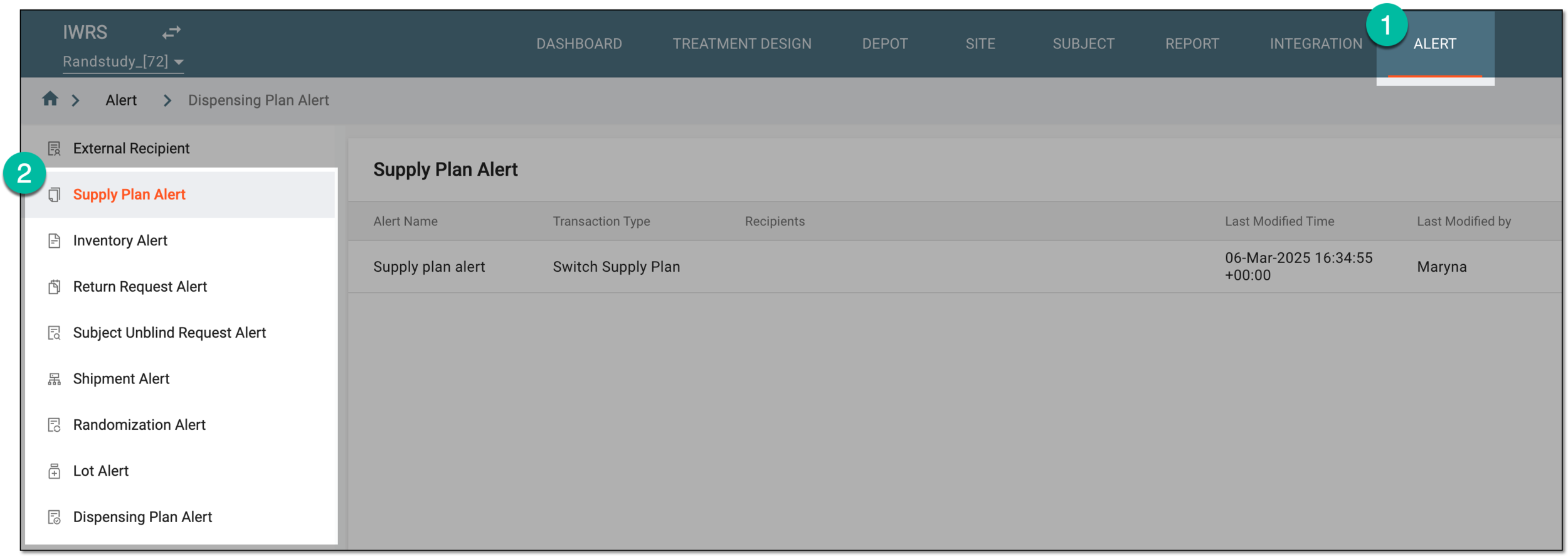 Figure 1. Accessing alert settings
-
From the workspace toolbar of the Dispensing Plan Alert table that appears, select Add
 .
. Figure 2. Selecting option to add new dispensing plan alert
-
On the page that opens, configure a lot alert as explained in the following table.
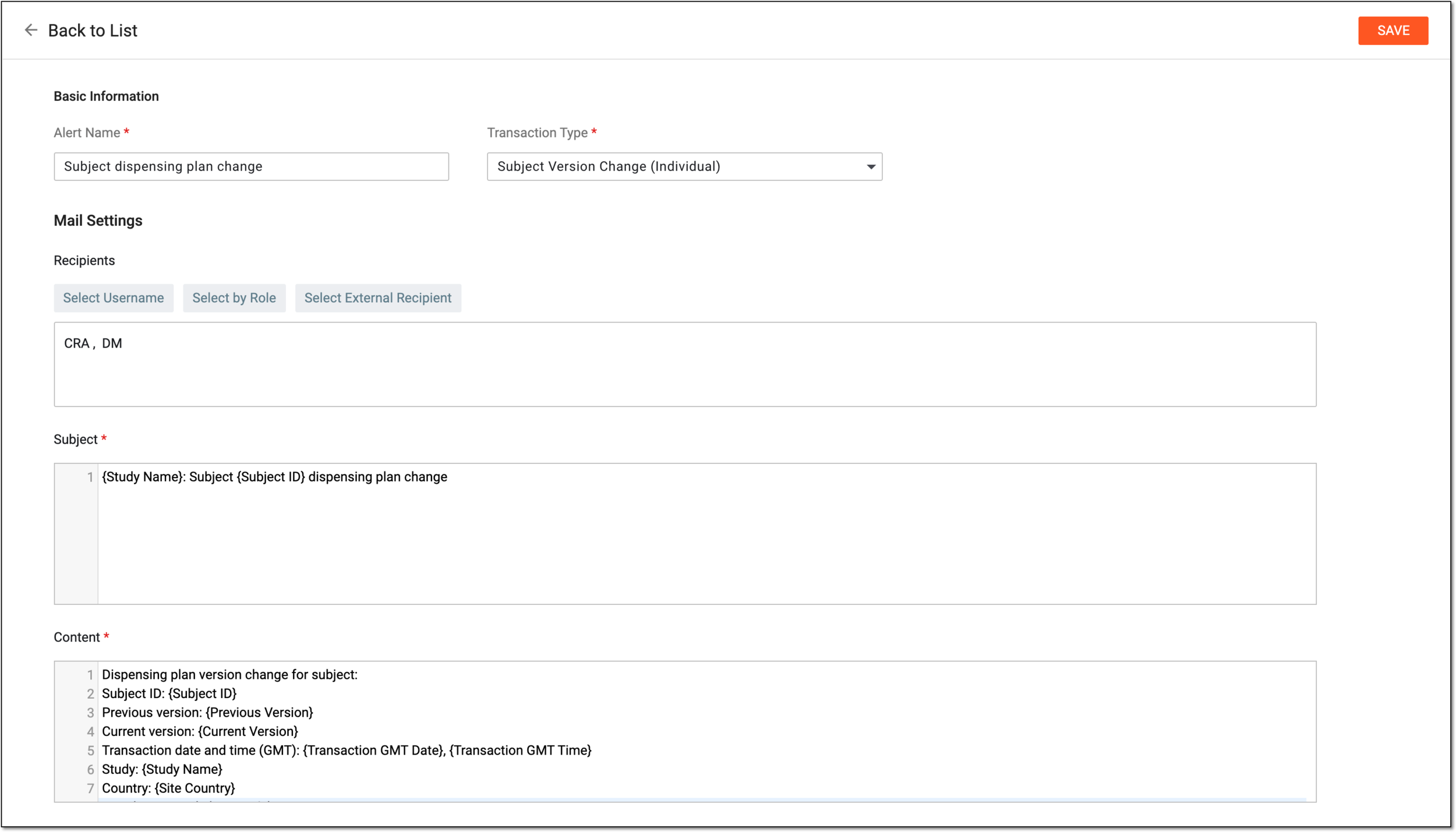 Figure 3. Configuring dispensing plan alert
Tip
In the following table, mandatory elements are marked with an asterisk (*).
Element
Details
Basic Information
Alert Name*
Enter a name for the dispensing plan change alert that you are creating.
Transaction Type*
Select one of the following transaction types:
-
Subject Version Change (Individual): triggers an alert when changing dispensing plan version for the subject via the dispensing visit versioning and when upgrading or rolling back dispensing plan version via the subject management functionality.
-
Subject Version Change (Batch): triggers an alert when upgrading the dispensing visit version of all or certain subjects at a site and when upgrading the dispensing visit version for the study.
-
Site Version Change: triggers an alert when upgrading the dispensing visit version of a site, but not its subjects, and when upgrading the dispensing visit version for the study.
Mail Settings
Recipients
Select either of the following options:
-
Select Username: to expand the list of system users and select the ones to receive an alert email. To remove a user from recipients, clear the checkbox next to their name.
-
Select by Role: to expand the list of system user roles and select the ones to receive an alert email. To remove a user role from recipients, clear the checkbox next to its name.
-
Select External Recipient: to expand the list of preconfigured external recipients—contacts who are not system users but for whom the account exists in IWRS to be able to include them in correspondence—and select the ones to receive an alert email. To remove a person from recipients, clear the checkbox next to their name.
You can specify users, roles, and external recipients together.Subject*
Enter the subject of the email. You can also start typing with the opening brace "{" to expand the list of predefined variables that you want to include in the email subject.
Content*
Enter the text of the email. You can also start typing with the opening brace "{" to expand the list of predefined variables that you want to include in the email content.
SAVE
Select
 to create a lot alert after it has been configured.
 -
Once saved, the dispensing plan alert is configured. The recipients start receiving notification emails as soon as the selected transaction type occurs.