Activate/Inactivate dispensing plan alert
In IWRS, setting up alerts to notify the dedicated personnel of any changes in the dispensing plan of a subject provides an additional tier of scrutiny in tracing subject treatment adjustments and reacting to them promptly.
By default, the created dispensing plan alerts are active and start triggering immediately. However, they can be inactivated to postpone or temporarily pause notifications on certain transaction types or to some recipients.
-
In the IWRS application header, select the ALERT tab.
-
On the page that opens, from the left pane, select the subtab corresponding to the alert category of your interest.
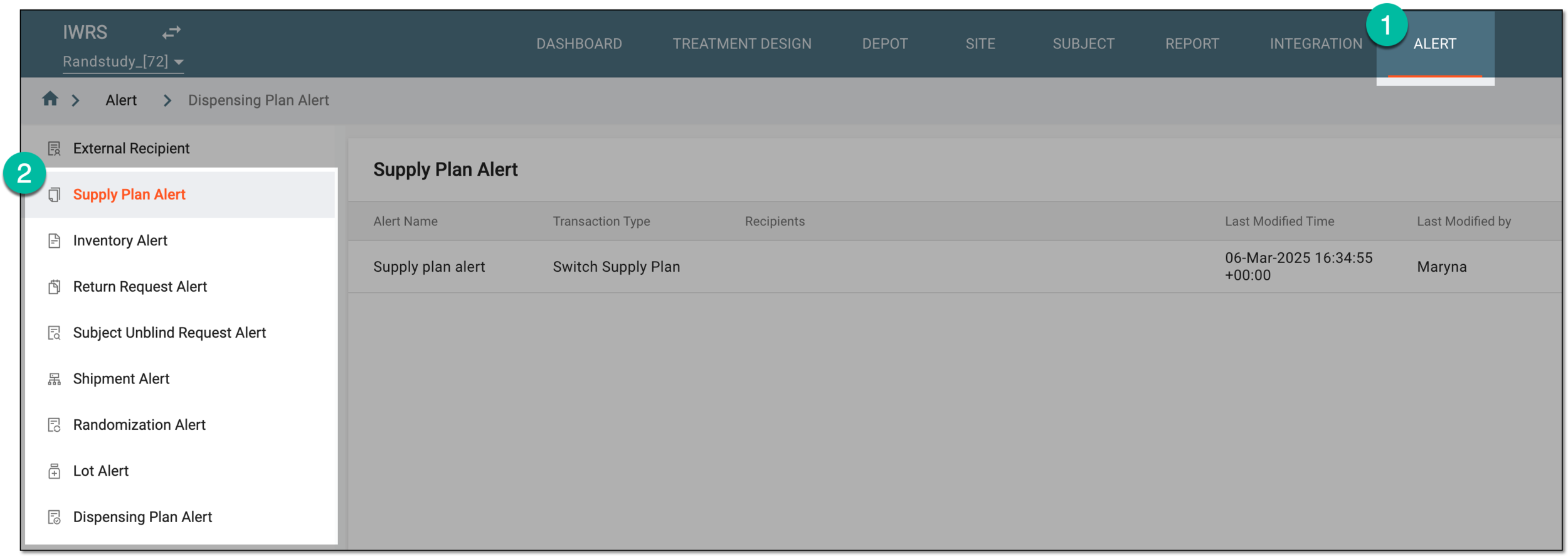 Figure 1. Accessing alert settings
-
In the Dispensing Plan Alert table that appears, next to the alert you want to activate or deactivate, select Activate
 or Inactivate
  , respectively.
 Figure 2. Activating and inactivating dispensing plan alert
Once selected, the dispensing plan alert is activated or inactivated. If deactivated, the recipients stop getting the alert email when the set transactions occur until activated again.