View eDiary schedules and reminders
In the EDC application, under the Schedules and Reminders subtab, you can view the schedules according to which subjects must fill their eDiary forms and reminders set for them not to forget to complete the eDiary.
Tip
In EDC, the subject eDiary alerts are set via the eDiary alert feature.
From the Schedules and Reminders page, you can also activate/inactivate the eDiary forms in bulk.
-
In the EDC application header, select the STUDY INFO tab.
-
On the page that opens, in the left pane, select eDiary > Schedules and Reminders.
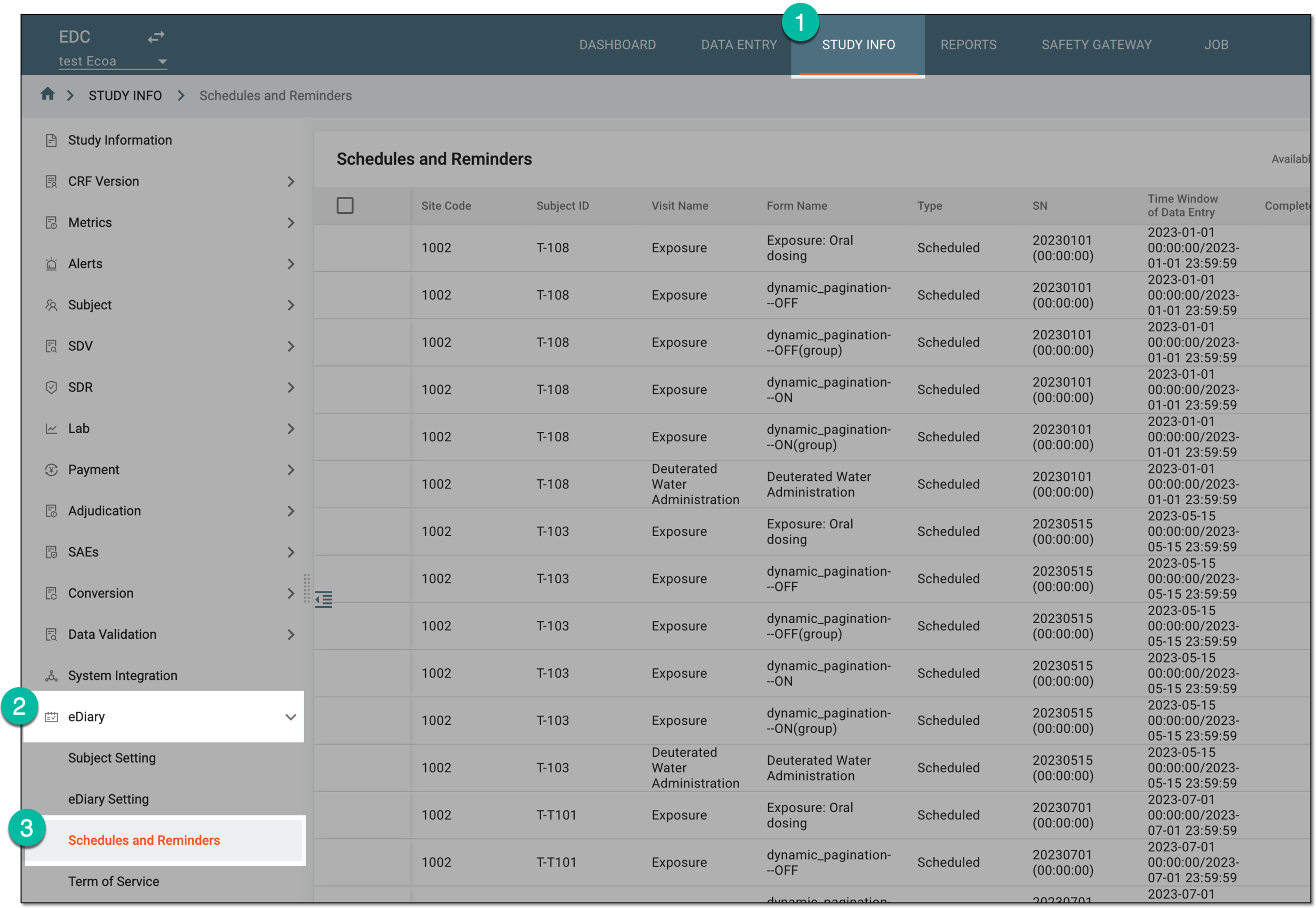 Figure 1. Accessing eDiary schedules and reminders
-
In the table that appears, analyze the details as explained in the following table.
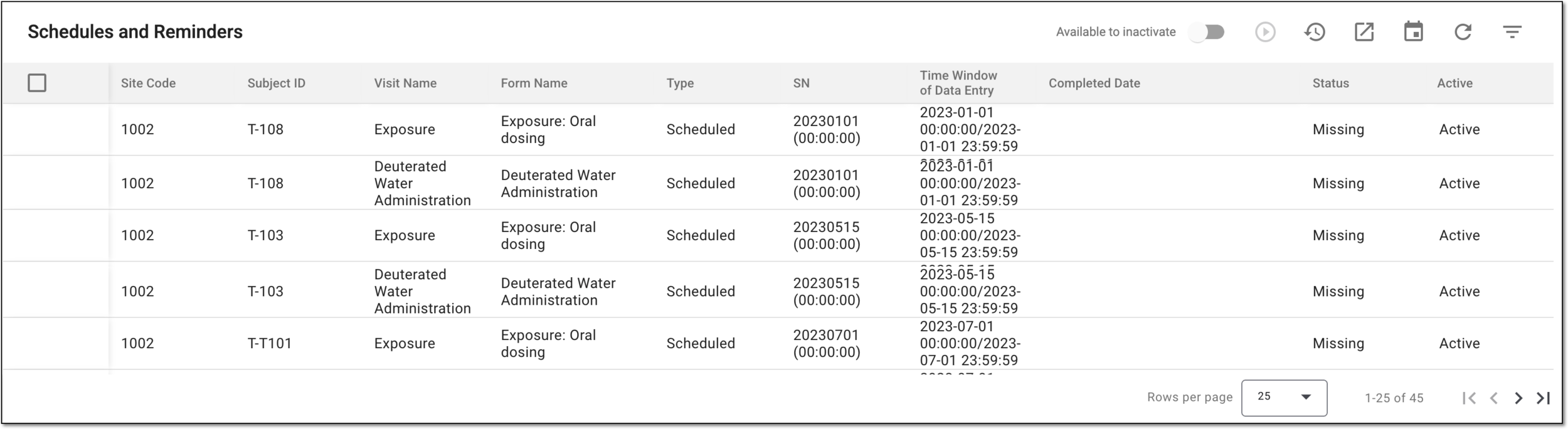 Figure 2. Analyzing eDiary schedules and reminders
Column
Details
Site ID
Represents the ID of the site at which the subject using eDiary is registered.
Subject ID
Represents the ID of the subject using eDiary in the EDC system.
Visit Name
Represents the name of the visit at which the eDiary completion has taken place.
Form Name
Represents the name of the form that has to be completed in the eDiary application.
SN
Represents the sequence number of the data entry in the eDiary application.
Time Window of Data Entry
Represents the preset time window (period) within which the subject has to enter the data to the eDiary application.
Completed Date
Represents the actual date and time of the form completion in the eDiary application.
Status
Represents the completion status of the form in the eDiary application.
You have viewed the eDiary schedules and reminders data. You can also export the data to work with it offline or share with those who have no access to the EDC system.