Activate/Inactivate eDiary forms
In the EDC application, under the Schedules and Reminders subtab, you can view the forms that the subjects must fill via their eDiary mobile application, the form schedules, reminders, and other details.
From the Schedules and Reminders page, you can also inactivate the eDiary form(s) that are incomplete and are no longer relevant. And then, if needed, the forms can be activated again.
-
In the EDC application header, select the STUDY INFO tab.
-
On the page that opens, in the left pane, select eDiary > Schedules and Reminders.
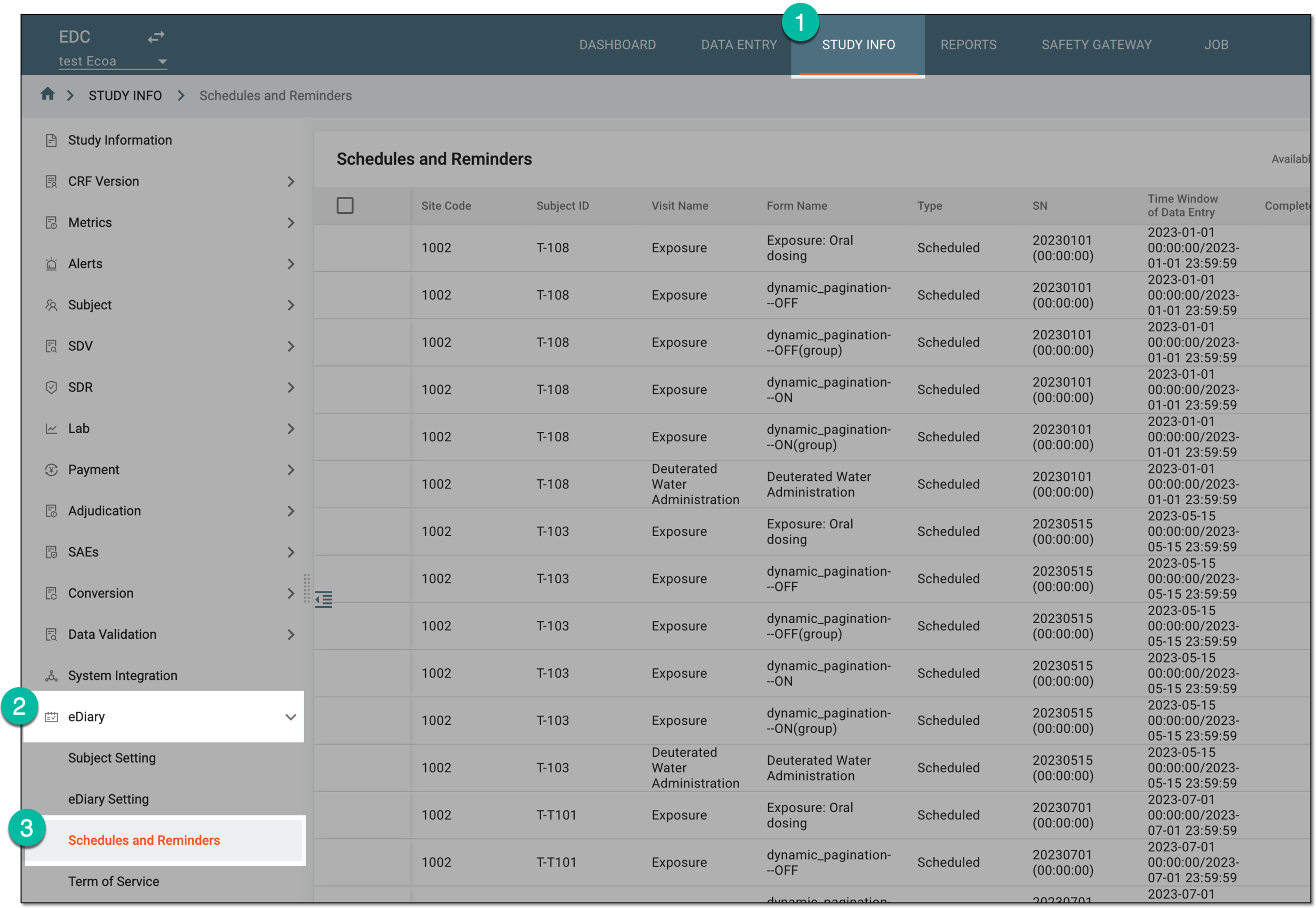 Figure 1. Accessing eDiary schedules and reminders
-
On the Schedules and Reminders page that opens, do one of the following actions according to your needs.
-
From the workspace toolbar, turn off the Available to inactivate toggle to display all the eDiary forms—active and inactive.
-
In the Schedules and Reminders table, select the checkboxes next to the eDiary forms that you want to activate. The checkboxes are available only next to the previously inactivated forms.
-
From the workspace toolbar, select Activate
 .
.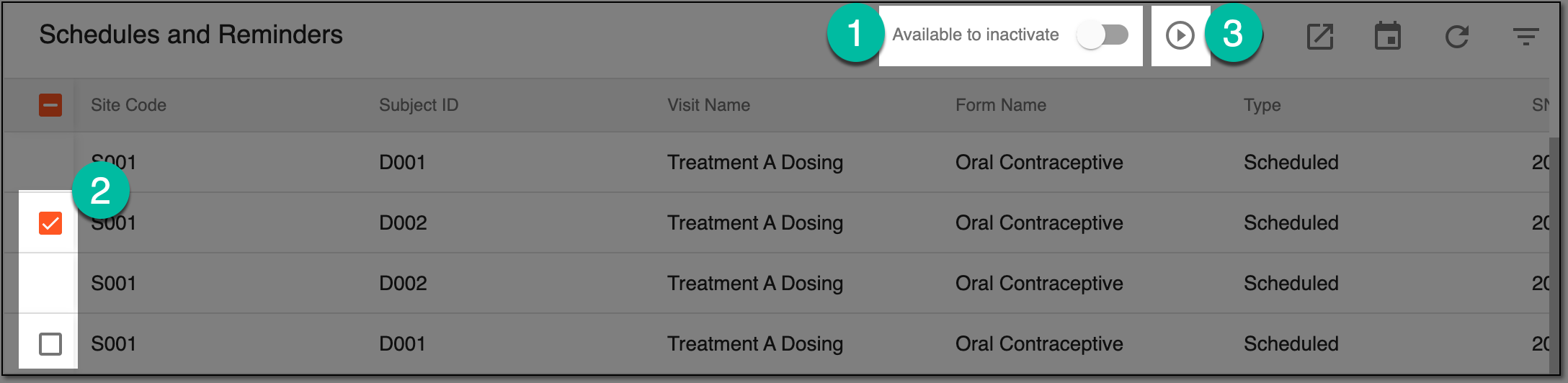 Figure 2. Activating eDiary forms
-
From the workspace toolbar, turn on the Available to inactivate toggle on to only display the forms that can be inactivated.
-
In the Schedules and Reminders table, select the checkbox(es) next to the eDiary form(s) that you want to inactivate.
-
From the workspace toolbar, select Inactivate
 .
.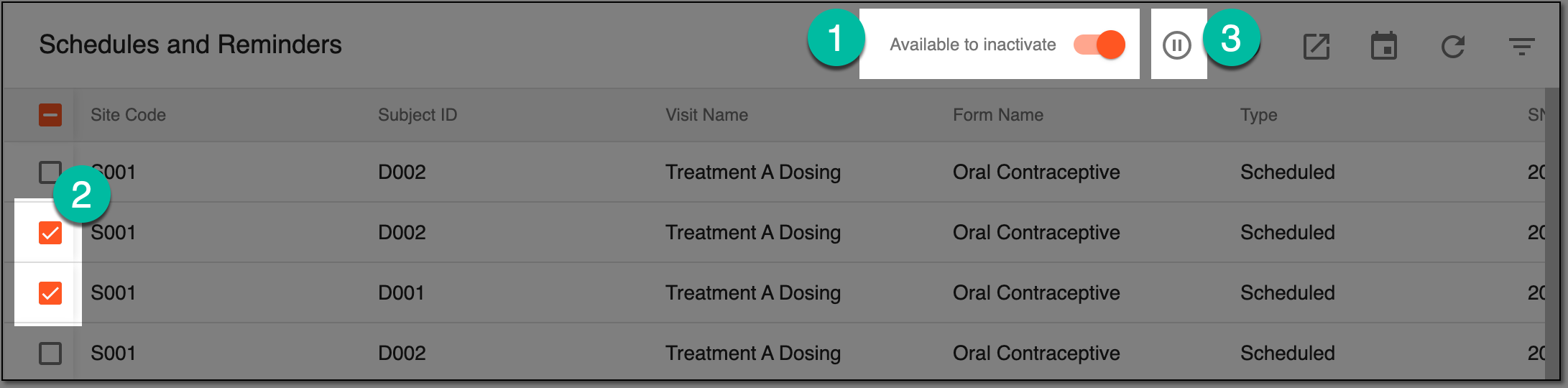 Figure 3. Inactivating eDiary forms
-
The selected forms are activated or inactivated and are now available or unavailable to eDiary users, respectively.