Add new version of pricing template
A pricing template is a reusable instance that outlines the services and occurrences entitled to financial compensation, billing methods, and other details. Preconfiguring pricing templates simplifies contract design since you do not have to set up pricing details from scratch for every vendor.
In the course of the clinical trials, you can add pricing templates from scratch to cover various financial scenarios. However, you can also add pricing template versions, for instance, if you need to slightly modify it for each version to suit different contracts.
The standard scenario of introducing changes to the pricing template that is already used in a contract is as follows:
-
Add a new version of the pricing template
-
Edit the pricing template version according to your needs
-
Edit the contract to update the used pricing template version
-
Access the study management page in one of the following ways:
-
In the CTMS application header, select the DASHBOARD tab and then select the study dashboard of your interest.
 Figure 1. Accessing study management from dashboard
-
In the CTMS application header, select the STUDY MANAGEMENT tab. Then from the Study Data List table, select the study name of your interest.
 Figure 2. Accessing study management from study data list
-
-
On the page that opens, in the left pane, select Financial Management > Pricing Template.
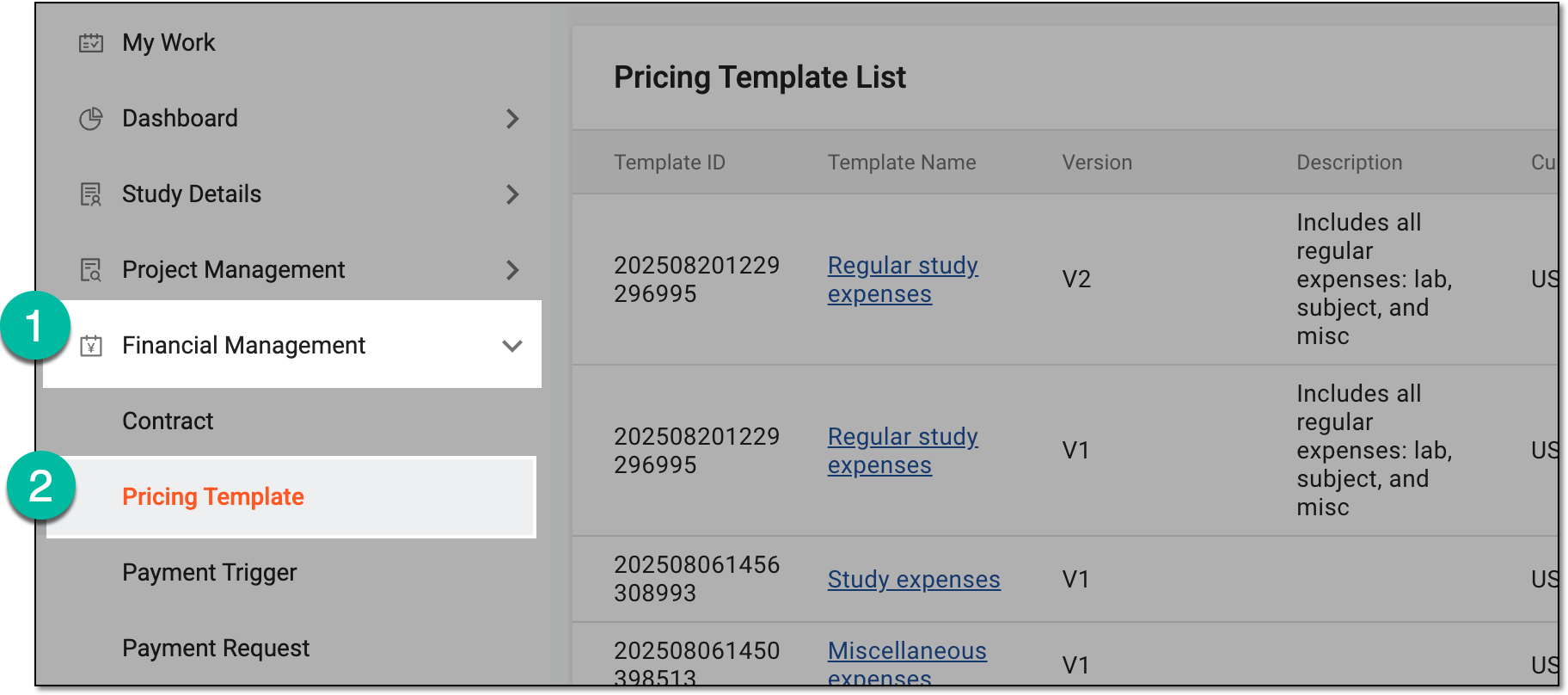 Figure 3. Accessing pricing templates
-
In Pricing Template List that appears, locate the template for which you want to add a new version. Then from the Action(s) column, select More
 > New Version
  .
.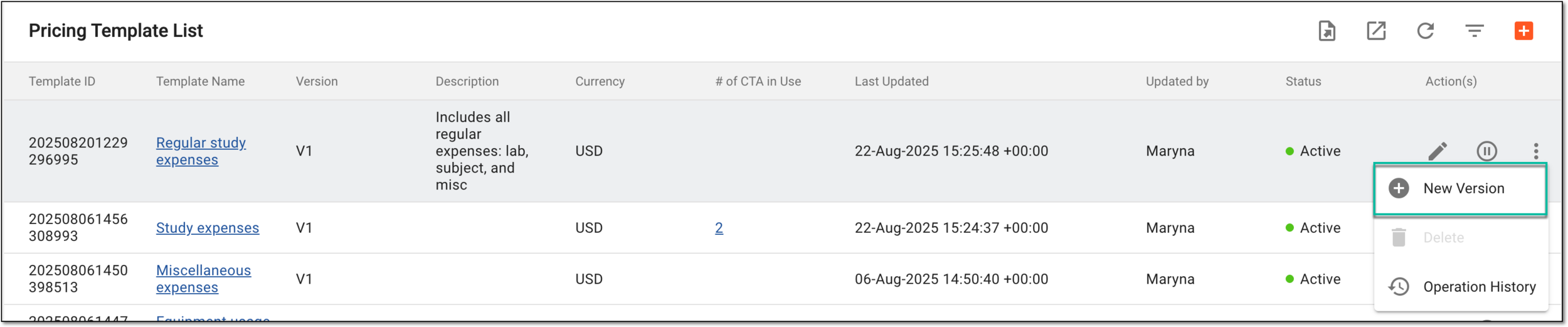 Figure 4. Selecting options to add new version of pricing template
Once done, the new version of the pricing template appears on the list in the Inactive status. Now you can edit the pricing template and activate it when needed.