Activate/Inactivate pricing template
A pricing template is a reusable instance that outlines the services and occurrences entitled to financial compensation, billing methods, and other details. Preconfiguring pricing templates simplifies contract design since you do not have to set up pricing details from scratch for every vendor.
In CTMS, you can make any of the previously added pricing templates active or inactive to suit your evolving business scenarios. Active pricing templates are available to be used when creating contracts, and inactive ones can only be accessed from Pricing Template List.
Tip
Inactivation is also a required step before deleting the pricing template.
-
Access the study management page in one of the following ways:
-
In the CTMS application header, select the DASHBOARD tab and then select the study dashboard of your interest.
 Figure 1. Accessing study management from dashboard
-
In the CTMS application header, select the STUDY MANAGEMENT tab. Then from the Study Data List table, select the study name of your interest.
 Figure 2. Accessing study management from study data list
-
-
On the page that opens, in the left pane, select Financial Management > Pricing Template.
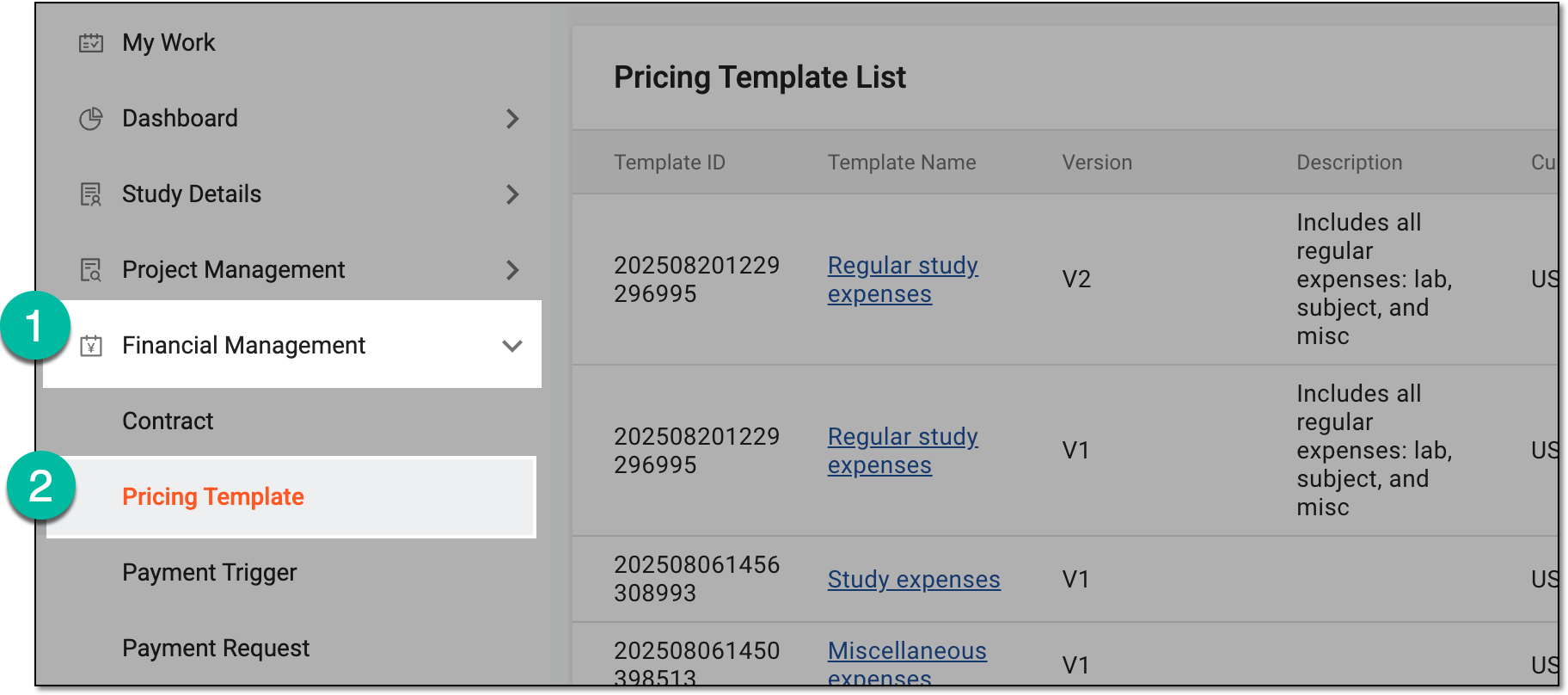 Figure 3. Accessing pricing templates
-
In Pricing Template List that appears, locate the template that you want to activate or inactivate. Then from the Action(s) column, select Activate
 or Inactivate
  , respectively.
 Figure 4. Selecting options to activate or inactivate pricing template
-
In the Reason dialog that appears, provide the argumentation for activation or inactivation of the pricing template. Then select
 .
.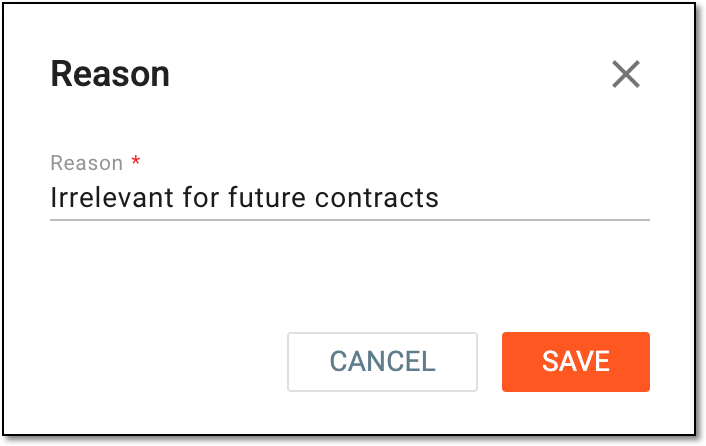 Figure 5. Providing reason for pricing template inactivation
Once confirmed, the pricing template is activated or inactivated based on your action.