Analyze data quality report for eCOA and eDiary
The data quality report of EDC helps you analyze the statistics of data collection via the eCOA and eDiary mobile applications. This report provides a visual and structured analysis of missing data, open queries, and modifications. These statistics help you assess data inconsistencies, outline issues and trends of data collection, thus finding solutions for potential or existing risks.
Tip
The data you see in the report depends on the site access permission provided to you via the ADMIN app.
-
In the EDC application header, select the REPORTS tab.
-
From the left pane of the page that opens, select eCOA and eDiary Report > Data Quality Report.
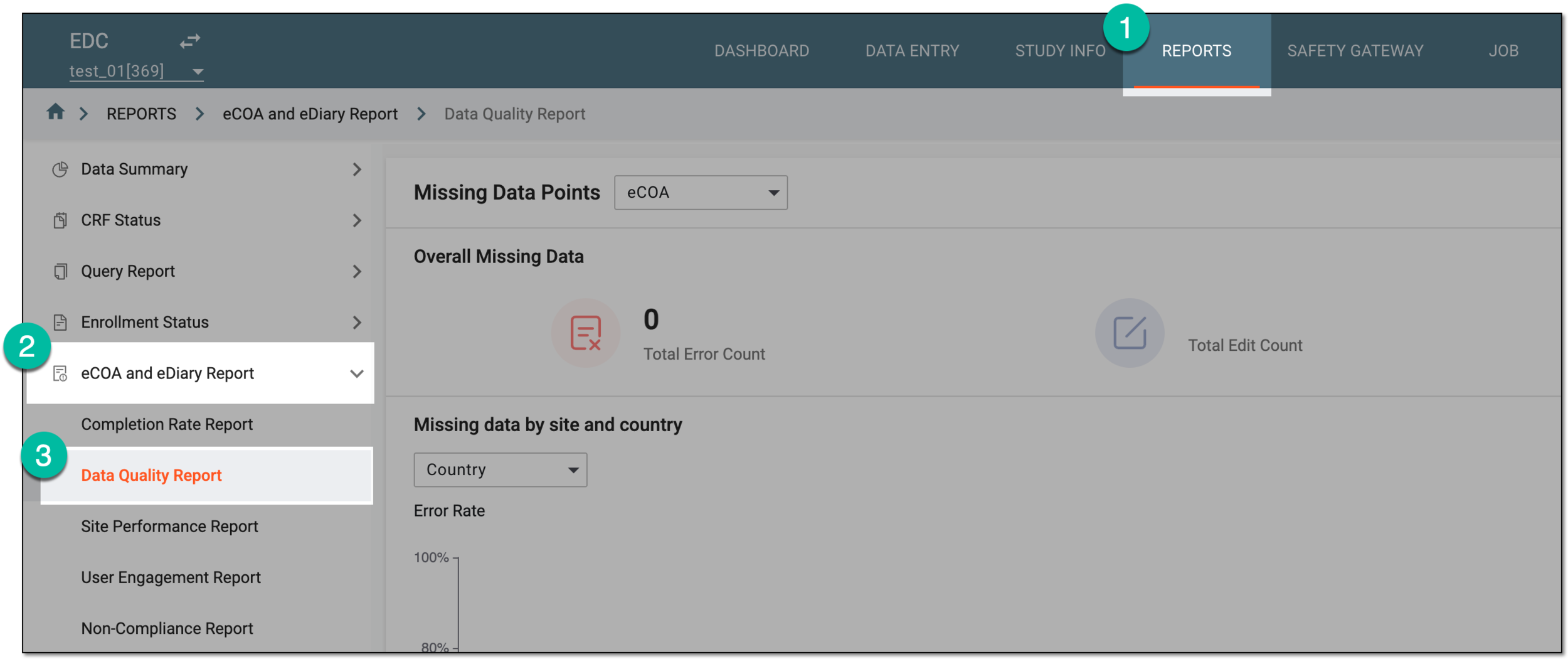 Figure 1. Accessing data quality report
-
On the Missing Data Points page, from the dropdown menu, select the app for which you want to view the statistics—eCOA or eDiary.
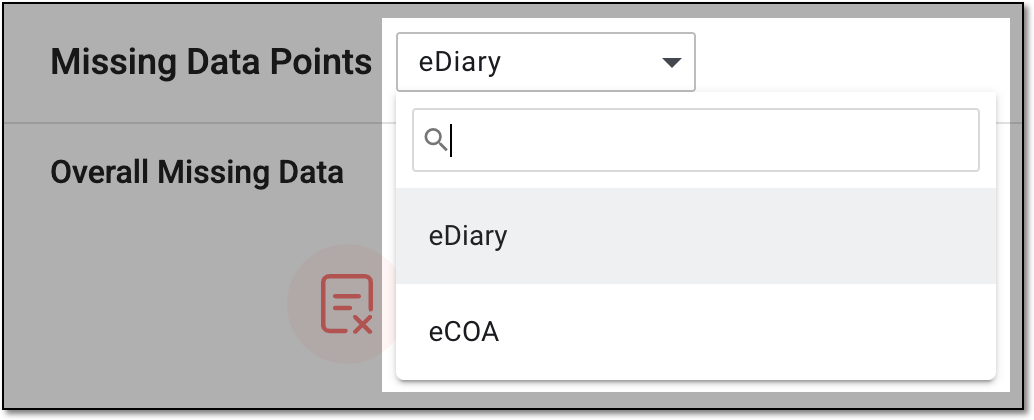 Figure 2. Selecting app for data quality report
-
Now select the needed report view—chart or table—and analyze the statistics as follows.
-
From the workspace toolbar, select Charts
 .
. Figure 3. Selecting chart view for data quality report
-
In the Overall Missing Data block, analyze the details as explained in the following table.
 Figure 4. Analyzing overall missing data
Element
Details
Total Error Count
Represents the cumulative number of open queries in the eCOA or eDiary (based on the selected app) data points—forms, records, and items.
Total Edit Count
Represents the total number of modifications made to the data in eCOA or eDiary (based on the selected app) forms.
Completion Percentage
Represents the total number of CRFs already completed via the selected app for the study.
-
In the Missing data by site and country block, sort and analyze the chart data as explained in the following table.
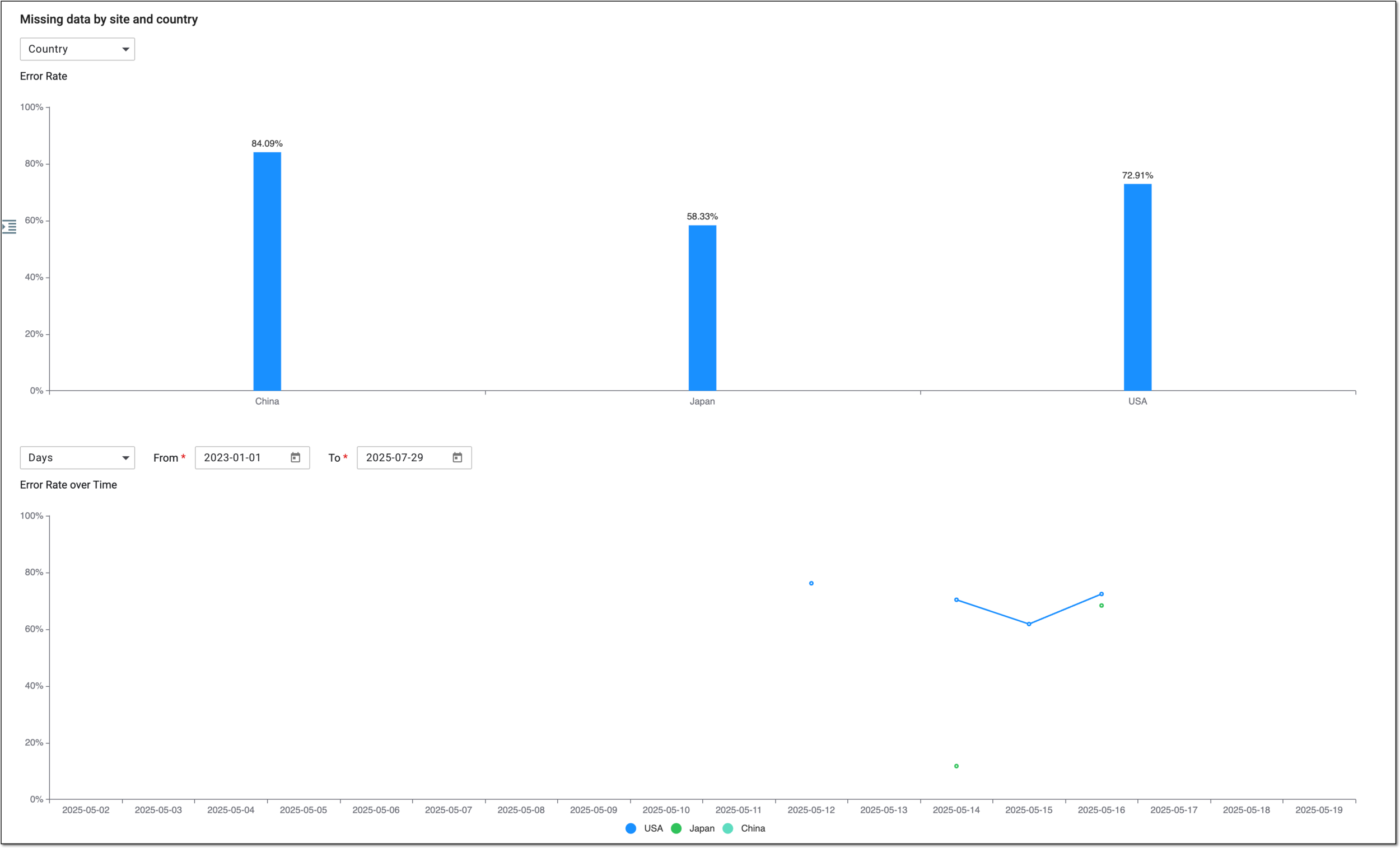 Figure 5. Analyzing missing data statistics by site and country
Element
Details
Country/Site
From the dropdown menu, select the value as follows:
-
Country: to review the missing data statistics by the countries to which you have access.
-
Site: to review the missing data statistics by all or selective sites involved in the study and to which you have access. You can choose the sites for statistics representation via the Site checkbox.
Site
Select the checkboxes next to the sites whose missing data statistics you want to display on the charts. If cleared, the site statistics is not shown.
This option is only available if you select to view the missing data by
                                              site.
Error Rate
Represents the bar chart, where each bar depicts the total data collection error rate in a certain country or site. The error rate is calculated based on the number of CRFs with system queries out of the total number of completed CRFs at the site or country.
Hovering over any bar opens the detailed statistics of error rate and query count.
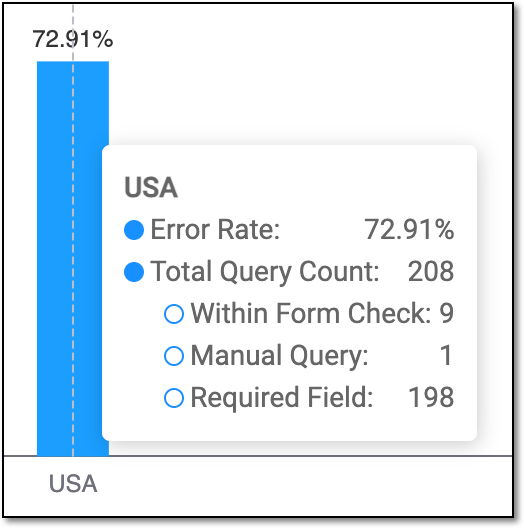 Figure 6. Showing error rate and query count
The data is displayed by country or site based on your selection in the Country/Site dropdown menu.Days/Month
From the dropdown menu, select the value as follows:
-
Days: to depict the Error Rate over Time chart data by day.
-
Month: to depict the Error Rate over Time chart data by month.
From/To
Select the start and end dates of the period for which you want to display the statistics on the Error Rate over Time chart.
Error Rate over Time
Represents the line chart, where the data collection error statistics in different countries or sites are depicted by a curve, each point of which shows the error rate on a certain date or month, helping you understand issue occurrence over time.
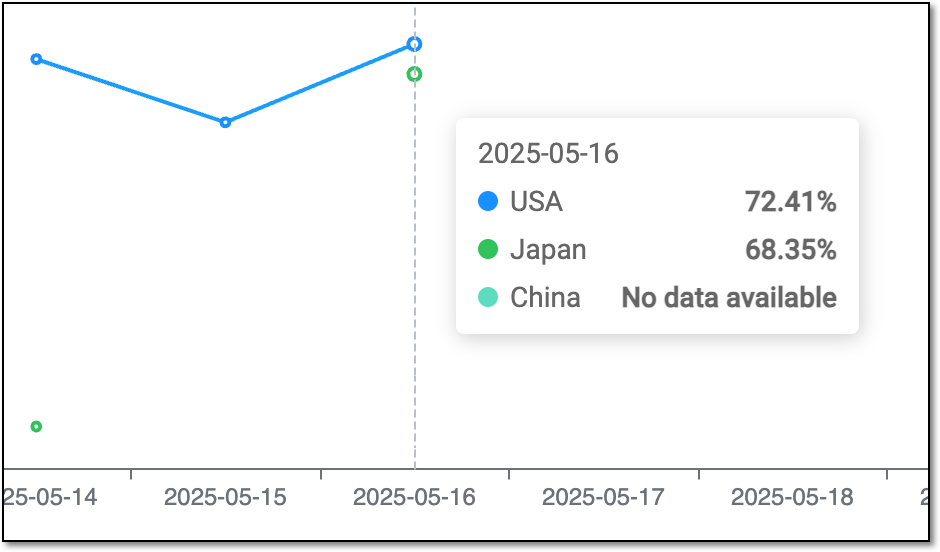 Figure 7. Showing error rate detailed statistics upon hover
The data is displayed by country or site based on your selection in the Country/Site dropdown menu. -
-
From the workspace toolbar, select Table
 .
. Figure 8. Selecting table view for data quality report
-
In the resulting report, analyze the data as explained in the following table.
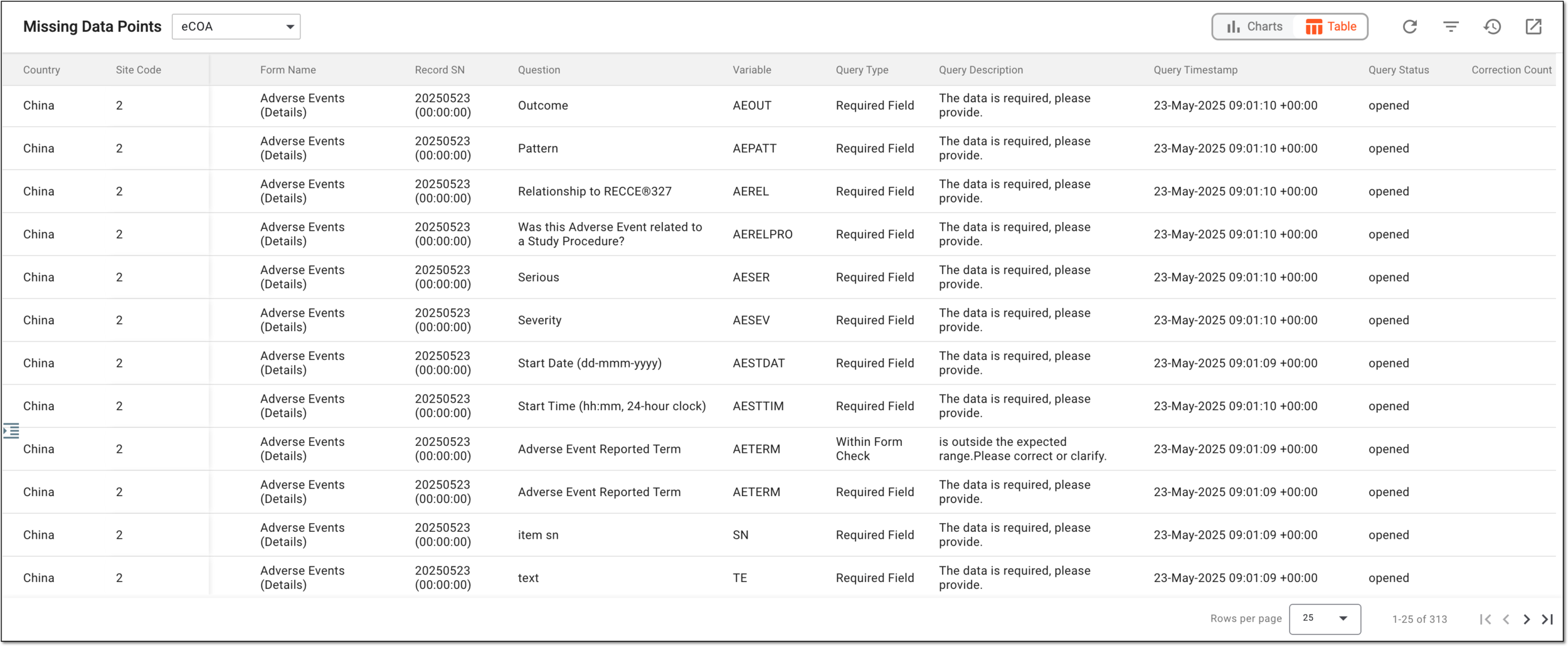 Figure 9. Analyzing data quality report in table view
Column
Details
Country
Represents the name of the country where belongs the site and subject whose data error statistics is depicted.
Site Code
Represents the unique identifier of the site where belongs the subject whose data error statistics is depicted.
[Unique ID Label]
Represents the unique identifier of the subject whose data error statistics is depicted.
The column name depends on the unique ID label configuration of your study in IWRS.sid
Represents the unique identifier of the mobile app user assigned to them when creating account in eCOA or eDiary. This ID helps detect the user who entered data to the mobile app.
Visit Name
Represents the name of the visit at which the data is collected for the subject via the selected app—eDiary or eCOA.
Form Name
Represents the name of the CRF in which the data is collected for the subject via the selected app—eDiary or eCOA.
Record SN
Represents the serial number of the form record with subject data.
Question
Represents the text of the question in the CRF record to which the subject data is entered.
Variable
Represents the variable that stores the subject data entered to the certain CRF question.
Query Type
Represents the category of the system query opened for a certain data, such as a Required Field query is opened when a mandatory field is empty upon submission.
Query Description
Represents the actual text of the query, such as The data is required, please provide.
Query Timestamp
Represents the actual date, time, and time zone indicator when the query is opened.
Query Status
Represents the current query status, such as open, closed, answered, or paused.
Correction Count
Represents the total number of modifications made for the queried data point.
-
You have analyzed the data quality report. You can also export the report for offline access if needed.