Analyze site performance report for eCOA and eDiary
In EDC, you can access the site performance report to analyze the statistics of data collection via eCOA and eDiary mobile applications at sites. This report provides structured data to assess key performance metrics for each site—CRF completion rate, compliance, error statistics, and so on. These statistics help identify issues and high performance locations of your study.
-
In the EDC application header, select the REPORTS tab.
-
From the left pane of the page that opens, select eCOA and eDiary Report > Site Performance Report.
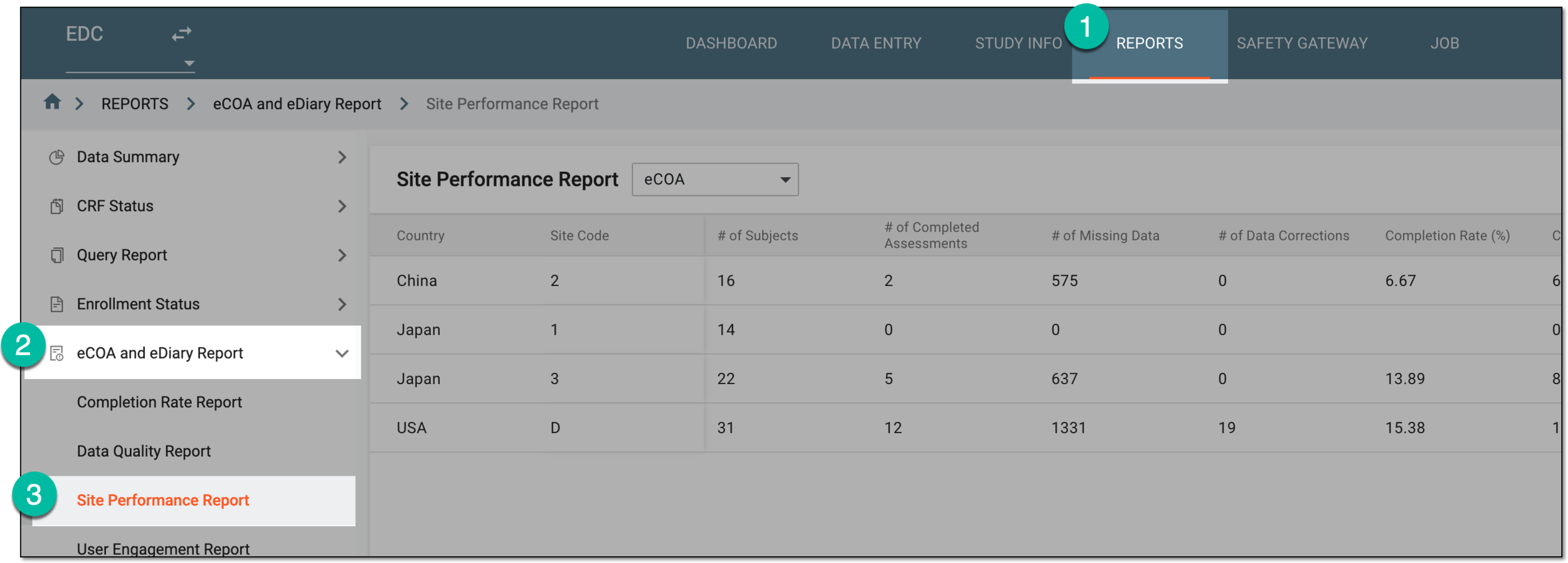 Figure 1. Accessing site performance report
-
On the Site Performance Report page, from the dropdown menu, select the app for which you want to view the statistics—eCOA or eDiary.
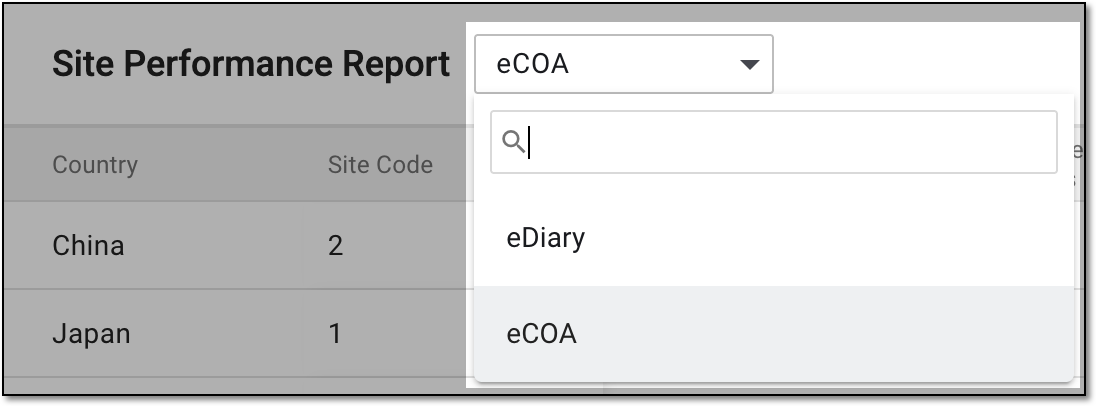 Figure 2. Selecting app for site performance report
-
In the resulting report, analyze the data as explained in the following table.
 Figure 3. Analyzing site performance report
Column
Details
Country
Represents the country name of the site and subjects whose data is collected through the selected app—eCOA or eDiary.
Site Code
Represents the unique identifier of the site where data is collected via the selected app.
# of Subjects
Represents the number of subjects registered at the site whose data must be collected via the selected app.
# of Completed Assessments
Represents the total number of CRFs already completed via the selected app for the study.
# of Missing Data
Represents the total number of CRFs that are not yet completed via the selected app.
# of Data Corrections
Represents the total number of modifications made for the queried data point—form, record, and item.
Completion Rate (%)
Represents the percentage of completed CRFs out of the total expected CRFs for the site.
Compliance Rate (%)
Represents the rate of CRF completion compliance with the established timeframes. This helps assess if there are issues with the timely completion of forms at the site or if the data is being collected on schedule.
Error Rate (%)
Represents the percentage of errors made during data collection at the site. The error rate is calculated based on the number of CRFs with system queries out of the total number of completed CRFs at the site.
Average Query Ages
Represents the average time (in days) it takes for the site to close a query.
Once you have analyzed the site performance report for the study, you can also export the report for offline access if needed.