Delete PDF with unprocessed safety data
With the PDF import functionality, you can upload safety data PDF files for the system to transcribe them for you and create new ICSRs in PV accordingly. You can also configure the email intake to pull the files automatically from the predefined mailbox and land them to PV for further processing. However, if the file is added to the system by mistake, you can delete it before it is processed.
Important
Only PDFs in the Unprocessed status can be deleted.
-
In the PV application header, select the INTAKE tab.
-
From the left pane that appears, select PDF Import.
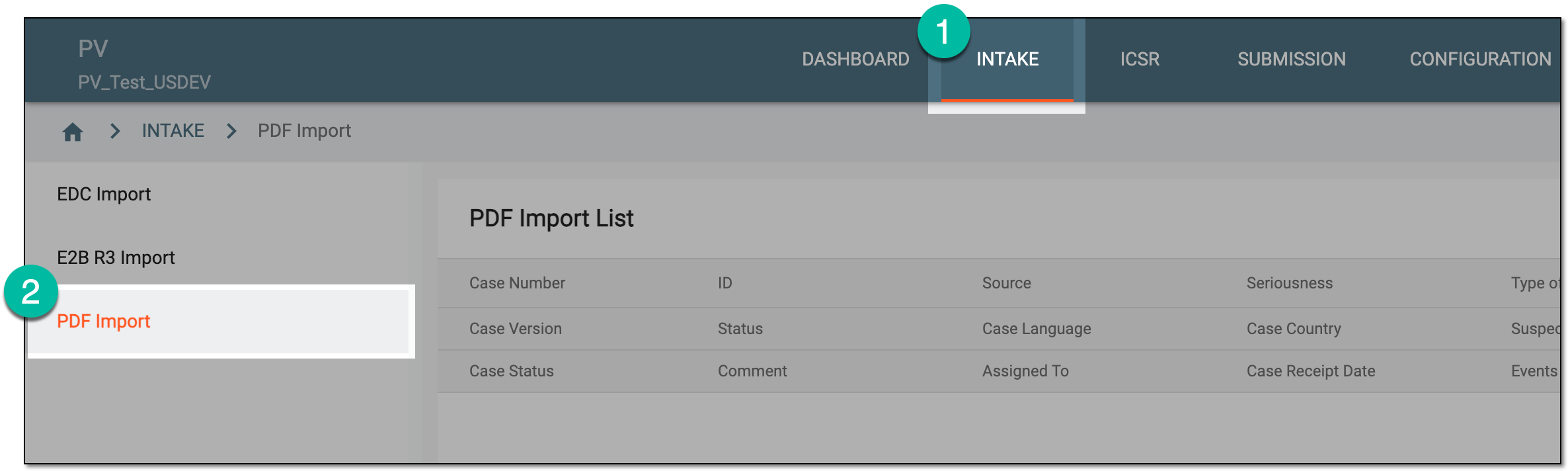 Figure 1. Accessing PDF import
-
On the PDF Import page that opens, locate the PDF in the Unprocessed status that you want to delete. Then from the Actions column next to the record, select More
 > Delete
  .
.Tip
You can see the cases based on the study access permission granted via ADMIN.
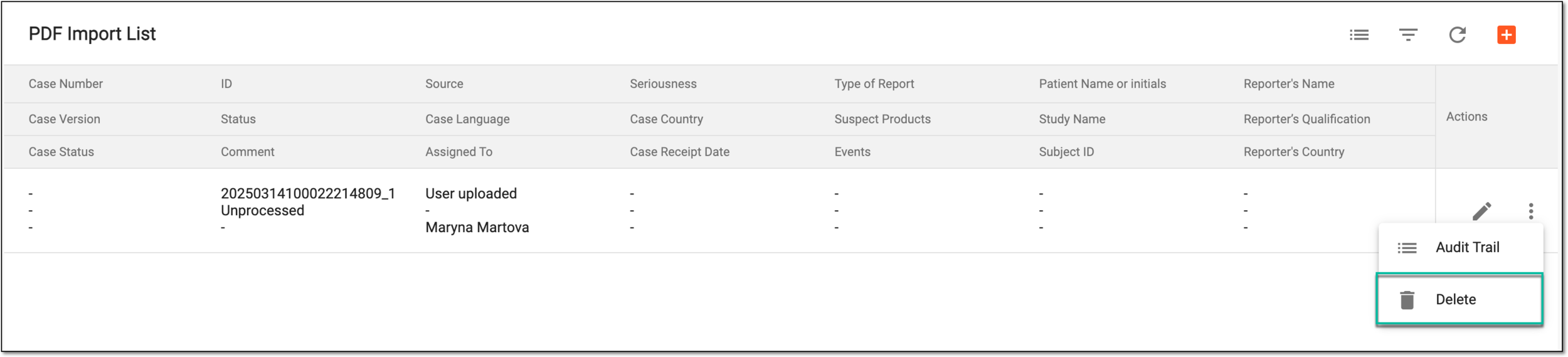 Figure 2. Deleting unprocessed safety data PDF
-
In the Delete Item dialog that opens, select
 to proceed with your action.
 Figure 3. Confirming deletion of unprocessed safety data PDF
Upon confirmation, the data file is deleted from PV.