Associate report extraction job with server
In IWRS, all the available reports can be extracted from the system to the preset external server using scheduled jobs—automated tasks for data extraction. For the correct job execution and data retrieval, you associate all the jobs with the external servers configured for you in the ADMIN application, thus instructing the system where the extracted data must land.
Tip
You can associate each job with multiple servers, allowing for additional flexibility for simultaneous data extraction to several resources.
-
In the IWRS application header, select the REPORTS tab.
-
On the page that opens, from the left pane, select Report Extraction Job.
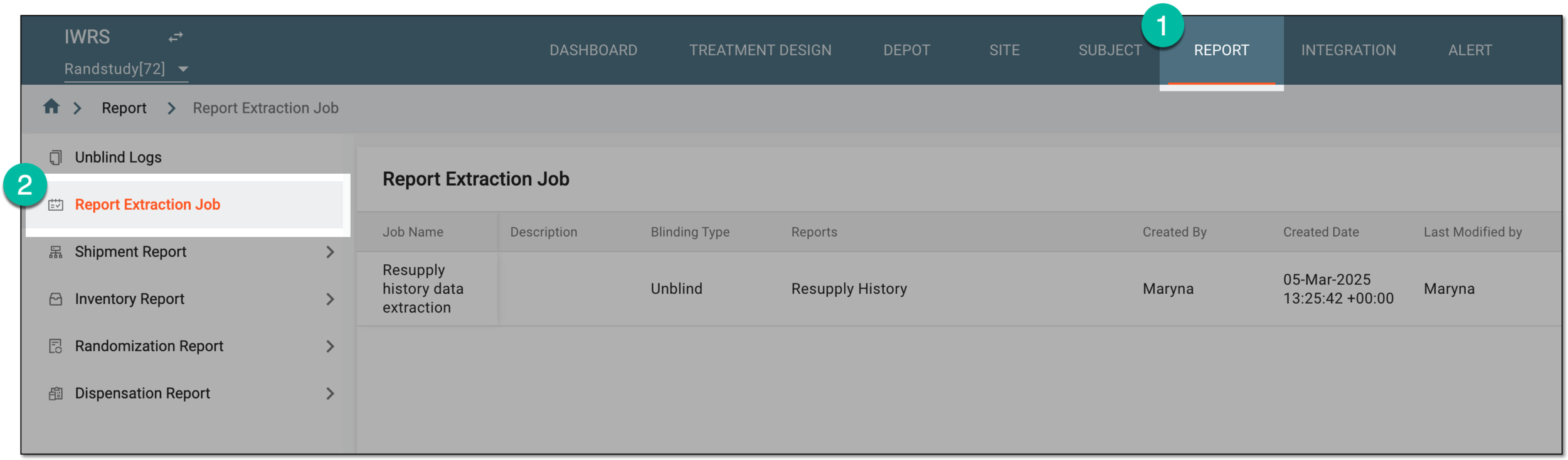 Figure 1. Accessing report extraction jobs
-
On the Report Extraction Job page that opens, locate the report extraction job that you need to associate with the file server. Then from the Action(s) column next to it, select Associate
 .
. Figure 2. Selecting option to assocate report extraction job with server
-
In the Job Server dialog that appears, complete the association as explained in the following table.
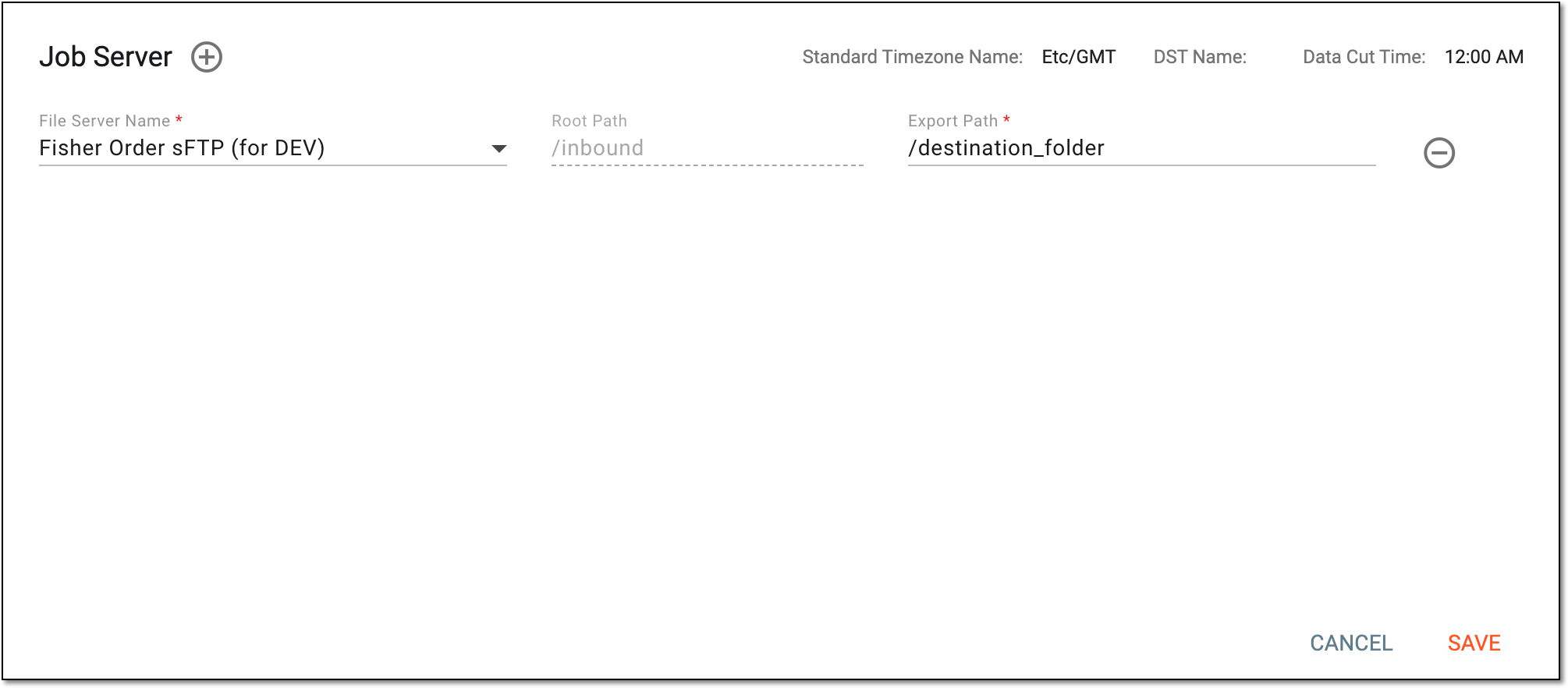 Figure 3. Associating report extraction job with server
Tip
In the following table, mandatory elements are marked with an asterisk (*).
Element
Details
File Server Name*
Expand the list of preconfigured servers and select the one to which the extracted data must be sent.
Root Path
Represents a portion of the destination path to the server where the extracted data is to be stored. For instance, this portion can stand for the study name or company name. This value is autopopulated based on the selected file server.
Export Path*
Enter the destination path to the server where the extracted data is to be stored.
The complete path to the destination folder on the file server is a combination of the root path and export path.
Standard Timezone Name
Represents the time zone selected for the job and according to which the data is extracted by this job.
DST Name
Represents the Daylight Saving Time (DST) selected for the job.
Data Cut Time
Represents the job execution time—when the system extracts the data to the server.

Select this option to add more rows and configure additional server associations.

Select this option to remove the unneeded rows of server configurations.
SAVE
Select
 to implement the changes.
CANCEL
Select
 to discard the changes without saving.
Once saved, the report extraction job is associated with the server. Once the job starts executing, the data is automatically sent to the set destination path on the established server.