Generate subject dictionary delta change report
The Subject Dictionary Delta Change Report is a key tool for tracking coding variations at the subject level when updates occur in the coding dictionary. With this report, you can compare coding results for the same subject across different dictionary versions or batches, helping to identify changes that may impact data consistency and accuracy.
By generating this report, you can:
-
Detect coding variations for a subject caused by dictionary updates or batch differences.
-
Assess the impact of dictionary version changes on subject-level coding assignments.
-
Ensure consistency in coding practices and alignment with the latest standards.
-
In the Medical Coding application header, select the REPORTS tab.
 Figure 1. Accessing reporting functionality
-
On the page that opens, in the left pane, select Subject Dictionary Delta Change.
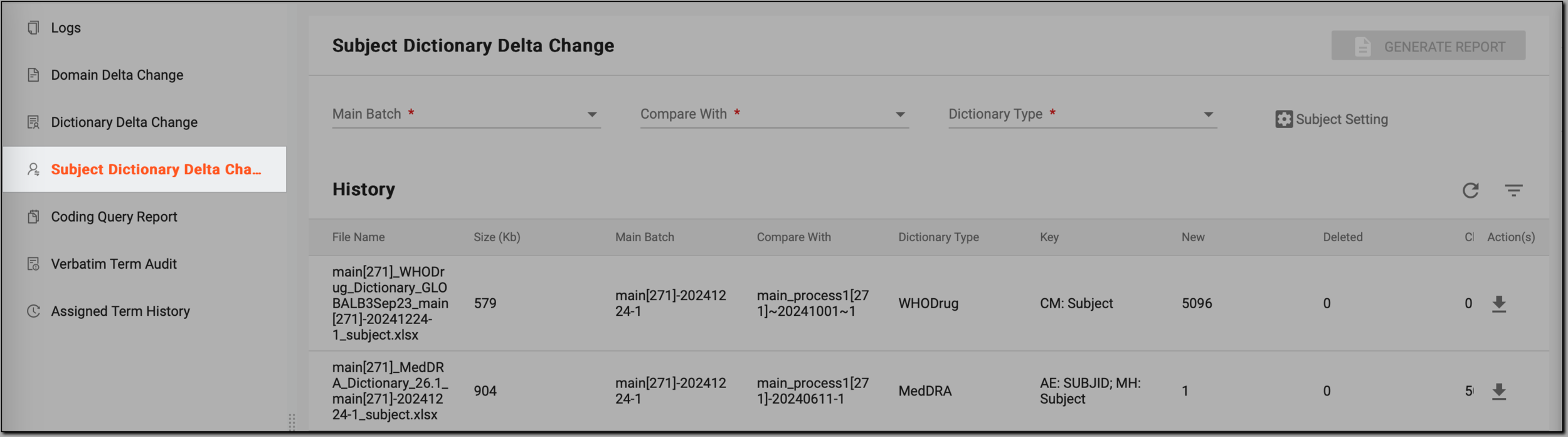 Figure 2. Accessing subject dictionary delta change reporting functionality
-
On the Subject Dictionary Delta Change page, customize the data for comparison as explained in the following table.
 Figure 3. Customizing general comparison data
Tip
In the following table, mandatory elements are marked with an asterisk (*).
Parameter
Details
Main Batch*
Select the primary batch of verbatim terms (VTs) that serves as the baseline for comparison. This batch contains the coding results you want to evaluate against another dataset.
Compare With*
Choose the secondary batch to compare against the main batch. This helps you identify any differences in coding outcomes between the two datasets.
Dictionary Type*
Define the type of dictionary (MedDRA or WHODrug) used for coding. This helps to ensure accurate mapping and comparison of terms based on the dictionary standards.
-
Select Subject Setting to further customize the parameters for your report.
 Figure 4. Initiating customization of subject comparison data
-
In the Subject Setting dialog that opens, define the context of the data being compared, as explained in the following table.
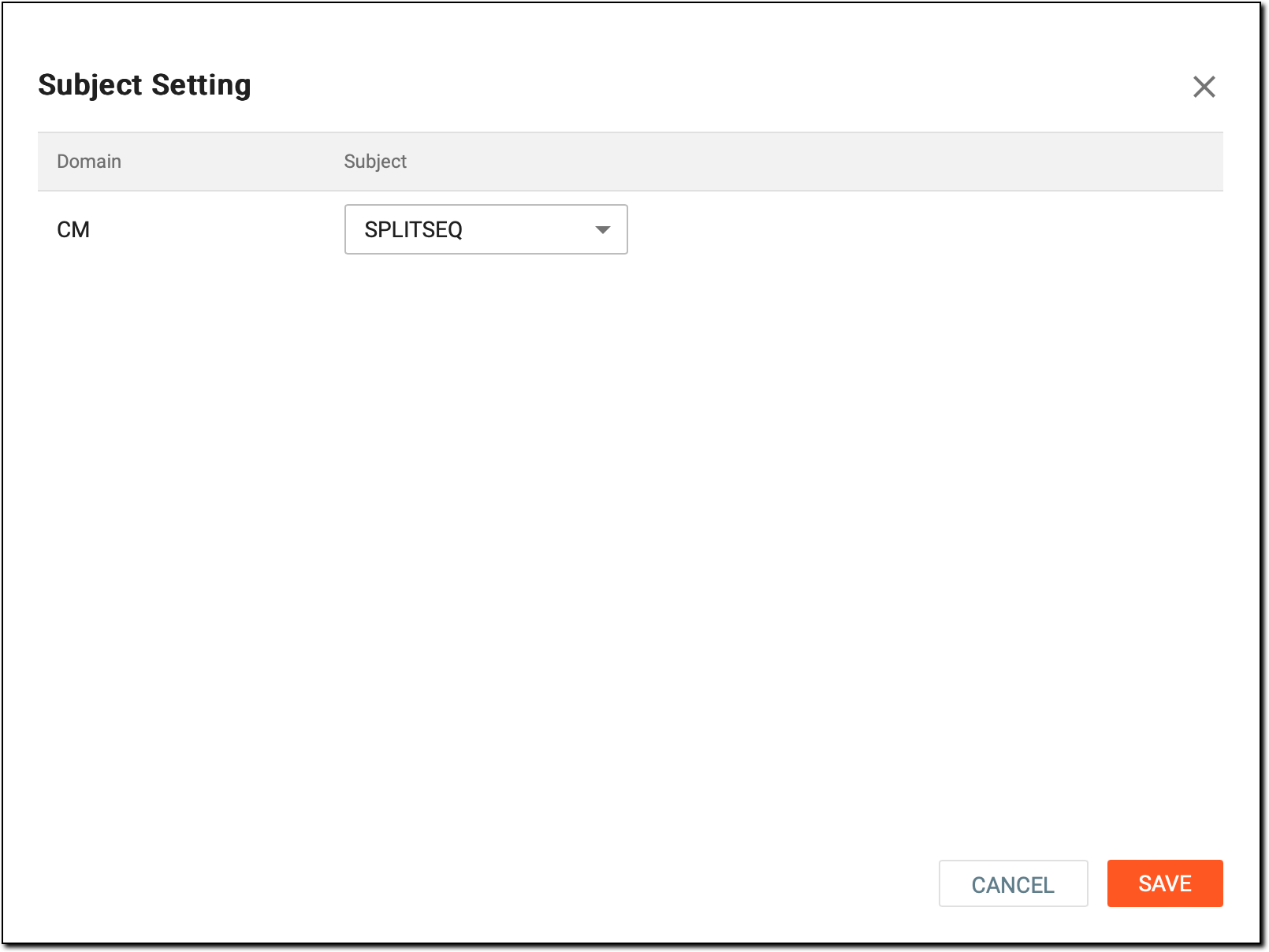 Figure 5. Customizing subject comparison data
-
In the upper-right corner, select GENERATE REPORT.
 Figure 6. Generating subject dictionary delta change report
Once done, the generated report appears in the History table. The newest report is always displayed at the top of the list for easy access. You can download the report in an XLSX format to analyze the results, compare data, and assess changes based on the selected parameters.