Download subject dictionary delta change report
With the Download Subject Dictionary Delta Change Report functionality, you can retrieve the generated subject dictionary delta change report for offline analysis. This feature helps you review subject-level coding variations across different dictionary versions or batches in XLSX format. It streamlines the process of identifying discrepancies, assessing the impact of dictionary updates, and sharing findings with stakeholders.
By downloading this report, you can:
-
Identify variations in coding results for individual subjects due to dictionary updates or batch differences.
-
Track changes in subject-specific coding assignments to evaluate the impact of dictionary version updates.
-
Ensure consistency in coding practices and maintain alignment with evolving dictionary standards.
-
In the Medical Coding application header, select the REPORTS tab.
 Figure 1. Accessing reporting functionality
-
On the page that opens, in the left pane, select Subject Dictionary Delta Change.
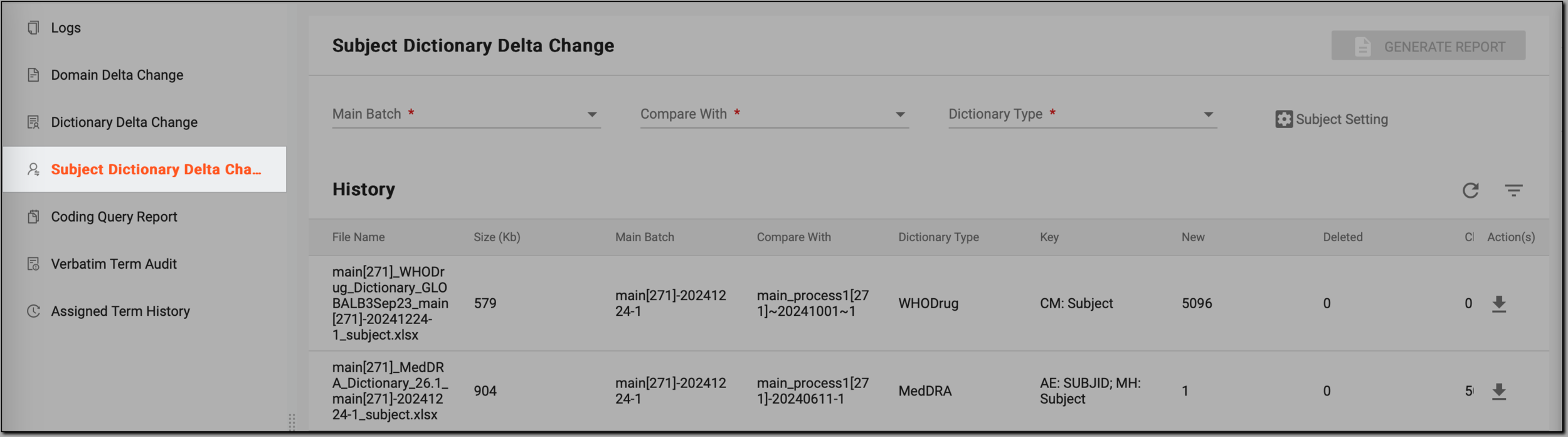 Figure 2. Accessing subject dictionary delta change reporting functionality
-
On the Subject Dictionary Delta Change page, in the History table, go to the subject dictionary delta change report that you want to download and, in the Action(s) column, select Download
 .
.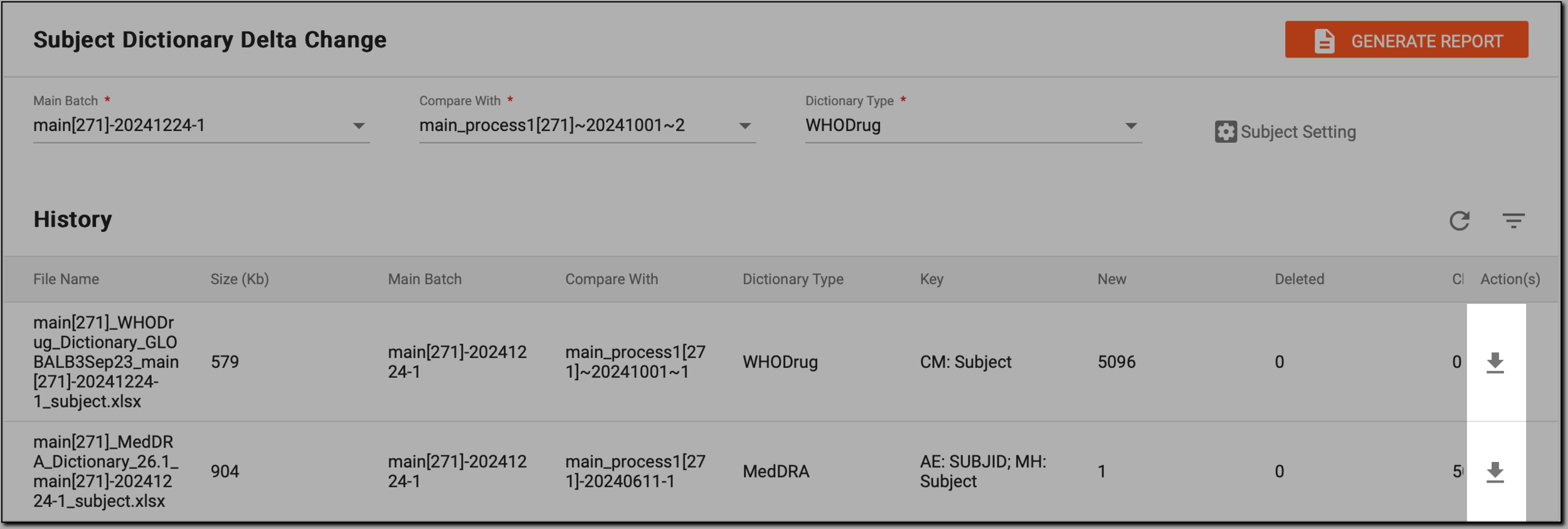 Figure 3. Downloading report
Once completed, the subject dictionary delta change report is saved to your computer in XLSX format. You can open the file to review the detailed comparison of subject-level coding results across different dictionary versions or batches. The report helps you analyze coding variations, assess the impact of dictionary updates, and share the findings with relevant stakeholders for review or further action.