Edit dispensing visit
Configuring a dispensing visit, you specify which dispensing packages must be given to the subjects at which visits and under which factors (conditions). This helps outline and predict the exact drug dispensation process and supplement sites with the needed amount of items to satisfy subject needs and specific visits. If any changes are needed for certain dispensing visit configurations, you can amend them any time before the visit dispensing version is published.
For example, you can change the dispensing packages that must be given to a subject during their treatment visit or update the factors according to which the dispensing packages must be given.
-
In the IWRS application header, select the TREATMENT DESIGN tab.
-
From the left pane, select Visit Dispensing and Window.
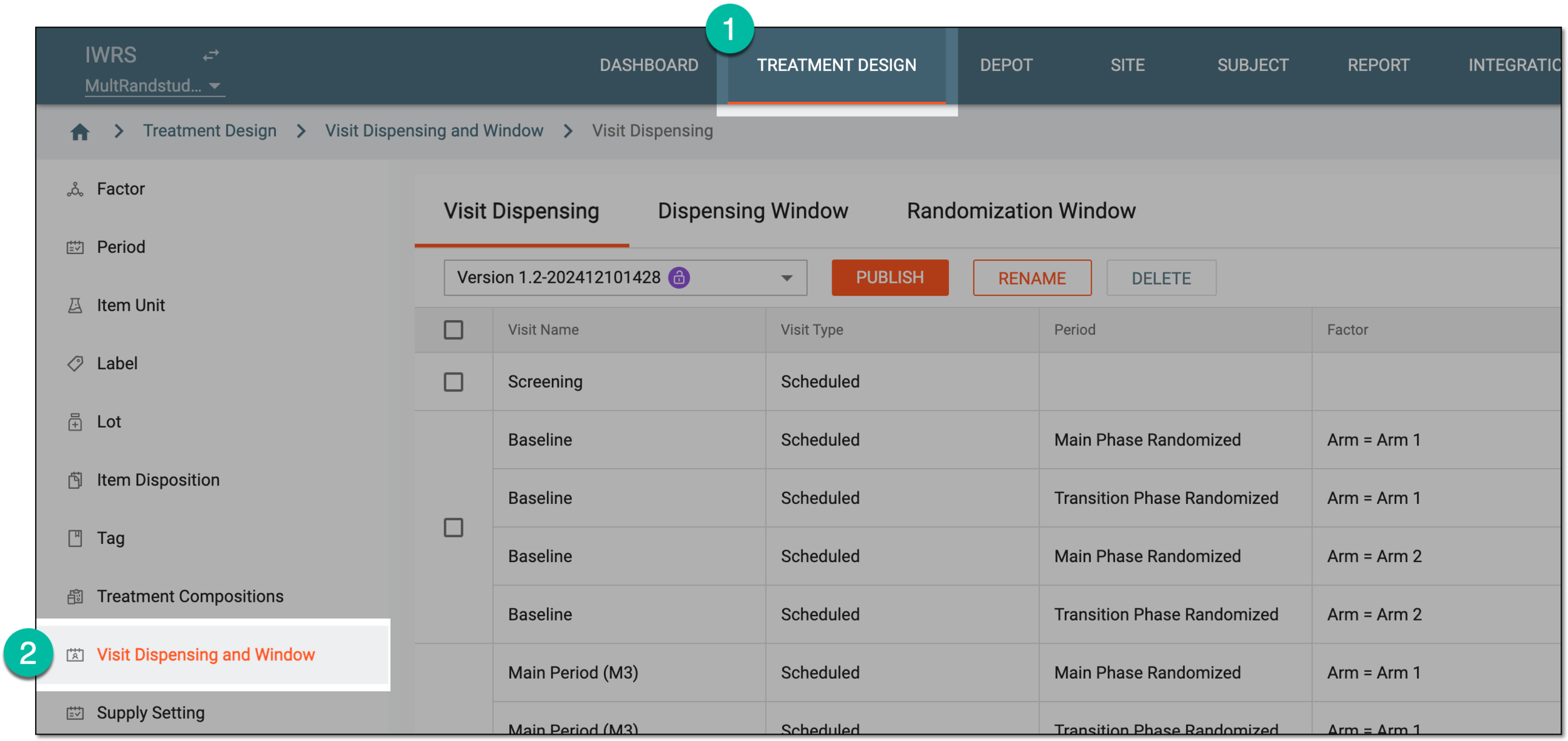 Figure 1. Accessing visit dispensing and window configuration
-
On the page that opens, from the version menu, ensure the unlocked version
 is selected, otherwise, you cannot amend any dispensing visit or window
configurations.
is selected, otherwise, you cannot amend any dispensing visit or window
configurations.If the current version is locked
 , consider adding a new dispensing visit setting version.
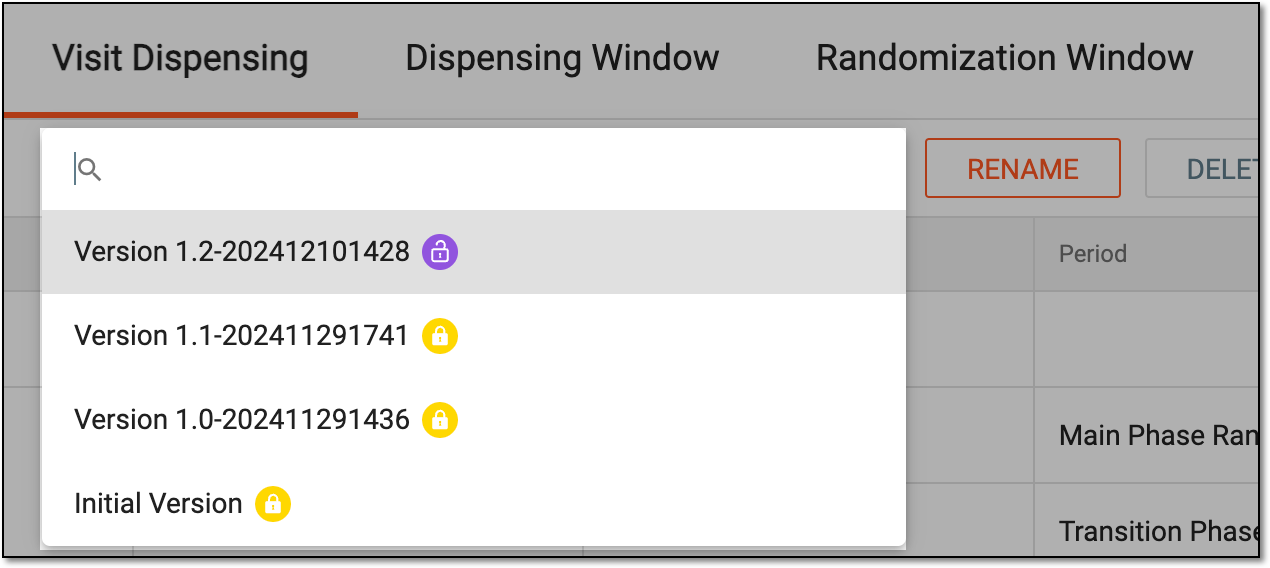 Figure 2. Selecting dispensing visit setting version
-
In the Visit Dispensing table, go to the treatment visit that you want to update and next to it, select Edit
 .
.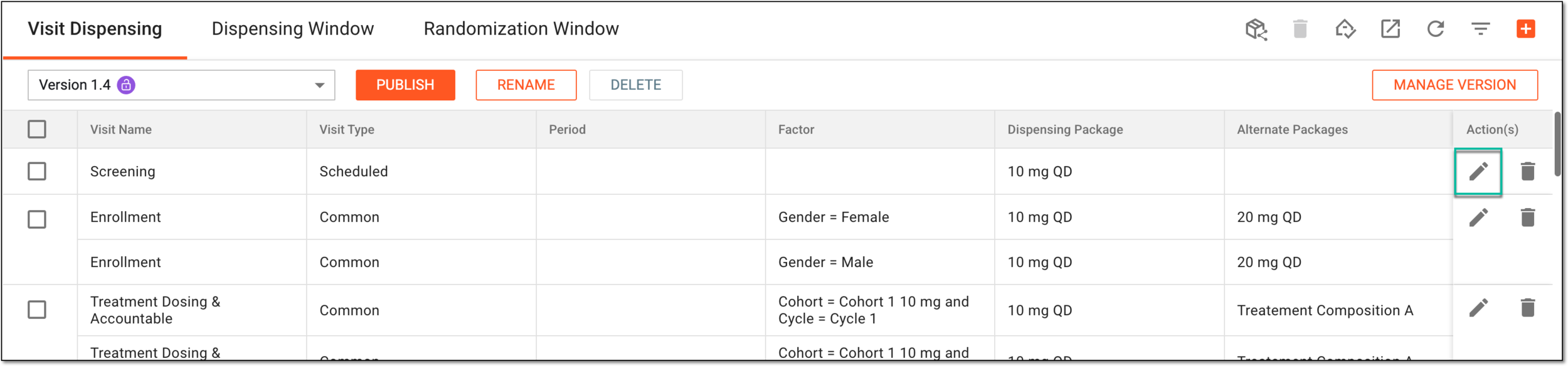 Figure 3. Selecting option to edit dispensing visit
-
On the page that appears, at the Select Factor stage, update your dispensing visit by setting the preferences as described in the following table.
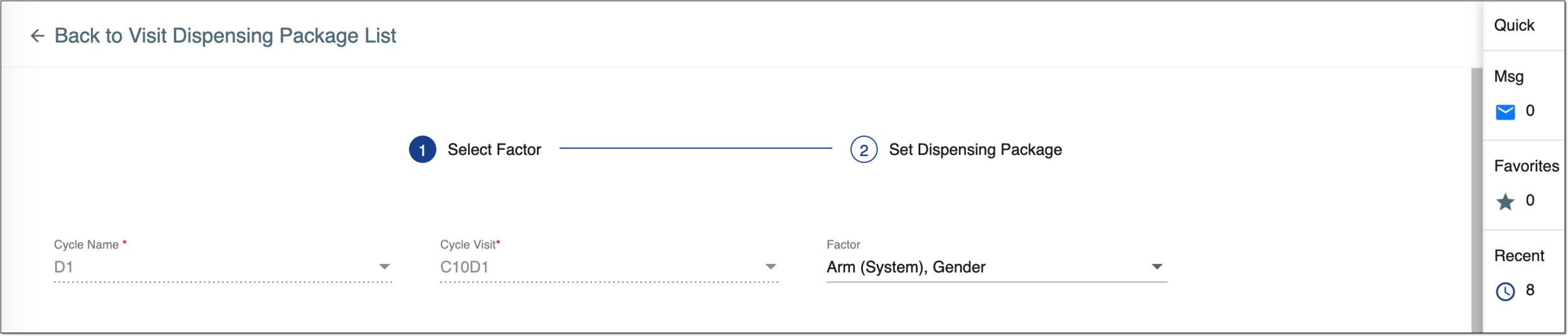 Figure 4. Editing dispensing visit
Tip
In the following table, mandatory elements are marked with an asterisk (*).
Element
Details
Cycle Name*
Represents the name of the cycle that contains cycle visits that must be considered during package dispensation.
The field is only available for cycle visits and cannot be edited once set upon dispensing visit configuration.Cycle Visit* / Visit*
Represents the name of the dispensing visits that must be considered during package dispensation.
The field cannot be edited once set upon dispensing visit configuration.Factor
Establish the factors that must be considered during package dispensation by selecting corresponding checkboxes.
In the multiperiod study, if an arm is
                                  selected as a dispensing factor, a dispensation plan is configured for the arm of each period.
NEXT STEP
Select
 to proceed to the next stage of the visit dispensing configurations—Set Dispensing Package.
CANCEL
Select
 to stop configuring a new dispensing visit and close the page.
 -
At the Set Dispensing Package stage, based on the visits and factors set in the previous stage, the system generates the visit treatment list, where you can update the dispensing package details as suggested in the following table.
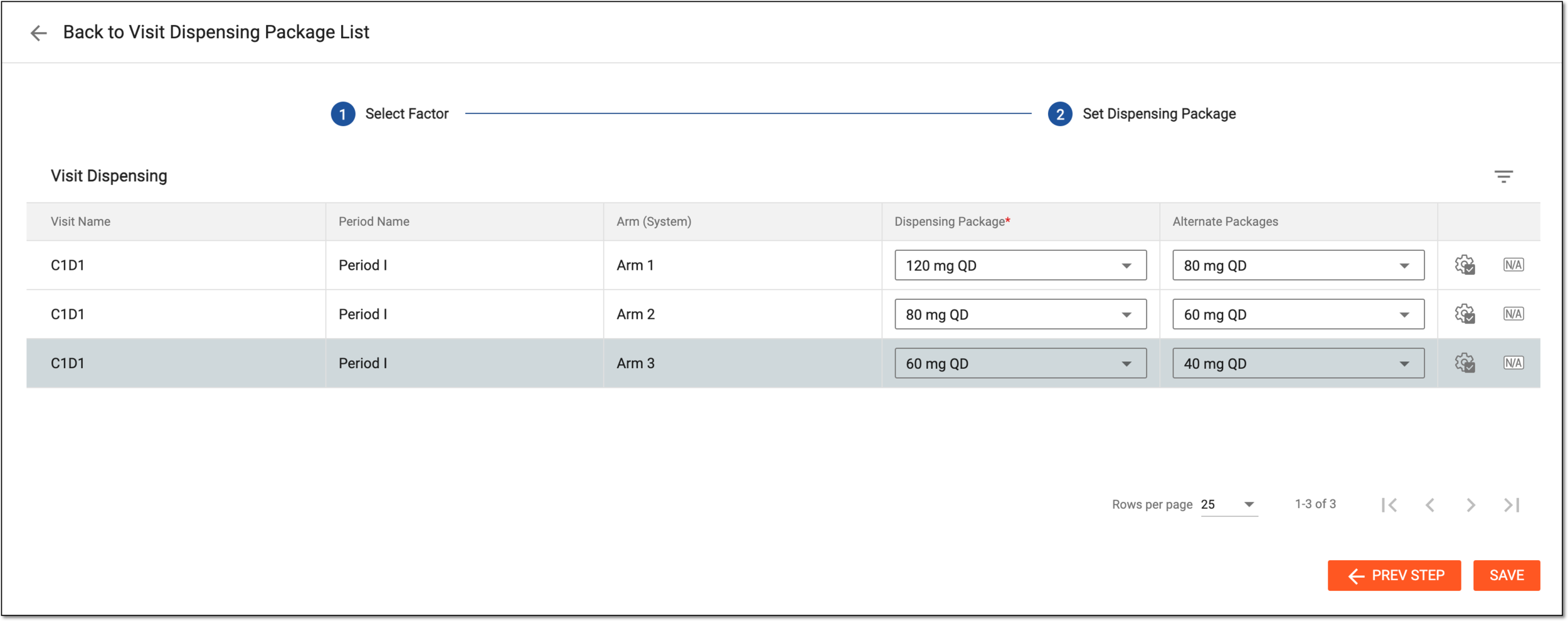 Figure 5. Configuring dispensing visit
Tip
In the following table, mandatory elements are marked with an asterisk (*).
Element
Details
Visit Name
Represents the name of the treatment visit, which is selected at the previous stage and must be considered during package dispensation. The field is read-only.
[Factor name]
Represents the name of the factor that has been set at the previous stage. The value is read-only and there can be as many such columns as there are factors set.
For instance, if there are two factors—period and arm—there are two columns—Period Factor and Arm.
The factor value order is as established upon configuring the factor.Dispensing Package*
Select the name of the package that must be dispensed to a subject during the treatment visit under the appropriate factor.
Only one dispensing package can be selected for a combination of a specific visit and factor.Alternate Packages
Select packages that can be dispensed as an alternative to a subject during the treatment visit under the appropriate factor.
Apply to All
Select
 to apply the current visit's dispensing package to all other visits, if needed.
Ensure to select the dispensing package before selecting the Apply to All option.The Apply to All option populates values between the visits displayed on the same page. If there are more visits than fit on one page, use pagination to go to all pages and apply the needed settings.N/A
Select
 to set the dispensing package of the current visit to N/A, if needed. This means that the subject with
the set factor value will not have treatment at this visit.
to set the dispensing package of the current visit to N/A, if needed. This means that the subject with
the set factor value will not have treatment at this visit.SAVE
Select
 to implement the changes of both the Select Factor and Set Dispensing
Package stages.
to implement the changes of both the Select Factor and Set Dispensing
Package stages.PREV STEP
Select
 to return to the previous stage and update any settings, if needed.
Upon saving, the dispensing visit is updated. Once the current visit dispensing version is published, the associated sites and subjects will start following the established dispensation.