Regenerate system document certificate
Data acknowledgment before the end of the study is a process of confirming the receipt and accuracy of data and findings collected during a clinical trial.
In EDC, once the respective system document is acknowledged but the details of the study change, you can regenerate the certificate of the document acknowledgment to reflect all the latest developments and keep your database up-to-date.
This can be helpful, for instance, if there are some structural changes to your system document or the sponsor credentials change and you want to reflect the latest data in your certificate.
Important
The option to regenerate the system document certificate is only available for the tasks in the Acknowledged and Completed statuses.
-
In the EDC application header, select the REPORTS tab.
-
On the page that opens, in the left pane, select End of Study > System Document.
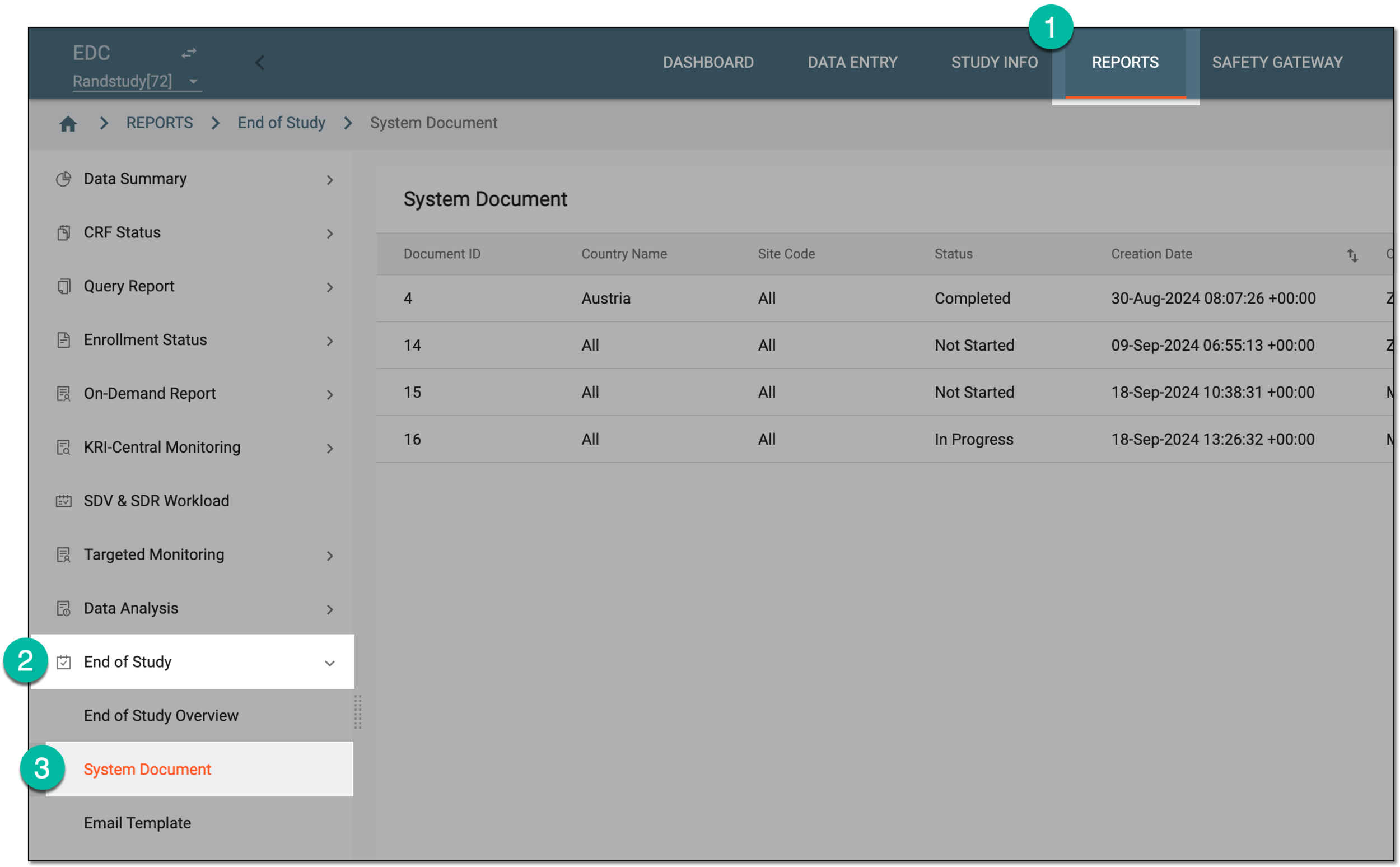 Figure 1. Accessing system documents
-
On the System Document page that opens, next to the needed task in the Acknowledged and Completed status, under the Action column, select Acknowledge
 .
.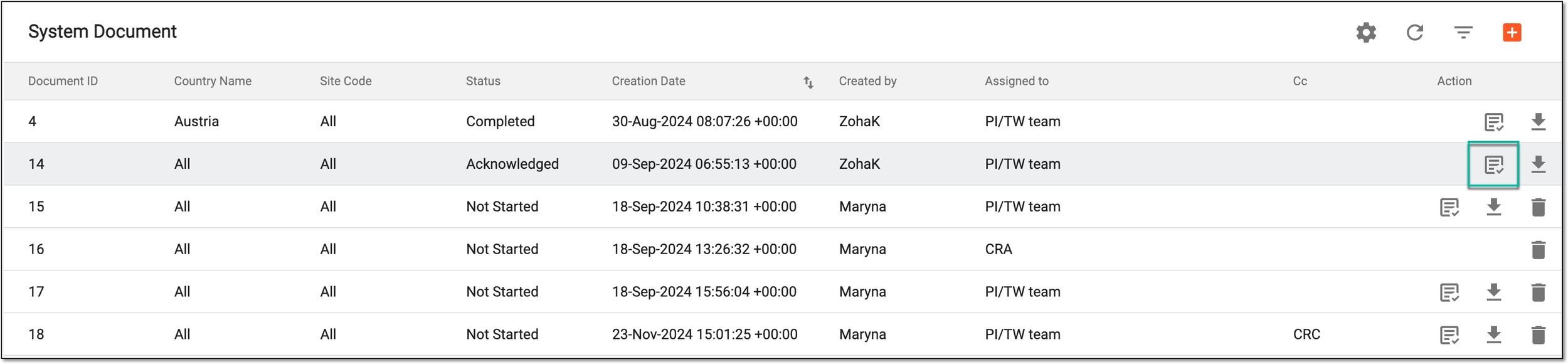 Figure 2. Accessing acknowledged system document signature details
-
In the View Signature dialog that appears, select Re-generate Certificate.
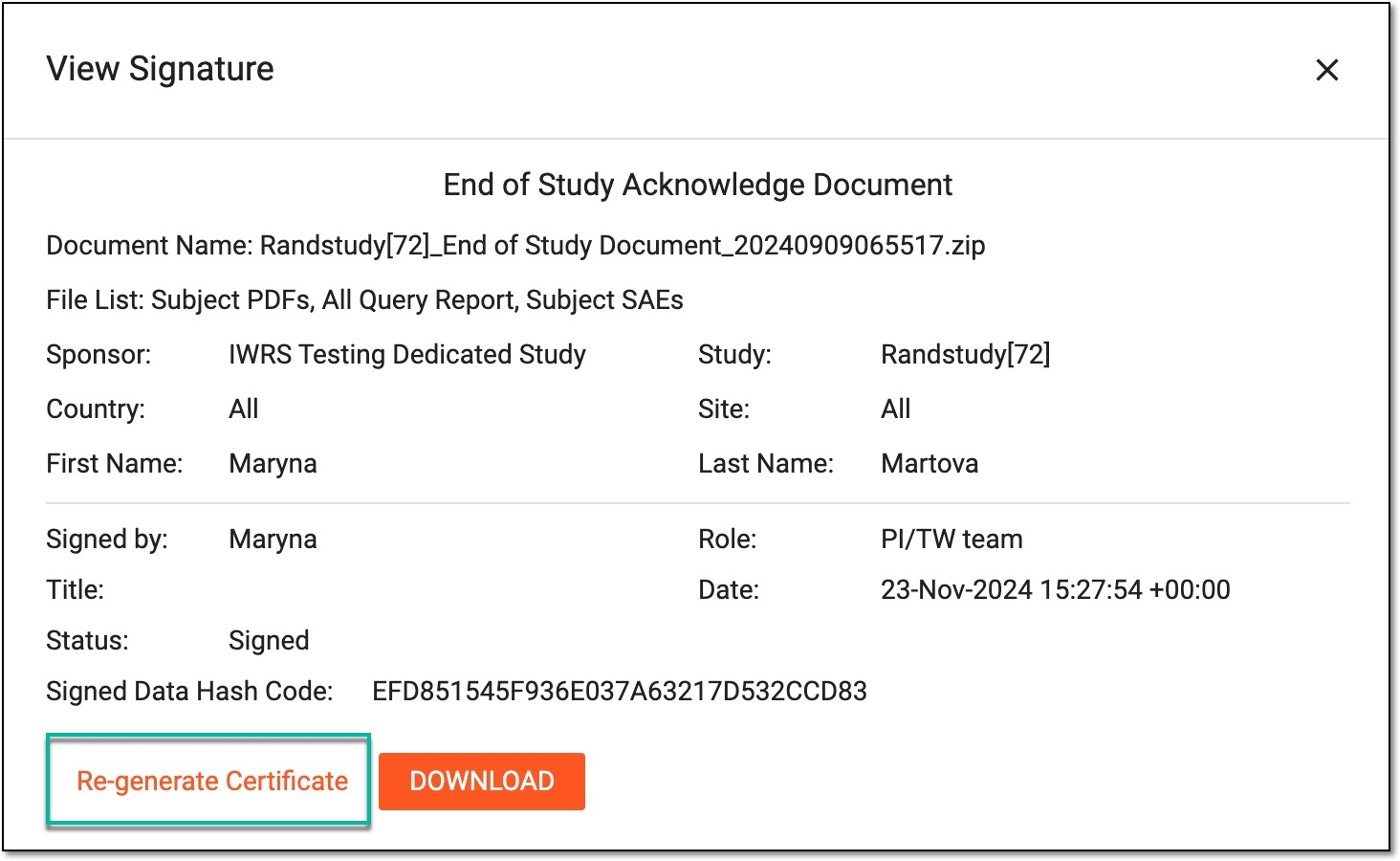 Figure 3. Regenerating system document acknowledgment certificate
Tip
Use the DOWNLOAD button to download the system document directly from the View Signature dialog.
Once done, the dialog closes and the system notifies you of the successful operation. Now your system document acknowledgment certificate is up-to-date.