Download original data file
In the CODING application, the Download Original Data File feature helps users easily access and retrieve original data files that have been previously uploaded to a specific domain within a coding batch. This is particularly useful for offline work with these files.
For example, if you currently do not have access to the internet but want to analyze the verbatim terms (VTs) that will be used in coding, you can do so with the downloaded file. Additionally, if you need to share the original VTs with someone else who does not have access to the CODING application, this feature provides a convenient solution.
Important
You cannot download files with verbatim terms for batches created using EDC import. For such batches, this option is unavailable.
-
In the Medical Coding application header, select the BATCH tab.
 Figure 1. Accessing batch configurations
-
In the Batch List table that appears, go to the coding batch containing the domains with data files that you want to download, and select
 next to it.
 Figure 2. Accessing coding batch domains
-
In the Domain List table that opens, go to the domain containing the data file that you want to download. Then, in the Data File column, select the link.
 Figure 3. Accessing file with VTs
-
Follow the prompts of your computer to download and save the original data file in the selected domain.
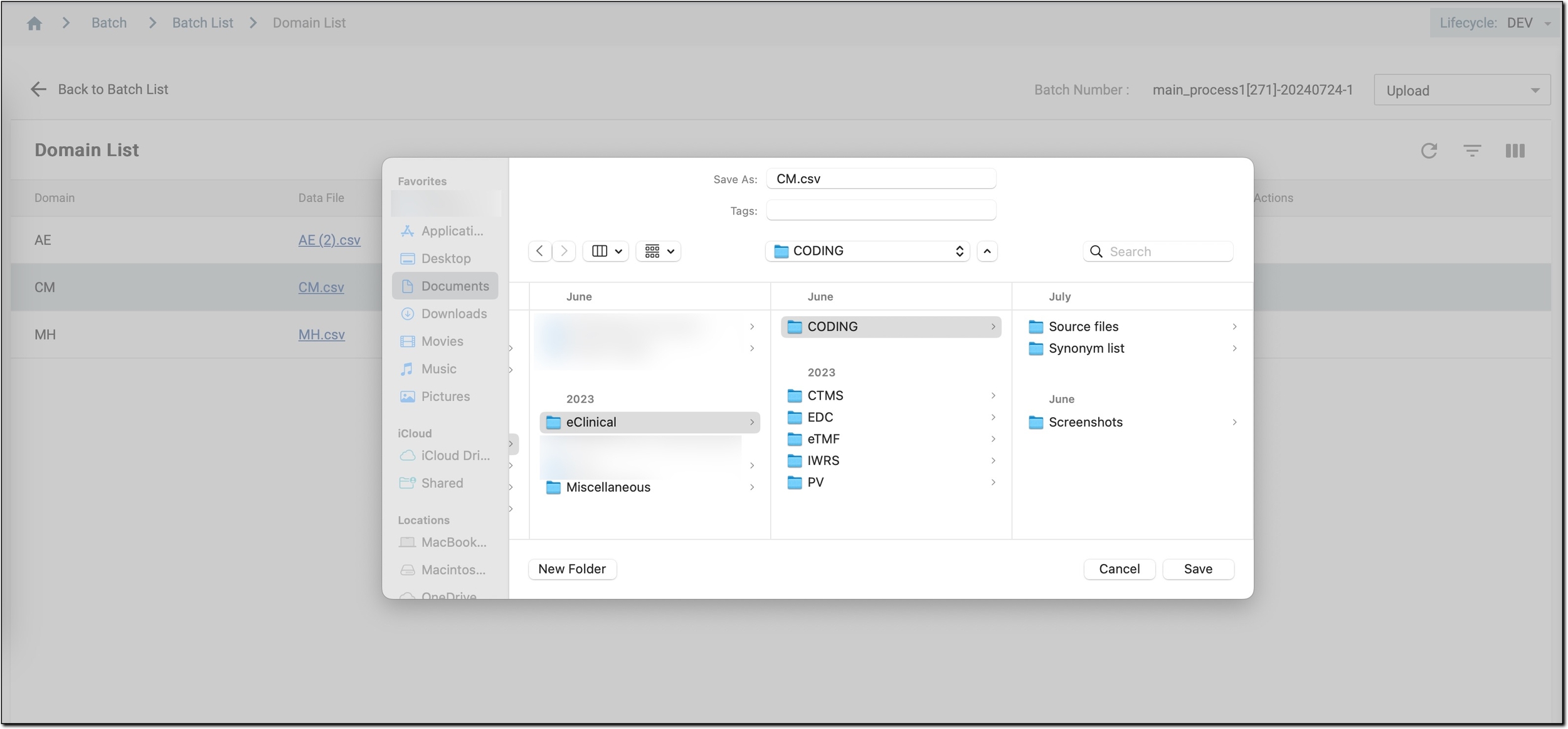 Figure 4. Downloading file with VTs
Once downloaded, you now have access to a comprehensive data file for the corresponding domain. You can use this file for offline analysis or share it with colleagues who may not have access to the CODING application.
Remember to verify the contents of the downloaded file to ensure that all relevant VTs are included for your coding tasks.