Activate/Deactivate synonym list
The purpose of activating or deactivating a synonym list is to control its availability and usage within the CODING application. With this feature, administrators can manage which synonym lists are actively used for coding medical terms, ensuring accuracy and consistency in data interpretation.
-
Active synonym list: visible and available for coding medical terms within the Medical Coding module.
-
Inactive synonym list: not visible or accessible for coding purposes until reactivated.
-
In the Coding Admin application header, select the SYNONYM tab.
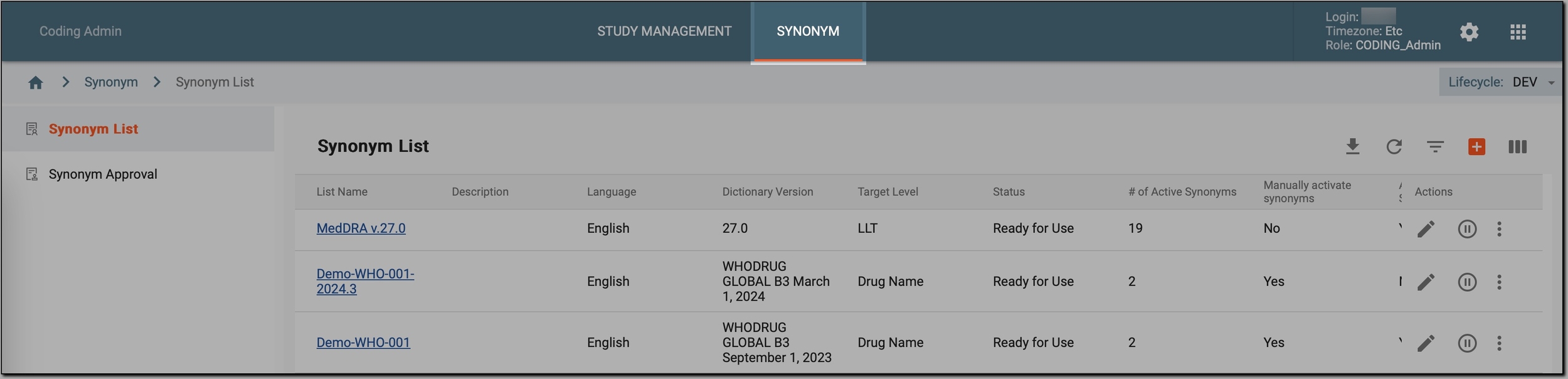 Figure 1. Accessing synonym configurations
-
In the left pane, select Synonym List.
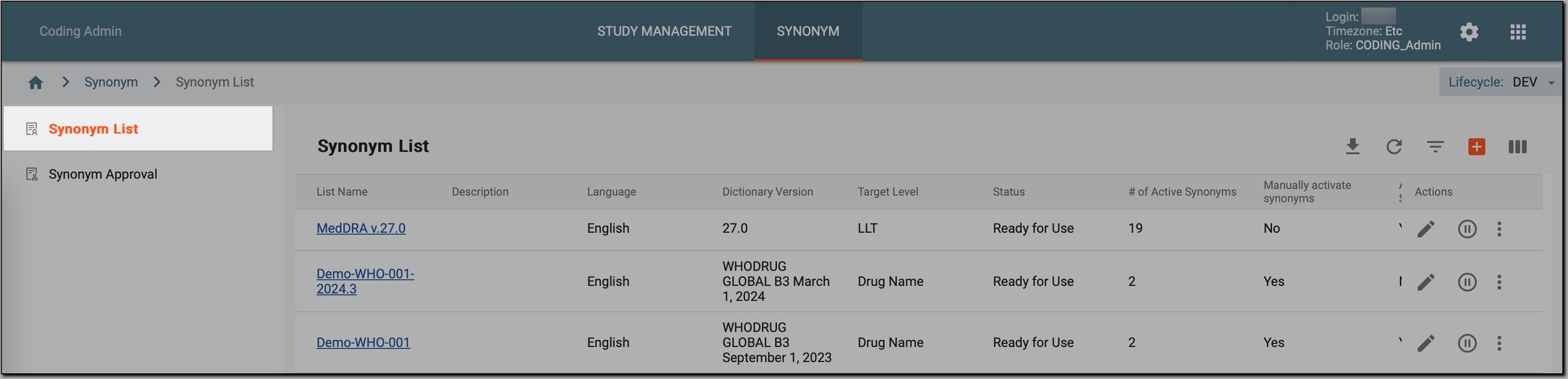 Figure 2. Accessing synonyms
-
In the Synonym List table that appears, go to the synonym list that you want to activate/deactivate and select Activate
 or Inactivate
  next to it.
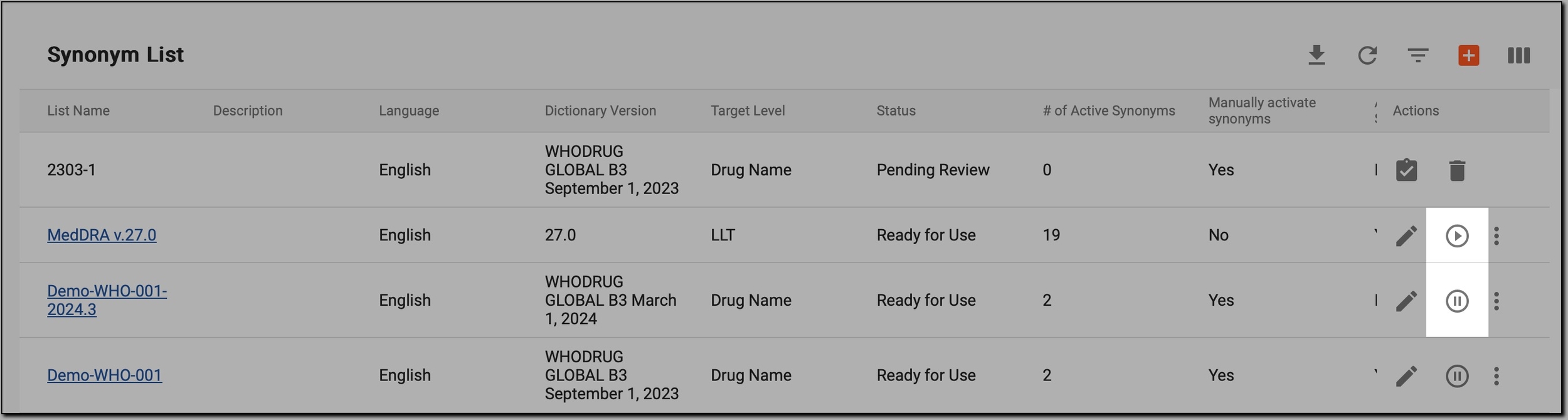 Figure 3. Initiating synonym list activation/deactivation
Once done, the synonym list is either visible and available for coding (if activated) or invisible and inaccessible for coding (if deactivated).