Review ICF tracking record details
To track ICF completion for subjects of your study, you need to add ICF tracking records to your log and complete the forms as per the selected ICF tracking log template.
You can at any time review the details of an ICF tracking record regardless of its status—Initial, Completed, or Inactive.
-
Access the study management page in one of the following ways:
-
In the CTMS application header, select the DASHBOARD tab and then select the study dashboard of your interest.
 Figure 1. Accessing study management from dashboard
-
In the CTMS application header, select the STUDY MANAGEMENT tab. Then from the Study Data List table, select the study name of your interest.
 Figure 2. Accessing study management from study data list
-
-
On the page that opens, from the left pane, select ICF > ICF Tracking Log.
-
In the ICF Tracking Log table that appears, locate the record for which you want to view the details. Then from the Action(s) column next to it, select Go
 .
.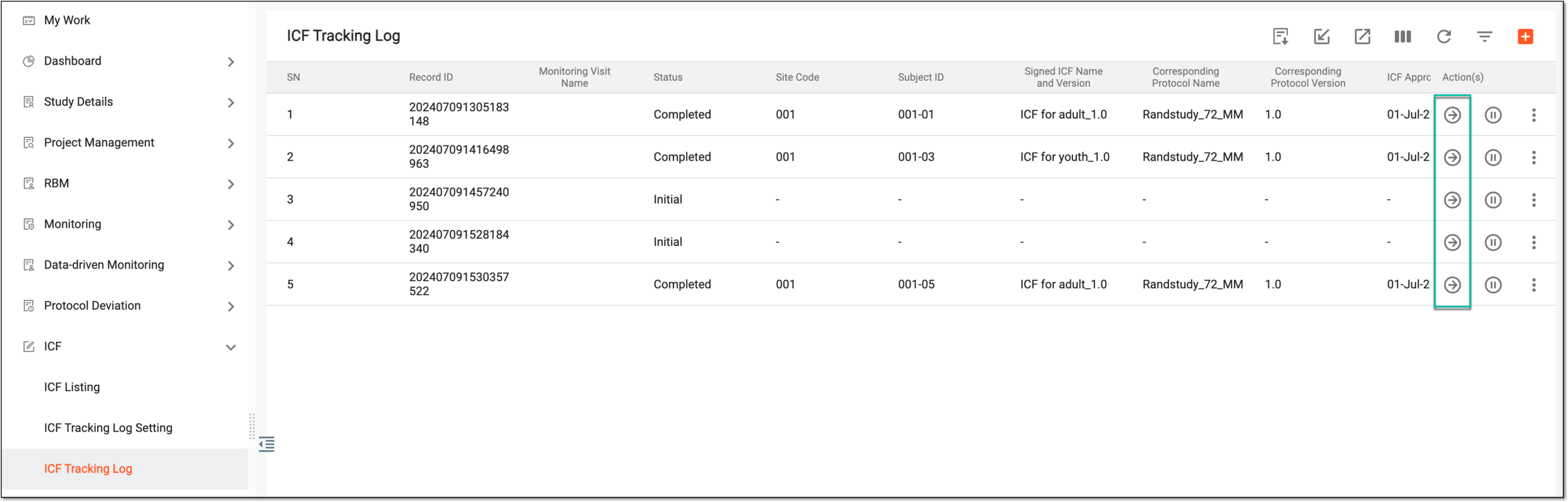 Figure 3. Accessing record details
-
On the page that opens, review the details of the ICF tracking record.
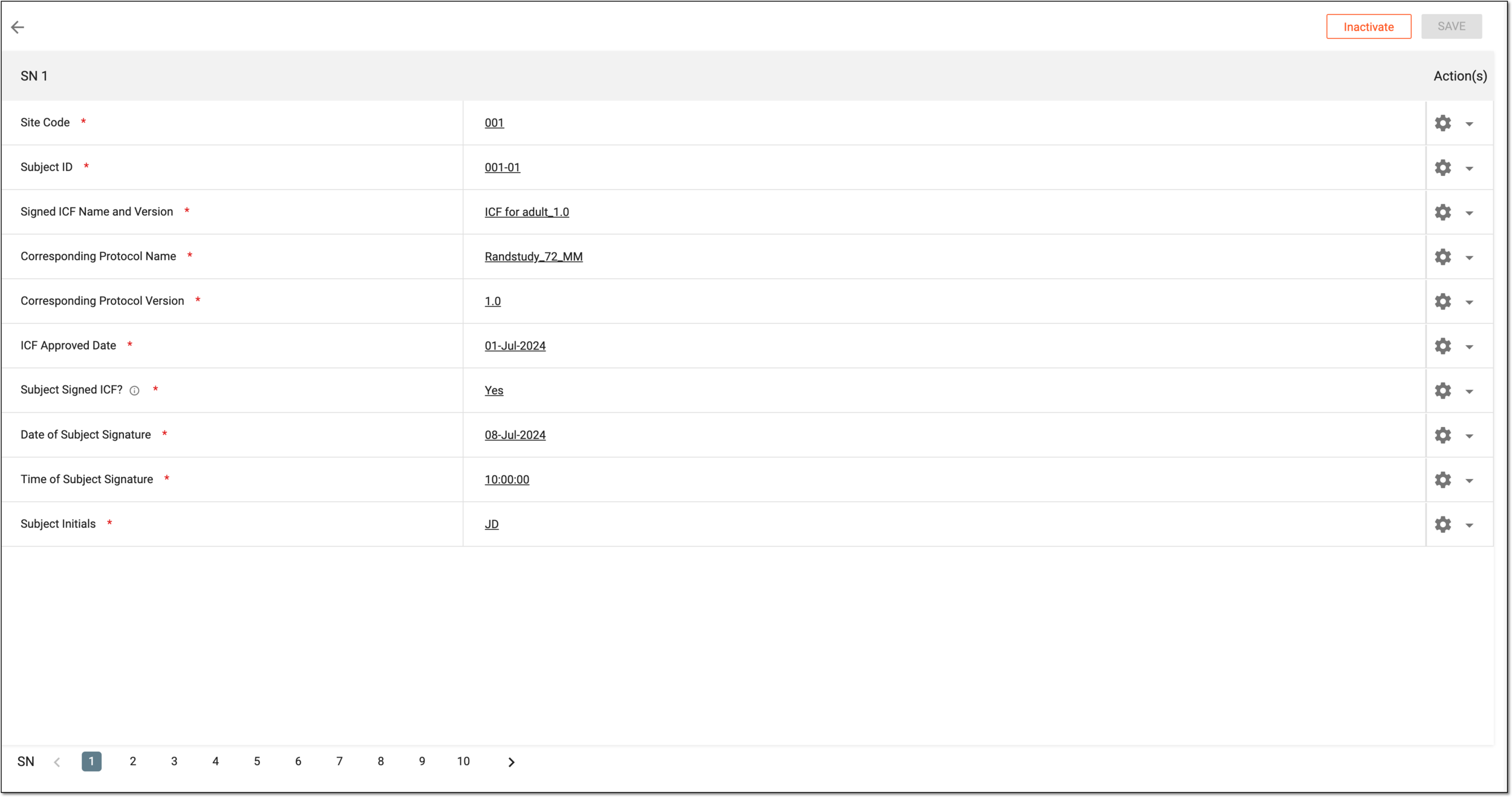 Figure 4. Reviewing ICF tracking record details
Tip
For the record in the Initial status, you can complete the details, however, for Completed and Inactive records, all the fields are read-only.
You have accessed and reviewed the details of the ICF tracking record.