Activate/Inactivate dispatch integration setting
The integration enables the automation of data transfers between IWRS and various vendor data providers. Currently, the shipment data exchange is supported via integration. To establish the shipment data providers for your study, you add the respective vendors to the list of integrations and configure their integration settings.
One such integration type is dispatch integration. Once configured and running, you might need to stop the file extraction temporarily but not permanently delete this setting. In IWRS, you can inactivate and activate your dispatch integration settings as required.
For instance, a dispatch integration is configured and ongoing but on the vendor's side, certain changes happened that influenced the data exchange process. While waiting for additional configuration details from the vendor, you do not want the IWRS system to generate failed file extraction records daily, so you inactivate this setting until further developments.
-
In the IWRS application header, select the INTEGRATION tab.
-
From the left pane, select the Integration Setting subtab.
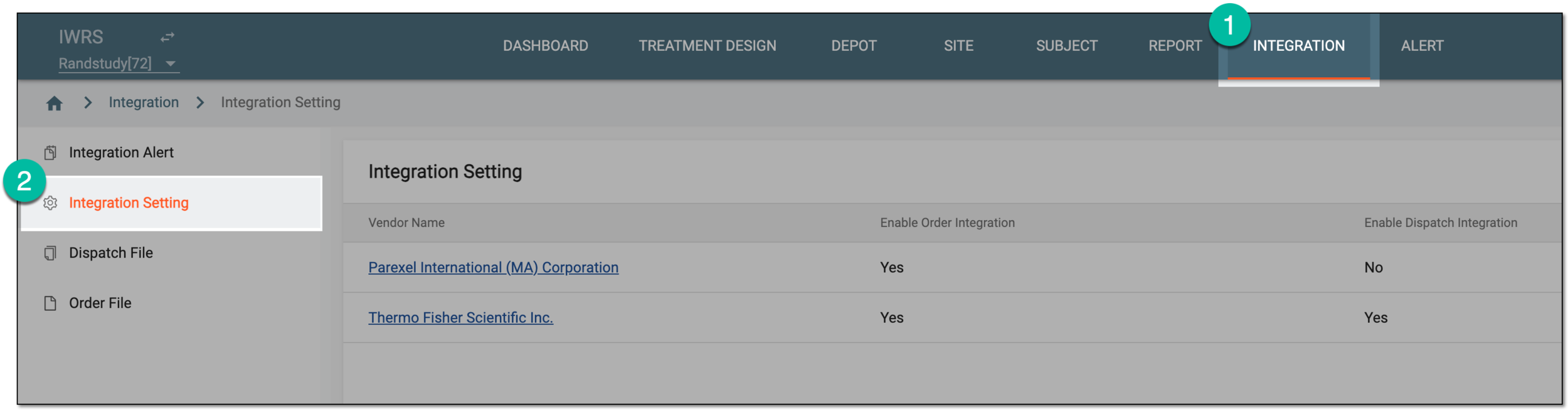 Figure 1. Accessing integration setting
-
In the Integration Setting table that appears, locate the vendor for whom you want to activate or inactivate dispatch integration and from the Vendor Name column, select the hyperlink.
 Figure 2. Selecting vendor to access integration settings
-
On the page that opens, select the Dispatch Integration Setting tab.
-
In the Dispatch Integration Setting table that opens, locate the setting you want to activate or inactivate and from the Actions column next to it, select More
 > Activate
  /Inactivate
  .
.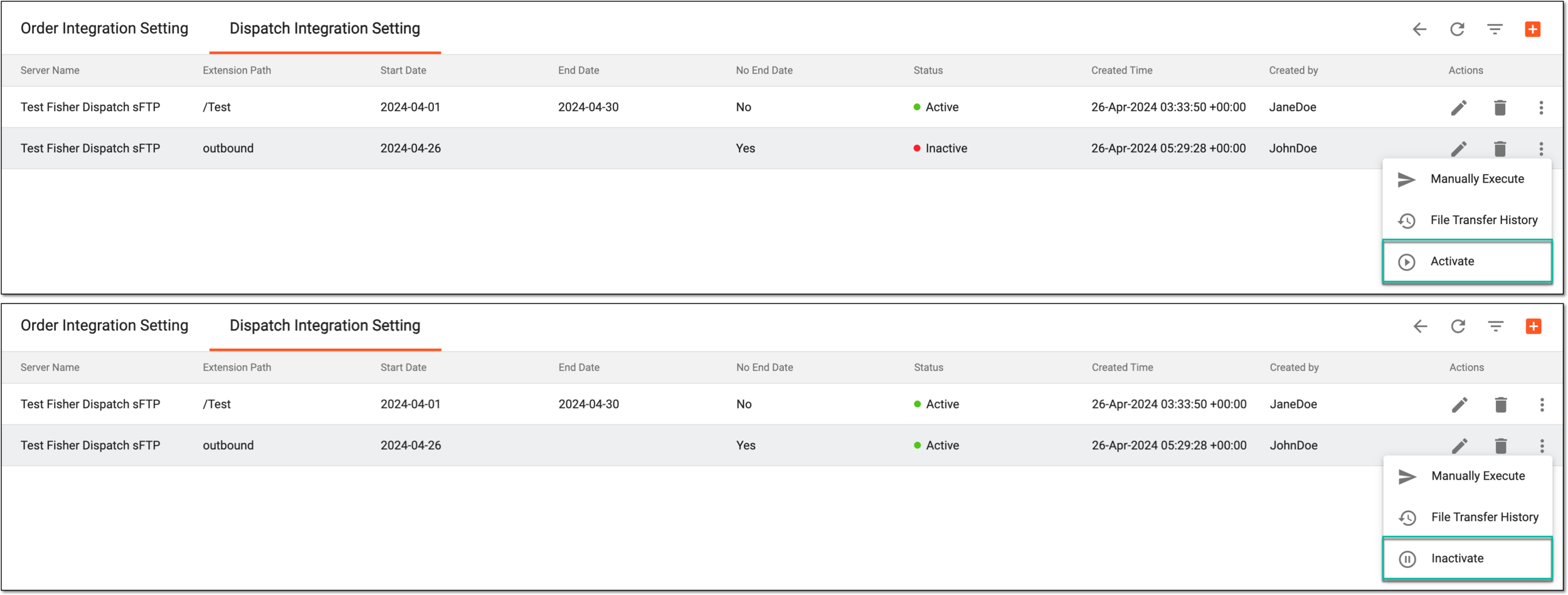 Figure 3. Activating/Inactivating dispatch integration
Once done, the dispatch integration setting is activated or inactivated based on your selection. The respective Active or Inactive indication is displayed in the Status column of the Dispatch Integration Setting table. For inactive integration settings, no data exchange occurs until activated again.