Download dispatched file
The IWRS application supports the integration with SFTP file servers to enable the automation of data transfer from the file server to IWRS. This automation minimizes manual effort, reduces the risk of human error, and simplifies the overall data management processes within the application.
To get the files from the SFTP server, you need to execute the extraction manually in IWRS. The extracted files are in the CSV format and they follow a strict template so IWRS can parse the received data and update the corresponding depot shipments. Any file extracted from the SFTP server can be downloaded on your computer so you can analyze the received data offline.
-
In the IWRS application header, select the INTEGRATION tab.
-
In the left pane of the page that opens, select Dispatch File.
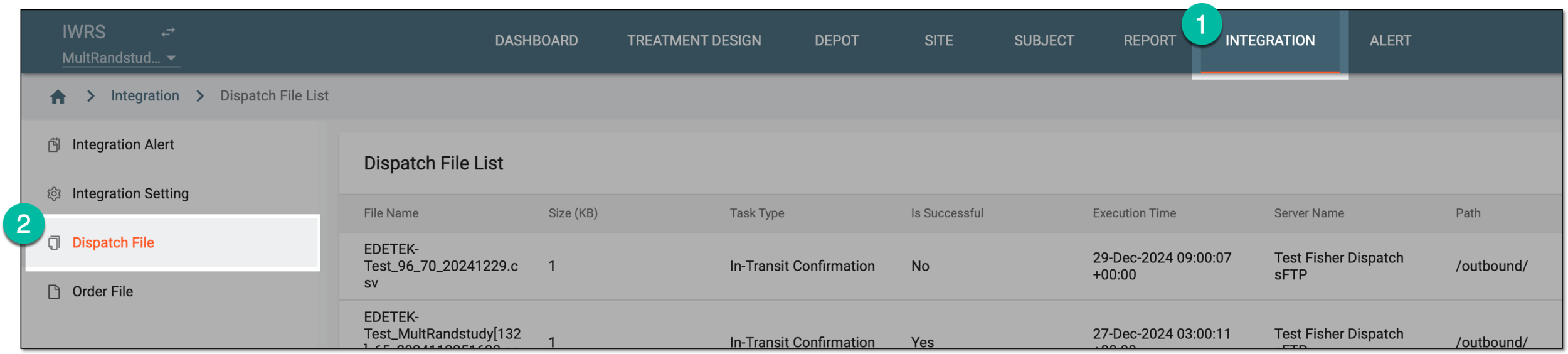 Figure 1. Accessing dispatch file list
-
In the Dispatch File List table that appears, select Download
 next to the needed
file.
next to the needed
file.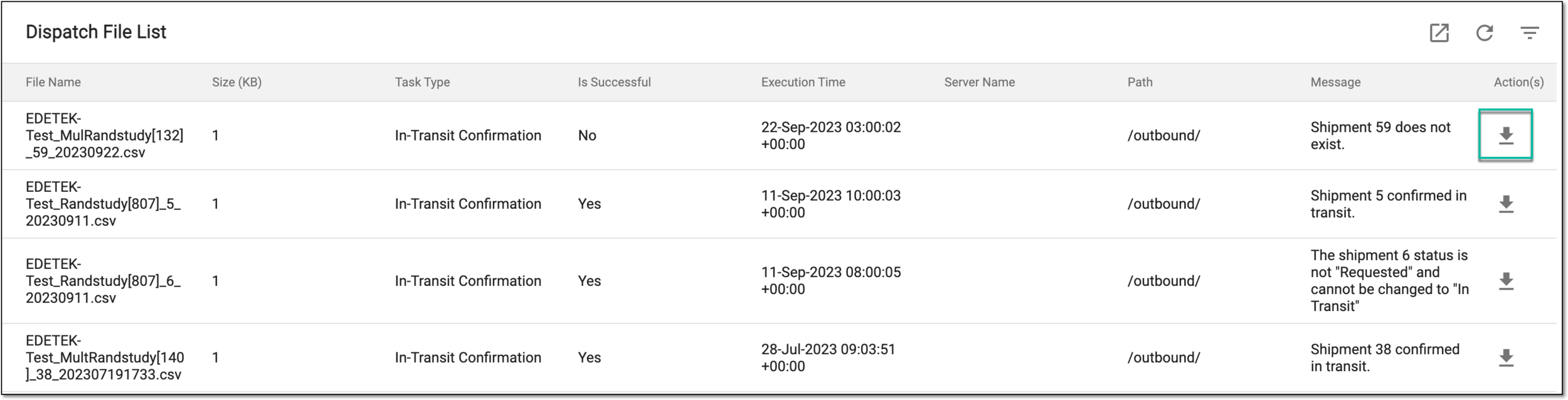 Figure 2. Downloading dispatched file
Once selected, the file is downloaded to your computer.