Dispatch file
The IWRS application supports the integration with SFTP file servers to enable the automation of data transfer from the file server to IWRS. This automation minimizes manual effort, reduces the risk of human error, and simplifies the overall data management processes within the application.
Tip
Secure File Transfer Protocol (SFTP) is a network protocol that enables safe and encrypted file transfers over the internet. It ensures data confidentiality and integrity during transmission, making it suitable for handling sensitive and confidential information.
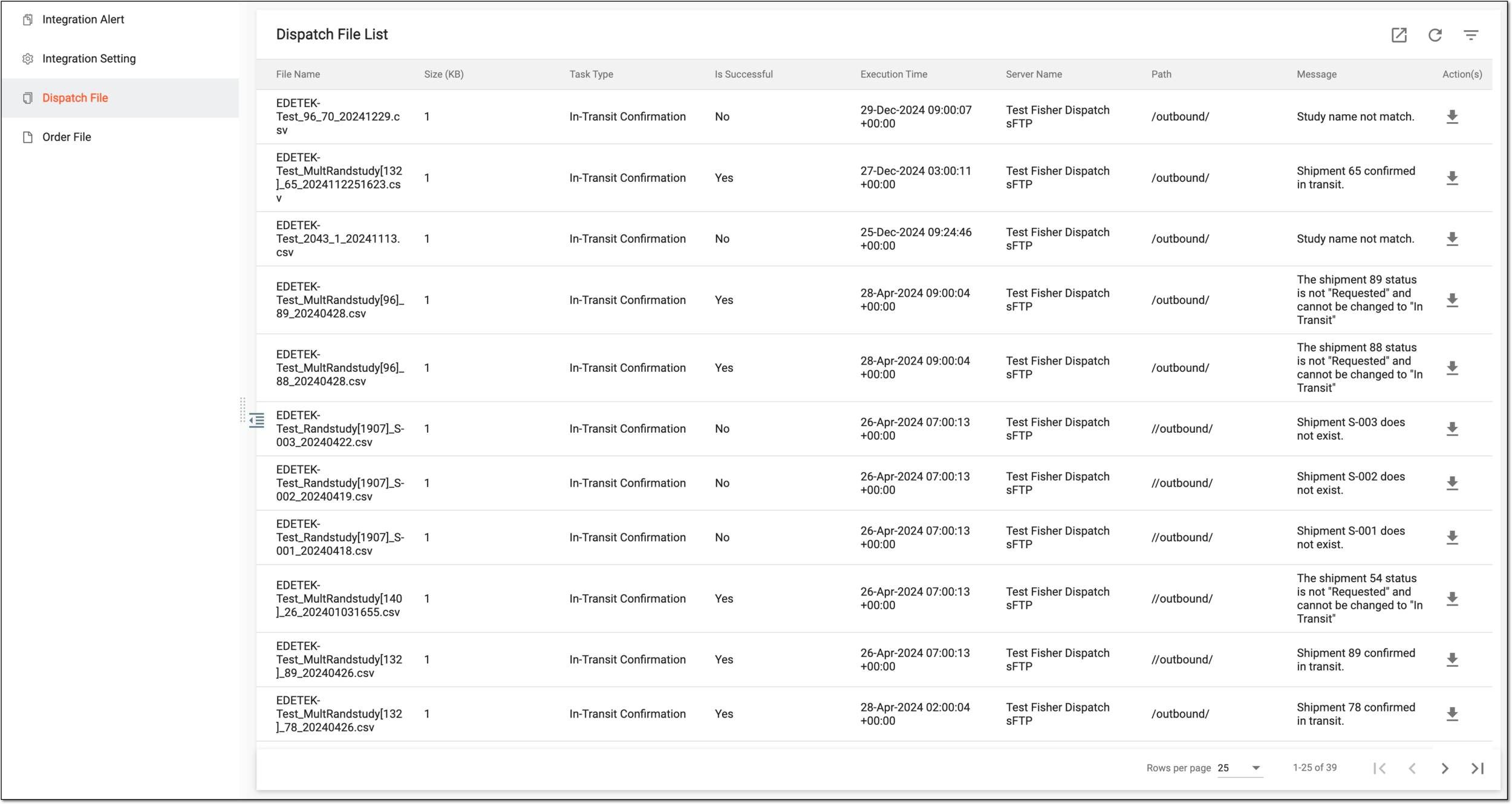
In IWRS, all files received from the SFTP server are in the CSV format and stored on the Dispatch File page under the INTEGRATION tab. The extracted files follow a strict template so IWRS can parse the received data and update the corresponding depot shipments.
Important
If one sponsor has multiple studies for which they work with the same vendor, the best practice is to create separate server directories for each study's shipment data to prevent IWRS from pulling the wrong study's dispatch files.
On the IWRS side, the study name validation occurs upon each file extraction to avoid the wrong study's shipment data being recorded from the dispatch file to the system. If the study name in the file does not match the current study you operate in IWRS, the system makes a respective record in the file history and does not populate its data to IWRS shipment records.
Currently, the following depot shipment data is updated from the received files:
-
Shipment Number: the order number in the equivalent order as stated in the requested file.
-
Service: the logistics company that is delivering the consignment.
-
Tracking ID: the number the carrier uses to track the consignment in their system.
-
Dispatch Date: the date when the depot shipment has been sent with the carrier.
-
Status: the status of the corresponding depot shipment changes from Requested to In Transit.
Even though the system automatically pulls the files from SFTP every hour, there can be a case when you need to immediately parse the file that has been added to SFTP by a vendor. Thus, you can execute the extraction manually in IWRS.